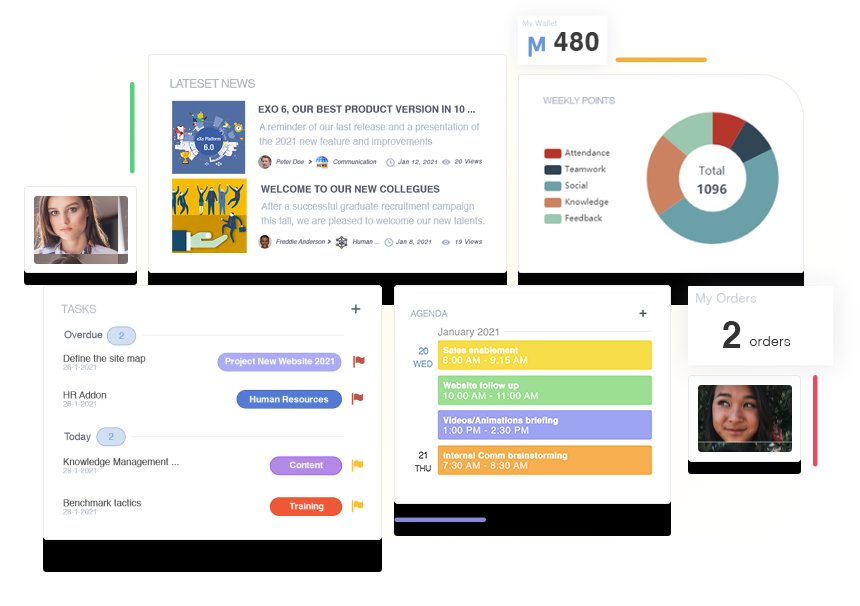
Discover eXo Platform, a full-featured, versatile digital workplace platform that will help you embrace modern ways of engaging and collaborating at work.
« eXo is there to help us master the information assets of the presidency, an organization at the heart of the decision-making apparatus of the State. »
« We deploy 100,000 officers around the world who need to be able to communicate continuously. RESOGend, our enterprise social network, really changed the way we work together. »
Lieutenante-Colonelle Marielle Chrisment, In charge of the digital mission
« We needed to bring our different brands together and build a common culture. eXo platform has helped us to do that. We use our digital workplace for communication and also for collaboration on transverse projects. »
Caroline Barbin-Siraudin, Head of Marketing & Corporate Communication
« Our goal was to make sure that each clinic felt included in the group. We wanted to facilitate collaboration between our clinics and within each of them, to promote the sharing of information and best practices. »
Olivier Boixière, CIO Vivalto Health
Why eXo? Choose your independence
On-premise or in the cloud
Easy to use
An easy to use digital workplace offering a consumer-grade user experience











 > Read the client story
 > Read the client story
 > Read the client story
 > Download the case-study
 > Download the case-study