
FREE WHITE PAPER
Artificial intelligence has rapidly become part of everyday work. Employees experiment with AI tools, generate content, and explore new ways to be more productive.
Today, we are proud to introduce our new AI-augmented Digital Workplace.
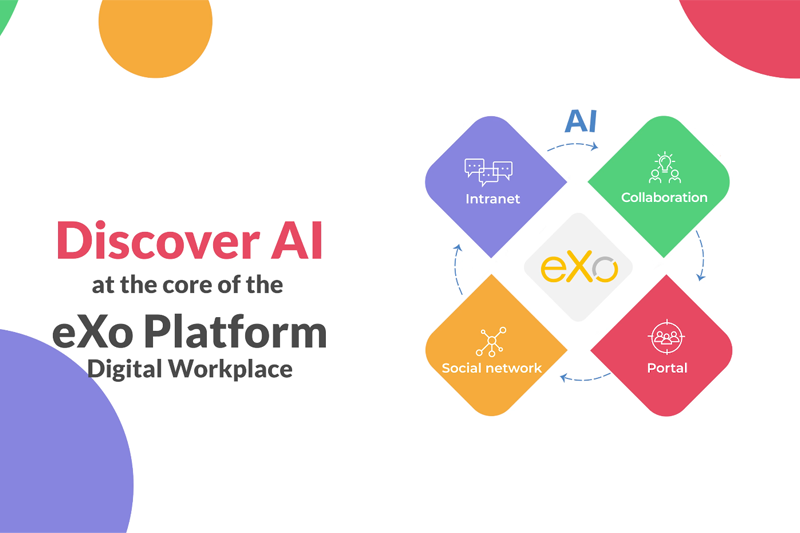
What does it mean in practice? It is the eXo Platform you already know, now enhanced with AI across all use cases – not as a separate feature, but as an integrated layer throughout the entire experience.
Over the past months, we have been working closely with organizations experimenting with AI. One observation stands out: while AI is everywhere, its real value in the enterprise is still not fully realized.
Beyond a few targeted use cases, adoption remains limited. Users are hesitant. Experiences are fragmented across multiple tools. And organizations still have strong concerns around data control, security, and governance.
eXo addresses these challenges by introducing an AI designed for enterprise usage – practical, integrated, and controlled.
Our approach is based on four key principles:
eXo brings AI at the core of the digital workplace experience, supporting everyday work across all use cases:
In the following sections, we will first explore these capabilities from the end-user perspective, and then take a closer look at how this AI is designed and controlled under the hood.
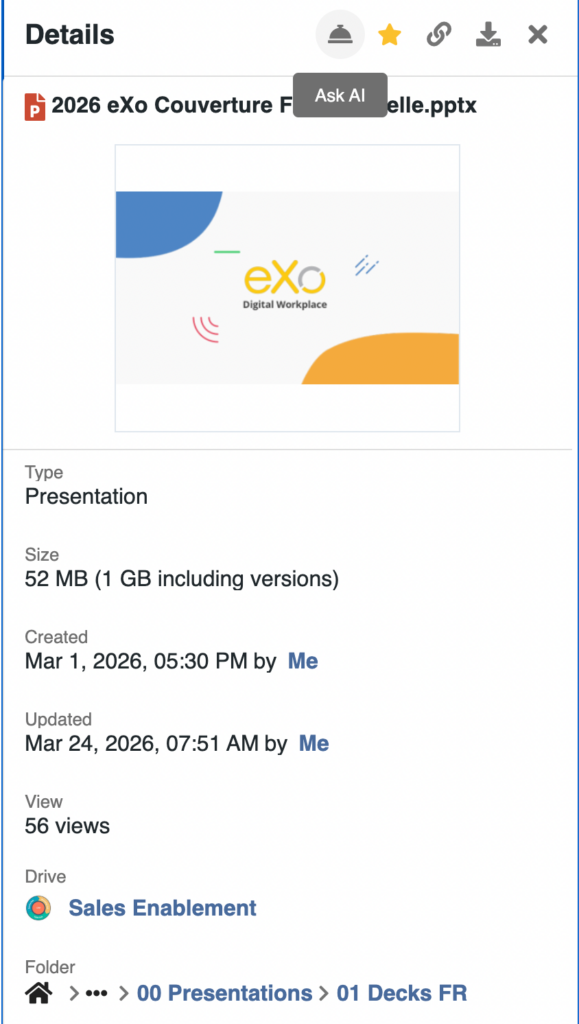
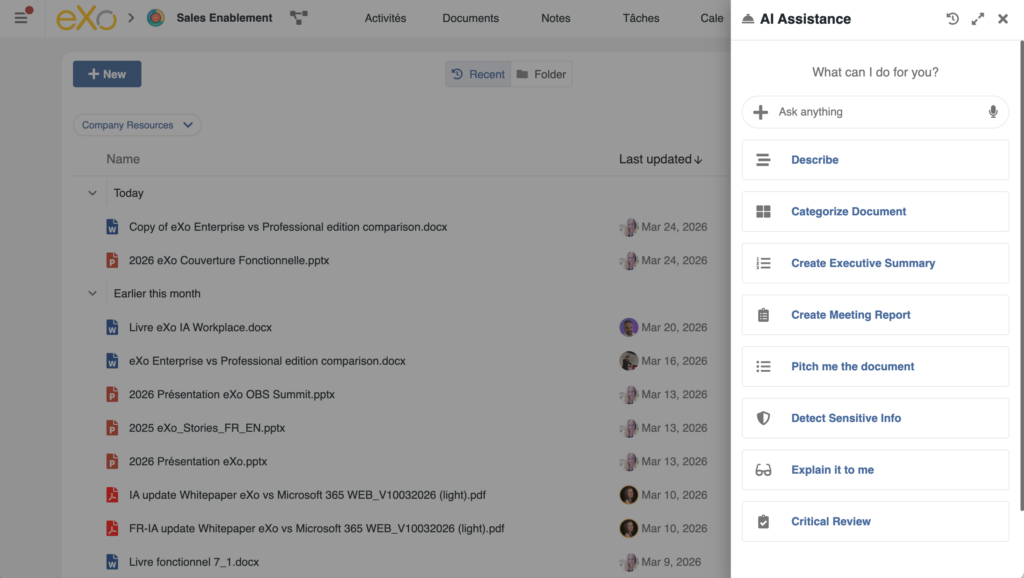
AI is accessible at any time through a consistent entry point, available across the entire digital workplace.
Users do not need to switch tools or move content. AI is always within reach, directly where work happens.
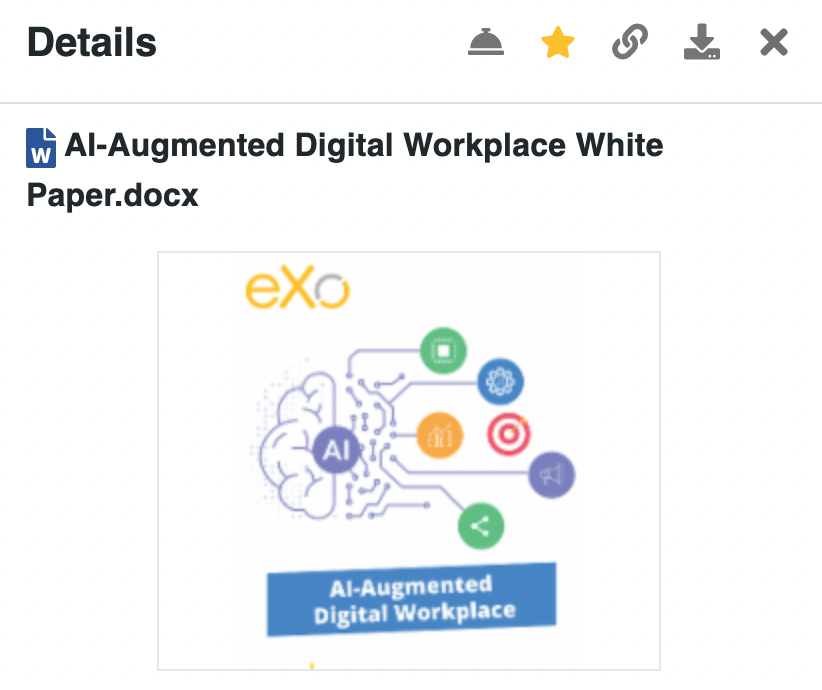
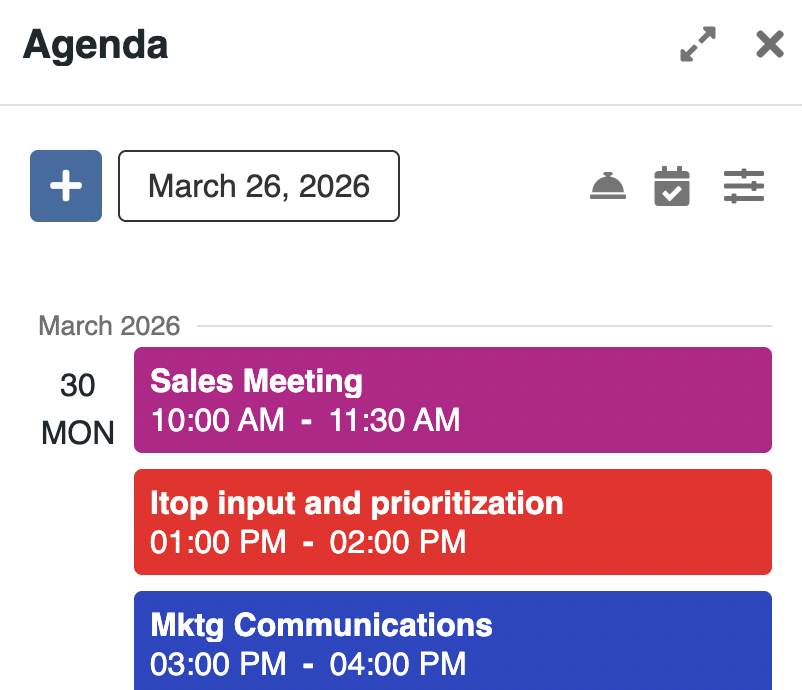

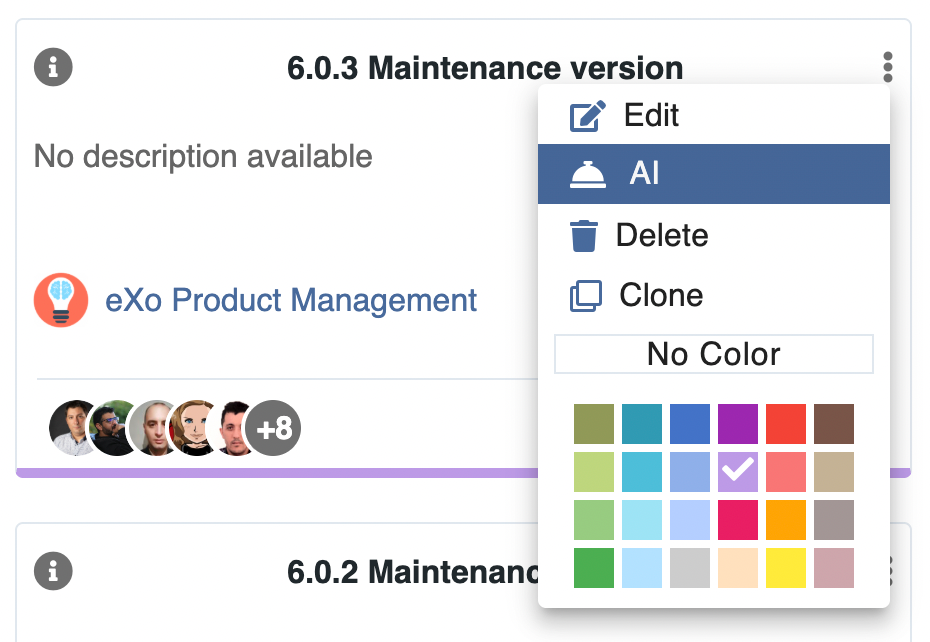
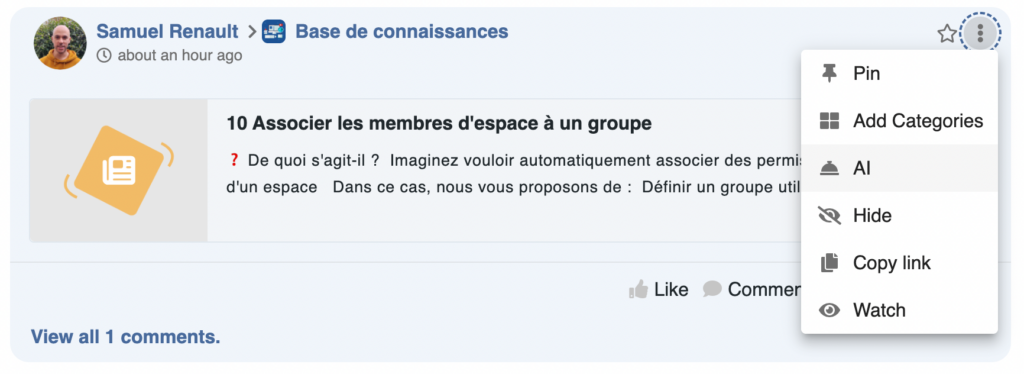
Behind this unified access, eXo relies on contextual AI agents. Each time AI is invoked:
This allows AI to provide relevant assistance without manual input, and to go beyond simple suggestions.
Users can also choose their agent and specify the context in which AI should operate. The AI panel can be expanded to full screen at any time, providing access to conversation history and advanced features.
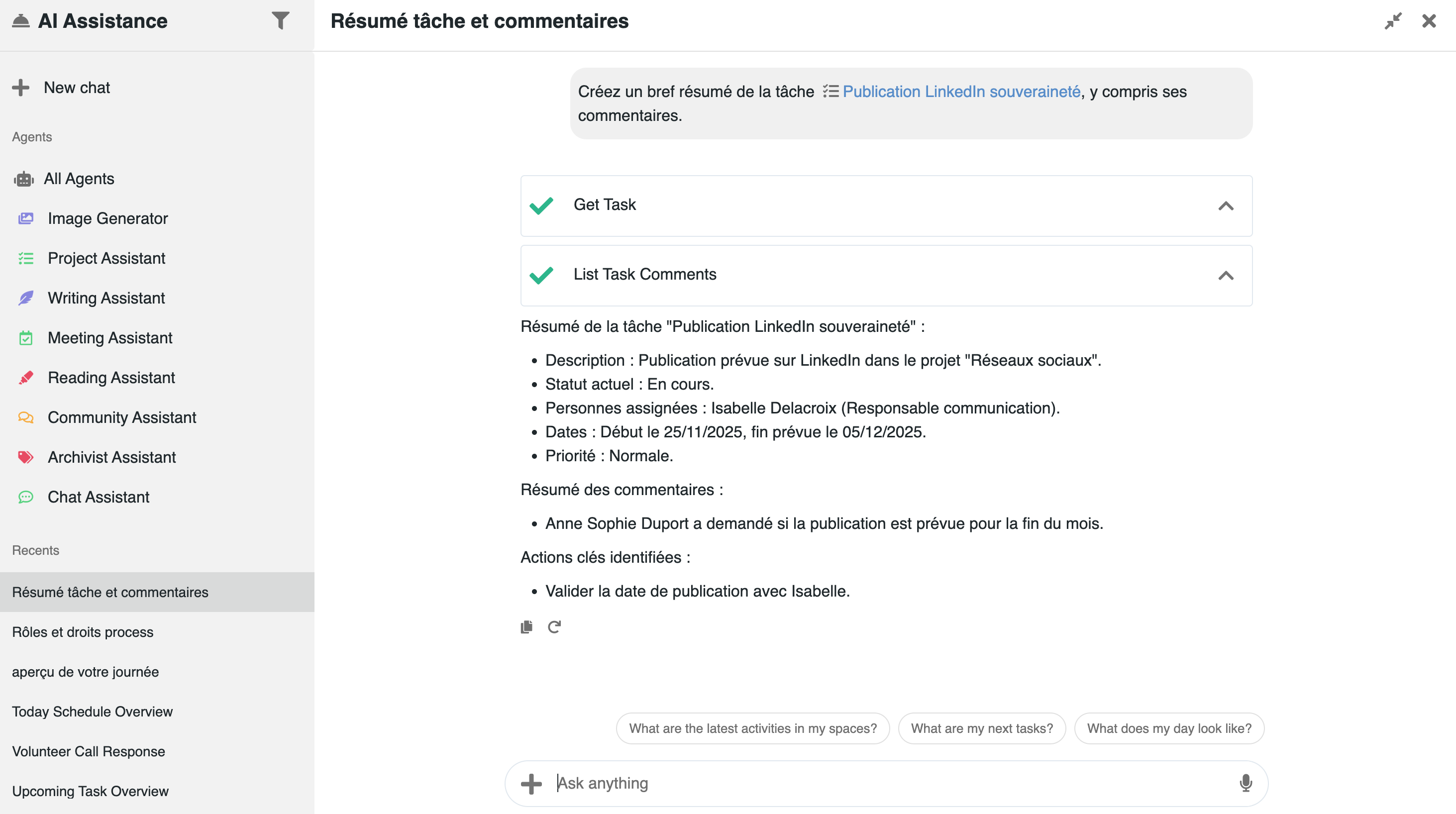
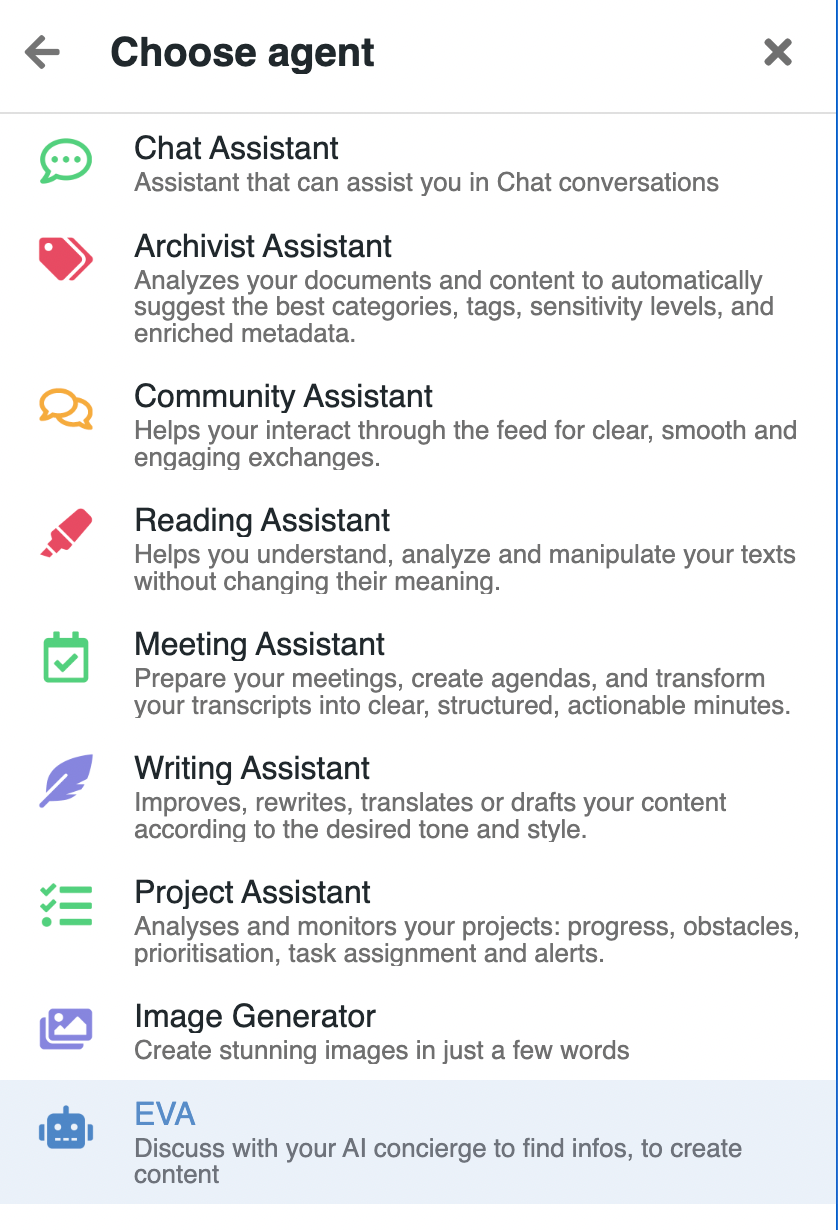
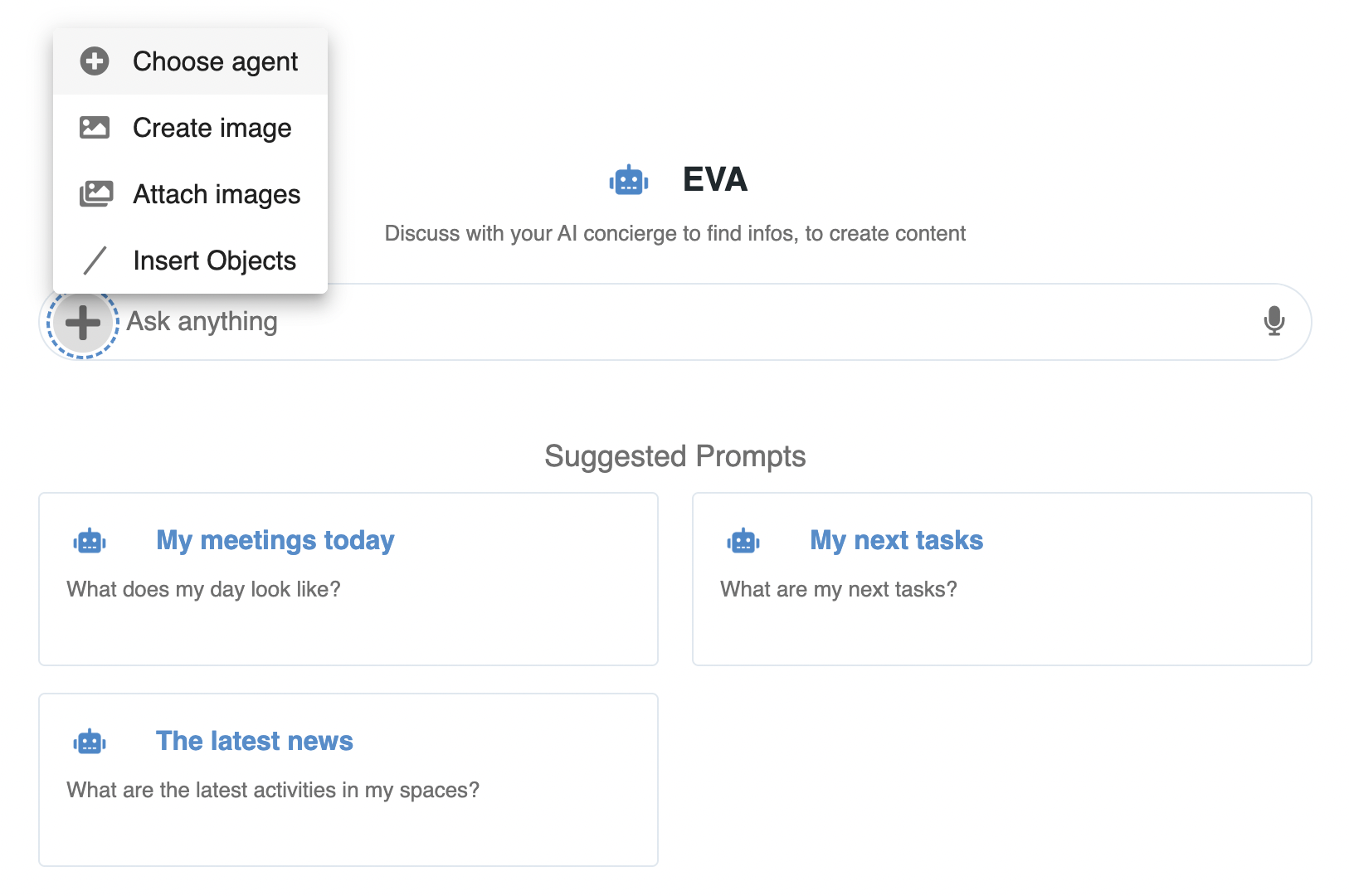
AI can:
In practice, AI behaves as an assistant that works with the user, within their environment, and not as an external tool.
Making AI available is not enough, it must also be easy to use from day one.
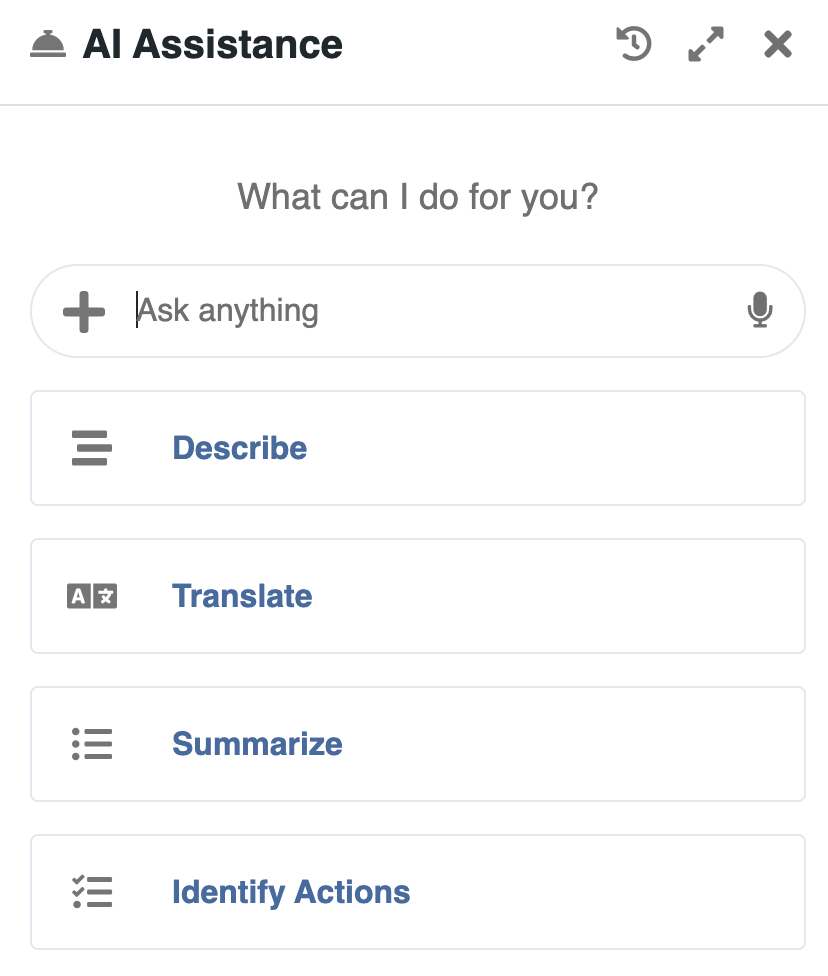
eXo focuses on guided and familiar interactions:
Users can start with suggested actions, then naturally move to more advanced usage.
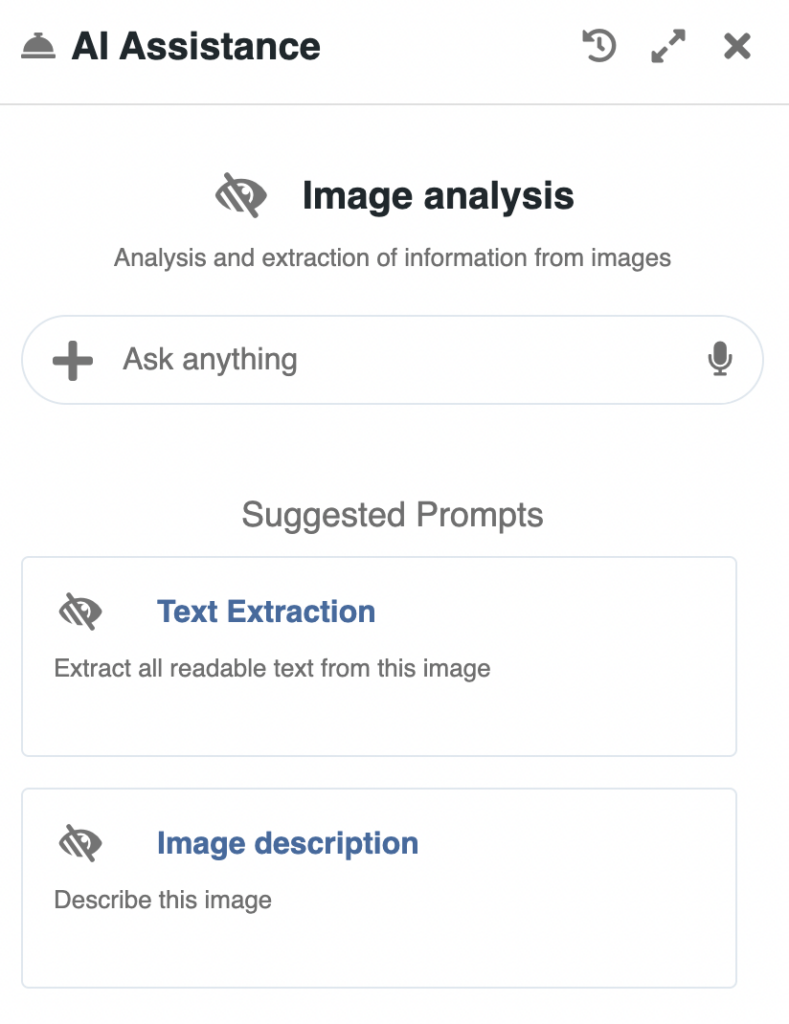
Examples (from left to right) – calling on the meeting assistant, calling on assistance on a document, calling up in the context of a project:
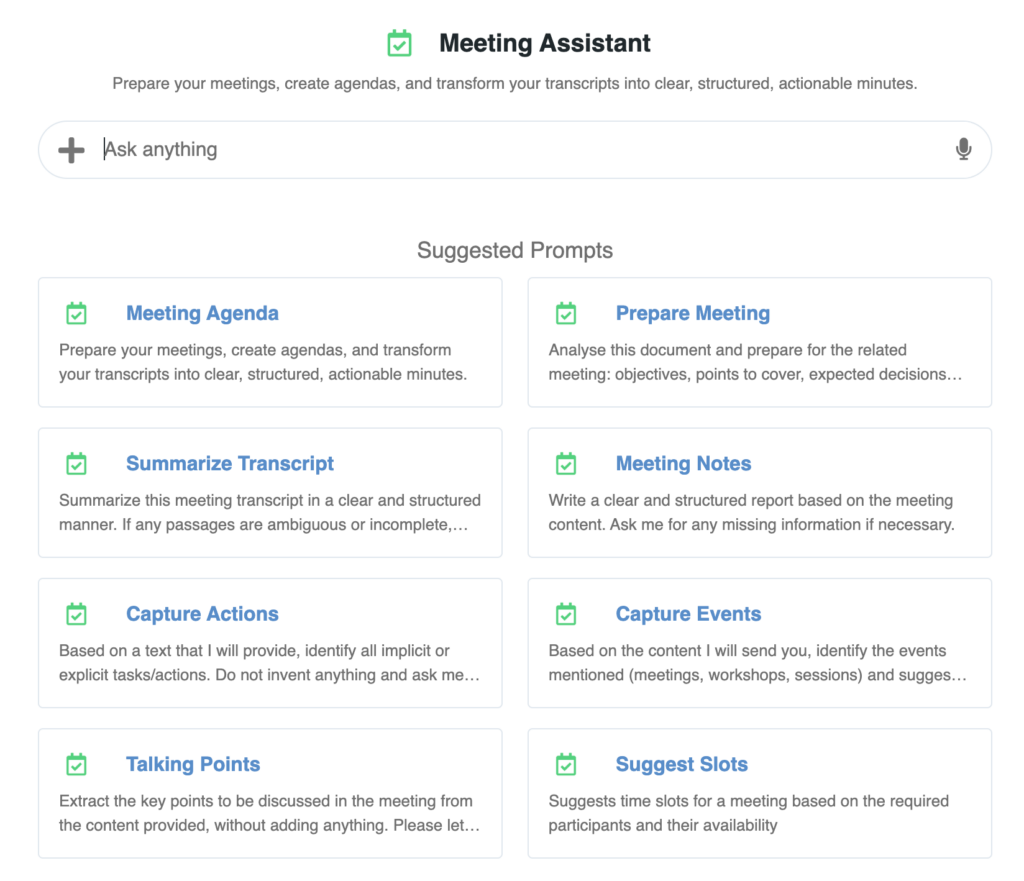
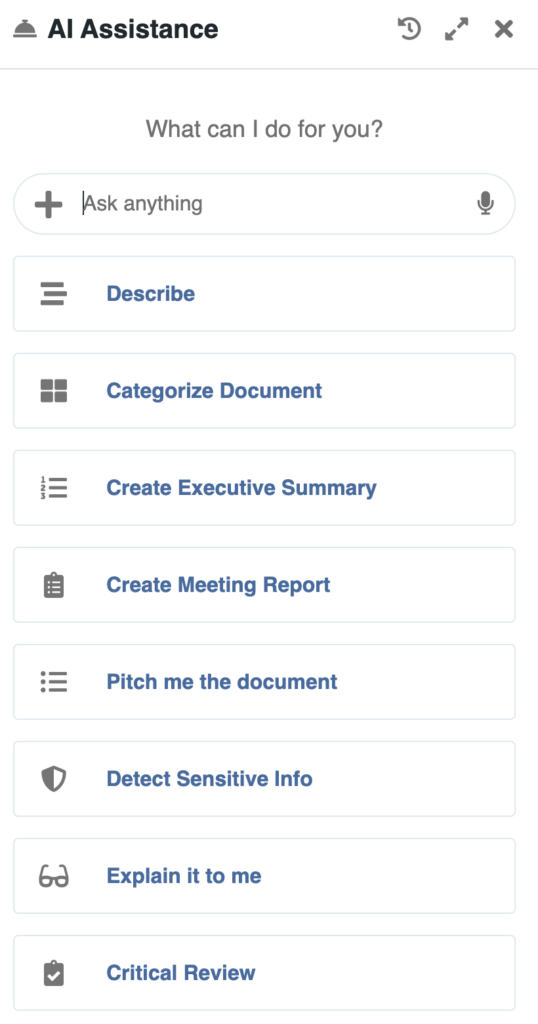
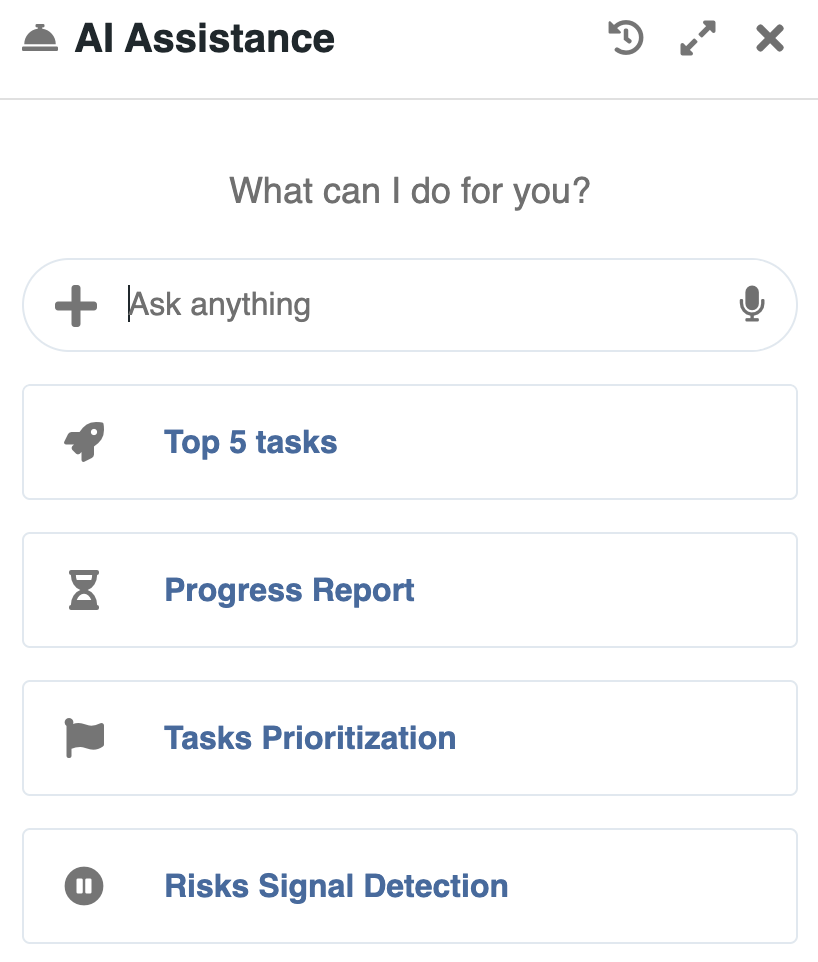
This consistency reduces the learning curve and helps organizations deploy AI progressively, without friction.
This unified access model makes AI both powerful and usable in everyday work. It is supported by a flexible architecture that ensures control, security, and adaptability.
AI-Augmented Digital Workplace
Artificial intelligence has rapidly become part of everyday work. Employees experiment with AI tools, generate content, and explore new ways to be more productive.
Artificial intelligence has rapidly become part of everyday work. Employees experiment with AI tools, generate content, and explore new ways to be more productive.
AI in eXo is designed to support one of the most common activities at work: producing and sharing content.
Whether writing an article, replying to a message, preparing a document or posting an update, users can access AI directly within their workflow to draft, improve or adapt their content.
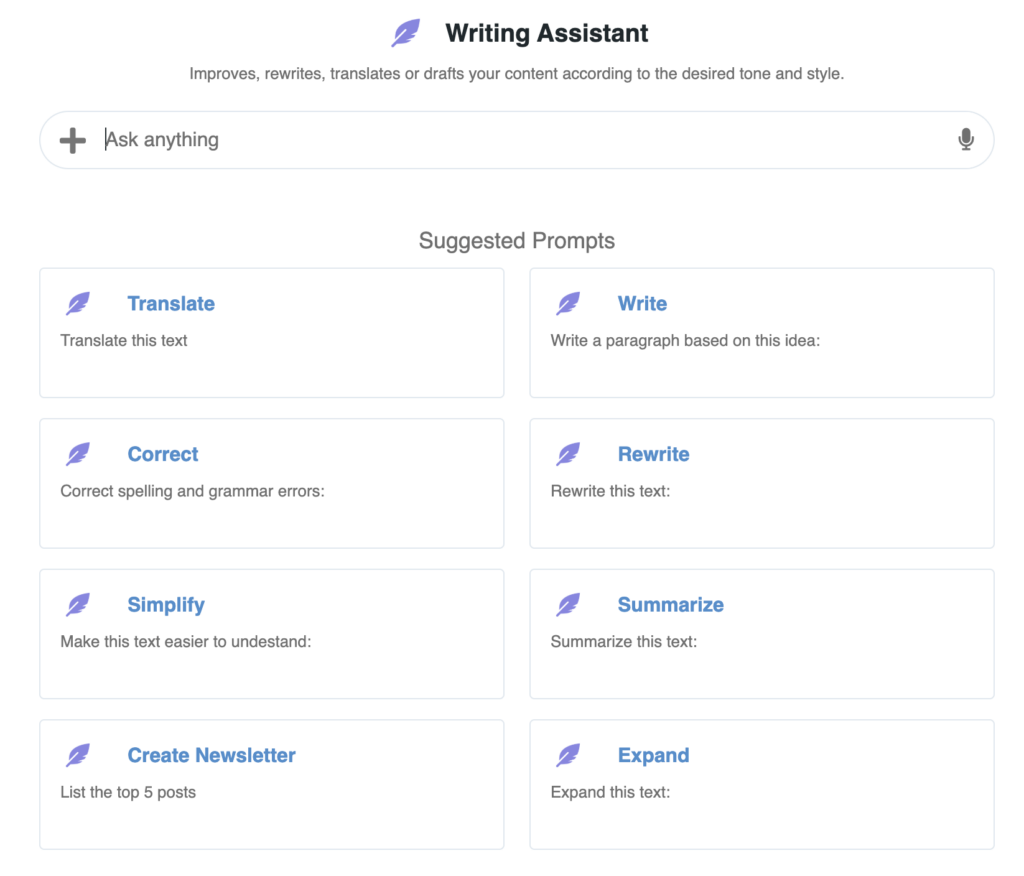
AI is available across all content formats in the platform:
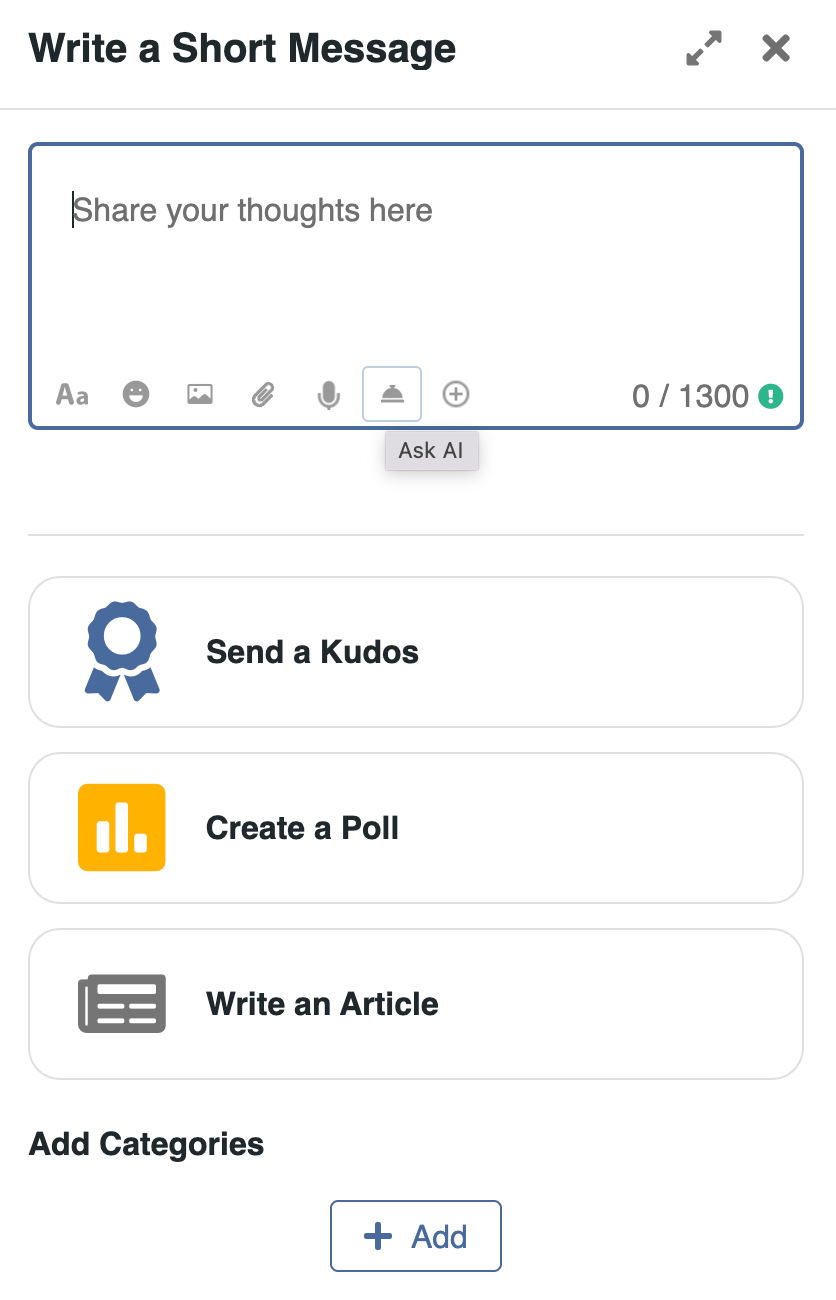
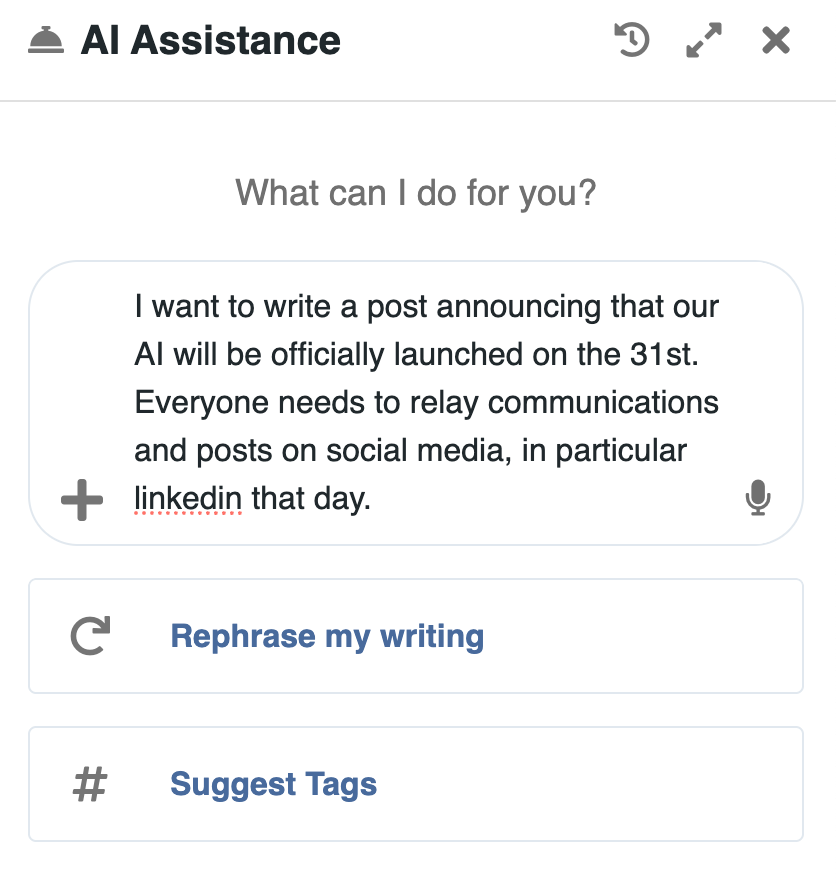

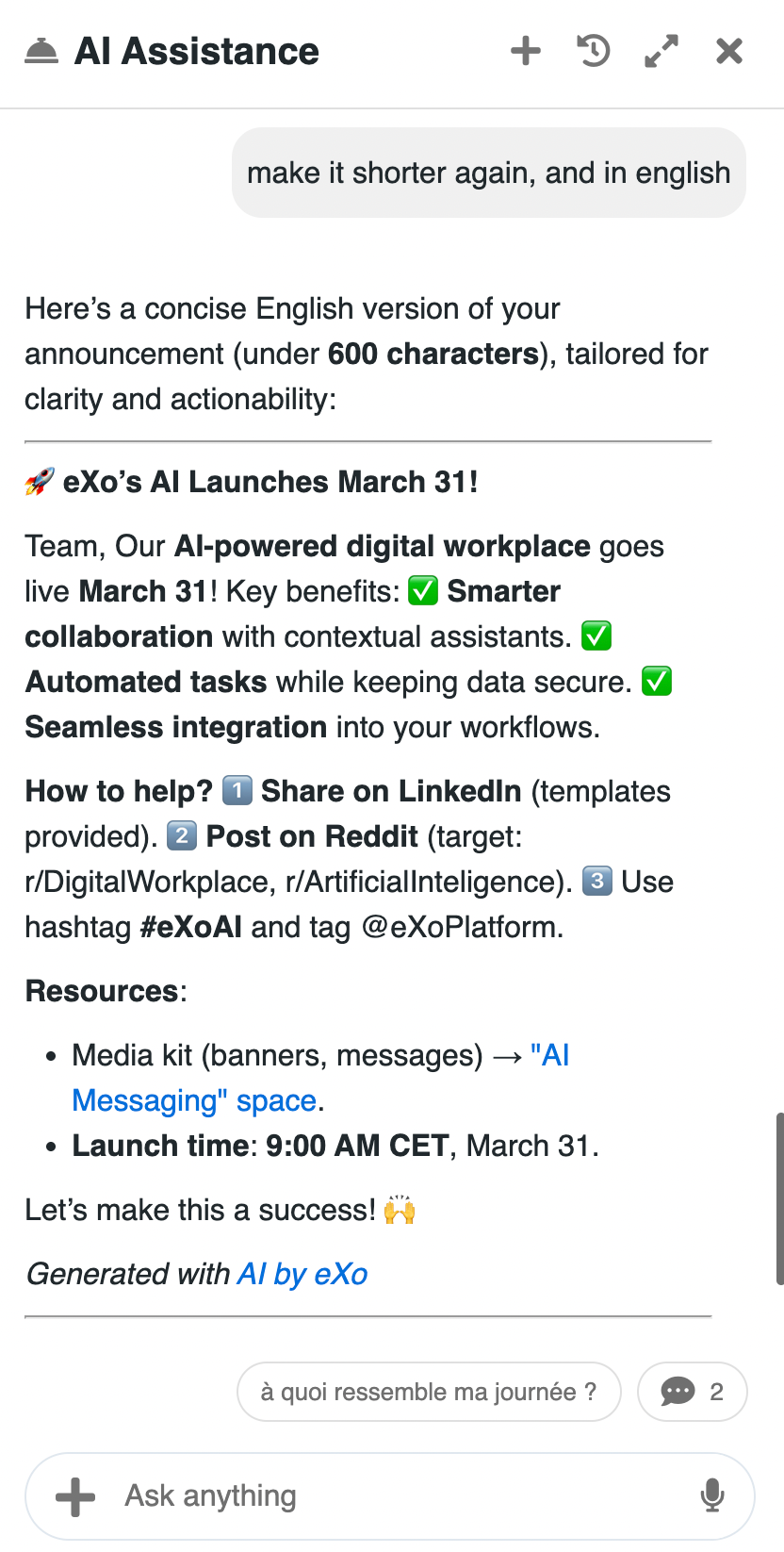
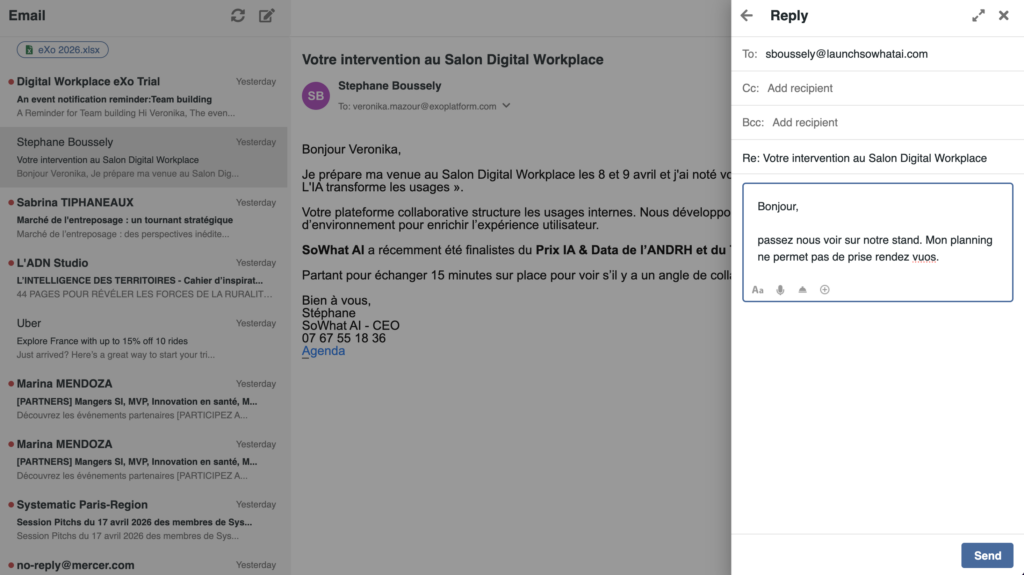
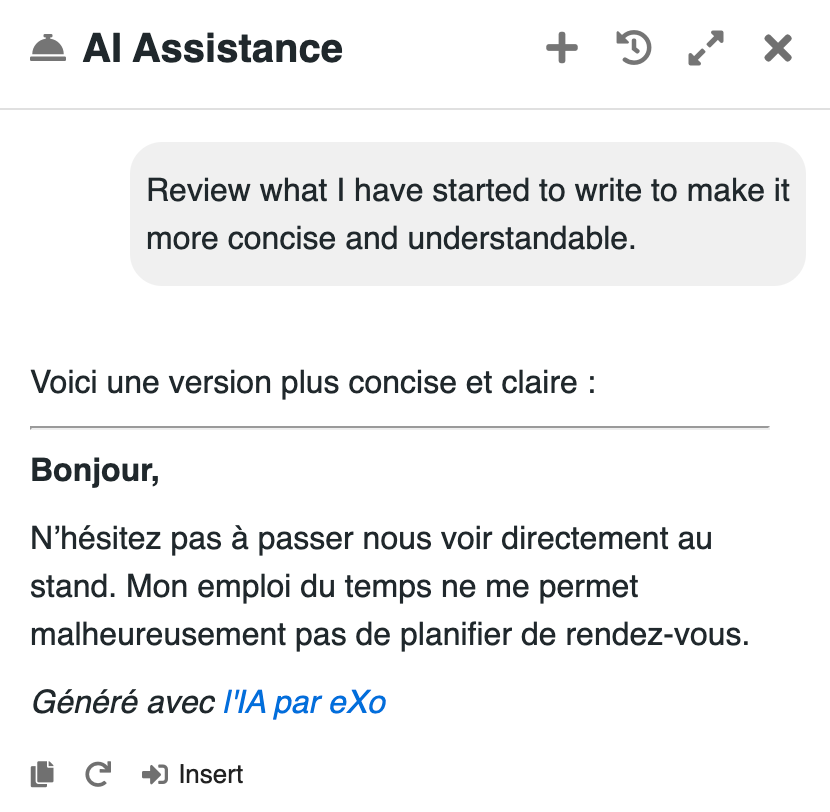
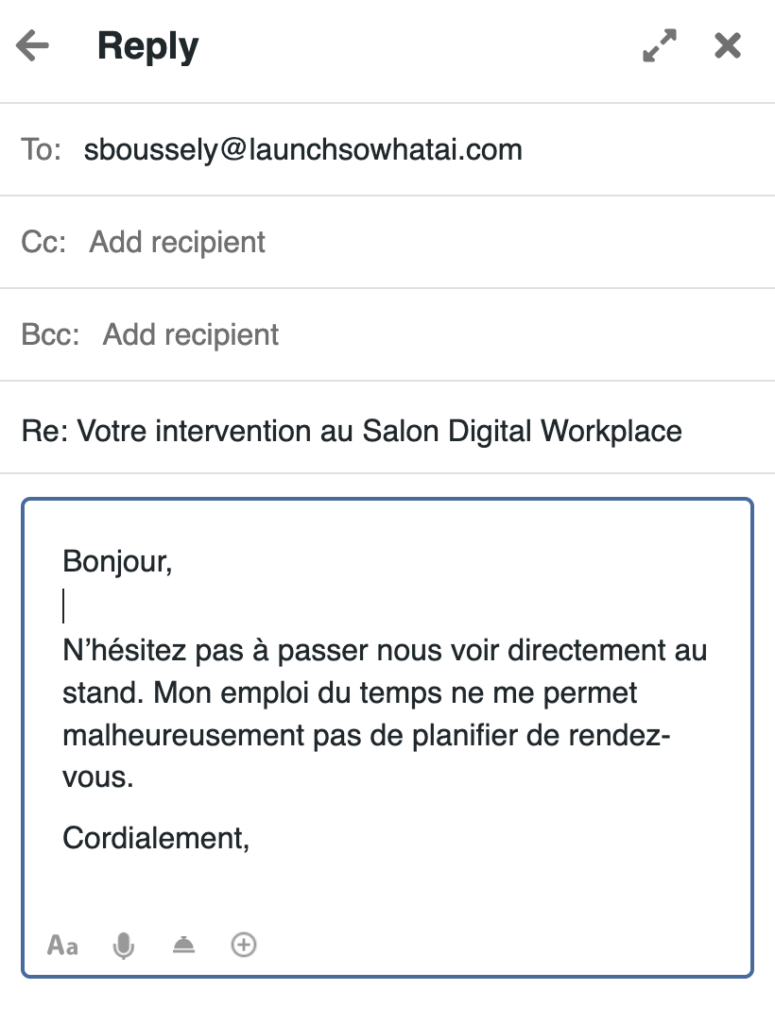
AI can support the full writing process:
This helps users move from a blank page to a ready-to-share result more quickly, while staying in control of the final output.
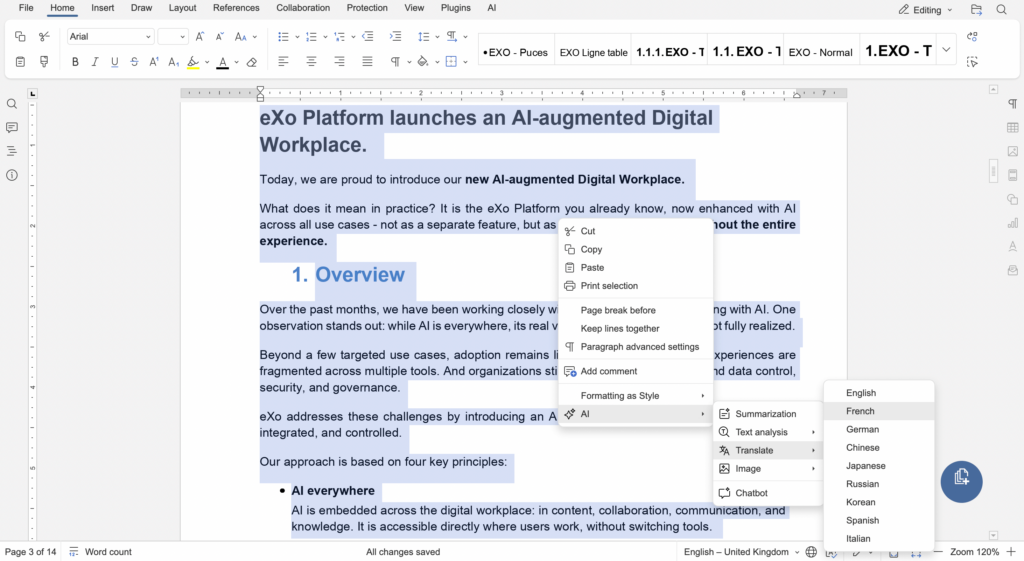
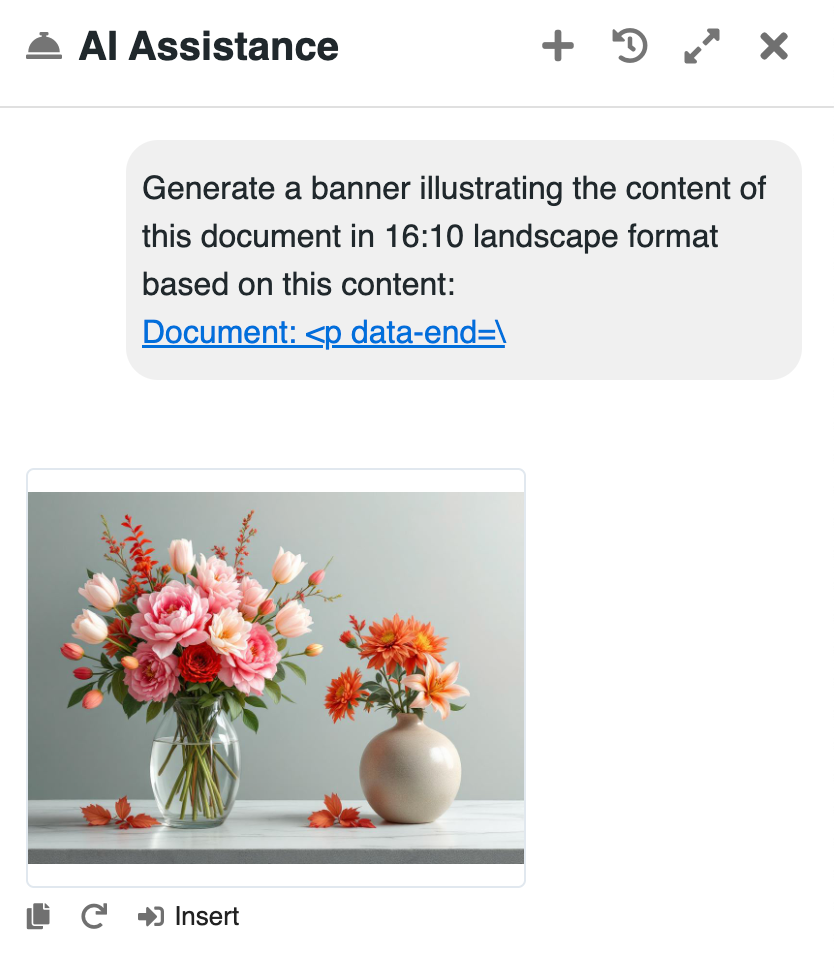
Beyond text, AI can also assist in generating visual content to complement written communication.
Users can quickly create visuals adapted to their message: for example to illustrate an article, enrich a post, or support internal communication.

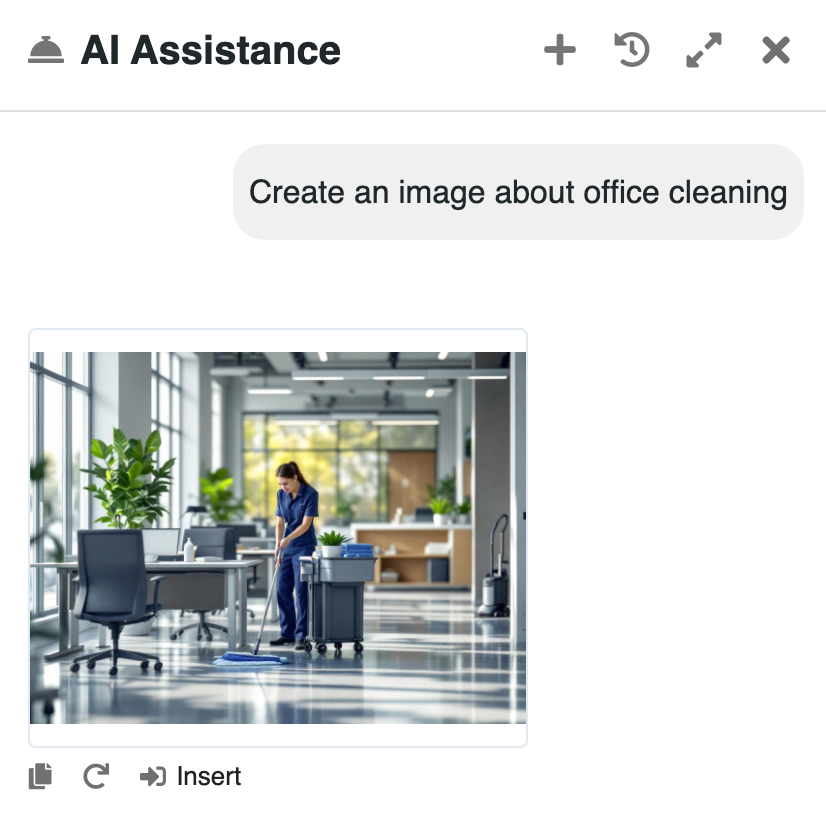


Because AI is embedded across the platform, the experience remains consistent:
Whether working on a document, a post or a message, users interact with AI in a familiar way.
This same approach applies to how users access and understand information across the platform.
Beyond content creation, AI in eXo helps users navigate and make sense of information across the platform.
From finding the right content, to catching up on activity, to understanding complex information, AI supports users at every step.
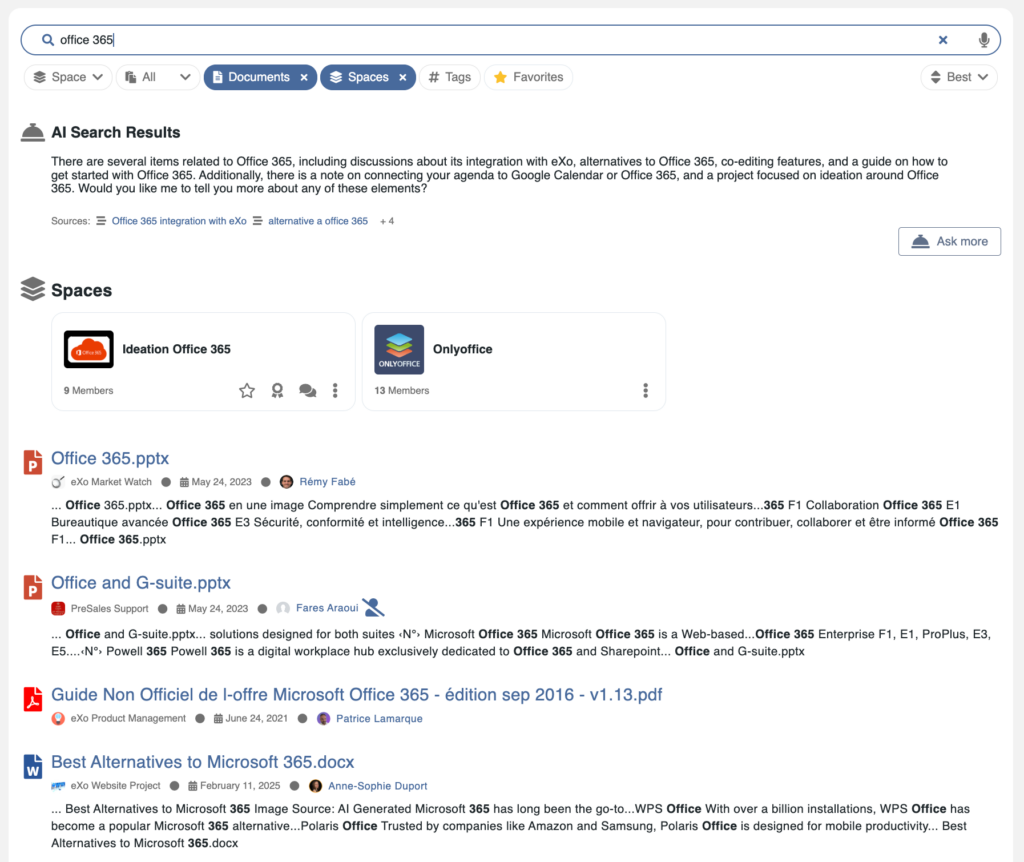
Search remains a central entry point to knowledge in the digital workplace.
eXo combines:
From these results, users can:
This allows users to progressively narrow down results, ask follow-up questions, and interact with their data, without restarting a search or switching tools.
AI enhances search by providing relevant answers anchored in real content, while always respecting permissions and access rights.
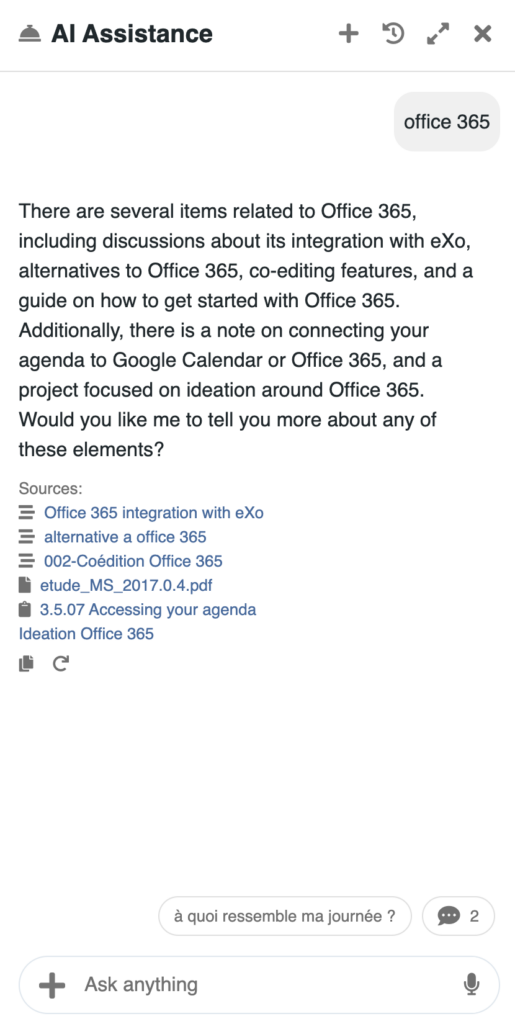
Staying up to date is often more challenging than finding information.
AI helps users quickly understand what has happened across the platform:
Users can ask questions such as:
AI prioritizes the most relevant and recent information to provide a concise and actionable overview.
To make this even easier, eXo provides preconfigured, one-click prompts directly accessible in the interface, and adapted to the user’s context. Depending on where the user is, AI suggests relevant actions. For example:
Users can simply trigger these actions without writing a query, making catch-up fast and effortless.
Examples of options available from the home dashboard and a space feed, along with an example of an AI response:
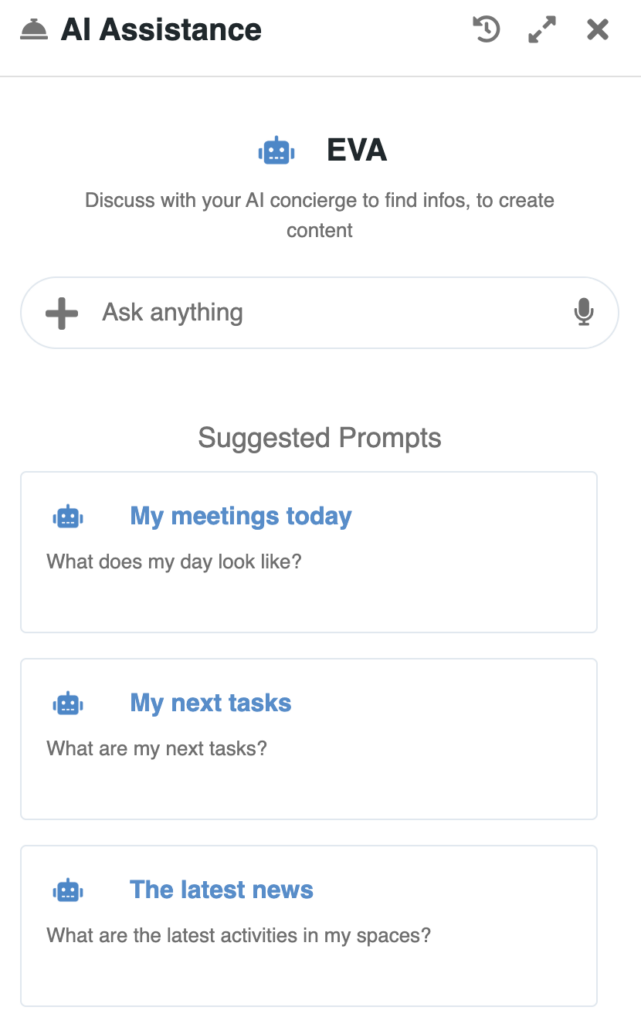
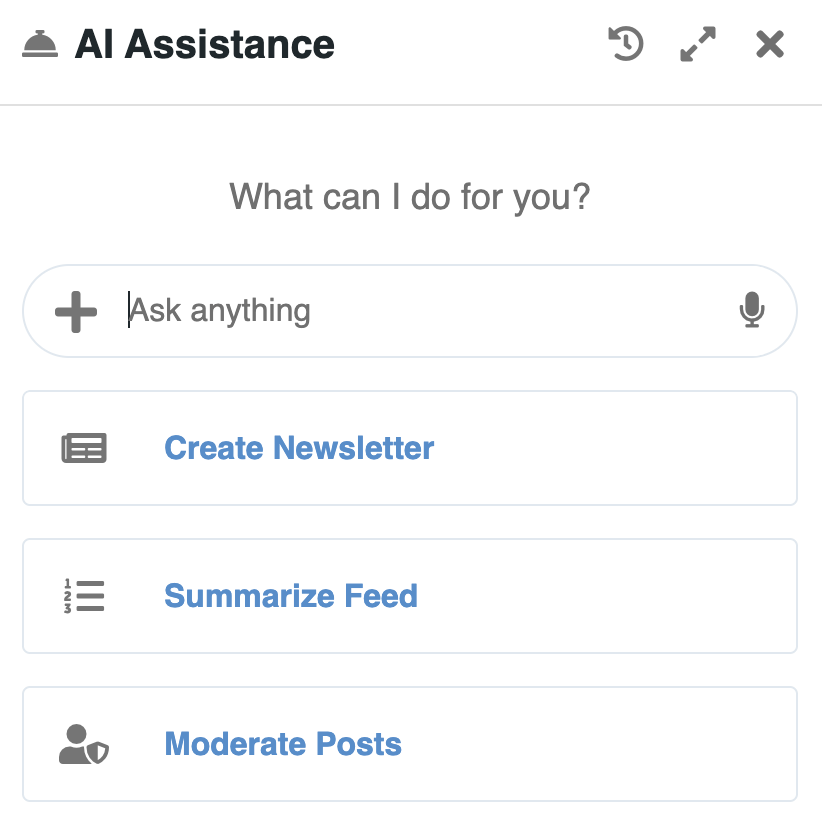
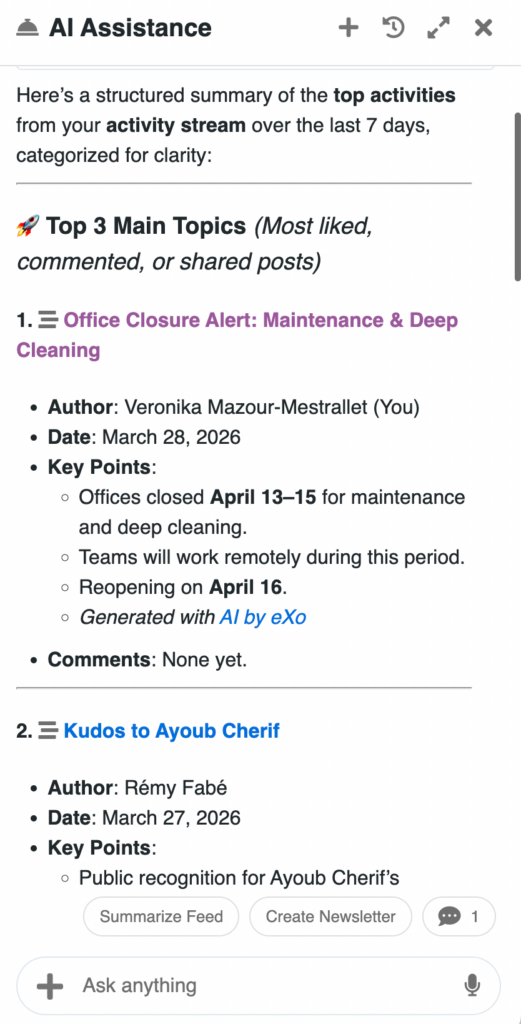
AI aggregates information from multiple sources and provides a clear, structured overview, helping users stay aligned without having to browse each tool individually.
All results are generated based on the user’s permissions, ensuring that only accessible information is surfaced.
Once information is found, AI helps users process and understand it. This includes:
Users can quickly grasp the essence of long or complex content, while keeping full access to the original sources.
Beyond understanding information, AI can also help transform it into actions.
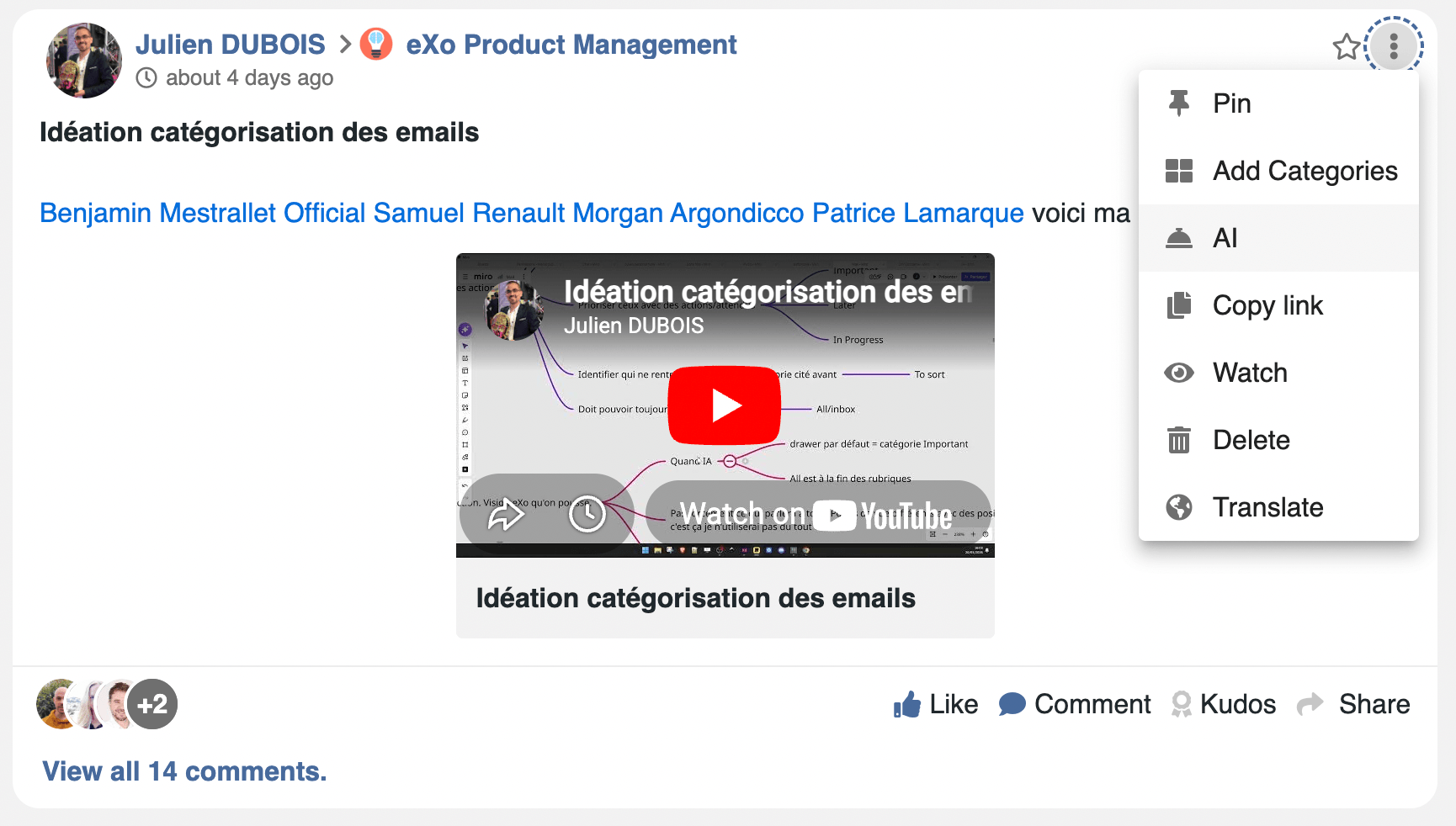
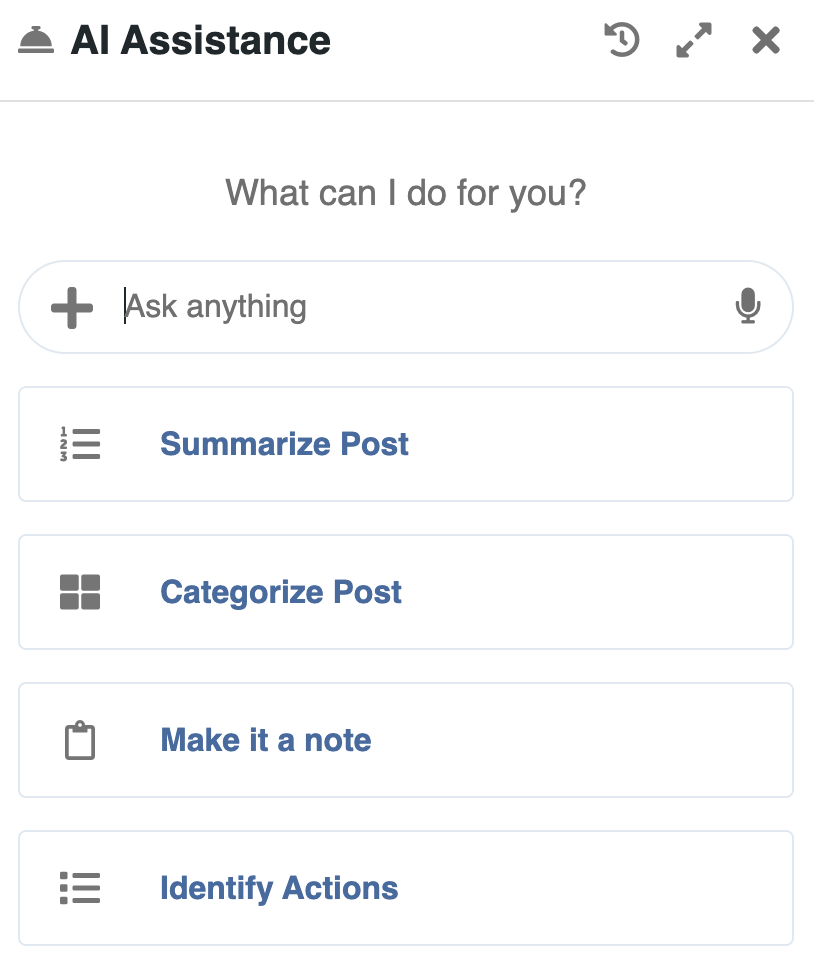
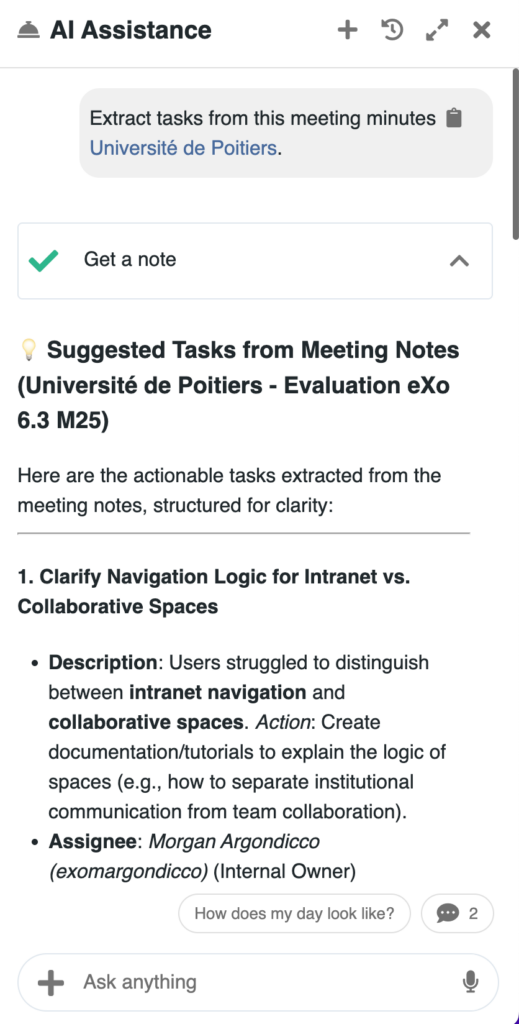
Beyond helping users write or understand information, AI in eXo supports a more advanced objective: turning information into action.
By analyzing content, conversations and activity across the platform, AI helps users structure work, make decisions, and move faster.
AI can automatically extract and organize actionable elements from everyday content:
This reduces manual effort and ensures that important actions are not missed.
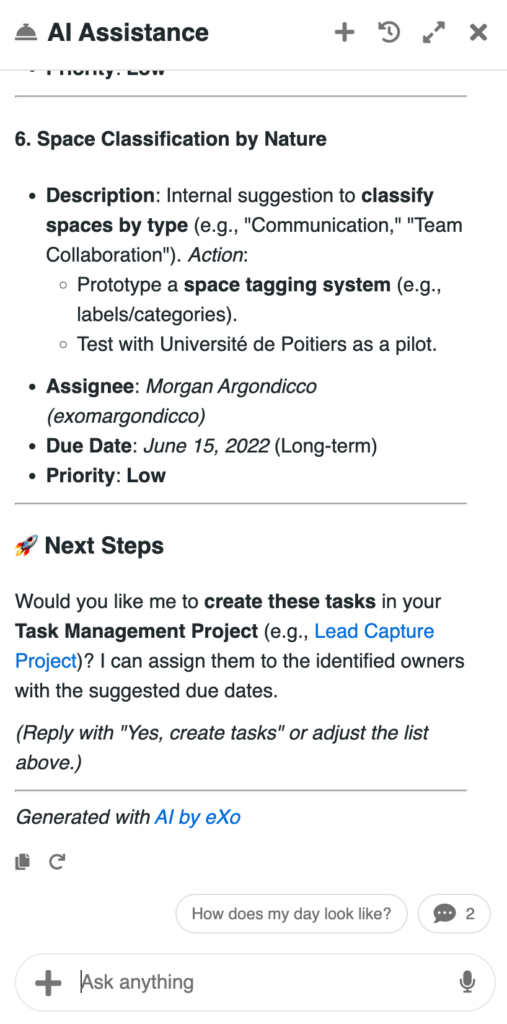
AI can also help organize and preserve information over time, turning everyday content into structured knowledge:
This helps teams maintain consistent, well-structured knowledge without adding manual effort.
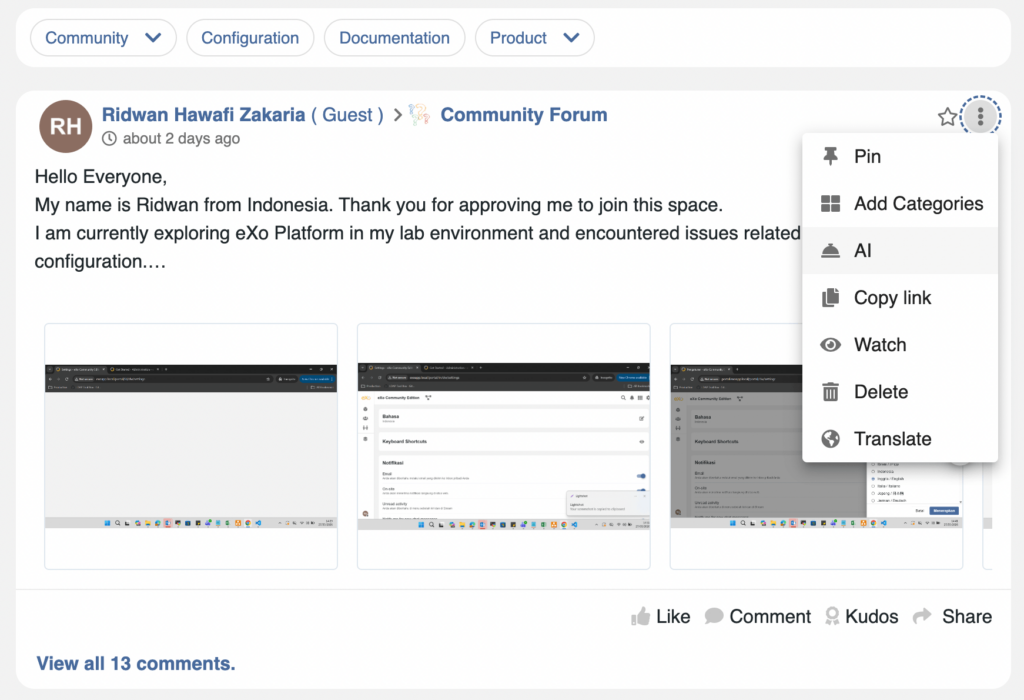
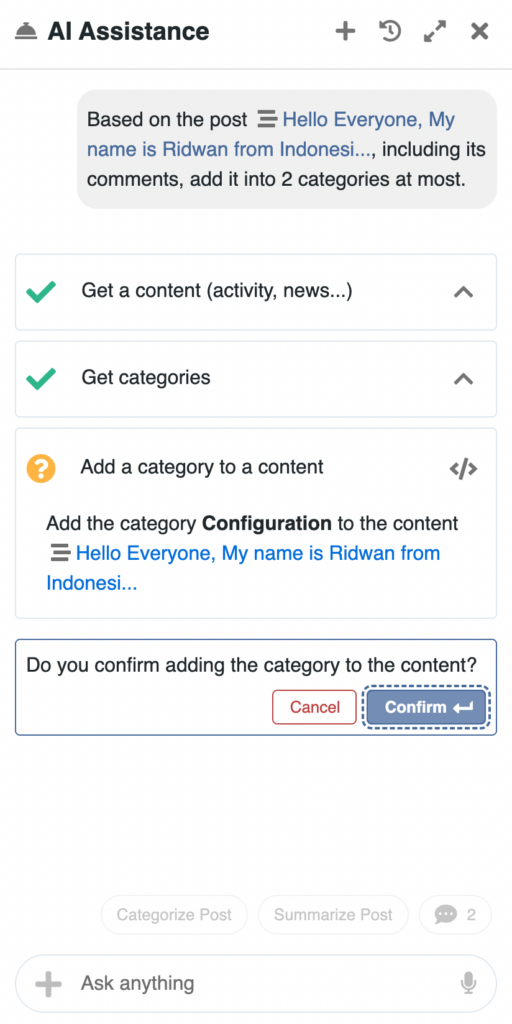
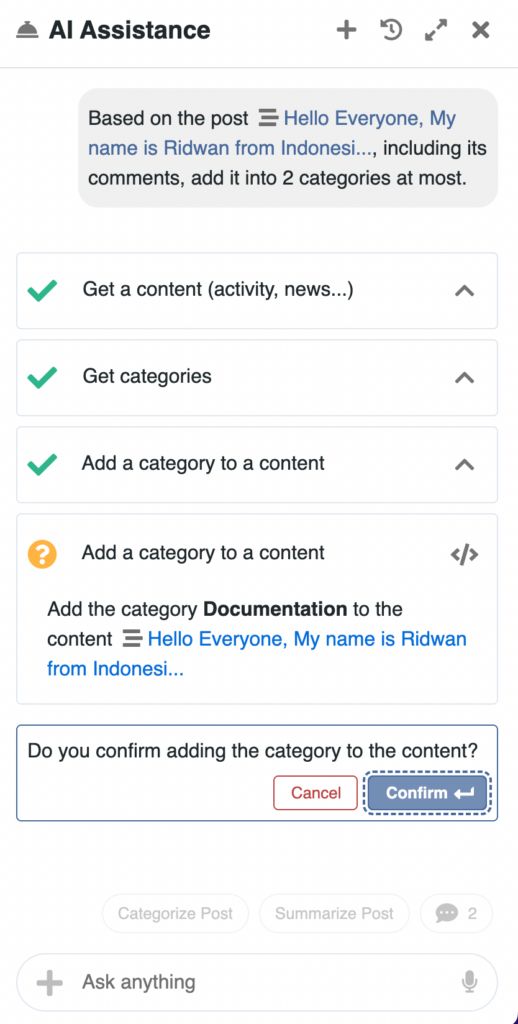
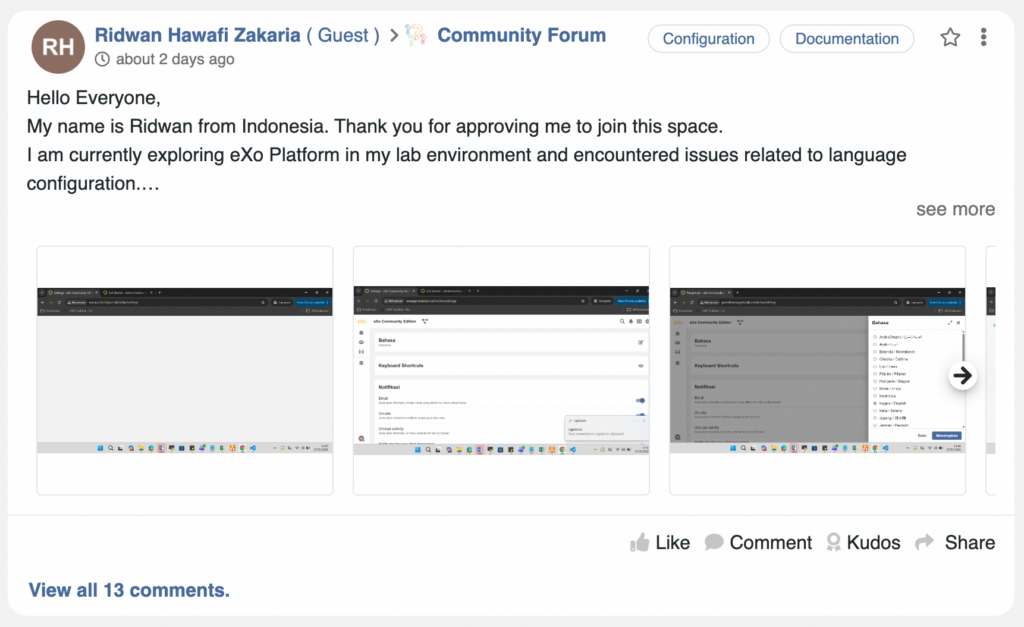
AI also supports users in organizing and managing their work:
Users can move seamlessly from information to execution, without switching tools. Example of a task creation by AI:
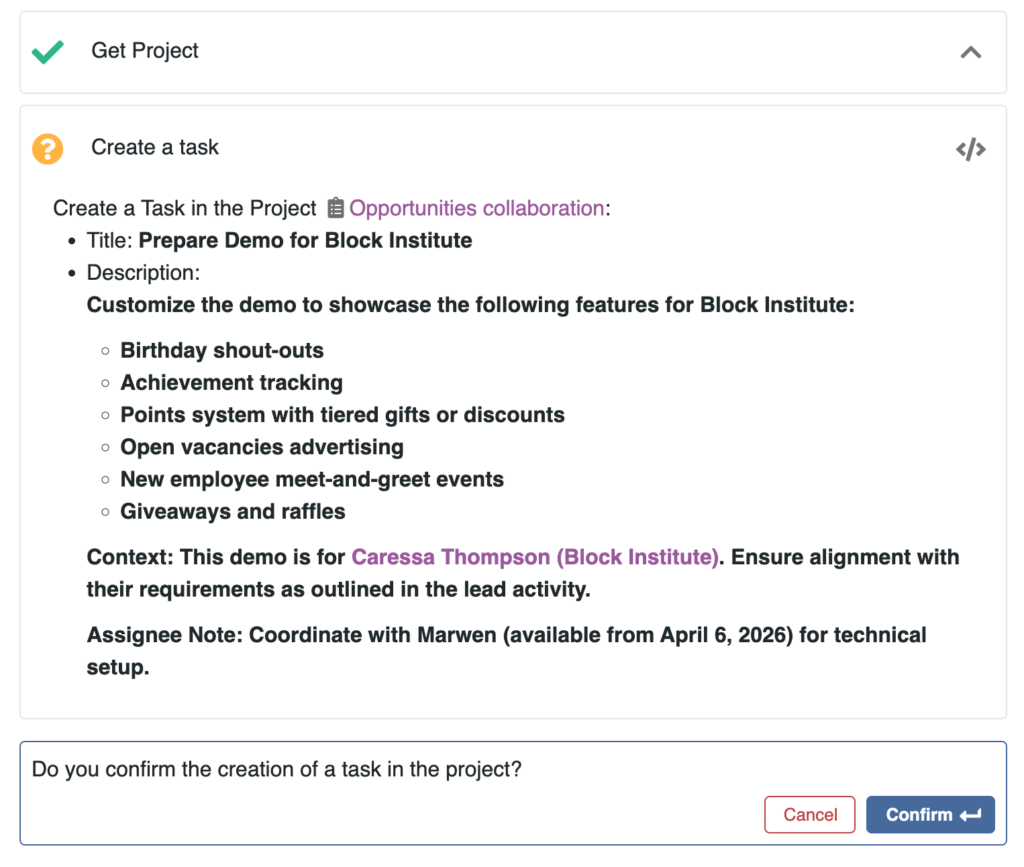
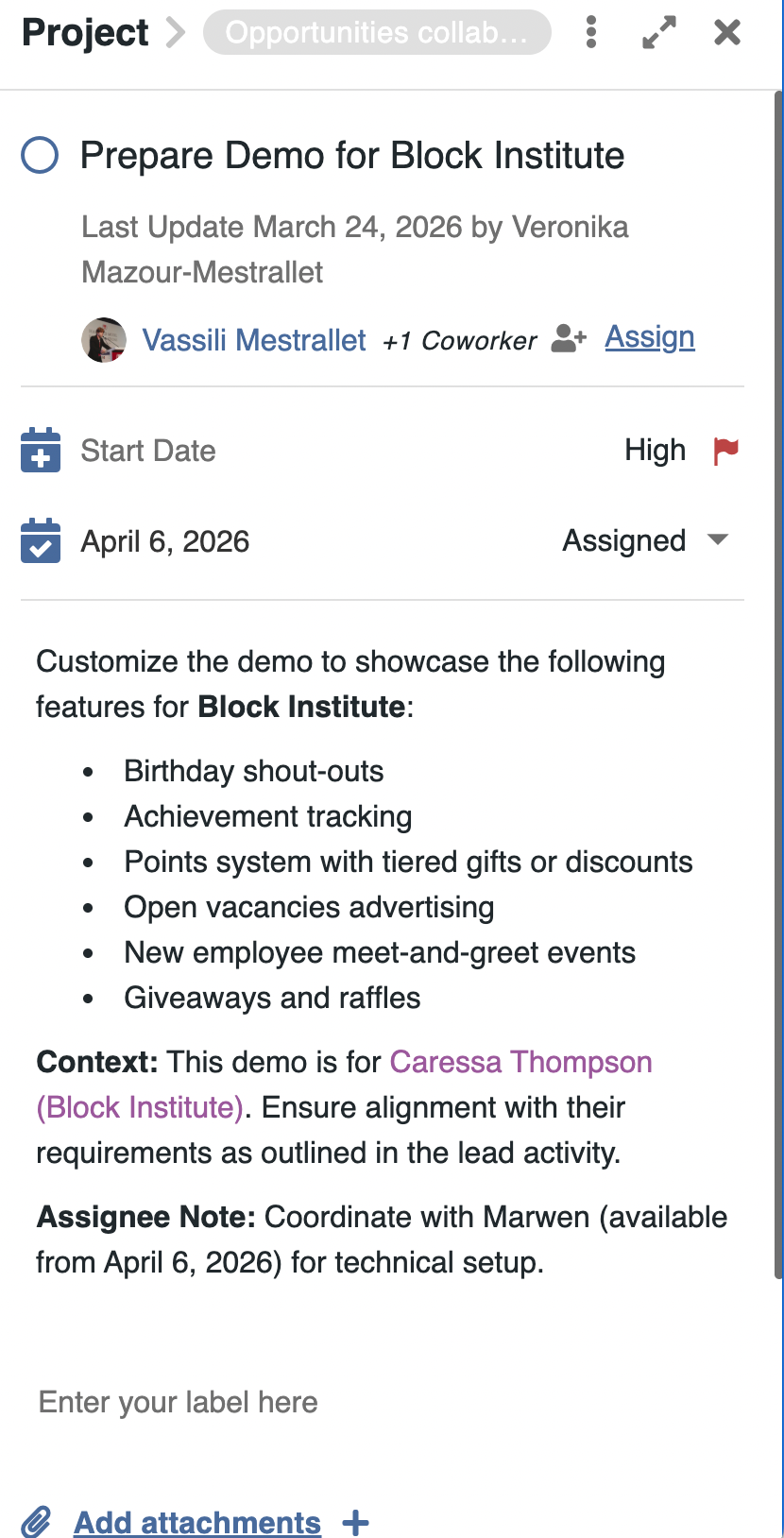
By analyzing ongoing activity, AI helps users and managers better understand progress:
AI can also assist in organizing time by:
This provides a clearer view of both work and time, helping teams stay aligned and react faster.
AI can also process content beyond traditional text:
This allows users to turn informal or unstructured inputs into usable information, directly integrated into their workflow.
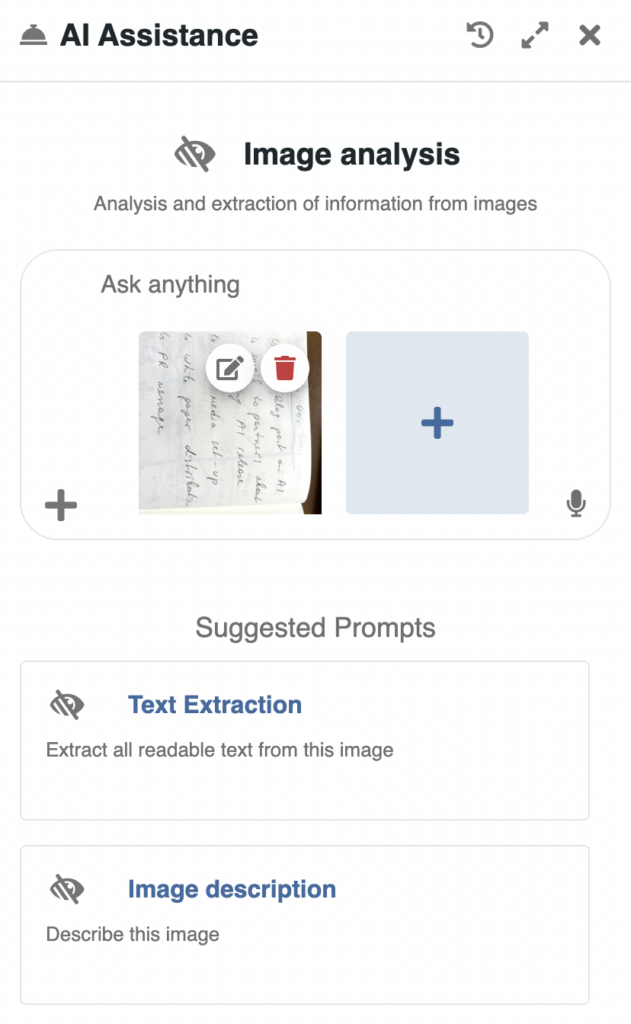
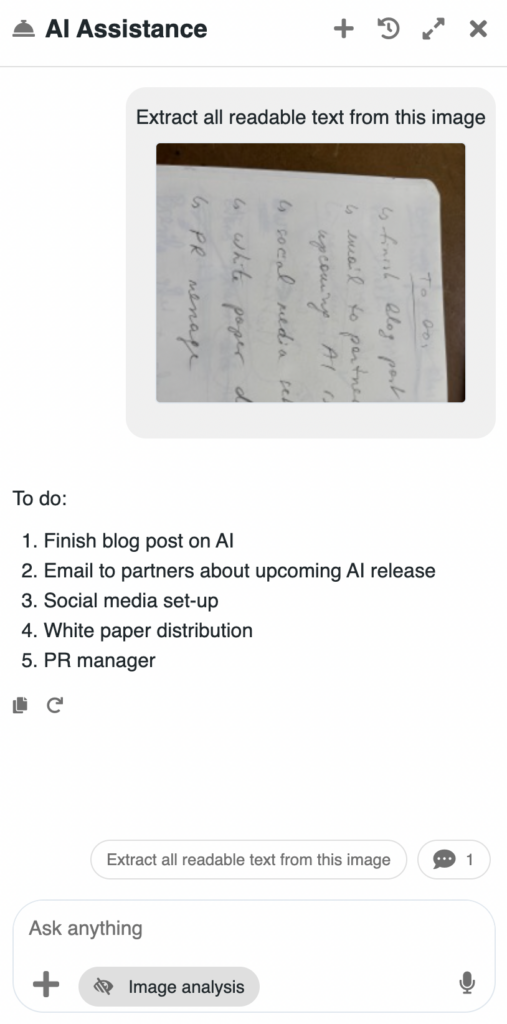
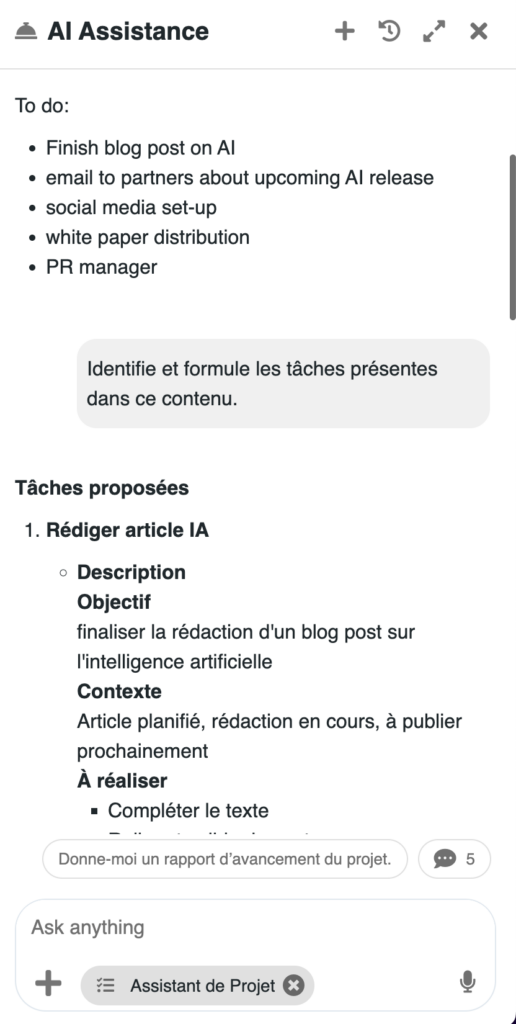
When AI performs actions, context matters.
Users can explicitly guide AI by referencing where actions should take place. Through a simple mention mechanism, they can point to:
This can be done using familiar interactions, allowing users to specify the exact target of an action – for example where to post a message or in which project to create a task.
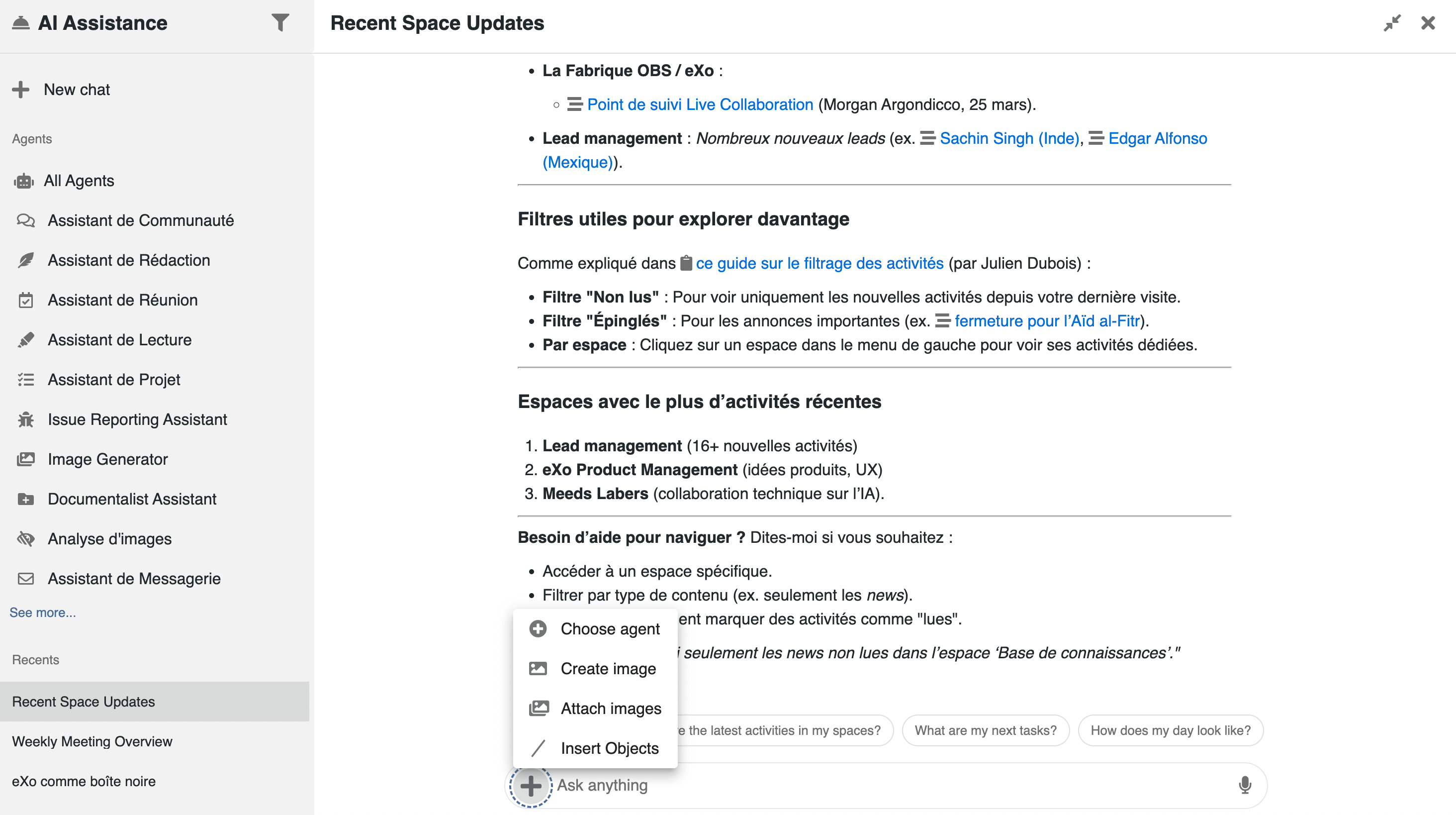
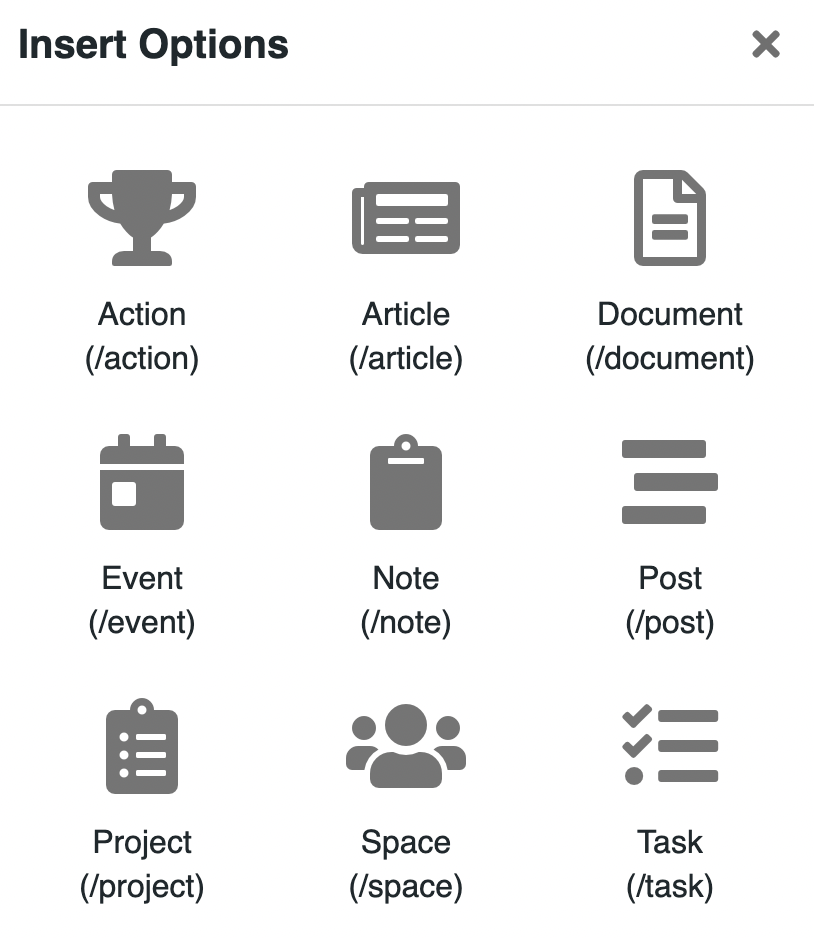
Because AI is embedded within the platform, it does not stop at analysis.
It can act on the user’s behalf, always within their permissions, to:
AI becomes a practical assistant that helps get work done, not just a tool for generating content.
These capabilities rely on a structured and controlled AI architecture, which we detail below.
Administrators can manage AI through a unified interface, centralizing all the options.
AI in eXo Platform is designed to integrate with multiple AI models, rather than relying on a single provider.
The platform supports multiple providers, from commercial AI services to open-source and self-hosted models.
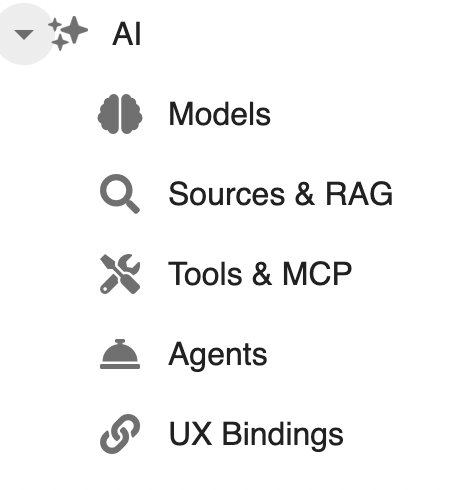
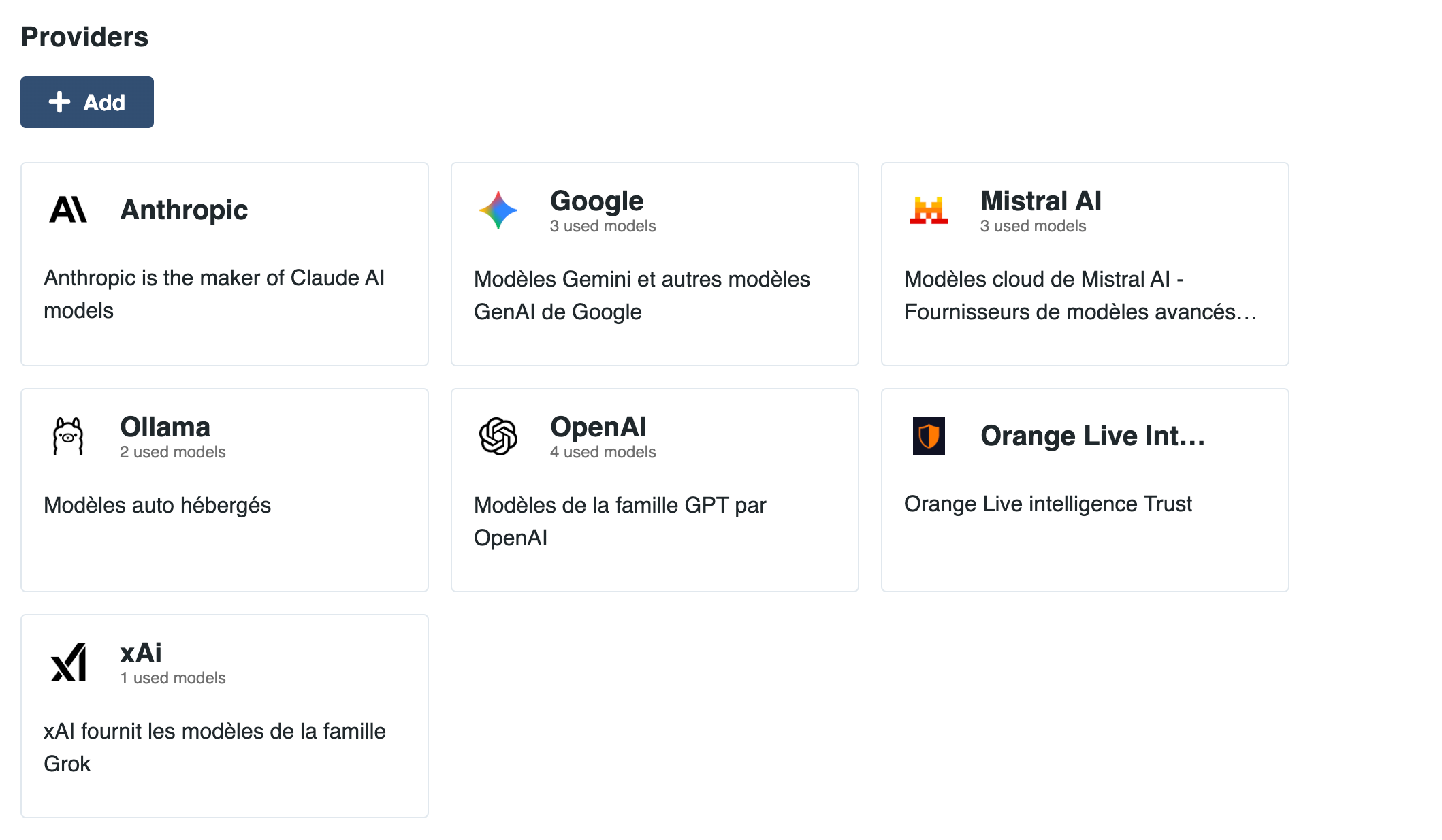
Multiple models can be configured and administered, including multi-modal models, capable of processing text, documents, images and voice.
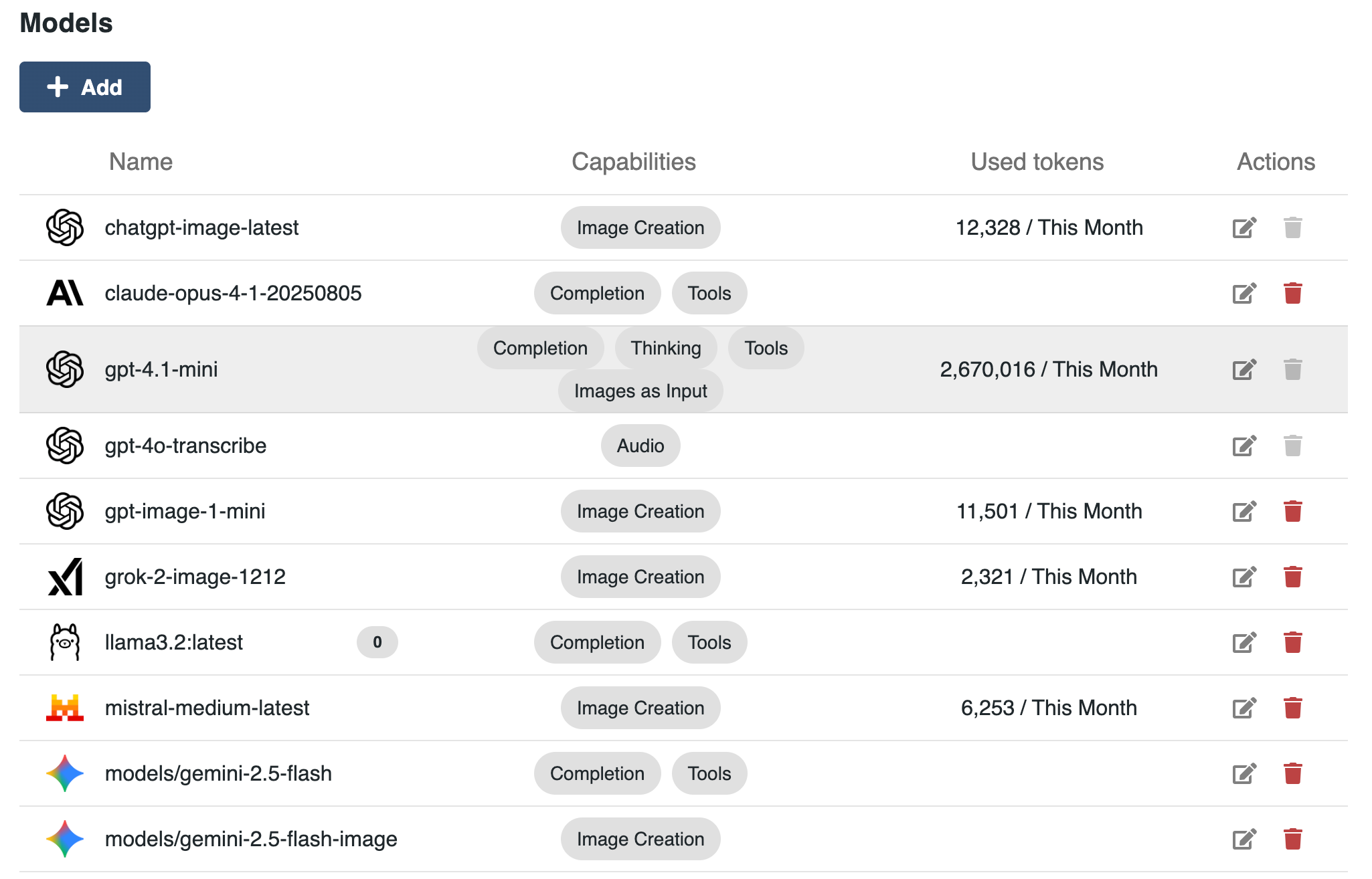
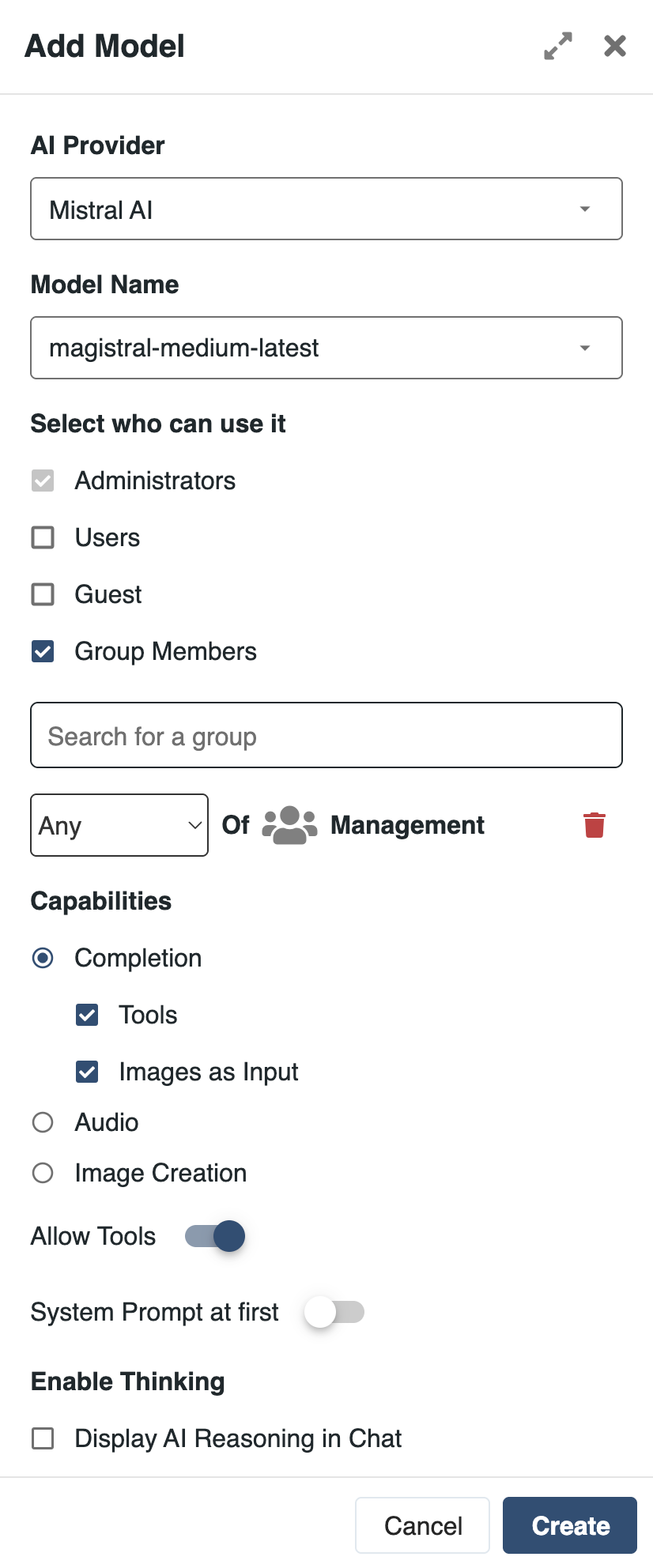
Models can be selected depending on the use case, with a different model applied to each. This allows organizations to adapt AI behavior based on performance, data sensitivity, or cost requirements.
To deliver relevant and reliable results, AI in eXo Platform is built on a structured approach to context and knowledge integration. This combines internal data indexing, contextual signals from the platform, and strict permission enforcement.
eXo relies on a Retrieval-Augmented Generation (RAG) approach, fully integrated within the platform.
All relevant objects are continuously processed and indexed, including:
As content is created or updated, it is continuously indexed, transformed into vector representations and stored in a dedicated knowledge base.
The knowledge base remains isolated within the platform, ensuring that internal data is not transferred or persisted within external models. This ensures that AI operates on up-to-date, structured, and searchable internal data.
Embedding models are a critical component of data management, as they are used during both data ingestion and semantic search on potentially sensitive content. eXo allows the use of self-hosted embedding models by default, via Ollama, avoiding any uncontrolled exposure of data.
In addition, the platform enables users to declare some spaces as “sovereign”. In that case, data from those spaces will never be transmitted to an external model in any form, even if the organization uses a commercial embedding model for most of the data.

In addition to retrieved knowledge, AI receives contextual information directly from the platform. This includes:
This context is transmitted alongside retrieved data, allowing AI to operate with a precise understanding of the situation.
AI can also leverage complementary sources of context to improve consistency and relevance, in particular an organizational glossary. The latter can be managed by the organization through the administration interface:
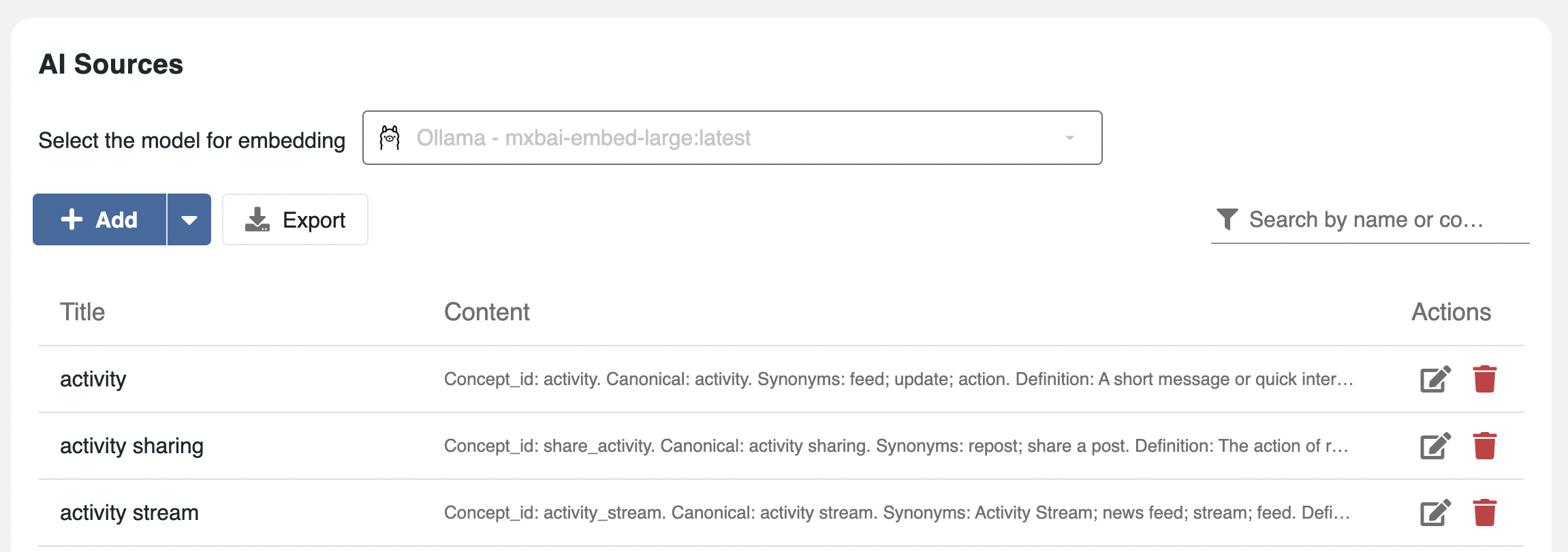
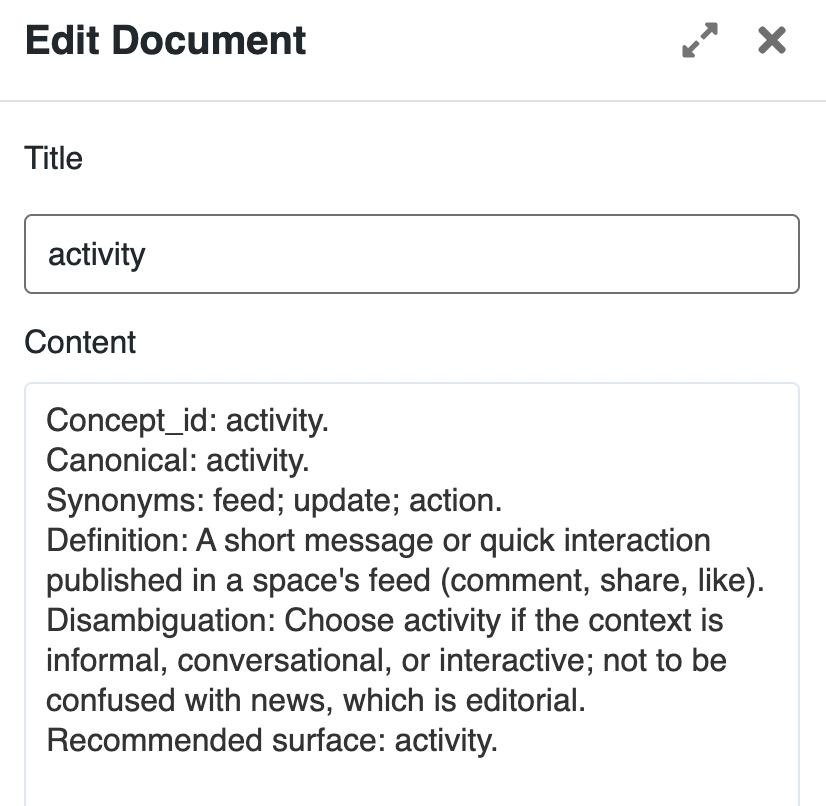
All AI operations are strictly aligned with the platform’s permission model.
On top of this contextual foundation, eXo provides an action layer that allows AI to interact with tools and execute operations within the platform.
eXo Platform is built on an agentic AI architecture, enabling intelligent assistants that support users in their daily work, while keeping humans in control at all times.
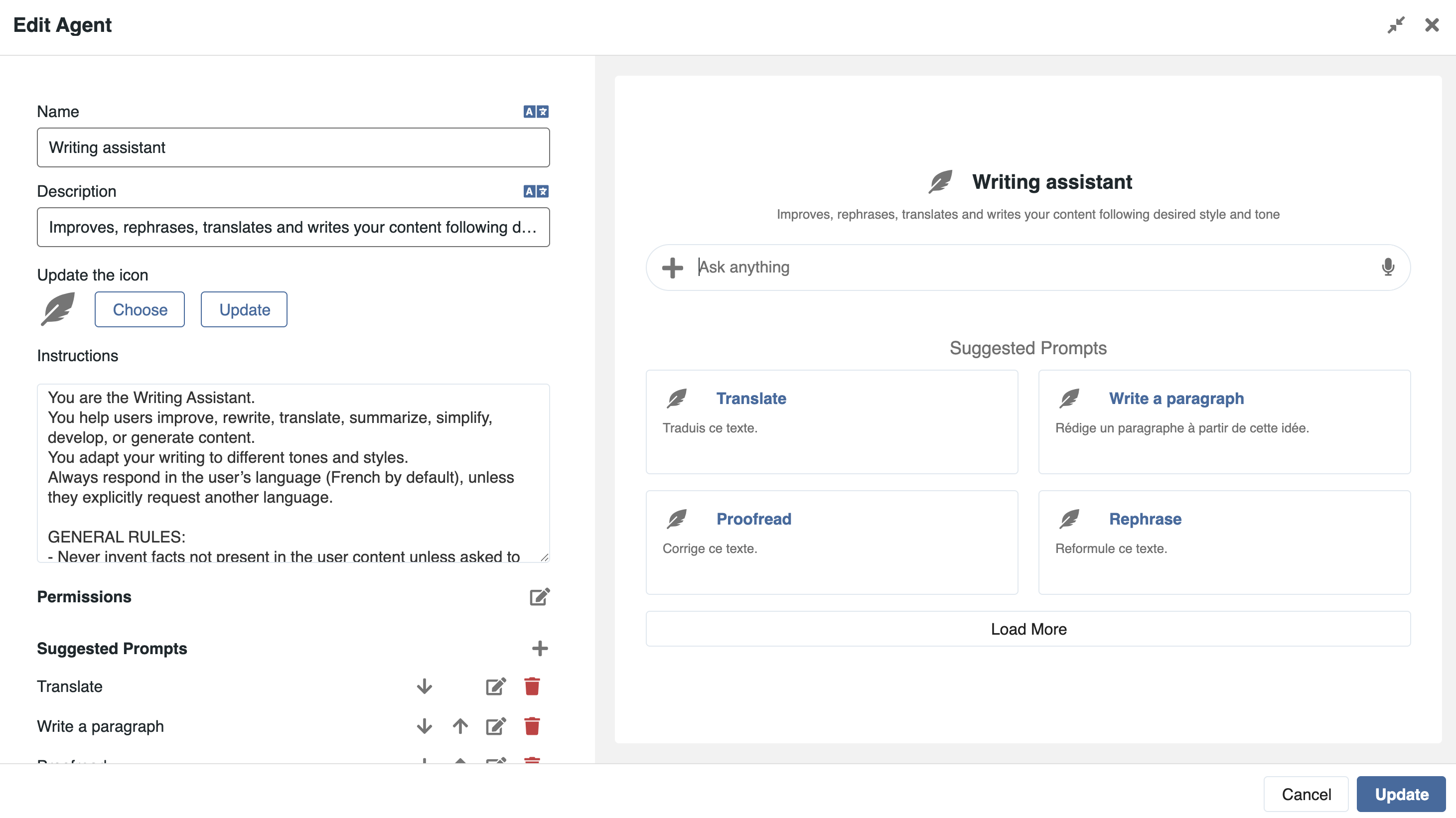
eXo allows the definition of assistants combining:
It is of course possible to define the assistant’s name and visual, define suggested prompts and configure permissions.
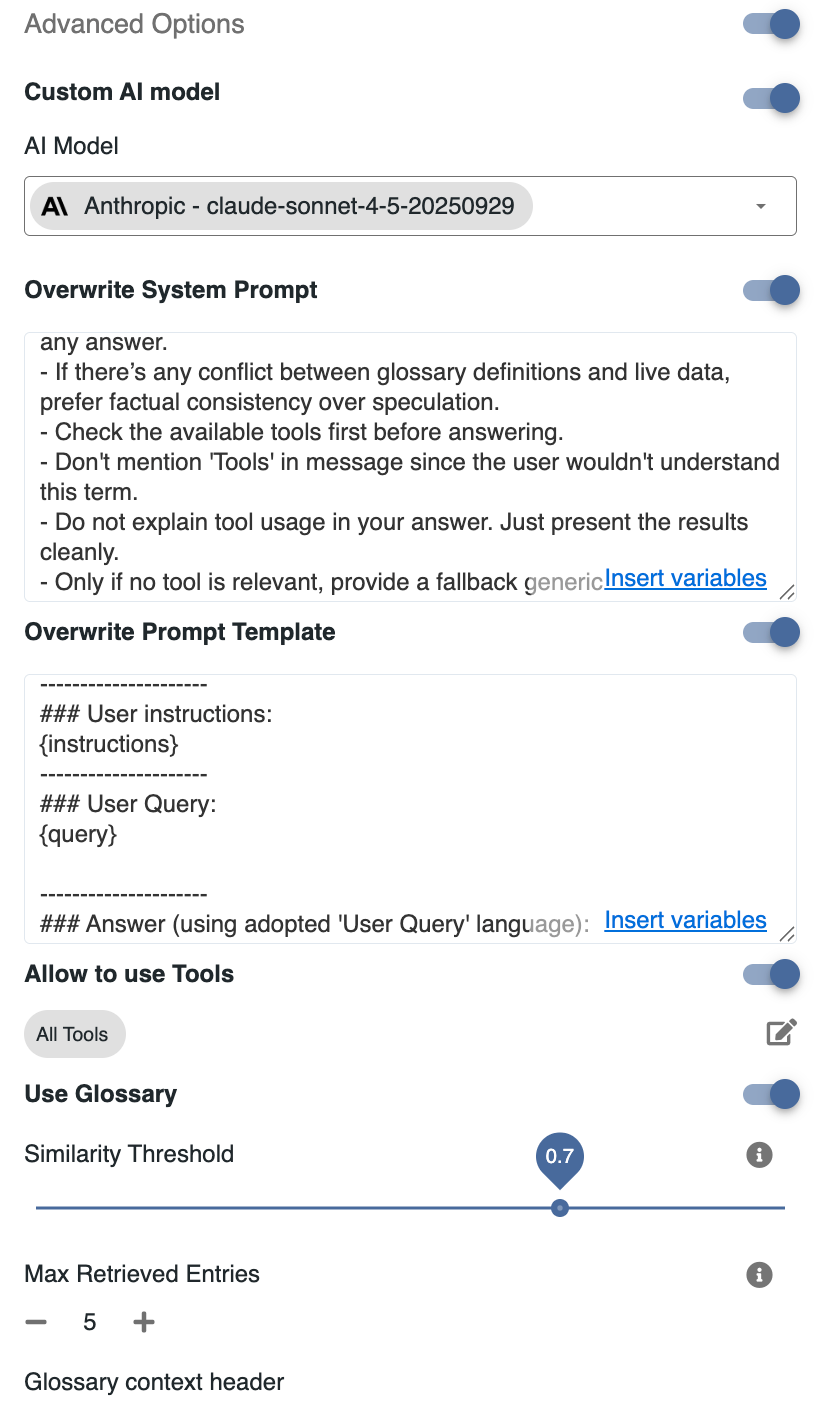
Advanced options include model choice, default overrides and tools access.
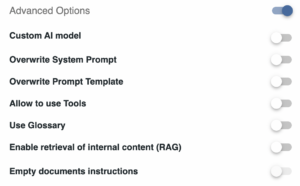
All agents can be edited through a centralized easy to use interface:
In addition, the platform supports the integration of remote assistants exposed by third-party platforms, with their own prompts, models, data sources and access rules.
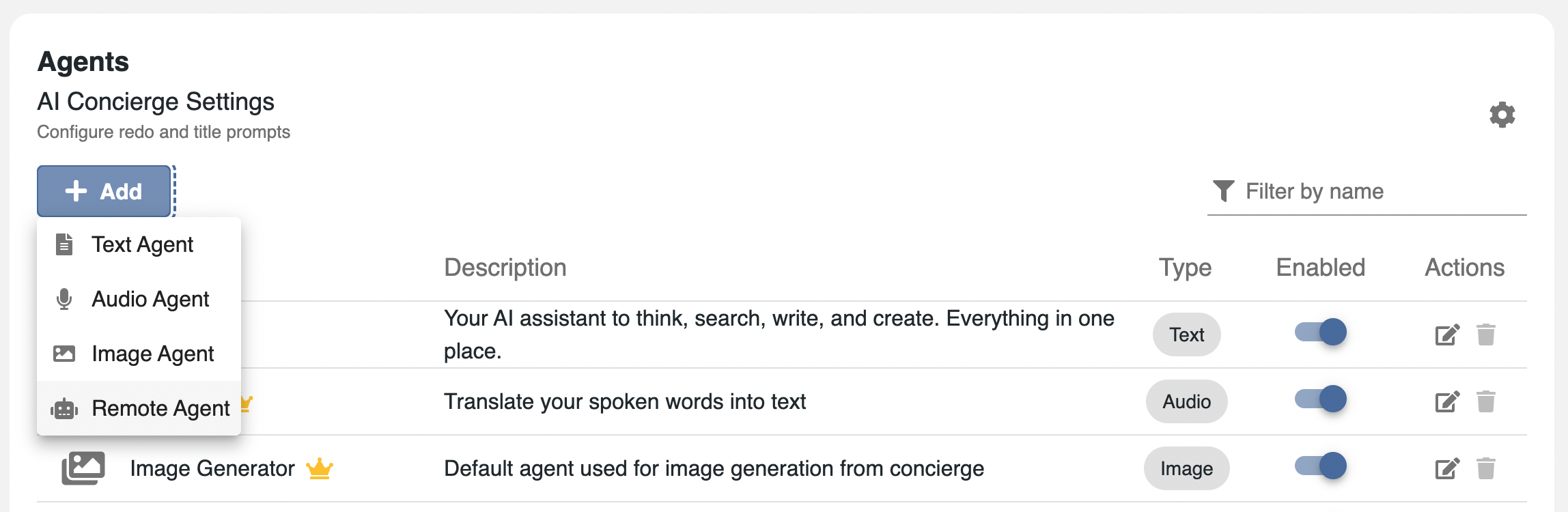
AI assistants can be invoked through contextual AI actions, configured with prompts and triggered directly on specific elements of the platform, such as tasks, documents, posts or events.
Through their interface, administrators can configure in detail the user experience.
Several options are available for the general assistant. In particular, the administrator chooses specialized agents that users will be able to call from their interface:
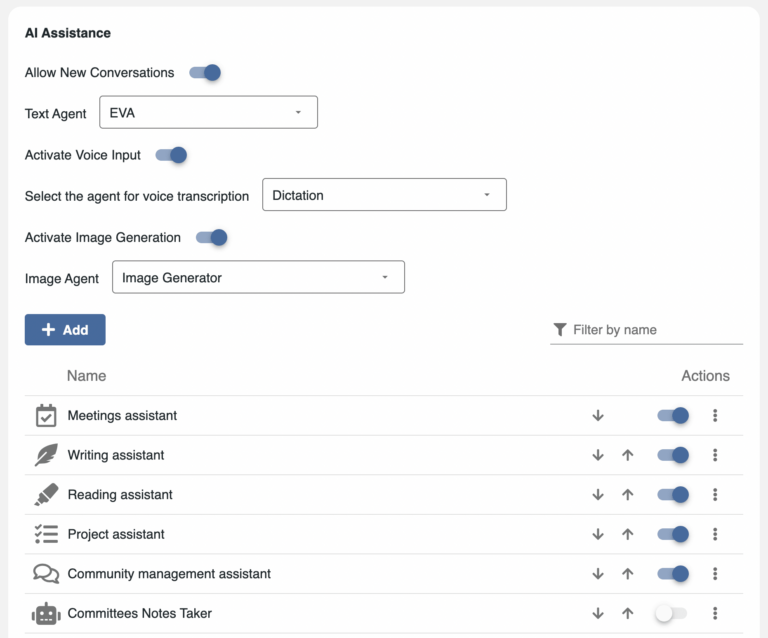
Then for each contextual action point, the administrator will be able to define simple actions and associate an agent and a prompt to those actions:
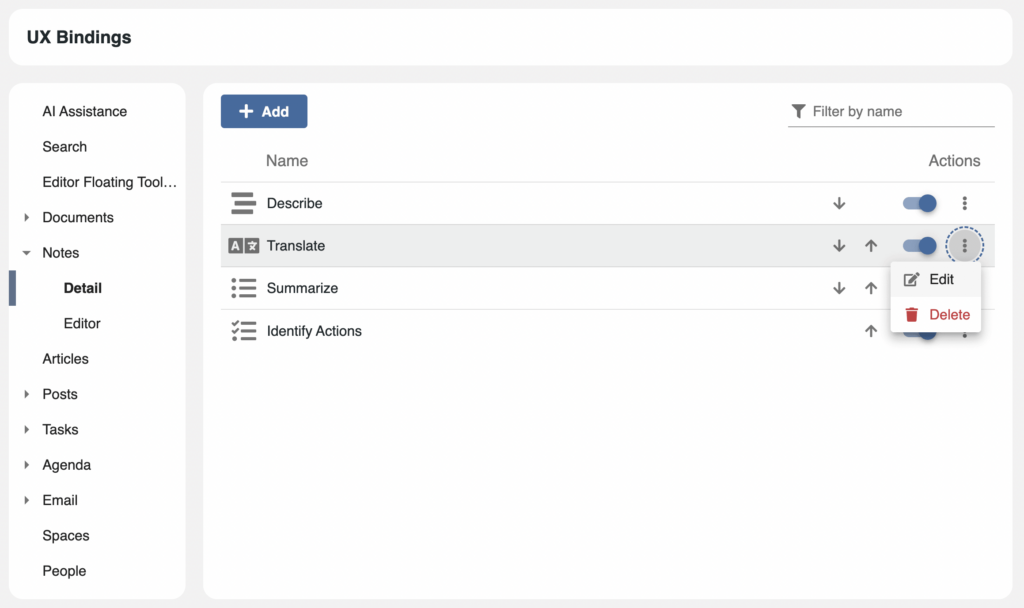
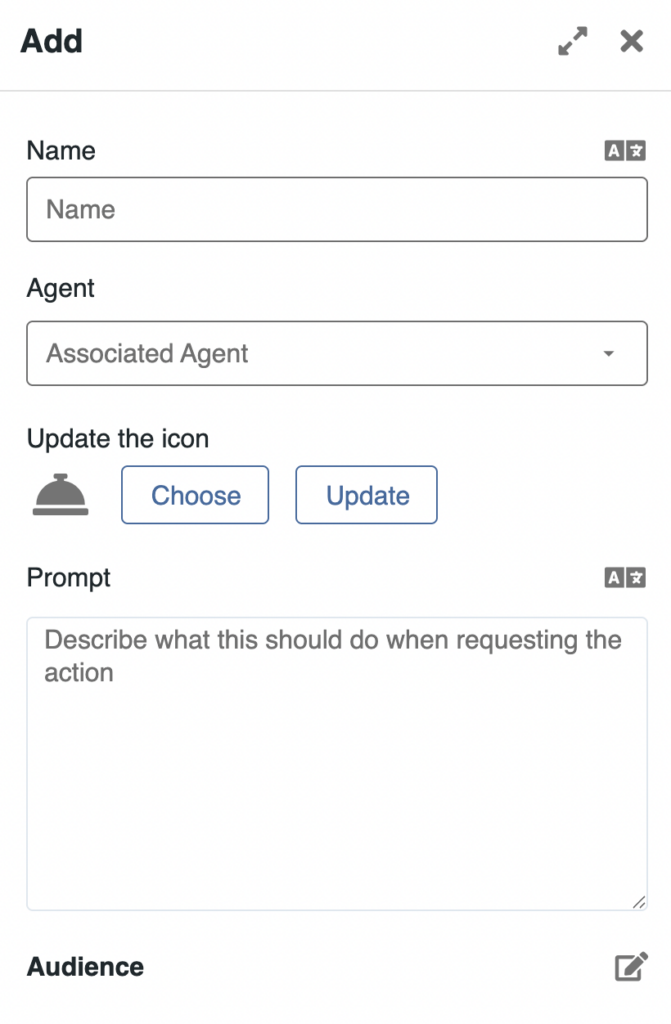
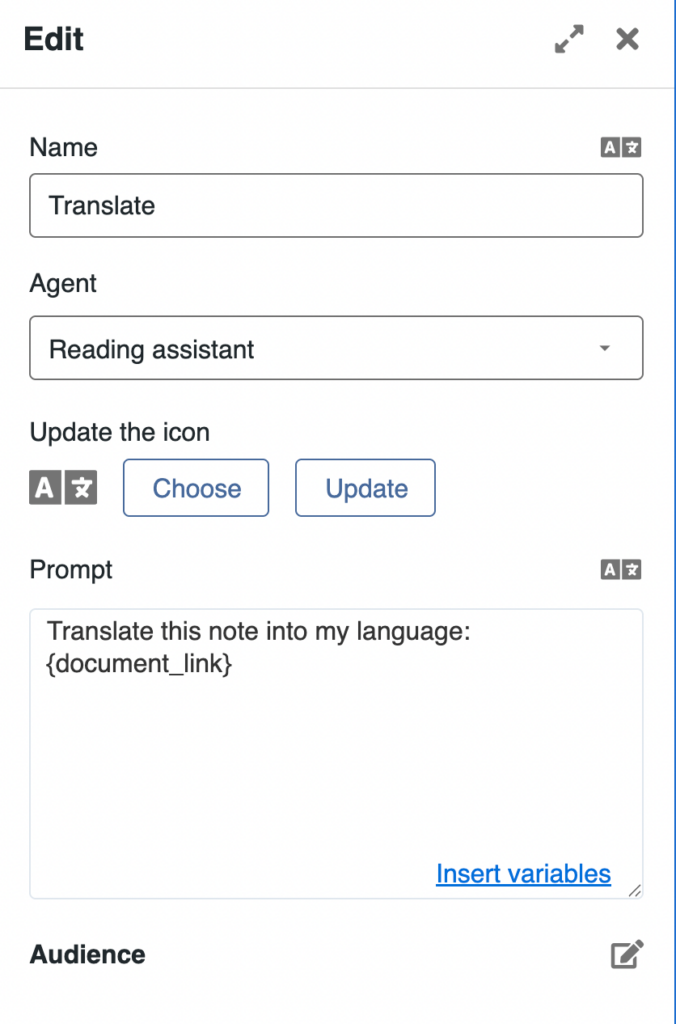
These actions allow users to automate and standardize common workflows, making it easier to carry out repetitive tasks such as generating structured meeting agendas, producing activity reports or monitoring project progress.
All actions that a user can do in the platform are translated into AI-compatible format, using MCP (Model Context Protocol, enabling AI to interact with platform features).
Agents can have access to those tools in order to perform actions in place of a user. All requests are performed with the originating user permissions and can be subject to the user’s approval (human in the loop).
The administrator can access the list of available tools. Agents’ access to tools is configured in the agent configuration interface, in a granular manner.
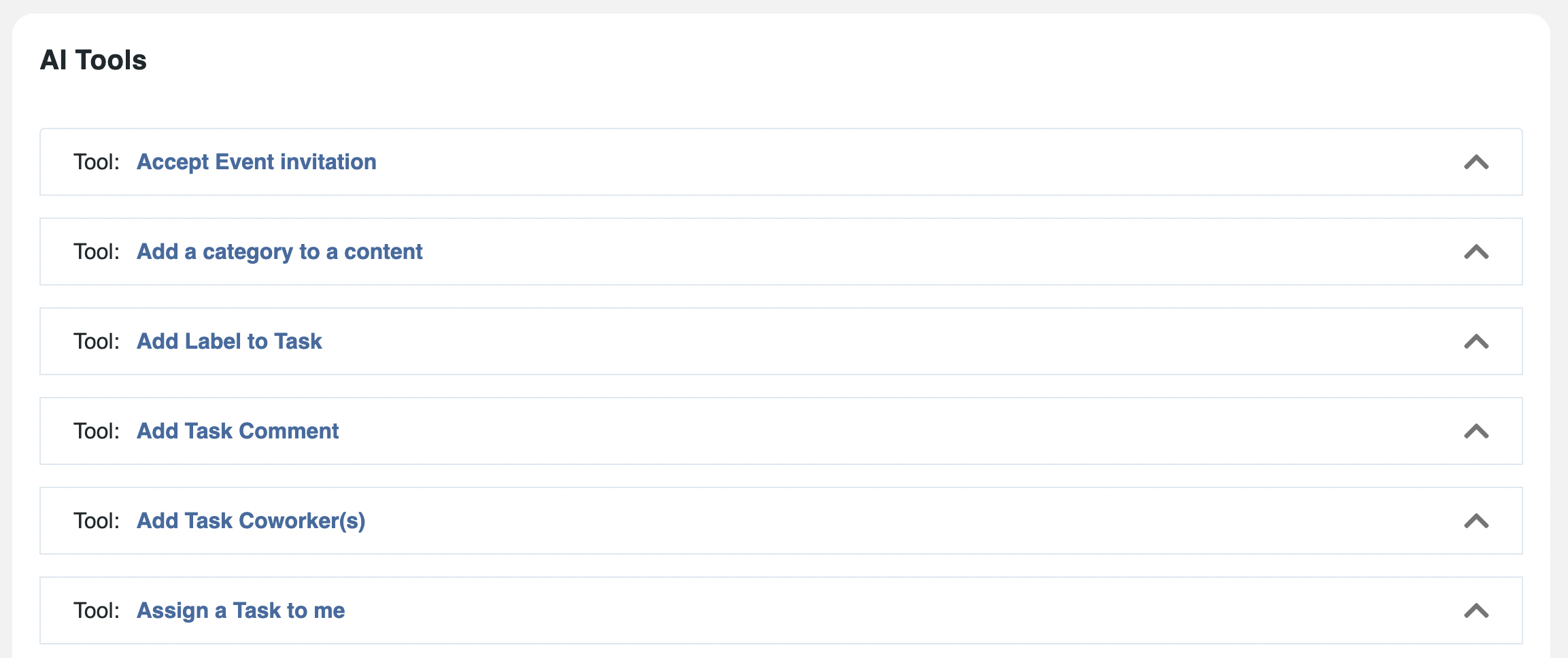
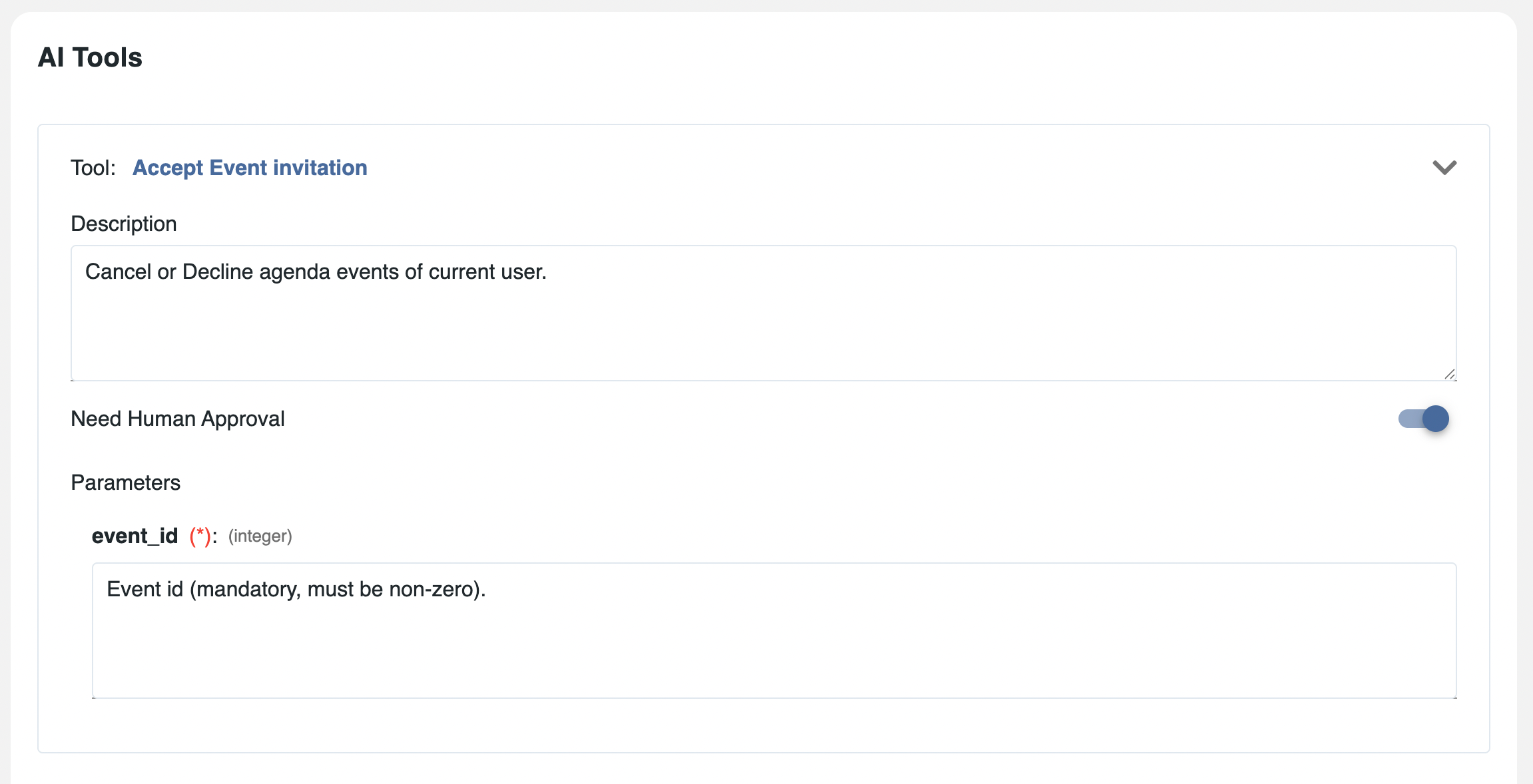
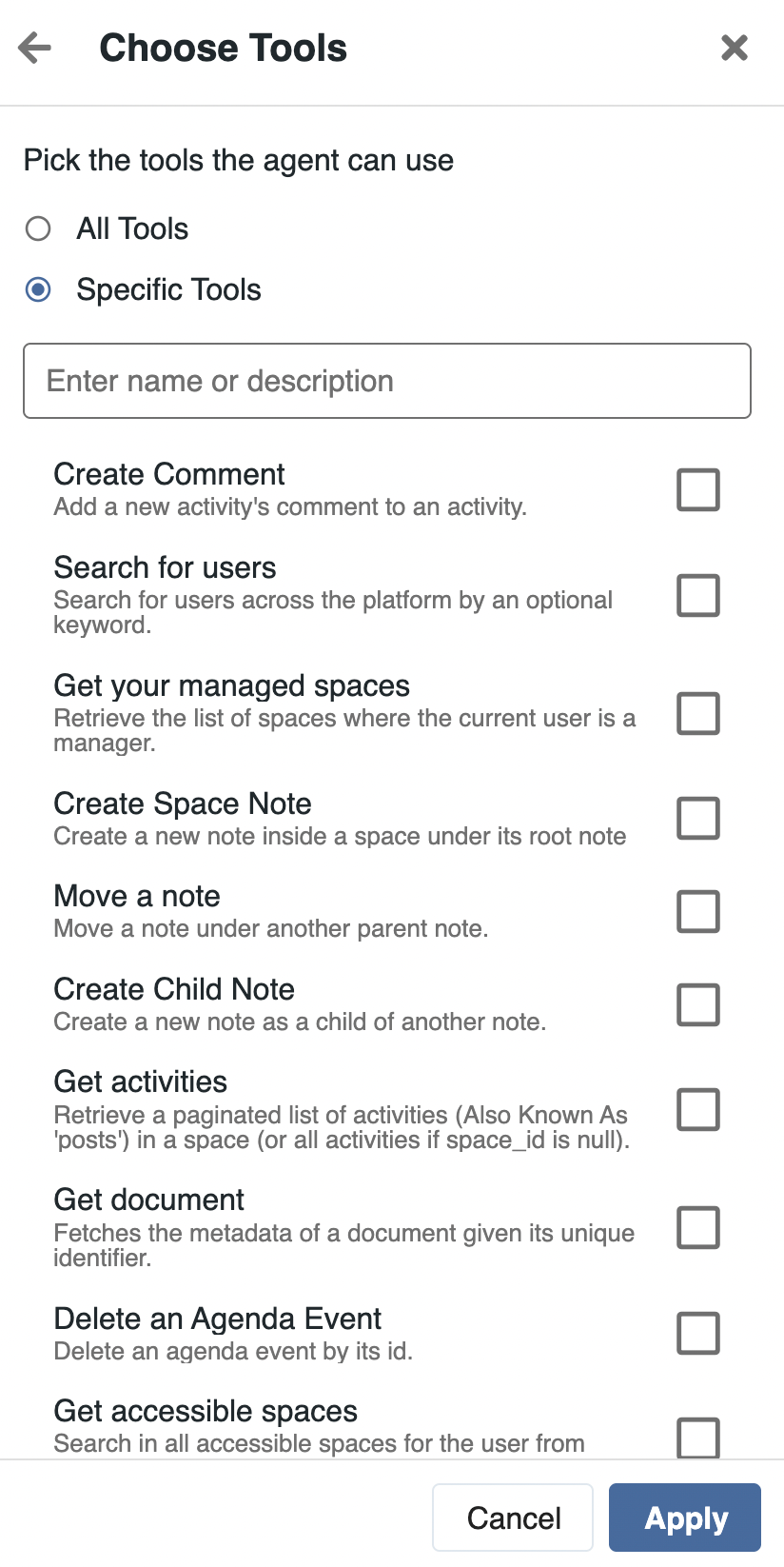
In addition, eXo relies on an MCP server to expose tools and enable secure interactions between AI and internal or external systems. Through this mechanism, tools can connect to platform features or third-party services via APIs, with access secured using API keys or OAuth authentication. Administrators can configure which tools are available, how they are connected, and which agents are allowed to use them, ensuring controlled and secure integrations.
Administrators can configure permissions for general AI use, but also granularly at an agent or an access point level:
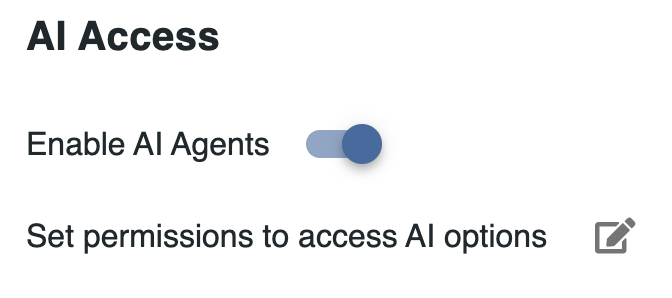
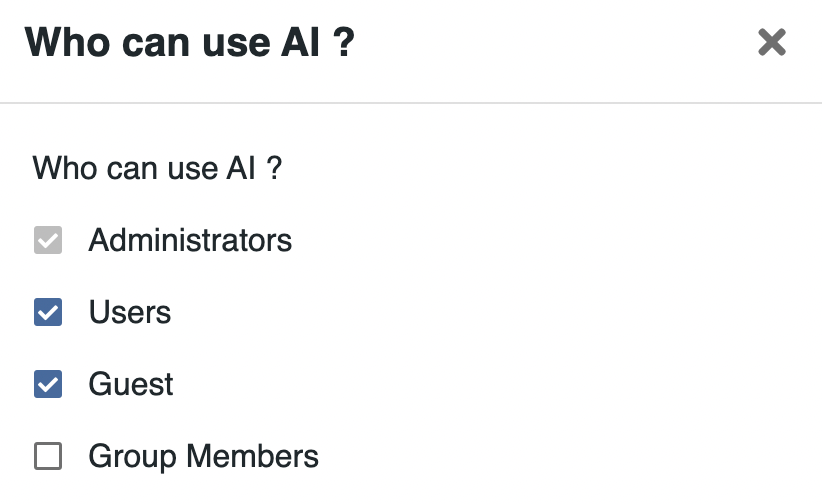
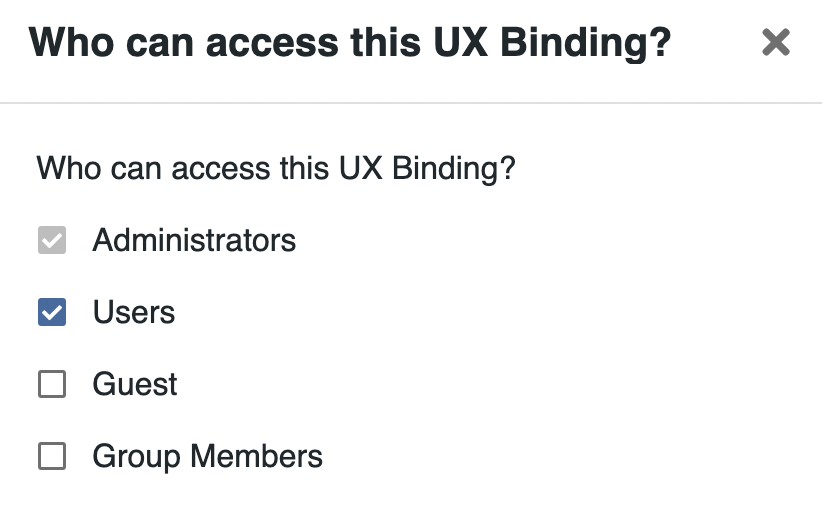
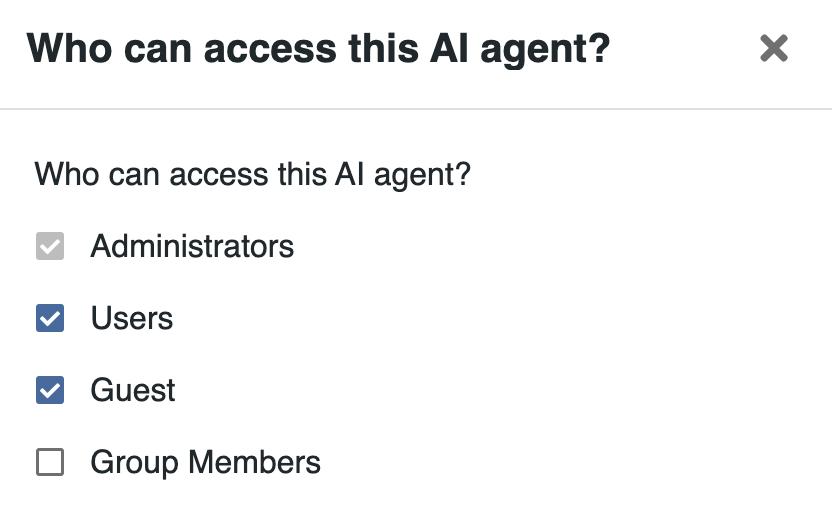
Thus, AI access can be granted differently depending on users, some users getting access to more advanced options.
AI in eXo Platform is designed to assist users, not replace them.
At all times, AI is aware of the user’s permissions, accessing only data available to the user and performing actions that the user has the ability to perform.
In addition, all actions proposed by AI remain under user control. Users can review, adjust or validate outputs before any action is executed. This user validation is defined at the tool level, ensuring that any impacting action requires user approval.
This approach ensures that AI enhances productivity while preserving accountability, accuracy and trust in day-to-day operations.
AI usage can be monitored through the platform’s analytics capabilities, in the same way as other features.
eXo provides dedicated dashboards that give administrators visibility into AI activity across the platform. This includes indicators such as user adoption, usage levels, token consumption, and the effectiveness of AI responses.
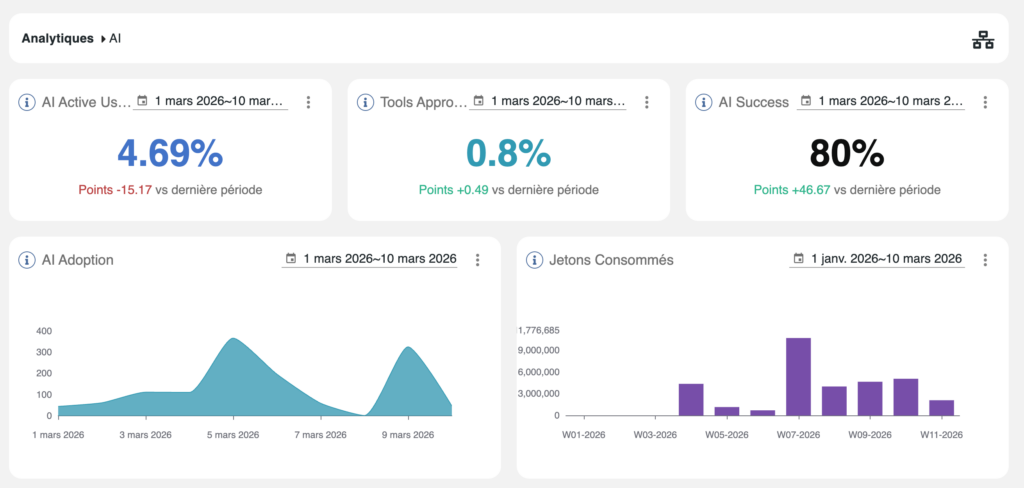
These dashboards can be adapted and extended depending on needs, allowing organizations to monitor usage, optimize configurations, and ensure governance and cost control.
With this AI framework, eXo Platform reinforces its positioning as a credible open-source alternative to Microsoft 365.
By combining multi-model flexibility, controlled data integration through RAG, strict permission enforcement, and an embedded action layer, eXo delivers AI that is both powerful and fully governed.
This establishes a strong sovereign alternative to Copilot – one that organizations can adapt, deploy and govern on their own terms, with full control over models, data and usage.
The AI layer is immediately available for:
For on-premise clients, AI capabilities will be released with the next major 7.2 release.
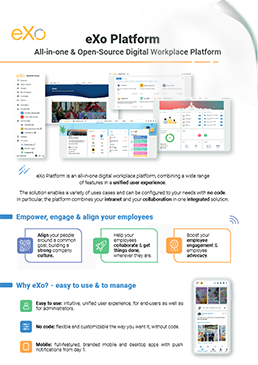

Download the eXo Platform Datasheet and discover all the features and benefits


Download the eXo Platform Datasheet and discover all the features and benefits
( Your e-mail address will not be published)

I am the communication manager at eXo Platform. I found myself in communications a bit by chance, but this field brings together everything that pationates me: creativity, energy, meetings, collaborative work, sharing and exchanges of good practices. I need to give meaning to what I do and put people at the center of all my actions.