Try now Demo en
  • en
  • fr
  • de
  • Solutions
    • Use cases
      • Modern IntranetBuild strong internal culture & sense of belonging
      • Collaboration PlatformEfficient teamwork and project collaboration
      • Social NetworkEngage users & recognize contributions
      • Knowledge hubCentralize, organize and share company knowledge
      • Application PortalUnified access to business applications and information
    • Switch to eXo
      • Microsoft 365 AlternativeAn open-source digital workplace alternative to M365
      • Migrate to eXo PlatformA guided, secure migration path from your existing tools to eXo
  • Product
    • Overview
      • Platform overviewExplore core capabilities
      • Why eXoKey differentiators
      • InternationalisationMultilingual environments
      • MobileBranded mobile applications
    • Platform
      • No CodeTailor to your needs without code
      • IntegrationsConnectors & extension capabilities
      • Controlled AIGoverned, extensible AI
    • Technology
      • ArchitectureArchitecture & technology
      • SecuritySecurity measures
      • Open sourceComponents & licensing
  • Offers
    • EnterprisePrivate cloud or on-premise deployments
    • eXo HubsReady-to-use SaaS edition for teams
    • Compare EditionsCompare editions and choose the right fit
    • OEM EditionFor software vendors & service providers
    • ServicesDiscover eXo professional services
  • Resources
    • Resource center
      • Case studies
      • White Papers
      • Datasheets
      • Videos
    • FAQsAbout the software, the community and our offers
      • Platform & Use Cases
      • AI & Responsible AI
      • Deployment, Security & Compliance
      • Open-source, Pricing & Services
    • From The Blog
      • eXo Platform 7.1 is released
      • Digital sovereignty: when public organizations move from words to action
      • Cloud Vs On-premise Digital Workplace: Which one is right for your business?
  • Community
    • CommunityJoin our online community platform
    • DownloadLaunch eXo platform in your infrastructure
    • Source codeSource code on github
    • REST APIs & DocumentationAll REST APIs available in eXo Platform
  • Company
    • About us
    • Customers
    • Partners
    • Contact us
    • Newsroom
  • Menu mobile
    • Enterprise Offers
    • Blog
    • About us
    • Resource center
    • Careers
    • Contact us
    • Try eXo
Use cases
  • Modern Intranet Build strong internal culture & sense of belonging
  • Collaboration Platform Efficient teamwork and project collaboration
  • Social Network Engage users & recognize contributions
  • Knowledge hub Centralize, organize and share company knowledge
  • Application Portal Unified access to business applications and information
Switch to eXo
  • Microsoft 365 Alternative An open-source digital workplace alternative to M365
  • Migrate to eXo Platform A guided, secure migration path from your existing tools to eXo
Overview
  • Platform overview Explore core capabilities
  • Why eXo Key differentiators
  • Internationalisation Multilingual environments
  • Mobile Branded mobile applications
Platform
  • No Code Tailor to your needs without code
  • Integrations Connectors & extension capabilities
  • Controlled AI Governed, extensible AI
Technology
  • Architecture Architecture & technology
  • Security Security measures
  • Open source Components & licensing
Enterprise Private cloud or on-premise deployments
eXo Hubs Ready-to-use SaaS edition for teams
Compare Editions Compare editions and choose the right fit
OEM Edition For software vendors & service providers
Services Discover eXo professional services
Resource center
  • Case studies
  • White Papers
  • Datasheets
  • Videos
FAQs About the software, the community and our offers
  • Platform & Use Cases
  • AI & Responsible AI
  • Deployment, Security & Compliance
  • Open-source, Pricing & Services
From The Blog
  • eXo Platform 7.1 is released
  • Digital sovereignty: when public organizations move from words to action
  • Cloud Vs On-premise Digital Workplace: Which one is right for your business?
Community Join our online community platform
Download Launch eXo platform in your infrastructure
Source code Source code on github
REST APIs & Documentation All REST APIs available in eXo Platform
About us
Customers
Partners
Contact us
Newsroom
Enterprise Offers
Blog
About us
Resource center
Careers
Contact us
Try eXo
  1. Accueil
  2. eXo
  3. Platform 5.0 Sneak Peek: Web Conferencing

Platform 5.0 Sneak Peek: Web Conferencing

This post is part of a series of articles introducing some noteworthy improvements to eXo Platform. Watch this blog for more product news in the upcoming weeks.

The new web conferencing feature in the upcoming version 5.0 of eXo Platform is an important first step for us toward bringing modern and streamlined video conferencing to our collaboration software. It aims to offer two things:

  1. Out-of-the-box support for making video calls inside eXo Platform without the need for any third-party conferencing solutions.
  2. A foundation for developers for plugging and managing virtually any third party web conferencing services.

What’s in it for end-users?

Users will be able to communicate face to face by placing video calls right inside eXo Platform.

This new web conferencing feature leverages plain WebRTC. This means that it works entirely in your browser with no need to install any third party software or extension, provided that your browser supports WebRTC. This covers major browsers including Chrome, Firefox, Edge and Safari.

Note that in its first iterations, only one-to-one calls will be supported.

So how does it work? We kept it simple and convenient. A call button is displayed on user profiles, user popovers as well as the chat interface where you message your colleagues (including both the mini chat and full chat window). Here’s what it looks like on the user profile page banner for instance:
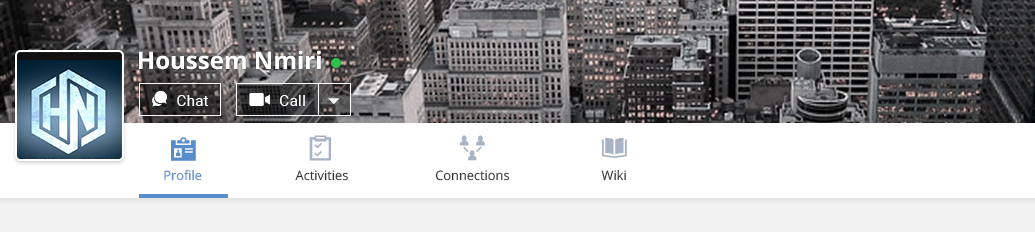
Web Conferencing eXo Platform

Here’s what it looks like on the user popover:
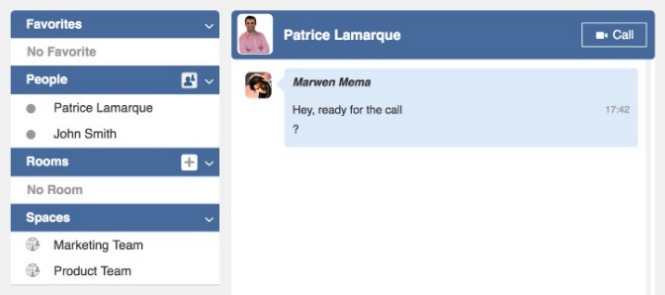
chat window eXo Platform

Here’s what it looks like on the mini chat:
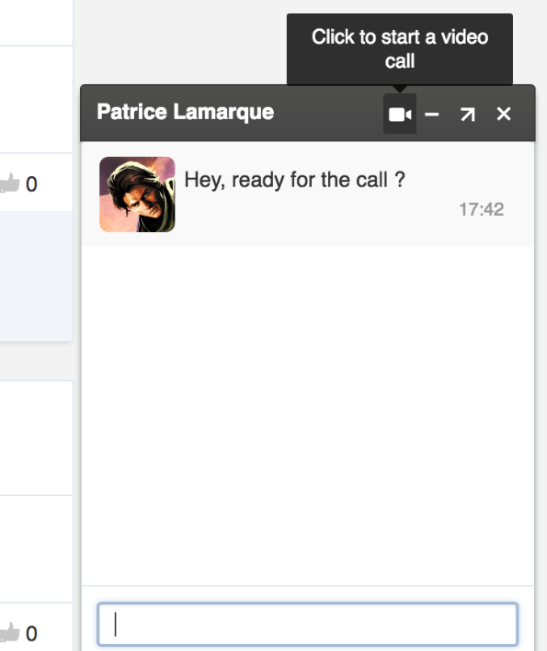
mini chat window eXo Platform

And here is what it looks like on the full chat window:
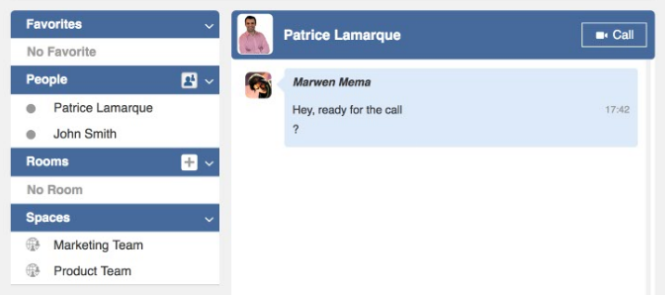
chat message eXo Platform

Clicking it places the call and rings the person in question, provided they are both “Available” (using the presence status feature applicable for chat and video calling). The callee can then answer or decline the call:
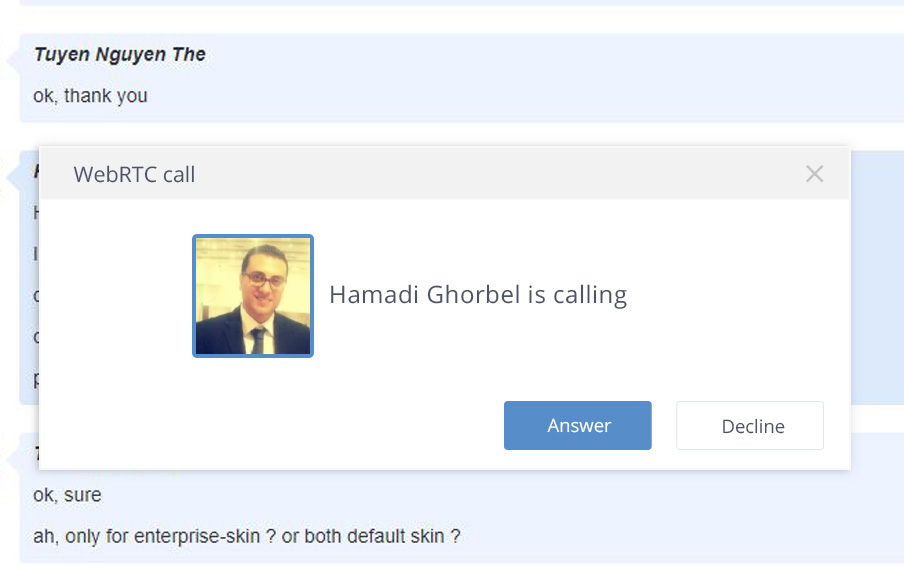
video calling eXo Platform

Upon answering, the call starts within a large popup in your browser:
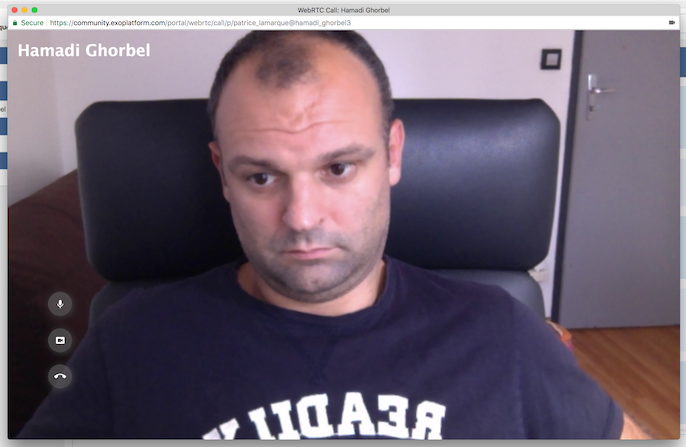
video conferencing eXo Platform

Three buttons are provided within the call screen allowing the user mute his mic, turn off his camera or end the call.

What’s in it for administrators?

An administration screen is accessible from the platform’s administration menu allowing admins to activate/deactivate the native WebRTC-based video conferencing feature described above and manage its settings.

It also allows them to manage the same separately for any other video conferencing connector that they may have plugged. This enables eXo Platform to be a true hub for managing video conferencing within your organisation’s eXo-based collaborative intranet.
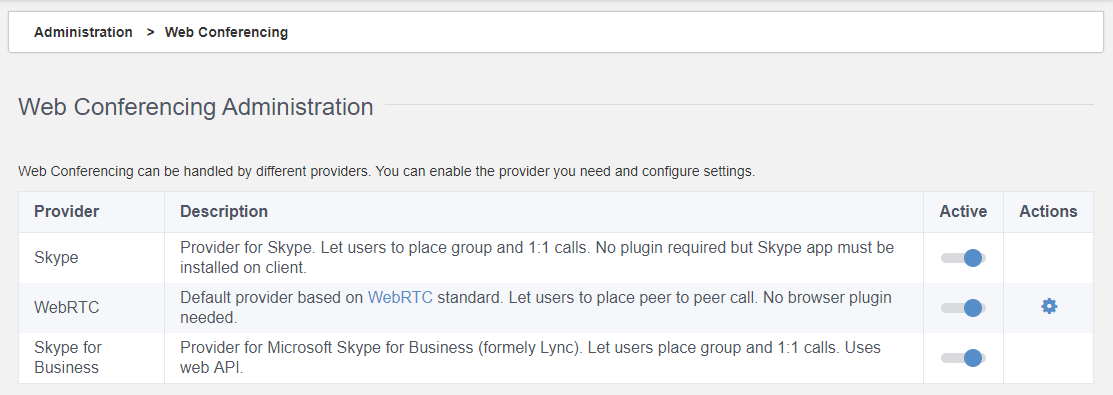
Web conferncing eXo Platform

For WebRTC-based conferencing, administrators can add STURN or TURN server URLs and credentials, giving them more control on the security of the communications.
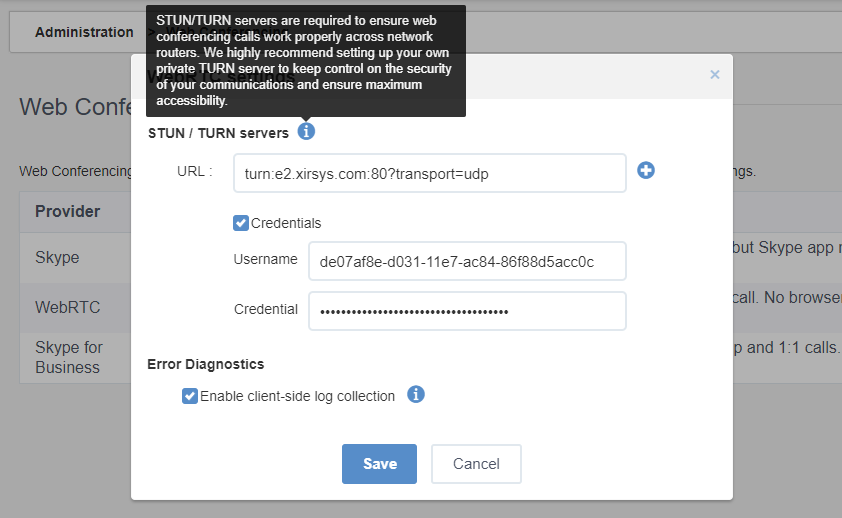
webinars eXo Platform

What’s in it for developers?

The upcoming eXo Web Conferencing also provides developers with a subsystem for integrating existing third party conferencing solutions. They get an SPI allowing them to plug-in connectors to virtually any video conferencing service available today including Jitsi, Skype, Skype for Business, WebEx, CISCO, Blackboard, appear.in, TokBox, Twillio, Meet.me, etc.

Best of all, the new eXo Web Conferencing capability will be available in eXo Platform at no additional cost.
You can test this upcoming feature with a friend by heading over to our community website where it is already deployed for testing. Please feel free to send us your questions and feedback, and I invite you to keep an eye for other announcements and sneak peeks leading up to this major eXo Platform release.


Join The eXo Tribe
Join The eXo Tribe


Register for our Community to Get updates, tutorials, support, and access to the Platform and add-on downloads. Sign in Now!

Brahim Jaouane

I am a Digital Marketing specialist specialized in SEO at eXo Platform. Passionate about new technologies and Digital Marketing. With 10 years' experience, I support companies in their digital communication strategies and implement the tools necessary for their success. My approach combines the use of different traffic acquisition levers and an optimization of the user experience to convert visitors into customers. After various digital experiences in communication agencies as well as in B2B company, I have a wide range of skills and I am able to manage the digital marketing strategy of small and medium-sized companies.

Full-featured digital workplace with everything your employees need to work efficiently, smartly integrated for a compelling employee experience

  • Product
    • Software tour
    • Internationalisation
    • Mobile
    • No Code
    • Architecture
    • Integrations
    • Security
    • Open Source
  • Uses cases
    • Employee Portal
    • Knowledge management
    • Entreprise Social Network
    • Employee Engagement
    • Community Management
    • Extranet
  • Guides
    • What is a digital workplace?
    • Intranet guide
    • What is an extranet?
    • Employee engagement
    • Collaboration guide
    • Teamwork guide
    • Internal Communication guide
  • Enterprise
    • Product offer
    • Services Offer
    • Customers
    • About us
  • Resources
    • FAQs
    • Resource Center
    • Intranet Portal
    • What Is a Collaboration Software?
    • Talent Management
    • Employee Connection
    • Employee Intranet
    • Improve internal communication
    • eXo Tribe
  • Terms and Conditions
  • Legal
  • Privacy Policy
  • Accessibility
  • Contact us
  • Sitemap
  • Facebook
  • Twitter
  • LinkedIn
wpDiscuz