
FREE WHITE PAPER
Artificial intelligence has rapidly become part of everyday work. Employees experiment with AI tools, generate content, and explore new ways to be more productive.
We are excited to announce the release of eXo Platform 7.2.
Earlier this year, we introduced eXo’s AI-augmented Digital Workplace and the eXo MCP server, opening a new chapter for controlled, embedded and extensible AI in the digital workplace. With eXo Platform 7.2, these capabilities are now packaged into the platform release and extended with new configuration options, including specialized assistants, configurable RAG sources and contextual AI suggestions.
But 7.2 is not only about AI. This release also brings eXo closer to the daily work environment of users, with integrated email, improved calendar experience, personal notes, communication connectors, sub-spaces, and enhanced tools for internal communication.
eXo Platform 7.2 brings a new step in the evolution of the platform, with a stronger focus on contextual AI, unified daily work, and better organization at scale.
The main improvements are organized around four key areas:
Earlier this year, we introduced two major AI capabilities for eXo Platform:
With eXo Platform 7.2, these capabilities are now packaged into the platform release and become available across deployment models, including private cloud and on-premises environments.
This release also introduces more advanced source management for AI.
While eXo AI can rely on the full internal RAG by default, users can now narrow down the context by selecting specific sources, such as spaces, content types, documents, notes or tasks.
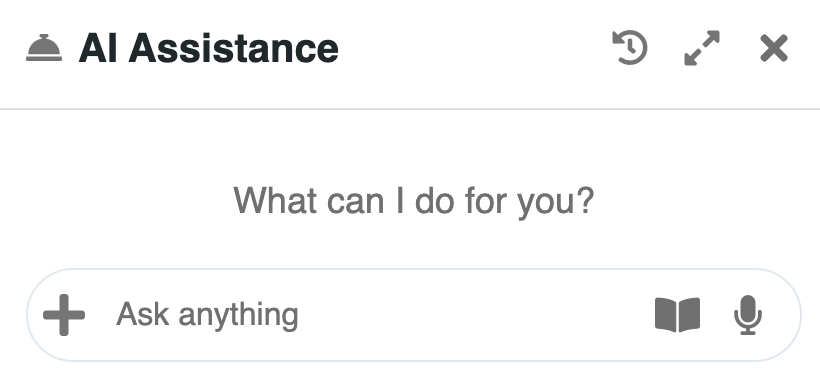
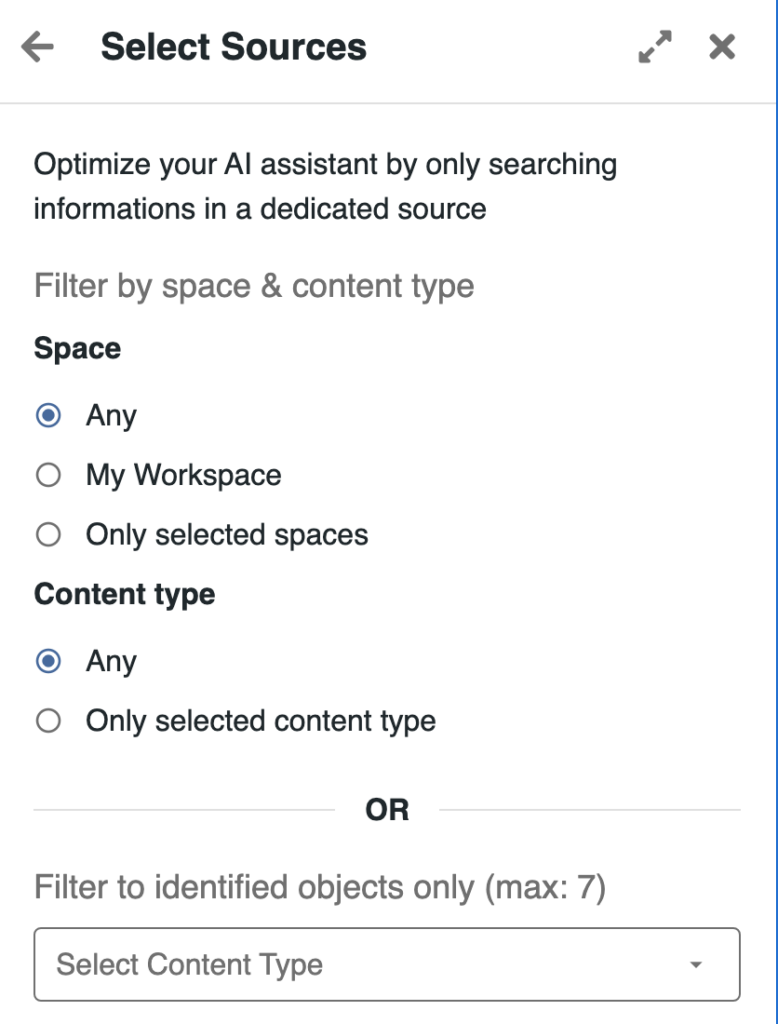
When AI is launched from a specific context, such as a document, a note or a space, this context is automatically transmitted to the agent, which focuses on it by default. Users can then extend the scope by adding other sources when needed.
This significantly improves the relevance of AI-generated answers and actions, by giving the assistant a more precise and controlled working context.
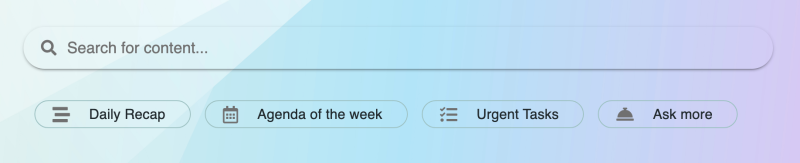
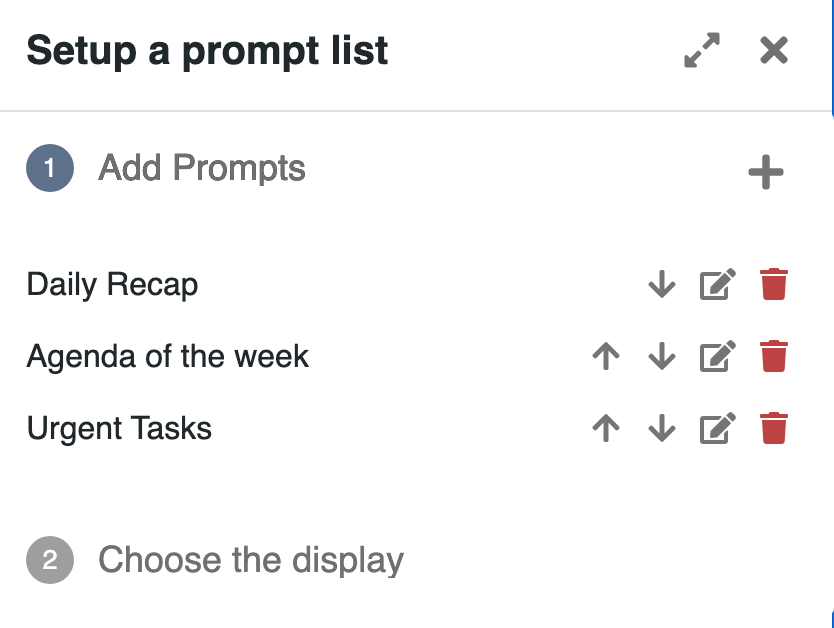
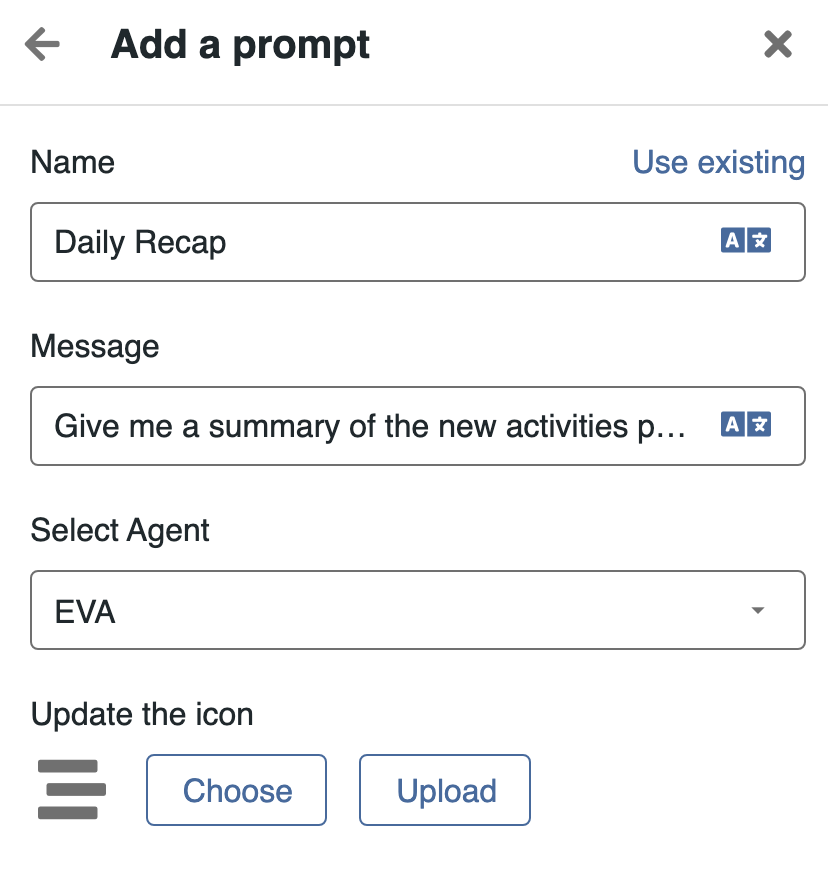
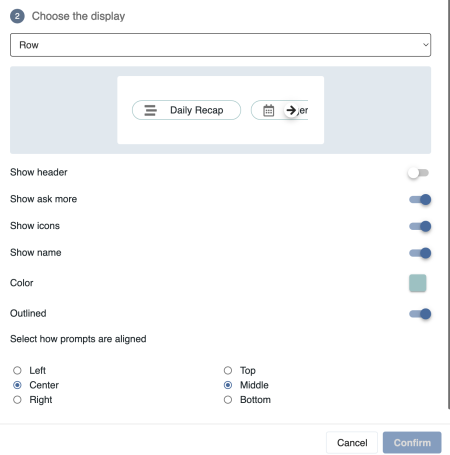
eXo 7.2 also introduces a suggested prompts portlet, allowing administrators to display ready-to-use AI actions directly on a homepage, dashboard or dedicated page.
These prompts can guide users toward relevant AI-powered actions in a given context, making AI easier to discover and use without requiring users to formulate a request from scratch.
In addition, administrators can now create specialized AI assistants by combining tools and sources. For example, an HR assistant can be configured to rely only on selected HR spaces, documents or knowledge sources, then made available to users through the Application Center.
AI-Augmented Digital Workplace
Artificial intelligence has rapidly become part of everyday work. Employees experiment with AI tools, generate content, and explore new ways to be more productive.
Artificial intelligence has rapidly become part of everyday work. Employees experiment with AI tools, generate content, and explore new ways to be more productive.
Creating a unified workplace is a strategic development axis for eXo Platform. We believe users should benefit from a consistent, integrated experience across their daily tools, without constantly switching between disconnected applications to find information, communicate or take action.
With eXo Platform 7.2, we continue to bring key work interactions into the digital workplace experience, while preserving each organization’s existing tools and infrastructure.
eXo 7.2 introduces a new integrated email experience. Unlike a simple inbox widget, this capability leverages the eXo application framework to make email part of the unified workplace experience.
Users can be notified of new emails, pin the email application to their main navigation bar like any other eXo application, and access their messages directly from the platform. From a notification or from the email application, emails can be opened in a panel. When extended to full screen, this provides a lightweight email client inside eXo.
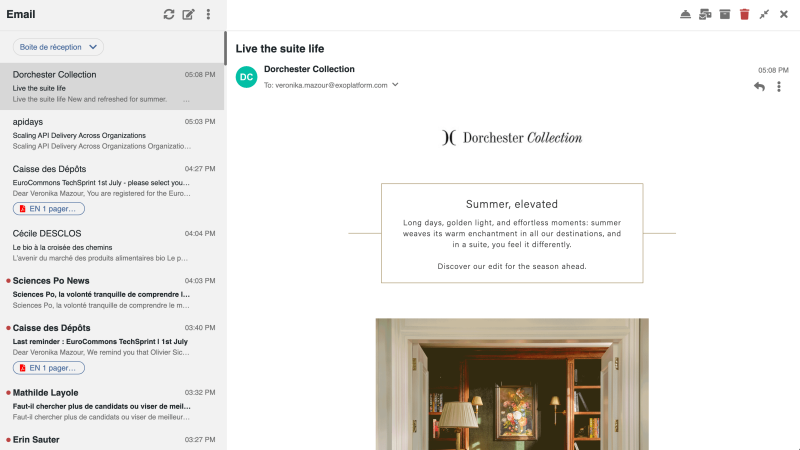
The goal is to let users process their inbox quickly from the digital workplace: read a message, archive it, reply, forward it, or act on it with AI assistance. For more advanced email management, users can still open their dedicated email application or webmail.
This first version provides the foundation for a progressively richer email experience in future releases, while keeping the organization’s existing email infrastructure in place.
The calendar experience has also been redesigned in eXo 7.2. Users can now choose to display their personal events in their eXo calendar, alongside events related to their spaces and work activities.
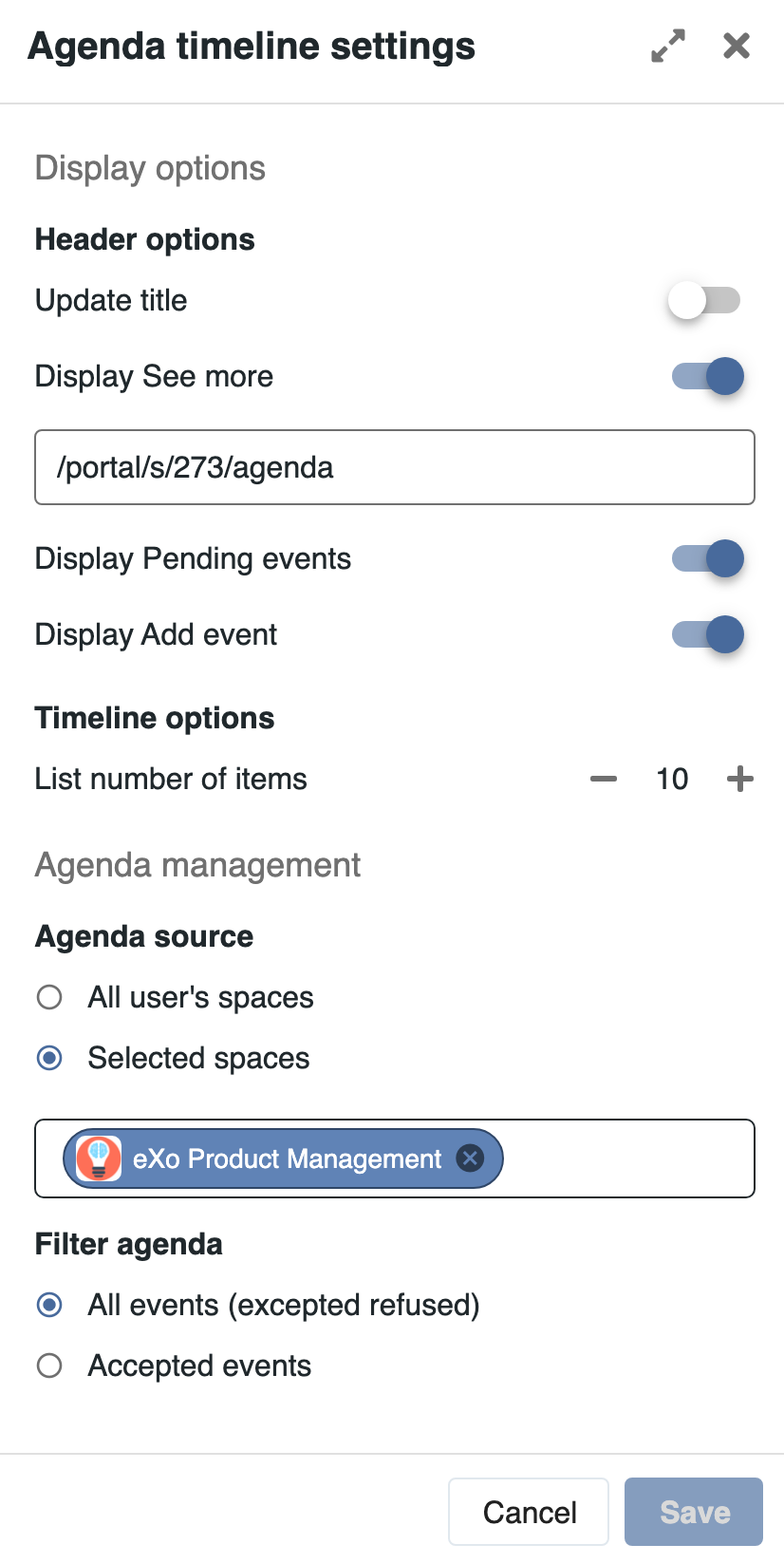
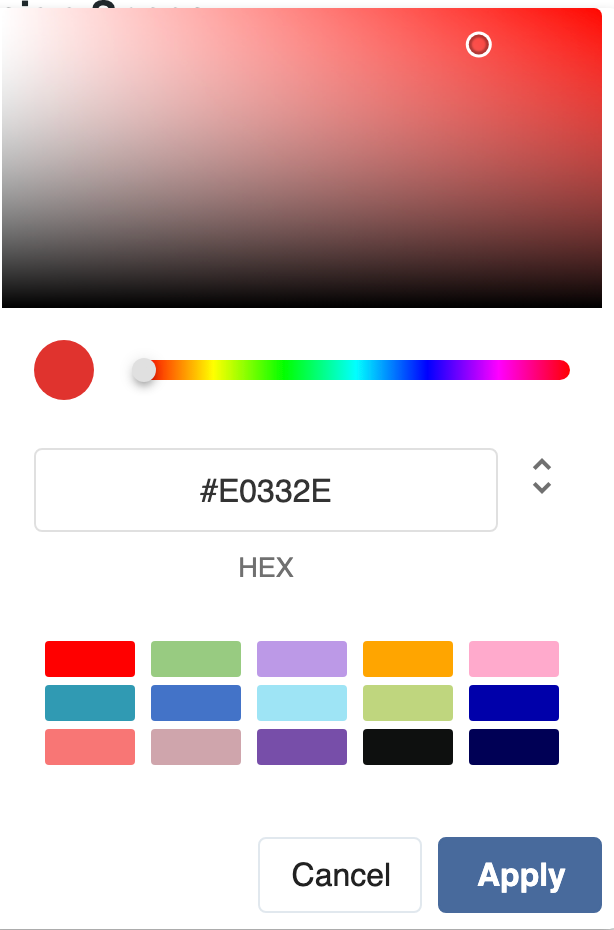
The calendar interface has been revamped to provide a clearer and more complete experience. Administrators also benefit from more configuration options for calendar widgets, including display options and color management (see illustration).

eXo 7.2 introduces personal notes, giving each user a dedicated space in My Workspace to capture ideas, draft content, prepare work or keep track of information privately.
This adds a personal productivity layer to the platform, complementing the collaborative notes and knowledge management capabilities already available in spaces.
The notes experience has also been improved. The page tree is now visible on the left by default, making navigation easier, and users can reorganize pages more intuitively with drag and drop.
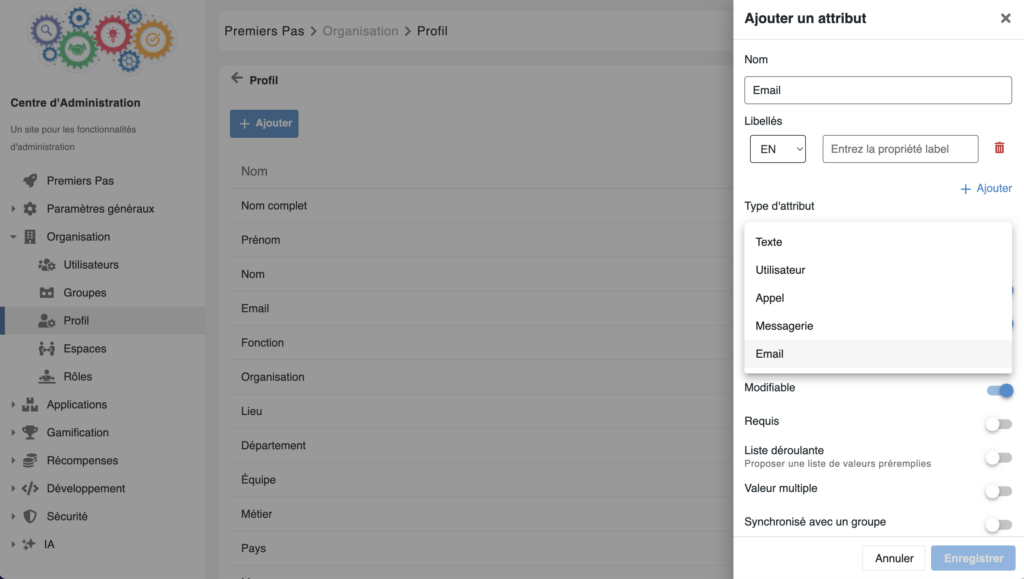
eXo already allows organizations to enrich user profiles with custom fields. With eXo 7.2, these fields can now be typed with new actionable formats, such as email, phone or chat.
Once configured, these fields enable immediate actions directly from the user profile or user card. Users can contact a colleague by email, call or chat from the context where they are already working, improving connectivity across the platform.


Open Source Alternative to Microsoft 365
Empower your organization with eXo Platform to break free from Microsoft dependencies and enhance collaboration with innovative solutions
Open Source Alternative to Microsoft 365
Empower your organization with eXo Platform to break free from Microsoft dependencies and enhance collaboration with innovative solutions
eXo 7.2 also improves the tools available to communication teams and space managers to publish, organize and promote information across the digital workplace.
eXo 7.2 gives space managers more autonomy to organize and distribute news within their own spaces.
Target management is now available at space level, allowing space managers to create and manage their own publication targets. This gives them more flexibility to structure communication for their audience, organize their space or site, and control how news is published and displayed.
The news list gadget has also been significantly improved. Its display models have been refreshed and harmonized, providing a more consistent experience across pages and spaces. The component now offers more flexible configuration options: editors can still use publication targets as sources, but they can also display all articles from the current context, such as a space, all articles available to the user, or manually select specific articles one by one.
This makes the news list gadget more adaptable to different communication needs, from automatic contextual news feeds to carefully curated editorial selections.
eXo 7.2 introduces a new event content type, designed to help organizations publish and promote events directly in the digital workplace.
Events can include key information such as date, location and event details, and can embed a map to help users identify where the event takes place. They can also be linked to a calendar, making it easier to manage participation and connect event communication with users’ agendas.
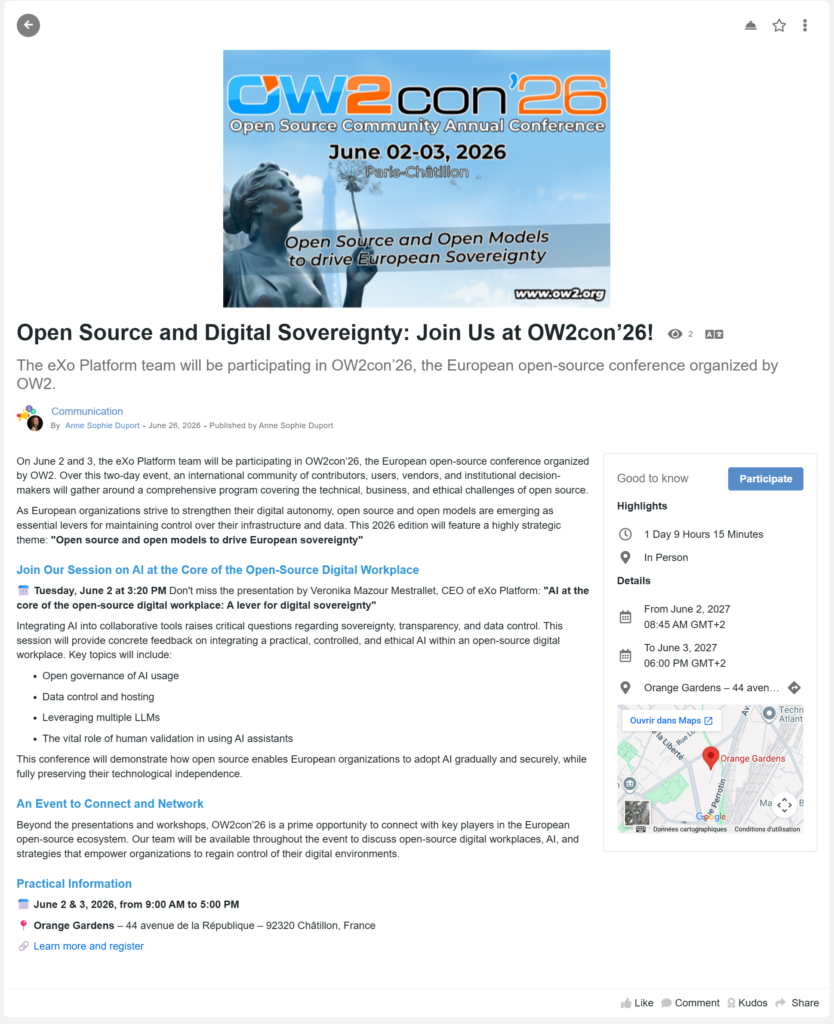
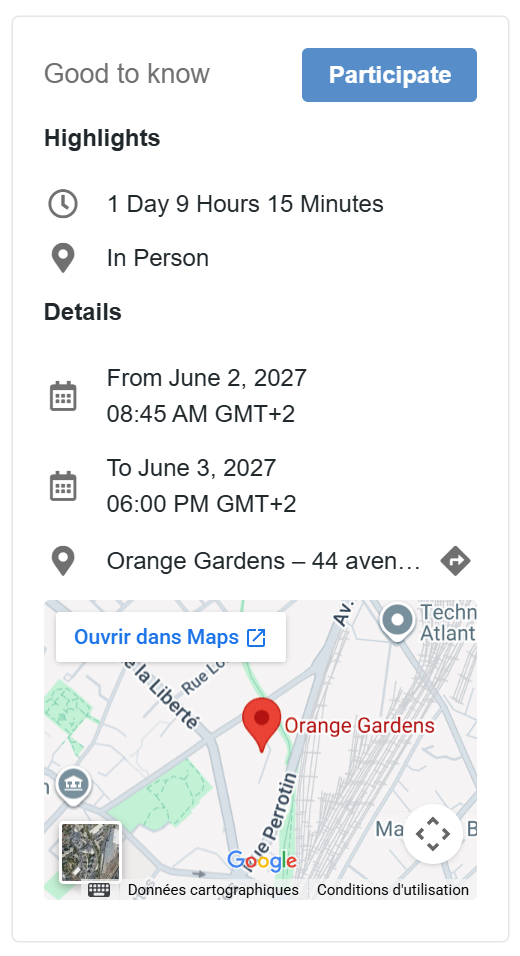
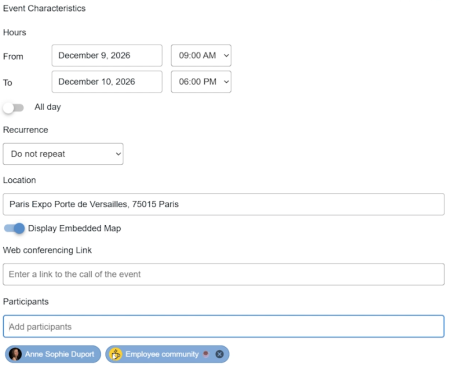
Events are displayed through a dedicated view, with visible dates, helping users quickly identify upcoming activities and making event promotion clearer and more engaging. To streamline publishing, a news article can also be converted into an event directly from the article.
As digital workplaces grow, organizations need more structure to reflect their real teams, departments, projects and communities. eXo 7.2 introduces new capabilities to organize spaces more clearly and manage them more easily at scale.
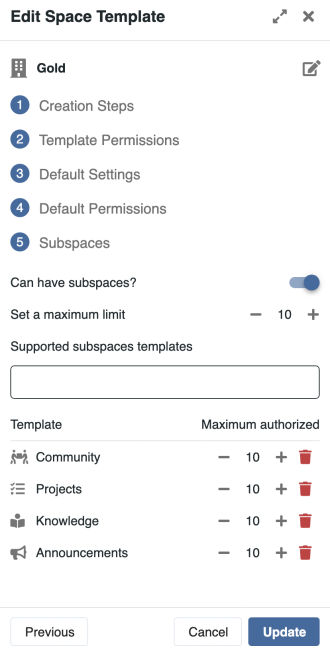
With eXo 7.2, users can now create sub-spaces inside a parent space. This makes it possible to structure work environments in a more natural way, for example by organizing a department into teams, a program into projects, or a community into dedicated working groups.
Together with space categories introduced in previous versions, sub-spaces provide a clearer way to organize, classify and manage collaboration environments at scale. They also offer a structured alternative to Microsoft Teams channels: instead of creating channels inside a team, eXo allows organizations to create full sub-spaces, each with its own members, permissions, applications and content, while keeping them attached to a parent space.
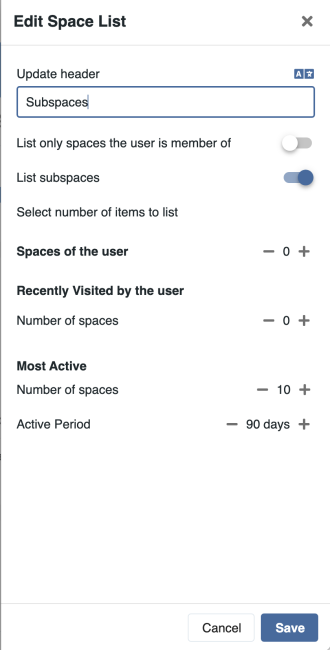
Sub-spaces help keep related activities connected while giving each group its own place to collaborate, communicate and manage its content. They can also be included in space templates, making it easier to standardize complex work environments.
To improve navigation, eXo 7.2 also introduces a dedicated display widget that can list the sub-spaces attached to a parent space, and make the relationship between related spaces more visible to users.
This release also improves space governance with clearer roles and permissions. In particular, the distinction between contributors and publishers has been clarified, helping administrators and space managers better control who can create, validate or distribute content within a space.
Space members can also be associated with user groups, making it easier to align space membership with organizational structures and existing governance rules.
eXo 7.2 also brings several usability improvements for space management. Space creation has been simplified by avoiding the automatic creation of related targets or task projects when they are not needed. This helps organizations keep their digital workplace cleaner and better aligned with actual usage.
Users can now leave a space directly from the left navigation, while space managers can delete a space from the space settings.
The release also introduces more flexibility for chat configuration. Administrators can disable one-to-one chat when needed and define whether chat should be enabled depending on the space model.
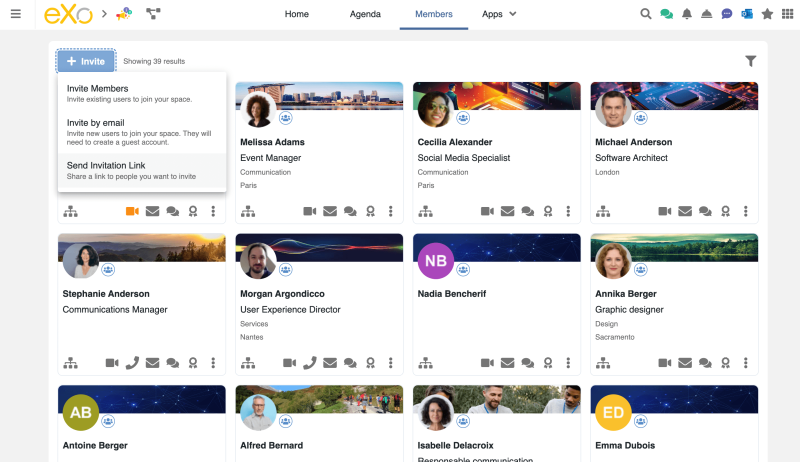
Finally, eXo 7.2 introduces a new invitation link mechanism to help drive members into communities more easily. Space managers can generate a reference link and share it through different channels, including landing pages, campaigns or existing communication spaces. This broadens onboarding possibilities and creates a smoother path for new members to join the right communities. The invitation flow can also be associated with gamification, helping encourage community growth and participation.
eXo 7.2 also brings improvements to help organizations manage spaces and users more effectively at scale.
Space permissions have been clarified, especially around contributor and publisher roles, making it easier to define who can create, validate or distribute content within a space. Space members can also be associated with user groups, helping align collaboration spaces with organizational structures and access management rules.
This release also introduces automatic deactivation of inactive users for accounts managed directly in eXo. This helps administrators keep user directories cleaner and reduce the number of unused active accounts over time.
eXo Platform 7.2 also includes a broad set of technical, security and quality improvements designed to make the platform more reliable, easier to use and easier to maintain.
This release includes several corrections and simplifications based on user feedback, notably around push notifications on mobile and desktop, WebDAV access, document opening flows and general user experience consistency.
Legacy WebDAV access has been secured, while WebDAV-related interactions have been improved with a simpler OTP experience and better recognition of document and folder names. Several stability and security corrections have also been included, covering XSS prevention, error handling, log management and other backend improvements.
Key platform components have also been updated, including Elasticsearch 8.18 and the latest Jitsi version. eXo 7.2 also updates OnlyOffice to version 9.4, bringing the latest editing, presentation, form-filling and security improvements to the collaborative document experience.
eXo Platform 7.2 includes the following components:
Administrators should also review a few configuration changes when upgrading. These include updates related to authentication flows, calendar settings, email connector configuration, profile attribute types and inactive user management.
eXo Platform 7.2 is now available for eXo customers and partners.
This release is available across eXo deployment models, including cloud, private cloud and on-premises environments. The AI module is also now packaged with the platform release, making the AI-augmented digital workplace deployable in environments with specific infrastructure, security or sovereignty requirements.
Customers planning an upgrade are invited to review the release notes and upgrade documentation, especially for environments using custom authentication, calendar integrations, email connector configuration, advanced profile fields or specific user management rules.
This release blog will be followed by a series of dedicated articles presenting selected features in more detail.
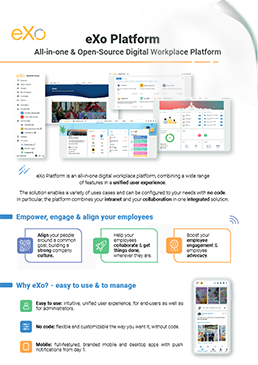

Download the eXo Platform Datasheet and discover all the features and benefits
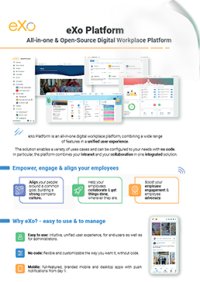

Download the eXo Platform Datasheet and discover all the features and benefits
( Your e-mail address will not be published)

I am the Chief Executive Officer of eXo Platform (the open source digital workplace platform), a company that I co-founded while in college and that I came back to after several years in the banking and consulting industry. I blog about modern work, about open-source and sovereignty issues. Occasionally, I also blog about my personal areas of interest, such as personal development, work–life balance, sustainability and gender equality.