Access your Box.com documents using this great Cloud Drive Add-on
We have some big news about the eXo Cloud Drive add-on: Platform users can now connect Box files to their documents in eXo. Previously this was only possible for Google Drive. And we’ve improved the usability and automatic synchronization.
Introduction
We are extending eXo’s connectivity to other cloud services for business by adding support for Box.com to the Cloud Drive add-on. eXo Platform is an intranet solution for social collaboration, knowledge sharing and document management in organizations. Box.com, on the other hand, is an online service for businesses that is designed for sharing, collaborating and working with files stored in the cloud. They are both created to increase productivity and with this release of Cloud Drive, Box is available for eXo Platform users. Using cloud documents directly from an intranet has just become even simpler.
We started this story for Platform 3.5 in the previous post. Here is an update for Platform 4 and the latest version of the Cloud Drive add-on.
For the impatient, here is a screencast showing how to connect to your Box account in eXo:
Install the add-on
The Cloud Drive add-on is an extension to eXo Platform. You can download and install it by following these simple steps:
- Download eXo Platform 4: The community edition and express edition are both available from the eXo Community
- Download the latest version of the add-on from the eXo Community
- Install Platform server and the Cloud Drive extension as described on the add-on page
Connect cloud documents
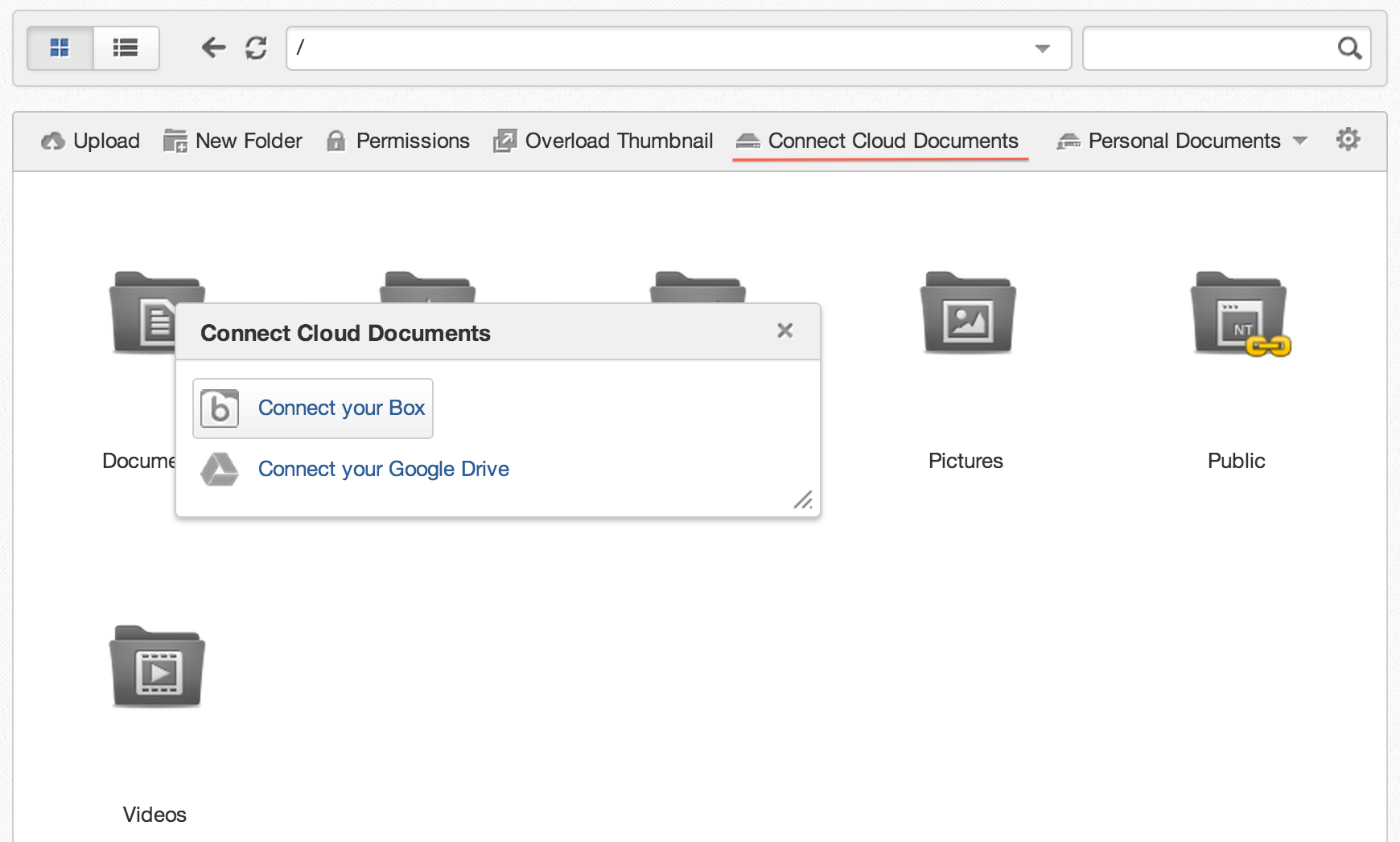
Each Platform user has their own Personal Documents. This folder is open by default in the Documents app. With Cloud Drive installed, a “Connect Cloud Documents” action appears. It is available in each view of the Documents app. Currently, you can connect to either Google Drive or Box.
There are also a couple of dedicated menu actions that an administrator can directly configure for connecting to only one of those two services. To customize the Documents action bar, go to Administration – Content – Content Administration, choose the Explorer tab and select Views. All the available views are shown in ECM Explorer. This is what you see as the Documents app in the Platform. In the Actions column use the Edit icon to modify the view. Switch to the Action tab and select the actions you want to add or uncheck to remove actions.
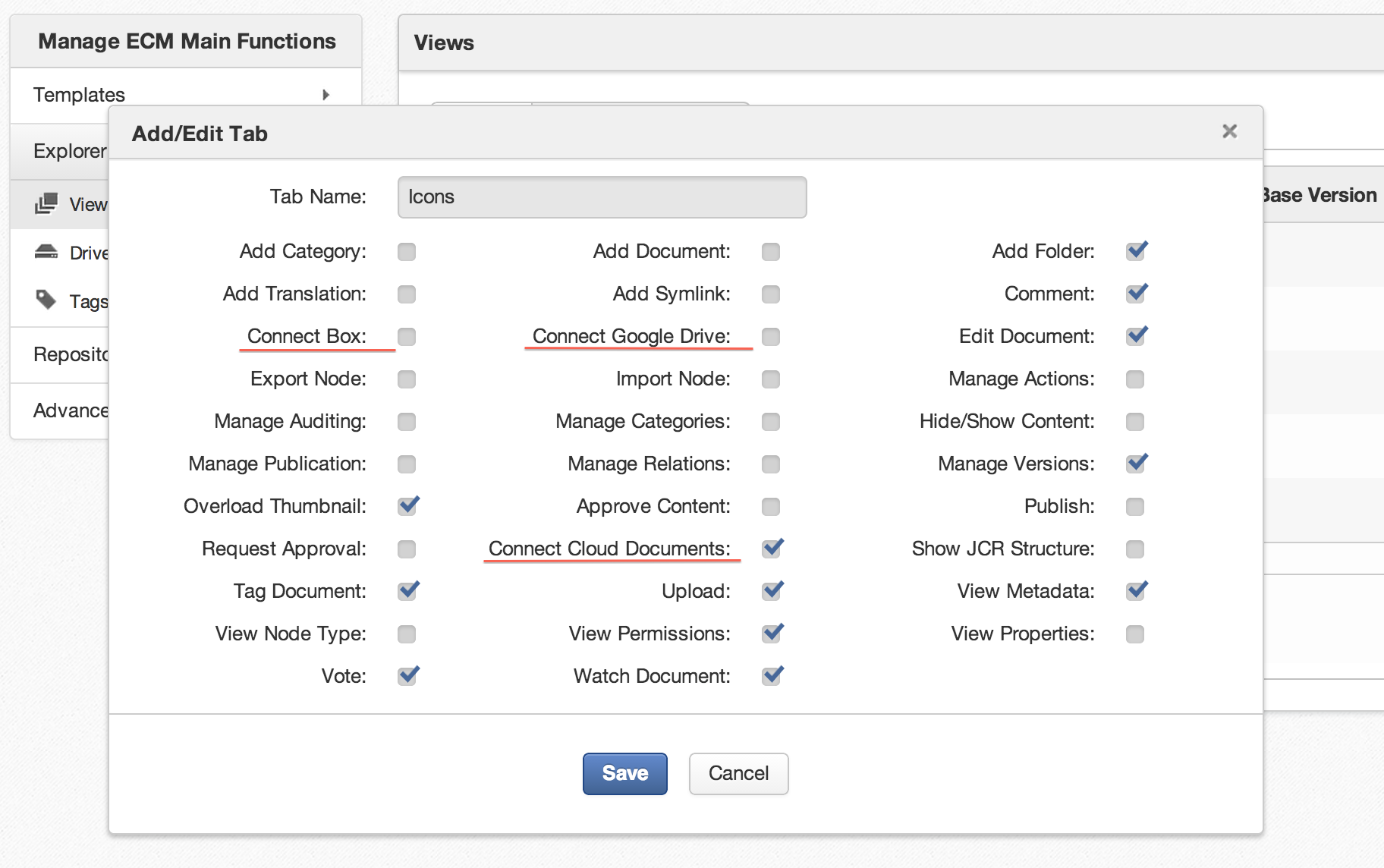
Finally save the customization to apply your changes.
Connect to your Box
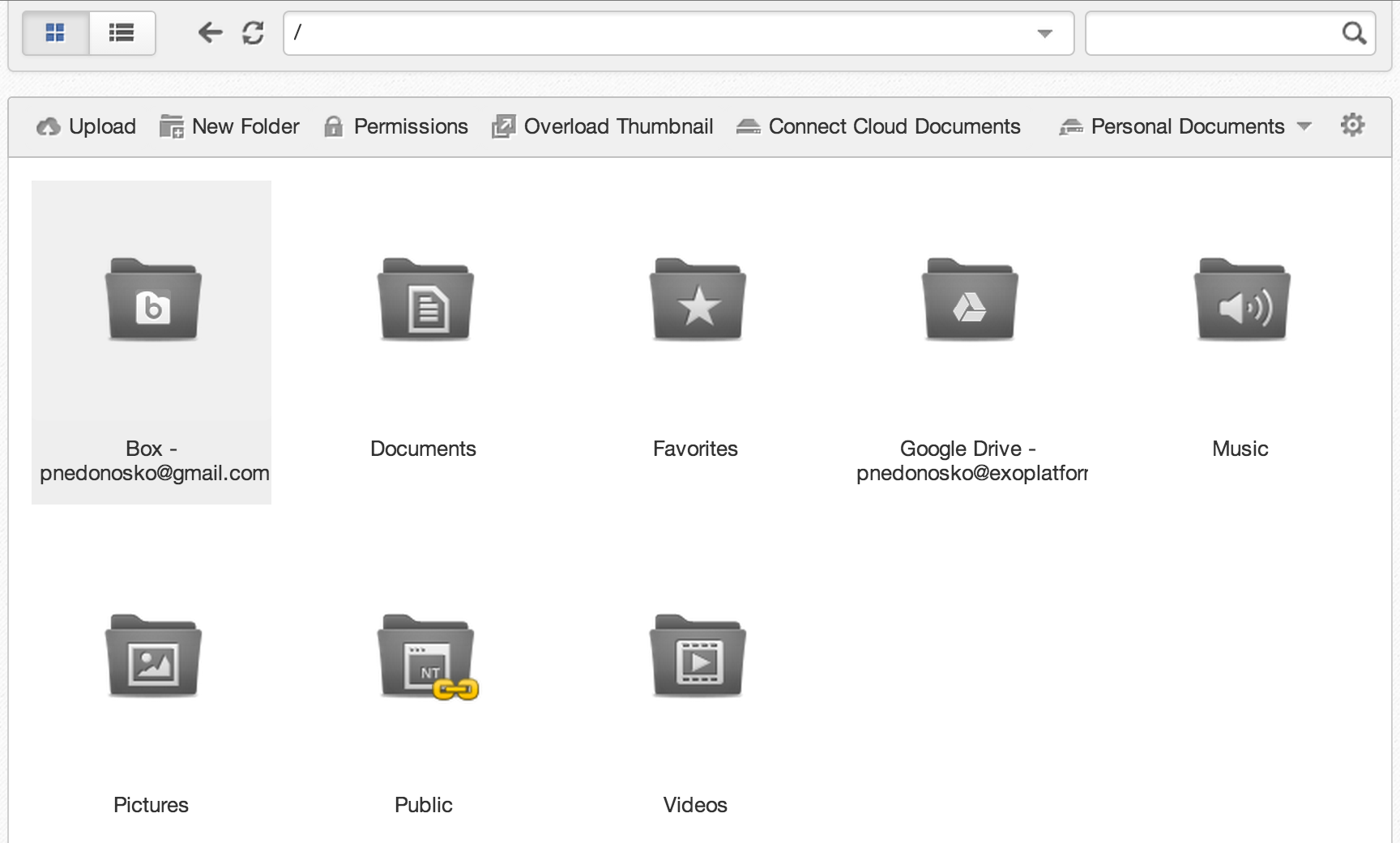
Before you choose “Connect to your Box”, you should first log in to Box and grant access to your Box to the Cloud Drive app using the Box API with the keys used in the add-on configuration. Once you have done this, the add-on will start to show your files in eXo. We don’t store the actual content of your files, we only store the file structure and track changes from the drive in cloud. When your Box is connected, you will see a new folder flagged with the Box logo. Its name will be in the form “Box – your@email” where the email part will be the same as that used for the Box authorization.
Connecting to Google Drive works in the same way and you will see your Google Drive in Personal Documents also.
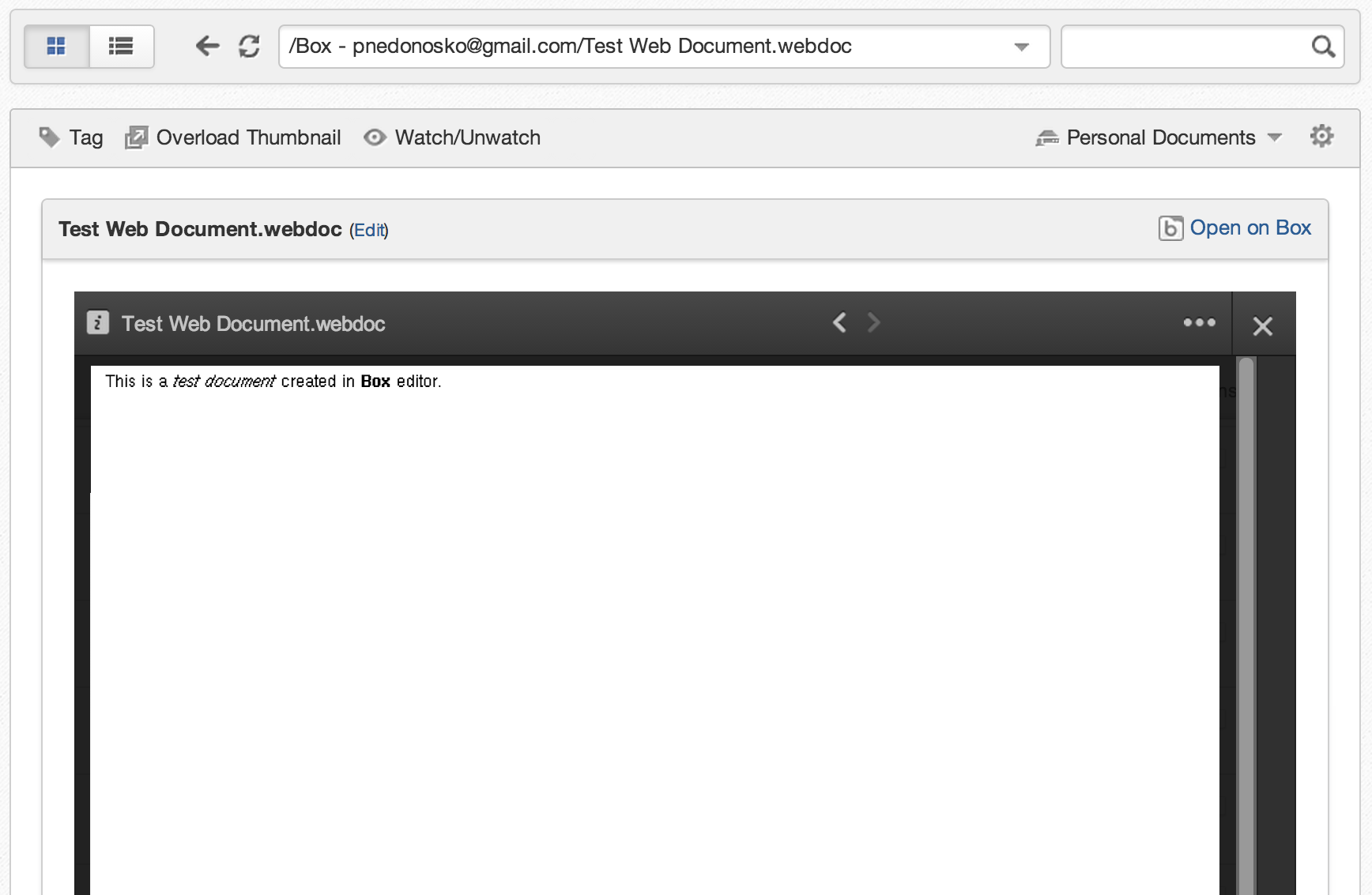
After you have completed the security validation and you have logged into Box you will have access to your files in eXo. Just like for Google Drive documents, the add-on for Box shows an embedded preview of your files and you can even edit your Box documents using the Platform. There are also all the other Box options you have on their site, including comments, tasks and editing in Box Edit.
Improved usability
Since the introduction of the eXo Cloud Drive in February 2013, we have improved the user experience of the add-on. Connected files are now synchronized automatically and changes are detected in the background. You don’t need to switch to a drive folder and invoke the ‘sync’ action anymore. When you open a drive folder, the synchronization is done transparently. The Platform receives a list of changes made in the remote service and applies them immediately in the background. This is shown by a small badge on the Refresh icon.
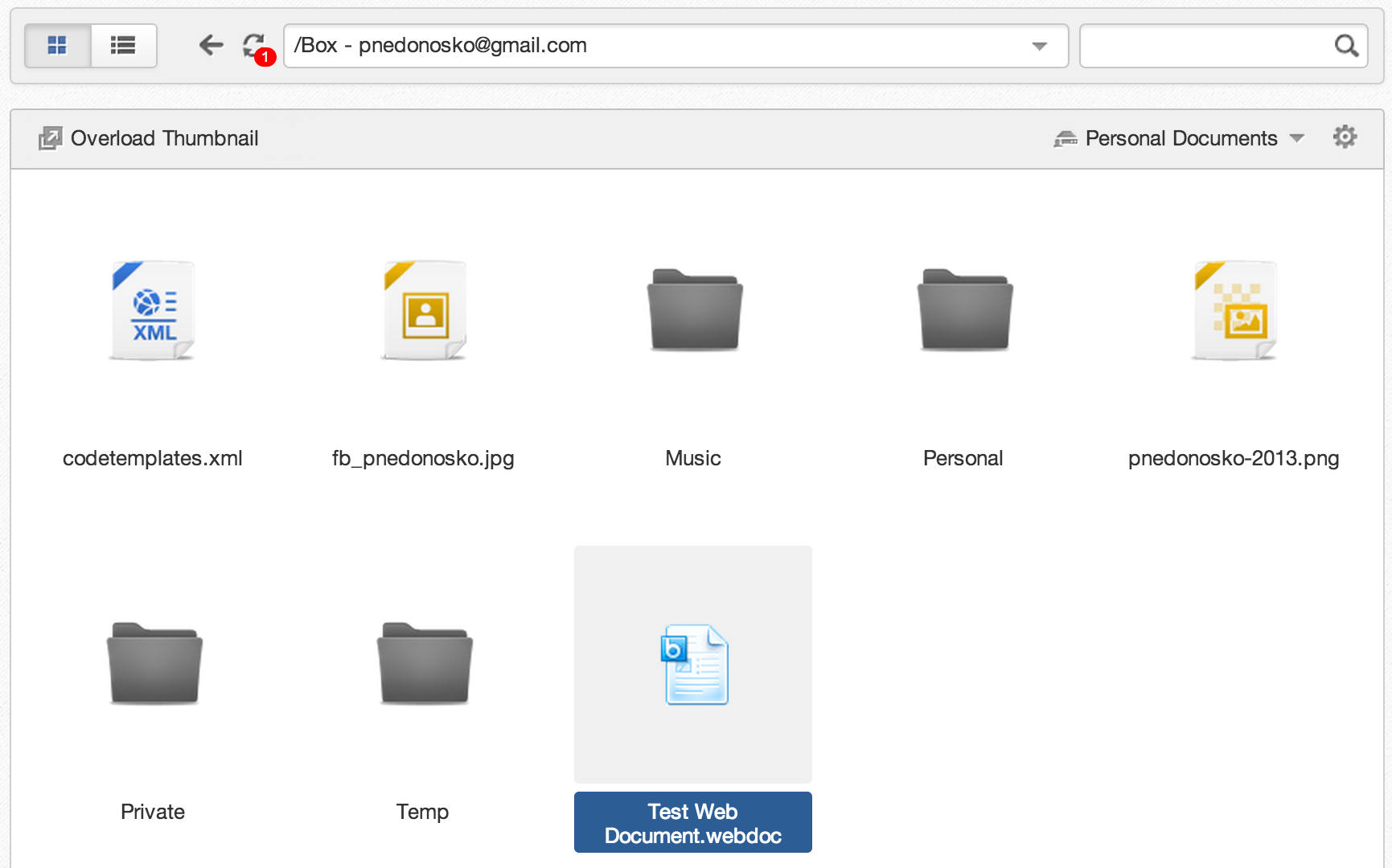
The number in the red badge indicates how many changes made in the remote service have been detected. The changes are reflected in eXo as soon as you click on refresh or navigate to another folder.
Technically, the automatic synchronization uses a different approach for each supported cloud service. For Box, we use their long polling to track user changes in real time. For Google Drive, we poll its service periodically for remote changes. In both cases, synchronization will occur only while a drive folder is open in Documents.
The Refresh icon can used to force the synchronization of a drive folder. So, if you want to trigger synchronization manually, just hit the Refresh button.
Afterword
This is really just the beginning of the Box integration. More will come this year. And in the meantime we’ll be glad to receive your feedback, about how you are using eXo Platform together with Box, Google Drive or other file-sharing services. Visit the Cloud Drive space on eXo Community and post your stories, suggestions and feedback there. Code contributors are very welcome on Github.
Here’s to more tools that increase productivity in your workspace 🙂
If you have any questions regarding the add-on or how it works, you’re welcome to join the conversation in our eXo Community!
Brahim Jaouane

I am a Digital Marketing specialist specialized in SEO at eXo Platform. Passionate about new technologies and Digital Marketing. With 10 years' experience, I support companies in their digital communication strategies and implement the tools necessary for their success. My approach combines the use of different traffic acquisition levers and an optimization of the user experience to convert visitors into customers. After various digital experiences in communication agencies as well as in B2B company, I have a wide range of skills and I am able to manage the digital marketing strategy of small and medium-sized companies.