

FREE WHITE PAPER
Digital workplace is a buzzword these days. Actually different people use it to mean different things. So what is a digital workplace?
As client expectations evolve, organizations can no longer rely on fragmented communication methods such as lengthy emails, scattered attachments, and inconsistent document versions. These outdated practices can lead to delays, miscommunication, and reduced client satisfaction.
Client portal software addresses these challenges by providing a secure, centralized platform for sharing information, managing documents, and facilitating real-time collaboration with clients, ultimately enhancing efficiency and trust.
A 2023 McKinsey report highlights that enterprises that digitize client interactions achieve 40% higher client satisfaction and 30% faster project completion times, demonstrating the tangible benefits of modern digital communication strategies.
Client portal software has evolved beyond a simple file-sharing tool into a centralized, secure platform that facilitates seamless collaboration between businesses and clients. These portals consolidate project information, documents, communications, and workflows into a single environment, enabling teams to work more efficiently while keeping clients informed and engaged. Unlike traditional methods, client portals reduce operational friction, strengthen client relationships, and offer measurable return on investment.
The benefits are clear: digitized communication ensures instant availability of critical information, streamlines document management, and minimizes the complexity of multiple revisions.
According to Deloitte’s 2024 Digital Experience Survey, organizations using client portals report a 20% reduction in support inquiries and improved client engagement, highlighting the operational and relational advantages of implementing such solutions.
A modern client portal is no longer a “nice-to-have” tool; it has become an essential business infrastructure component. It provides a secure, organized environment where companies and clients can share information, foster collaboration, manage projects, and track progress efficiently.
This guide will explore what client portals are, why they are essential, key features to prioritize, real-world use cases, and practical steps for launching a portal quickly while ensuring maximum value for both clients and businesses.
A client portal, also known as a customer portal or extranet portal, is a secure, centralized, web-based platform where businesses and their clients (or external stakeholders) can interact, collaborate, and manage relationships efficiently. It serves as a digital front office, replacing the chaos of scattered emails, file-sharing services, and disconnected communication tools with a single, unified, and branded workspace.
Designed specifically for client interactions, rather than general-purpose tools like Dropbox or Google Drive, client portals provide a structured environment for managing tasks, documents, communications, and services.
Modern portals have evolved far beyond simple file storage, incorporating features such as real-time collaboration, AI-powered assistance, automation, and mobile optimization to ensure seamless client experiences.
Centralizing interactions reduces miscommunication, improves transparency, and enhances client satisfaction. A client portal is the digital gateway for clients, offering a secure, organized, and interactive environment for accessing services, managing data, and collaborating with your company anytime, anywhere.
🤏Overall, a client portal serves as a digital gateway for clients, offering a secure, organized, and interactive environment that simplifies collaboration, improves efficiency, and strengthens client relationships.
Client portal software is the technology that powers these secure digital hubs, transforming the way companies interact with clients. It provides the tools and infrastructure necessary to centralize communication, automate workflows, and manage documents and projects within a single platform.
While a client portal is the interface clients see, client portal software is the engine behind it, enabling organizations to create, configure, and manage these digital environments efficiently. Modern software solutions offer:
Seamless connections with CRM systems, accounting software, project management tools, and communication platforms eliminate app-switching and streamline workflows.
Clients and internal teams receive timely updates on tasks, deadlines, approvals, and document submissions.
Track portal usage, client engagement, and workflow efficiency to improve service delivery and client satisfaction.
Tasks like document classification, workflow routing, or client reminders can be automated, reducing manual effort and errors.
Cloud-based software ensures secure, 24/7 access from any device, keeping clients informed and teams responsive.
Organizations using client portal software gain measurable benefits. A 2023 McKinsey report found that companies leveraging digitized client interactions achieved 40% higher client satisfaction and 30% faster project completion times. By consolidating all interactions into a single platform, businesses reduce miscommunication, increase efficiency, and create a professional, seamless client experience.
In short, client portal software is the backbone of modern client engagement, providing the tools to create secure, branded, and collaborative digital environments that drive operational efficiency, client satisfaction, and long-term growth.
Modern client portal software has evolved far beyond simple file-sharing tools. Today’s solutions act as centralized, secure, and intelligent client workspaces, offering automation, AI-powered features, deep integrations, and advanced collaboration tools. These capabilities make portals not just a storage space, but a virtual hub for all client interactions.
According to a 2024 Deloitte Digital Experience Survey, organizations using client portals reported a 20% reduction in support inquiries and a 15% increase in client cross-selling opportunities, demonstrating that portals drive both operational efficiency and business growth.
Client portals must safeguard sensitive information while meeting regulatory requirements. Key features include:
🔥2025 Trends: Enterprise-grade portals now include granular activity logs and automated compliance reporting to simplify audits and risk management.
Efficient collaboration is at the heart of client portals. Features include:
🔥2025 Trends: AI-powered chatbots provide instant support, and automated reminders streamline approvals and deadlines, reducing delays from email chains.
Portals organize information and make it easily accessible:
🔥2025 Trends: AI-powered search across all documents and content, AI-assisted content creation for support articles, and automated document requests (e.g., tax or compliance forms).
Client portals should reflect a company’s identity and adapt to client needs:
🔥2025 Trends: Personalized content feeds based on client engagement patterns are becoming standard in advanced portals.
Portals streamline project execution and task management:
🔥2025 Trends: Shared KPI dashboards allow clients and teams to monitor progress and outcomes in real time, fostering transparency.
Modern portals connect seamlessly with business systems:
🔥2025 Trends: Portals increasingly consolidate enterprise features, document management, project tracking, CRM, ERP, and knowledge bases, into one unified workspace, reducing app-switching and improving operational efficiency.
Understanding client behavior is crucial for optimizing services:
🔥Study Insight: According to AgilityPortal, portals with advanced analytics allow businesses to identify engagement trends, optimize workflows, and increase client satisfaction.
Empowering clients reduces support load and enhances satisfaction:
🔥2024 Deloitte Survey Insight: Organizations with self-service portals experienced 20% fewer support tickets and higher client engagement, confirming the ROI of empowering clients.
Modern client portals are more than a login and file repository. They combine security, collaboration, AI-powered automation, analytics, and seamless integrations to become virtual client workspaces. Implementing a robust portal not only strengthens client relationships but also drives measurable efficiency, compliance, and growth.
Types of Digital workplace solutions
Digital workplace is a buzzword these days. Actually different people use it to mean different things. So what is a digital workplace?
Adopting client portal software is more than a technology upgrade, it is a strategic business decision that enhances efficiency, security, client satisfaction, and long-term growth.
Protecting sensitive client data is critical, especially in regulated industries. Client portals provide enterprise-grade security features, including:
🧐Study Insight: A 2024 Gartner report found that businesses using client portals reduce data leakage incidents by 67% compared to email-based exchanges. With data breaches costing an average of $4.35 million per incident (IBM, 2023), portals are essential for safeguarding sensitive information.
Client portals consolidate communication, document management, and workflow tracking into a single, organized hub, drastically reducing administrative overhead. Benefits include:
Clients increasingly expect instant access and consumer-grade digital experiences. Portals improve the client experience by offering:
🧐Study Insight: A Salesforce survey found that 84% of clients are willing to pay more for better digital experiences, while Forrester notes that companies with self-service portals see a 25–35% increase in client retention.
As businesses grow, client portals allow organizations to scale efficiently without adding excessive administrative costs. Key advantages include:
🧐Insight: Portals enable consistent service quality regardless of client volume, making them especially valuable for agencies, consulting firms, and service industries with high client turnover.
Portals facilitate structured collaboration between clients and teams, improving project visibility and delivery. Features include:
🧐Insight: Deloitte Digital reports that 71% of B2B decision-makers consider “digital collaboration capabilities” a key factor when selecting a vendor, highlighting how portals can differentiate your business in competitive markets.
Client portals consolidate security, efficiency, transparency, and professionalism into one platform. By implementing a robust portal, businesses can:
🤏In short, client portals are no longer optional, they are a strategic tool that drives efficiency, satisfaction, and long-term growth.
Client portals are highly versatile, serving as centralized digital workspaces for a wide range of industries. By consolidating communication, documents, project tracking, and payments, portals replace chaotic email threads, scattered files, and multiple tools with a secure, organized, and branded client experience.
⚙️ Key Features: Version control, secure messaging, role-based permissions, calendar integration.
⚙️Key Features: Secure file sharing, digital signatures, real-time payment tracking, compliance audit logs
⚙️Key Features: Task management, milestone visibility, comment threads, collaborative dashboards
⚙️Key Features: Secure messaging, appointment scheduling, document uploads, audit trails
⚙️Key Features: Personalized dashboards, file sharing, session tracking, goal management
⚙️ Key Features: Collaborative workspaces, task management, milestone tracking, commenting and feedback threads
⚙️Key Features: Real-time collaboration, version control, client comment tracking
⚙️Key Features: Real-time reporting, encrypted file sharing, audit trails
⚙️Key Features: Role-based permissions, workflow automation, notifications
⚙️ Key Features: Task tracking, document storage, client communication channels
⚙️Key Features: Secure file sharing, digital signatures, project tracking dashboards
⚙️Key Features: AI-powered knowledge base, ticketing system, SLA monitoring, analytics dashboards
Client portals are not just internal productivity tools, they are strategic assets that enhance the client experience, strengthen trust, and differentiate businesses in competitive markets. From the client perspective, a well-designed portal delivers:
📖Study Insight: According to a Forrester survey (2023), companies offering self-service client portals see a 25–35% increase in client retention, highlighting the direct impact of portal software on loyalty and satisfaction.
A powerful client portal is more than a secure file repository, it’s a complete digital workspace where businesses and clients collaborate, communicate, and manage projects seamlessly. However, not all portals deliver the same experience. The most effective solutions blend security, usability, customization, automation, integration, and scalability to support modern client expectations.
Below is a refined breakdown of the essential characteristics your client portal should include.
A portal should be effortless to use, for both your team and clients. The easier it is to navigate, the higher the adoption rate.
A user-friendly portal reduces friction, speeds up onboarding, and minimizes support requests.
Trust is everything in client relationships. That’s why security is one of the strongest differentiators in a modern client portal.
According to a 2024 Gartner report, companies using secure client portals experience 65% fewer data-leak incidents compared to those relying on email and shared drives.
Your portal should look and feel like an extension of your business, not a third-party tool.
Strong branding enhances professionalism and strengthens client trust.
Since document sharing is one of the top reasons businesses adopt client portals, the experience must be seamless.
This centralization eliminates email chaos and reduces errors caused by outdated files.
A modern portal acts as a unified communication hub, reducing scattered email threads and keeping conversations contextual.
This reduces missed updates and improves collaboration efficiency.
Clients want transparency. Teams want clarity. A portal should offer both.
Transparent project tracking significantly reduces “When will this be done?” client inquiries.
Integrations are essential for eliminating manual work and ensuring data consistency.
Integration reduces duplication, prevents human error, and boosts automation.
Automation and AI can dramatically increase productivity and enhance the client experience.
These features help teams work smarter, not harder.
Your portal should grow with your organization without performance degradation.
This ensures reliability, especially for businesses operating across multiple countries or industries.
Today’s clients expect independence and immediate access, not delays.
Deloitte’s 2024 Digital Experience Survey found that organizations offering self-service portals saw a 20% drop in support tickets and significantly higher client engagement.
A modern portal doesn’t just store information, it provides actionable insights.
Analytics help businesses optimize service delivery and improve client satisfaction.
A modern client portal is a centralized digital hub that enhances transparency, speeds up collaboration, and creates a more professional and secure client experience.
By combining intuitive design, enterprise-grade security, powerful automation, and seamless integrations, client portals deliver measurable ROI, strengthening client loyalty, reducing operational costs, and positioning organizations for long-term success.

Open Source Alternative to Microsoft 365
Empower your organization with eXo Platform to break free from Microsoft dependencies and enhance collaboration with innovative solutions
Open Source Alternative to Microsoft 365
Empower your organization with eXo Platform to break free from Microsoft dependencies and enhance collaboration with innovative solutions
Launching a client portal doesn’t have to be a long or complex project. With the right approach and software, businesses can establish a fully functional, branded portal in hours or days rather than weeks. The key is a combination of careful planning, phased execution, and client-focused onboarding.
Start by identifying why the portal is needed and what success looks like:
🤓Tip: Clearly defined objectives help guide portal configuration, migration, and communication strategies.
Selecting the right portal software is critical. Consider:
☝️Recommendation: Platforms like eXo Platform provide a balance of advanced features and simplicity, enabling rapid deployment without sacrificing security or scalability.
Once the platform is chosen, tailor it to your business and clients:
🔥Study Insight: According to a 2024 Deloitte survey, organizations with well-configured client portals saw a 20% reduction in support tickets and higher client engagement.
A clean, organized migration ensures efficiency and avoids confusion:
🤓Tip: Focus on migrating frequently accessed documents and active project data first.
Client adoption is crucial for portal success:
🤓Tip: Incentivize early adopters to encourage habit formation and gather feedback for continuous improvement.
After launch, continuously track performance and iterate:
🔥Study Insight: Platforms with analytics dashboards allow businesses to identify bottlenecks, optimize workflows, and provide data-driven client insights, increasing overall efficiency and satisfaction (AgilityPortal, 2025).
Modern SaaS portals offer pre-built templates and onboarding wizards:
Many platforms allow businesses to go live in under an hour, eliminating lengthy IT projects while ensuring a professional, secure, and fully functional client workspace.
A successful client portal launch combines strategic planning, careful migration, client-focused onboarding, and ongoing optimization. By following these steps, businesses can provide a secure, efficient, and transparent digital workspace that drives adoption, strengthens client relationships, and delivers measurable ROI.
Selecting the right client portal software is a critical strategic decision. The right portal not only improves client satisfaction and operational efficiency but also ensures security, compliance, and scalability for your organization. Below is a structured approach to help businesses make the best choice.
Start by clearly defining why you need a client portal:
🔑Key Insight: According to a 2024 Deloitte survey, companies that align portal features with measurable KPIs experience 20% higher client adoption rates and reduced administrative overhead.
Understand how your clients interact with your business today:
🤓Tip: The portal should centralize all interactions, reduce redundancies, and automate repetitive processes wherever possible.
Modern client portals go far beyond simple file-sharing. Focus on features that deliver security, transparency, and efficiency:
| Feature Category | Key Capabilities | Value to Business |
| Security & Compliance | End-to-end encryption, 2FA, role-based access control, audit logs, GDPR/HIPAA-ready | Protects sensitive data and ensures regulatory compliance |
| Collaboration & Communication | In-app messaging, comments on files, activity feeds, notifications | Reduces email overload and accelerates decision-making |
| Workflow & Automation | Task management, milestone tracking, automated reminders, approval workflows | Streamlines operations and reduces manual follow-ups |
| Customization & Branding | White-label portal, branded dashboards, custom workflows | Provides a professional, cohesive client experience |
| Integration & Extensibility | API access, CRM/ERP connectors, payment integration | Prevents data silos and supports unified workflows |
| Analytics & Insights | Client engagement tracking, document downloads, project progress dashboards | Enables data-driven decision-making and proactive support |
🔥Study Insight: A 2023 Forrester study revealed that businesses using portals with integrated automation and analytics reduced support inquiries by 20% and increased cross-selling opportunities by 15%.
A portal is only effective if clients actually use it:
🤓Tip: Platforms offering “magic link” logins or guided onboarding reduce friction and boost adoption.
Your portal must grow with your business:
🤓Tip: Open-source solutions like eXo Platform provide flexibility, reduce vendor lock-in, and allow cost control while supporting complex multi-tenant or enterprise deployments.
Be cautious of solutions that:
💁♂️Negotiation Tips: Ask for pilot discounts, custom training credits, SLA guarantees, and clarity on future pricing changes.
Choosing the right client portal software requires strategic alignment, workflow analysis, careful feature evaluation, and usability testing. By prioritizing security, automation, integration, and scalability, businesses can implement a portal that not only improves client experience but also drives measurable operational and financial benefits.
Migrating from emails, shared drives, or disparate tools to a modern client portal can be transformative, but only if done thoughtfully. A smooth transition ensures high adoption, data integrity, and improved client satisfaction.
Below is a step-by-step guide with best practices.
Before moving data, it’s crucial to audit and clean up existing information:
🪄Key Feature Tip: Many modern client portals (like eXo Platform) support role-based permissions (RBAC) and audit logs, ensuring migrated data remains secure and compliant.
Gradual migration reduces risk and enables smoother adoption:
👍Best Practice: Maintain parallel access to legacy systems during the transition to allow users to reference old files while getting accustomed to the portal.
Proactive communication is key to adoption:
🔥Study Insight: According to Forrester (2023), businesses that invest in structured onboarding see up to 30% higher portal adoption rates.
A client portal is only effective if your team knows how to leverage it:
🪄Key Feature Tip: Portals with role-based dashboards and automated notifications help internal teams stay organized and reduce manual follow-ups.
Ensure the migration process is smooth and minimizes disruption:
Continuous improvement is critical:
👉Outcome: A thoughtfully migrated client portal becomes a centralized, secure, and highly adopted workspace, reducing administrative overhead, increasing client satisfaction, and enhancing overall operational efficiency.
This approach ensures your portal launch is strategic, client-focused, and technically robust, laying the foundation for long-term adoption and measurable ROI.
In 2025, client portal software has evolved far beyond simple document storage. Modern portals are intelligent collaboration ecosystems that unify communication, document management, project tracking, and client engagement into a single, secure, and branded platform. They are no longer optional tools, they are strategic enablers for businesses seeking operational efficiency, client satisfaction, and competitive differentiation.
Implementing a robust client portal delivers measurable results:
While many client portal solutions exist, eXo Platform emerges as a best-in-class option for organizations seeking a comprehensive, secure, and future-ready portal. Key differentiators include:
The digital transformation of client services is accelerating. Companies with sophisticated client portals outperform those relying on email chains, shared drives, or ad-hoc tools. By following best practices, selecting the right portal, planning migration, configuring workflows, and engaging clients, organizations can create a portal that:
Investing in a modern, feature-rich client portal is ultimately an investment in your clients, your team, and your company’s future. The question is no longer whether to implement a portal, it’s which platform will best position your business for the future of client collaboration.
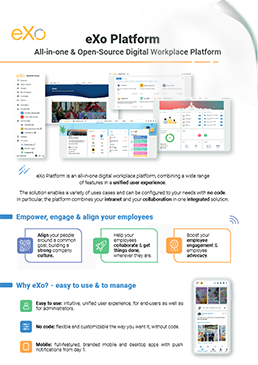

eXo Platform : The Open-Source
Digital Workplace Platform
Download the eXo Platform Datasheet and discover all the features and benefits

Download the eXo Platform Datasheet and discover all the features and benefits
You will find here Frequently Asked Questions about Client Portal Software with all the answers in one place.
A client portal—also known as a customer portal or extranet portal—is a secure, centralized, web-based platform where businesses and their clients (or external stakeholders) can interact, collaborate, and manage relationships efficiently. It serves as a digital front office, replacing the chaos of scattered emails, file-sharing services, and disconnected communication tools with a single, unified, and branded workspace.
Client portal software is the technology that powers these secure digital hubs, transforming the way companies interact with clients. It provides the tools and infrastructure necessary to centralize communication, automate workflows, and manage documents and projects within a single platform.
Modern client portals include features that enhance collaboration, efficiency, and accessibility:
Adopting client portal software is more than a technology upgrade—it is a strategic business decision that enhances efficiency, security, client satisfaction, and long-term growth.
An extranet is a private, controlled-access portal that facilitates communication and collaboration between an organization and authorized external users. These users may include clients, suppliers, partners, consultants, distributors, or remote teams.
Extranets are essentially private networks that allow authorized external users to access specific internal information and applications of an organization. Think of them as a secure bridge between your company’s internal systems and the outside world, but only for trusted partners, customers, or vendors.
Here’s a more detailed, human-friendly breakdown of how they operate:
To clarify the role of extranets, let’s compare them with intranets and the internet:
Security is absolutely critical for your extranet, as you’re sharing sensitive information with external parties. Think of it like safeguarding a digital vault – you need multiple layers of protection.
Here’s a human-friendly guide to keeping your extranet super secure:
When it comes to your extranet, security isn’t just a feature; it’s a non-negotiable foundation. Here’s how to build a fortress for your shared data:
Security isn’t a one-time setup; it’s an ongoing commitment.
intranet is a term used with abundance whenever the subject of internal communication and collaboration is brought up which makes defining it a bit challenging. In its simplest form, an intranet is an internal website for your organization. It is used mainly for top-down communication where employees can access corporate news, policies and announcements.
A CMS intranet is a secure internal platform that allows employees to create, manage, and share content across the organization. Think of it as your company’s digital headquarters—where communication, collaboration, and information management come together in one place.
( Your e-mail address will not be published)

I am a Digital Marketing specialist specialized in SEO at eXo Platform. Passionate about new technologies and Digital Marketing. With 10 years' experience, I support companies in their digital communication strategies and implement the tools necessary for their success. My approach combines the use of different traffic acquisition levers and an optimization of the user experience to convert visitors into customers. After various digital experiences in communication agencies as well as in B2B company, I have a wide range of skills and I am able to manage the digital marketing strategy of small and medium-sized companies.