


FREE WHITE PAPER
The term open source refers to any solution that has its source code widely accessible to the public for modification and sharing.
Digital workplaces, community platforms, and customer-facing portals have become essential infrastructure for modern organizations. As hybrid and remote work models mature, companies need centralized digital environments where employees, customers, and partners can securely access apps, content, workflows, and communication tools.

A portal—whether an intranet, extranet, client portal, developer portal, or service hub—unifies these elements behind a single, personalized interface. But in 2025, organizations increasingly require more than just a static portal. They need a flexible digital experience platform (DXP) that can integrate with existing systems, support heavy customization, ensure data control, and scale across distributed teams.
Open source portal software has therefore become a preferred choice for enterprises, public institutions, and tech-driven companies. It offers full visibility into the codebase, freedom from vendor lock-in, adaptability, and long-term cost efficiency—advantages proprietary portal systems often struggle to match.
The global digital workplace market, valued at $46.3 billion in 2023, is projected to reach $97.6 billion by 2030, with open source capturing an increasingly large share thanks to its innovation speed and extensibility (Source: Fortune Business Insights, 2024).
This guide explores everything you need to know about Open Source Portal Software—from definitions and benefits to types, key features, use cases, migration strategies, and how to choose the right platform. It also highlights why eXo Platform stands out as a leading solution in 2025.
Unlike proprietary systems, an open source portal distributes its source code under licenses such as GPL, Apache 2.0, AGPL, or MIT. This means organizations can:
This transparency and flexibility explain the growing adoption of open source portals across enterprises, governments, universities, public administrations, healthcare organizations, and multinational ecosystems.
Open source portals provide organizations with full control over their digital environments:
This autonomy ensures that even if a vendor discontinues support, organizations can maintain or evolve the platform independently, safeguarding long-term stability and strategic freedom.
Unlike proprietary solutions, open source portals are fully adaptable to specific business workflows and requirements:
This flexibility allows enterprises to implement highly specialized digital workplaces without compromising usability or efficiency.
Open source software generally offers predictable, lower costs compared to proprietary alternatives:
A 2024 Forrester Total Economic Impact study found that organizations adopting open source workplace solutions achieved an ROI of up to 315% over 3 years, alongside significant reductions in licensing costs.
Open source portals often provide enhanced security, contrary to common misconceptions:
The Linux Foundation (2023) reported that 78% of organizations perceive open source as equally or more secure than proprietary alternatives.
Open source projects thrive on global collaboration, which accelerates innovation and ensures stability:
Harvard Business School highlights that open source adoption drives innovation and reduces TCO when combined with strong governance.
Open source portals provide long-term adaptability in a rapidly changing technological landscape:
This makes open source portals ideal for organizations prioritizing agility and digital transformation.
Several recent studies underline the strategic value of open source portals:
Open source portals address critical enterprise challenges in 2025:
👌In essence: open source portal software is not just optional—it is a strategic enabler that empowers organizations to achieve control, transparency, and flexibility in an era of vendor lock-in and SaaS fatigue.

Benefits of Open Source Software
for the Enterprise
The term open source refers to any solution that has its source code widely accessible to the public for modification and sharing.
The term open source refers to any solution that has its source code widely accessible to the public for modification and sharing.
Open source portal software has moved from niche interest to mainstream adoption, and industry research highlights why organizations are increasingly embracing these platforms. From cost savings to enhanced agility, open source portals are proving their value in the modern digital workplace.
Organizations that adopted open source digital workplace tools reported:
Enterprises with unified portal ecosystems achieved:
Teams leveraging open source platforms experienced:
Companies adopting open source workplace solutions realized:
These studies collectively demonstrate that open source portals are not just a technical choice—they are a strategic investment that improves efficiency, flexibility, and financial performance.
Modern organizations face multiple challenges that open source portals directly address:
In an era of SaaS fatigue and vendor dependency, open source portals offer a compelling alternative: freedom, transparency, and adaptability—all while supporting modern workplace needs.
An open source portal serves as a centralized, unified digital environment where users—employees, customers, partners, suppliers, or developers—can securely access the tools, services, and information they need. Instead of navigating multiple fragmented systems, the portal brings everything together in one coherent, personalized interface.
At its core, the purpose of an open source portal is to:
This makes open source portals indispensable for organizations moving toward modern, integrated digital ecosystems.
Open source portals excel because they adapt to many audiences and operational needs. The following use cases illustrate their versatility:
These serve as the nerve center for internal operations. A modern employee portal provides:
A 2024 Gartner survey found that companies using a unified digital workplace experience saw a 25% increase in employee productivity and 20% reduction in tool-switching fatigue.
These portals offer a secure, self-service environment where customers can manage their relationship with your organization.
Common features include:
📊 Forrester TEI (2023) shows organizations using customer portals reduce support tickets by up to 33% thanks to better self-service mechanisms.
Partner portals streamline operations for vendors, distributors, franchisees, and B2B ecosystems.
They generally provide:
Open source control and self-hosting are especially appreciated in sectors requiring high data sovereignty such as government, healthcare, and finance.
Developer portals are essential for platform-centric organizations and businesses offering APIs, SDKs, or digital services. Key components include:
These portals reduce onboarding time and improve developer experience—critical in today’s API economy.
Organizations use these portals to centralize and democratize knowledge through:
Such portals support both knowledge retention and organizational learning.
📚 McKinsey 2023 reports that companies with centralized knowledge hubs reduce search time by up to 35%, saving millions in lost productivity.
Modern organizations depend on fast access to information, reliable collaboration, and secure communication. Open source portals bring all of this together in a way that is:
Whether used as a digital workplace, customer hub, partner extranet, or developer ecosystem, an open source portal becomes the digital backbone of the organization.
A modern open source portal is far more than a simple dashboard—it is a complete digital experience engine, architected to be modular, extensible, secure, and deeply integrable. Its flexible design allows organizations to build tailored digital environments that evolve alongside their systems, users, and business needs.
Below are the core architectural pillars that define today’s best open source portal platforms.
According to Nielsen Norman Group (2023), organizations that adopt responsive, customizable interfaces see a 23% improvement in task completion speed across digital workplace systems.
Content is at the heart of every portal. Robust CMS and DMS capabilities allow organizations to create, store, categorize, and distribute information effectively.
A McKinsey report (2023) states that teams spend 20% less time searching for information when using unified content hubs, saving an average of 2 hours per employee per week.
A standout feature of open source portals is the ability to integrate seamlessly with internal and external applications—from legacy systems to modern cloud services.
Forrester (2024) reports that API-first architectures help organizations achieve 42% faster integration cycles, reducing digital transformation timelines significantly.
Security and governance lie at the foundation of any portal. IAM ensures the right users access the right information—securely.
Gartner (2024) notes that enterprises with unified IAM systems experience 50% fewer security incidents related to credential misuse.
Open source portals often integrate collaboration and social features that transform traditional portals into interactive digital workplaces.
Gallup (2024) highlights that companies with strong digital collaboration environments see up to 21% higher employee engagement.
Users expect quick access to the right information. Modern portals leverage advanced search and analytics to enhance discovery and decision-making.
IDC (2024) found that AI-assisted search reduces information retrieval time by up to 34% in enterprise environments.
Personalization ensures that users see the information most relevant to their roles, locations, tasks, and behaviors.
According to Deloitte (2023), personalized digital experiences improve user satisfaction by 38% and increase portal adoption rates significantly.
Open source portals are designed to evolve. Extensibility enables organizations to tailor the platform over time.
Enterprises using extensible platforms report up to 60% lower development costs over 5 years compared to proprietary alternatives (Forrester TEI, 2024).
Together, these architectural foundations ensure that an open source portal is:
They are what enable organizations to build powerful digital workplaces, customer experiences, partner ecosystems, and developer hubs—while maintaining full control over data, code, and governance.
Types of Digital workplace solutions
Digital workplace is a buzzword these days. Actually different people use it to mean different things. So what is a digital workplace?
Open-source portals have evolved far beyond static content hubs. Today, they are sophisticated Digital Workplace platforms, combining cutting-edge technology with enterprise-ready functionality. Organizations adopting modern open-source portals can expect the following capabilities.
Modern portals increasingly leverage AI and machine learning to make content more discoverable and actionable:
☝️Why it matters: Saves time, improves user satisfaction, and reduces friction across knowledge-intensive workflows.
Portals now support modular, microfrontend designs, allowing incremental rollout of features per team or department.
☝️Why it matters: Offers flexibility, reduces deployment risks, and empowers teams to customize functionality independently.
Security and compliance are top priorities for enterprises:
☝️Why it matters: Ensures secure access, simplifies onboarding, and supports regulatory requirements.
Modern portals embrace low-code/no-code (LCNC) capabilities, allowing business users to create content and workflows without IT support:
☝️Why it matters: Accelerates digital transformation and reduces dependency on development teams.
Data-driven portals are the new standard:
☝️Why it matters: Provides actionable insights for continuous improvement and ROI measurement.
Integration is key in modern ecosystems:
☝️Why it matters: Reduces integration complexity and centralizes work in one digital hub.
Modern portals are designed with inclusivity and regulatory compliance in mind:
☝️Why it matters: Supports diverse workforce needs and mitigates compliance risks.
☝️Why it matters: Enhances engagement, retention, and productivity in hybrid work environments.
Here’s a concise table summarizing the essential features enterprises should expect in 2025:
| Key Feature | Why It Matters |
| Unified Workspace | Centralizes apps & content, reducing friction |
| High Customizability | Adapts themes, workflows, and extensions to any industry |
| API-first Architecture | Future-proof and integration-friendly |
| Advanced IAM & SSO | Ensures security & compliance |
| AI-powered Search | Speeds up information retrieval, improves satisfaction |
| Collaboration Features | Boosts engagement and productivity |
| Mobile-first Experience | Essential for hybrid and field workers |
| Self-hosted Deployment | Maintains data sovereignty, compliance, and cost control |
| Scalability & High Availability | Supports large, distributed environments |
👉Modern open-source portals are no longer simple content repositories—they are intelligent, modular, and employee-centric digital workplaces. Features like AI-assisted search, low-code tools, advanced analytics, and robust integrations are becoming baseline expectations. Platforms like eXo Platform exemplify these trends, offering enterprises a secure, flexible, and highly customizable portal experience that scales with their needs.
Open source portal software offers a range of advantages for organizations seeking flexibility, security, and cost efficiency. From financial savings to strategic value and operational agility, open source portals empower organizations to take full control of their digital workplace. Below is a detailed look at these benefits, organized into clear sections.
Implementing open source portal software can significantly reduce costs while providing predictable investment paths.
| Benefit | Description |
| Zero License Costs | Eliminates per-user or per-feature licensing fees, lowering total cost of ownership. |
| Reduced Vendor Lock-In | Freedom from proprietary ecosystems avoids forced migrations and price hikes. |
| Lower Implementation Costs | Community-supported documentation, plugins, and reusable modules reduce development expenses. |
| Cost Transparency | Investments shift to customization, integration, and professional support rather than opaque licenses. |
📝Summary: Open source portals reduce costs while providing predictable and transparent investments.
Open source portals excel in adaptability, letting organizations tailor the platform to their unique needs:
📚Case Study: The French public sector uses open source portals to manage digital collaboration, ensuring compliance and data sovereignty while leveraging tailored workflows (Etalab, 2024).
Open source portals are built for seamless connection with enterprise systems:
Open source solutions provide robust, auditable security:
Open source portals are designed to grow with the organization:
The strength of open source lies in its ecosystem:
📝Summary: Open source portals benefit from large ecosystems of contributors and professional vendors.
Beyond operational and financial benefits, open source portals provide long-term strategic value:
Open source portal software is more than a cost-saving tool—it is a strategic asset:
For organizations seeking control, adaptability, and sustainable digital transformation, open source portals represent a compelling choice.
Open source portal software empowers organizations with flexibility, security, and cost efficiency. It offers financial savings, operational agility, and strategic value while enabling full control over your digital workplace.
| Benefit Category | Key Benefits | Description |
| 💰 Financial Benefits | Zero License Costs | Eliminates per-user or per-feature licensing fees, lowering total cost of ownership. |
| Reduced Vendor Lock-In | Freedom from proprietary ecosystems avoids forced migrations and price hikes. | |
| Lower Implementation Costs | Community-supported documentation, plugins, and reusable modules reduce development expenses. | |
| Cost Transparency | Investments shift to customization, integration, and professional support rather than opaque licenses. | |
| ⚙️ Flexibility & Customization | High Customizability | Source code access allows modifications to UX, workflows, security, and content structures. |
| Persona-Based Dashboards | Custom interfaces and layouts for different roles or departments. | |
| Low-Code/No-Code Options | Enables business users to create pages or components without heavy IT involvement. | |
| Sustainability & Reuse | Reusable modules and reference implementations accelerate development. | |
| 🔗 Integration & Interoperability | Open APIs & Connectors | Easily integrate with ERP, CRM, HRIS, or other critical business systems. |
| Standards Compliance | Supports open standards like JCR, OAuth, REST for robust interoperability. | |
| Modular Architecture | Microfrontend and plugin-based design allow incremental rollout for teams. | |
| 🔒 Security & Transparency | Transparent Development | Code can be reviewed, patched, and maintained internally, reducing hidden vulnerabilities. |
| Community Scrutiny | Large developer communities actively identify and fix security issues. | |
| Enterprise-Grade Authentication | Supports SSO, identity federation (SAML/OIDC), and SCIM provisioning. | |
| 🚀 Scalability & Performance | Scalable Architecture | Supports deployments from small teams to thousands of users without costly license scaling. |
| Performance Optimization | Modular systems and caching improve responsiveness and reliability. | |
| Future-Proofing | Transparent roadmaps and community innovations enable continuous evolution. | |
| 👥 Community & Support | Collective Intelligence | Active communities provide documentation, peer-to-peer support, and rapid problem resolution. |
| Enterprise Support Options | Organizations can choose community support, professional vendor support, or internal teams. | |
| Accelerated Innovation | Community contributions enable early adoption of new features and enhancements. | |
| 🎯 Strategic Advantages | Knowledge Retention | Ownership of customizations ensures critical business logic stays within the organization. |
| Agility & Innovation | Quickly implement new features, integrate technologies, and adapt to business needs. | |
| Quality & Reliability | Peer-reviewed development and collaborative improvements enhance software robustness. |
Open source portals are more than cost-saving tools—they are strategic assets that are flexible, secure, interoperable, scalable, and community-driven. Organizations gain control, adaptability, and sustainable digital transformation.

Open Source Alternative to Microsoft 365
Empower your organization with eXo Platform to break free from Microsoft dependencies and enhance collaboration with innovative solutions
Open Source Alternative to Microsoft 365
Empower your organization with eXo Platform to break free from Microsoft dependencies and enhance collaboration with innovative solutions
Open source portal software comes in many shapes and sizes, designed to meet different organizational needs. Understanding the main types helps organizations choose the right solution for internal collaboration, customer engagement, partner management, or developer enablement.
Internal employees
Facilitate collaboration, knowledge sharing, and streamlined operations within the organization.
📝Examples: eXo Platform, Liferay, Jahia
These portals are the backbone of internal communication, helping employees stay connected, access resources, and collaborate effectively across teams and departments.
External business partners, suppliers, franchisees, or vendors
Provide secure access to shared resources, joint projects, training, and sales enablement materials.
📝Examples: eXo Platform (external portal modules), Liferay Partner Portals
Extranets are crucial for maintaining strong partnerships, enabling collaboration while protecting sensitive corporate data.
Members, customers, or niche communities
Foster engagement, knowledge exchange, and event participation.
📝Examples: Open Social (Drupal-based), customized Drupal implementations
These portals help build vibrant communities, whether for customer engagement, professional associations, or internal ideation networks.
End customers or clients
Offer self-service support, account management, and personalized experiences.
📝Examples: Magnolia, Hippo CMS
Customer portals enhance the user experience by providing centralized access to services and support, improving satisfaction and loyalty.
Internal or external developers
Provide APIs, documentation, code repositories, and sandbox environments for software development.
📝Examples: OpenPortal, developer-focused Drupal sites
Developer portals are essential for enabling technical teams to integrate, extend, or build upon an organization’s platform efficiently.
Mixed audiences (internal employees, partners, customers)
Deliver omnichannel experiences by connecting web, mobile, chatbots, and IoT devices.
📝Examples: Enterprise-grade implementations using eXo Platform or Liferay
DXPs provide a single gateway for multiple digital touchpoints, ensuring a consistent and seamless user experience across channels.
| Portal Type | Core Audience | Main Use Cases | Key Features | Examples |
| Enterprise Intranet / Digital Workplace | Employees | Collaboration, knowledge sharing, internal comms | Team spaces, document management, chat, HR dashboards | eXo Platform, Liferay |
| Extranet / Partner Portal | Business partners | Resource sharing, joint projects, training | Secure access, shared workspaces, communication channels | eXo Platform, Liferay |
| Community / Membership Portal | Members, customers | Engagement, forums, events | Discussion forums, wikis, member profiles | Open Social, Drupal |
| Customer / Client Portal | End customers | Self-service, account management | Ticketing, knowledge base, dashboards | Magnolia, Hippo CMS |
| Developer Portal | Developers | API access, documentation, sandbox | API docs, code examples, forums | OpenPortal, Drupal dev portals |
| Multi-Experience DXP | Mixed | Omnichannel access, integration | SSO, workflow automation, app aggregation | eXo Platform, Liferay |
Selecting the right open source portal software is a strategic decision that impacts collaboration, knowledge sharing, and digital engagement across your organization. With so many options available, it’s essential to follow a systematic evaluation framework.
This guide provides a detailed, practical approach to help you choose the best platform.
Before evaluating technical features, clarify why you need a portal:
😎Tip: Run a 4–6 week proof-of-value to measure real-world impact before committing to a full rollout.
A good portal should cover your core organizational needs without requiring excessive custom development. Key features to look for:
Avoid platforms that lack these essentials unless you’re ready to invest heavily in custom development.
Open source portals should adapt to your IT environment and growth needs:
This ensures your portal evolves with your organization rather than becoming a constraint.
Security is non-negotiable, especially for enterprise portals:
For larger organizations, verify enterprise-grade modules like multi-tenancy and advanced auditing.
The strength of the community directly affects software sustainability:
A vibrant ecosystem ensures the portal stays modern, secure, and adaptable to future needs.
When choosing a portal, consider not just features, but longevity:
This helps mitigate risk and ensures the portal remains a strategic asset over time.
Open source software can reduce costs, but you must evaluate the full picture:
📈Insight: A 2024 Gartner study found that open source digital experience platforms can reduce TCO by up to 45% over 5 years compared to proprietary alternatives.
Follow a structured approach to make an informed decision:
By systematically assessing these areas, your organization can confidently select an open source portal software that fits today’s needs and scales for tomorrow.
Migrating from a legacy portal—whether it’s SharePoint, Liferay, Workplace by Meta, or a custom-built system—can be challenging. But it’s also an opportunity to streamline content, modernize workflows, and boost user engagement. A structured approach ensures minimal disruption and maximizes adoption.
Successful migrations start well before any content is moved. Proper preparation reduces risk and ensures smoother adoption.
Careful execution reduces downtime and ensures a seamless transition.
Once migration is complete, focus on adoption, usability, and continuous improvement.
Even with open source platforms, professional support can save time and reduce risk:
A well-planned migration not only preserves valuable content but also creates an opportunity to modernize workflows, enhance collaboration, and boost user engagement in your new open source portal.
In the crowded landscape of open source portal software, eXo Platform stands out as a mature, enterprise-ready solution for modern digital workplaces. From intranets to extranet portals, knowledge management, and social collaboration, eXo provides a complete platform designed for flexibility, performance, and user engagement.
eXo Platform is more than a portal—it’s a full digital workplace solution, offering:
This unified suite reduces the need for multiple disconnected tools, ensuring smoother workflows and better collaboration.
eXo Platform provides robust security and compliance features, including:
Independent studies show up to 40% faster task completion compared to traditional portals due to eXo’s modern interface and contextual navigation.
eXo Platform is particularly well-suited for organizations looking to replace:
It excels in scenarios requiring open source flexibility, self-hosting, GDPR compliance, and social collaboration features—all in a unified, modern platform.
🤏In short, eXo Platform combines flexibility, performance, security, and usability, making it the best open source portal software for modern organizations in 2025.
Open source portal software has evolved from niche alternatives to mainstream, enterprise-ready platforms capable of supporting mission-critical digital workplace initiatives. With sophisticated features, enterprise-grade reliability, and economic advantages, these solutions have become strategic assets for organizations navigating digital transformation.
Selecting and implementing the right open source portal requires careful alignment with organizational needs, technical requirements, and long-term objectives. While multiple capable platforms exist, eXo Platform stands out in 2025 as a holistic, integrated solution that combines modern architecture, seamless collaboration, robust knowledge management, and exceptional user experience. Its open core model delivers the flexibility and innovation of open source, with the assurance of enterprise support—a unique balance that drives adoption, business value, and digital agility.
For practical decision-making:
Open source portals now offer freedom, control, transparency, and cost efficiency, while providing platforms that scale with evolving business needs. The future points toward AI integration, enhanced personalization, and deeper industry-specific alignment. Organizations that strategically adopt these solutions today will be positioned to leverage these advancements while building a foundation of collaboration, knowledge sharing, and digital agility—key drivers of competitive advantage.
In short, open source is no longer just an alternative—it is the standard for smart, scalable, and experience-driven digital workplace transformation. For organizations prioritizing user adoption, integrated collaboration, and rapid time-to-value, eXo Platform represents the optimal choice: a complete, future-proof digital workplace solution that empowers teams and accelerates organizational performance.
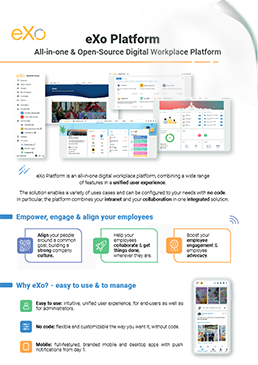

eXo Platform : The Open-Source
Digital Workplace Platform
Download the eXo Platform Datasheet and discover all the features and benefits
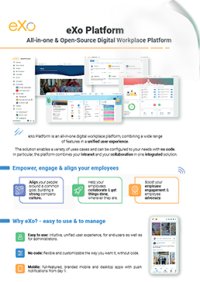

Download the eXo Platform Datasheet and discover all the features and benefits
You will find here Frequently Asked Questions about Open Source Portal Software with all the answers in one place.
Open Source Portal Software is a web-based platform that acts as a secure, unified digital gateway to information, applications, workflows, and collaboration tools. Instead of forcing users to jump between disparate systems, the portal centralizes everything—content, services, dashboards, business apps—into a personalized interface tailored to each user’s role, permissions, and needs.
In 2025, open source portal software has become a strategic cornerstone for organizations seeking digital agility, operational control, and cost efficiency. Far beyond serving as a simple digital interface, these portals empower businesses with flexibility, transparency, and sovereignty, making them essential tools in modern IT strategies.
A client portal—also known as a customer portal or extranet portal—is a secure, centralized, web-based platform where businesses and their clients (or external stakeholders) can interact, collaborate, and manage relationships efficiently. It serves as a digital front office, replacing the chaos of scattered emails, file-sharing services, and disconnected communication tools with a single, unified, and branded workspace.
Client portal software is the technology that powers these secure digital hubs, transforming the way companies interact with clients. It provides the tools and infrastructure necessary to centralize communication, automate workflows, and manage documents and projects within a single platform.
Adopting client portal software is more than a technology upgrade—it is a strategic business decision that enhances efficiency, security, client satisfaction, and long-term growth.
An extranet is a private, controlled-access portal that facilitates communication and collaboration between an organization and authorized external users. These users may include clients, suppliers, partners, consultants, distributors, or remote teams.
Extranets are essentially private networks that allow authorized external users to access specific internal information and applications of an organization. Think of them as a secure bridge between your company’s internal systems and the outside world, but only for trusted partners, customers, or vendors.
Here’s a more detailed, human-friendly breakdown of how they operate:
To clarify the role of extranets, let’s compare them with intranets and the internet:
Security is absolutely critical for your extranet, as you’re sharing sensitive information with external parties. Think of it like safeguarding a digital vault – you need multiple layers of protection.
Here’s a human-friendly guide to keeping your extranet super secure:
When it comes to your extranet, security isn’t just a feature; it’s a non-negotiable foundation. Here’s how to build a fortress for your shared data:
Security isn’t a one-time setup; it’s an ongoing commitment.
intranet is a term used with abundance whenever the subject of internal communication and collaboration is brought up which makes defining it a bit challenging. In its simplest form, an intranet is an internal website for your organization. It is used mainly for top-down communication where employees can access corporate news, policies and announcements.
( Your e-mail address will not be published)

I am a Digital Marketing specialist specialized in SEO at eXo Platform. Passionate about new technologies and Digital Marketing. With 10 years' experience, I support companies in their digital communication strategies and implement the tools necessary for their success. My approach combines the use of different traffic acquisition levers and an optimization of the user experience to convert visitors into customers. After various digital experiences in communication agencies as well as in B2B company, I have a wide range of skills and I am able to manage the digital marketing strategy of small and medium-sized companies.