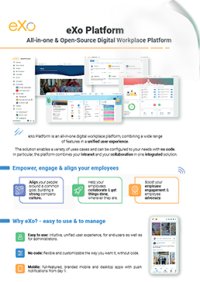

FREE DATASHEET
Download the eXo Platform Datasheet and discover all the features and benefits
Collaboration software helps you get more visibiIity and control over your projects and tasks.
I recently had the opportunity to discuss collaboration trends with Patrice Lamarque, eXo Platform Chief Product Officer, and I asked him a few questions about collaboration software trends in 2016.
With the billions of smartphones and tablets out there, mobile work is becoming a reality. Beyond sporadic chatting and reading, more extensive uses are possible, such as conducting live meetings and reviewing documents. Collaboration software vendors are designing user interfaces specifically for different form factors while keeping mobile use cases in mind. Typically, you won’t write lengthy paragraphs on a phone, but you may take the time to review and annotate a draft report on a tablet.
Real-time collaboration, such as video conferencing, co-editing, and whiteboarding, is becoming a de facto way to co-work externally and internally. It has become so popular because it removes a lot of the friction associated with physical meetings (e.g., finding a room to book and traveling to meetings).
Enterprise work management is another great trend. As businesses march toward digital workplaces, more business processes and workflows can be supported by systems such as social intranets. In addition, social collaboration tends to generate many interactions and capture tasks. We are seeing more teams outside IT adopt agile teamwork models to drive all sorts of formal and informal projects.
Email remains a widely used yet broken system for enterprise collaboration. However, new ways of consuming information and coordinating work, such as activity streams, co-editing, and task management, are converting more knowledge workers.
Web technologies are becoming more mature, and they have become more widely adopted as they begin supporting new collaboration trends. For example, WebRTC has reached maturity, supporting a unified, online communication application. Modern browsers are also progressively adopting standards such as web push and web notifications, which allow richer collaborative experiences.
Mobile device hardware is increasingly becoming more powerful. Smartphones and tablets have larger and higher-resolution screens, more battery power, and more capable processors. With these advancements, some tasks, such as document editing, are no longer awkward. For example, it’s now very easy to review and annotate a large document on a tablet.
Machine learning and other artificial intelligence technologies are becoming fairly accessible today. They allow you to leverage the large volumes of data enterprises can accumulate due to cheap storage. Capturing and mining the billions of micro-signals in our enterprise IT systems to provide relevant cues will help knowledge workers collaborate more efficiently by making smarter decisions at the right time.
Having the freedom to choose where they work is a strong motivation factor for employees. Therefore, enterprises can expect better engagement from their employees if they enable them to work anywhere on any device.
Flexible work management and socially enabled business processes should increase individual productivity and provide improved business agility to enterprises pursuing a digital workplace strategy.
As technology becomes more frictionless, it is being adopted by end users who are (rightfully) more demanding. Hence, enterprise collaboration software design has embraced the simplicity and pragmatism of consumer applications.
Enterprise collaborators don’t want technology to get in the way of their work; they simply want the technology to help them get results. Nobody takes pride in mastering complex software anymore. Instead, knowledge workers are motivated by concrete achievements.
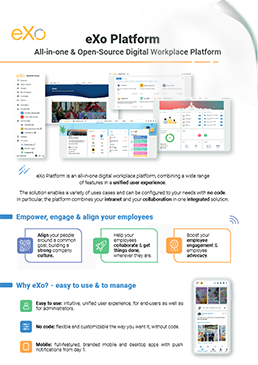

eXo Platform : The Open-Source
Digital Workplace Platform
Download the eXo Platform Datasheet and discover all the features and benefits
Download the eXo Platform Datasheet and discover all the features and benefits
You will find here Frequently Asked Questions about collaboration software with all the answers in one place.
Collaboration software (also known as a digital workplace or collaborative work management tool) is a platform that helps teams communicate, share files, manage projects, and co-edit documents in one centralized digital space. It serves as a team’s digital headquarters, bringing communication, content, and coordination together seamlessly.
Collaboration is “the situation of two or more people working together to create or achieve the same thing”.
In an era of hybrid and remote work, collaboration software is the backbone of productivity. It bridges geographic gaps, centralizes information, streamlines workflows, and fosters innovation. Companies using these tools see measurable gains in efficiency, engagement, and decision-making speed.
The landscape of collaboration software is diverse, with tools often overlapping in features. To choose the right platform for your team, it helps to understand the main types of collaboration tools and how they differ.
The last category combines all others into one integrated environment.
Implementing the right collaboration software can transform the way teams work, communicate, and innovate. Organizations that deploy these platforms effectively often report measurable gains across productivity, transparency, innovation, and employee engagement.
Here’s a detailed look at the key benefits:
Selecting the right collaboration software is one of the most important decisions an organization can make in today’s digital workplace. The right platform not only streamlines workflows but also enhances communication, knowledge sharing, employee engagement, and productivity.
Successfully deploying a collaboration platform is about more than just buying a license—it requires careful planning, structured execution, and ongoing support. A smooth migration and adoption process ensures your organization can fully benefit from the platform’s capabilities while minimizing disruption. Here’s a practical checklist to guide you through implementation:
➝ Find out Migration & Implementation Tips for Collaboration Software
( Your e-mail address will not be published)

I am marketing manager, I supervise the Marketing & Acquisition activities at eXo platform. I love creating concepts. I also write essays on topics that fascinate me as leadership, digital marketing and digital collaboration