Connect CMIS repository in eXo using Cloud Drive add-on
Hey eXo Tribe!
Let me introduce to you a next milestone of Cloud Drive add-on: you can connect CMIS compatible services in eXo now!
CMIS as a standard was created by several vendors of content management software and is currently widely implemented. Thanks to CMIS, many different CMS and ECM solutions can interact and exchange data. It becomes possible in eXo with the support of CMIS in the Cloud Drive add-on.
Thanks to the CMIS connector, you can connect any compliant content repository from such software vendors as Alfresco, Nuxeo, EMC, OpenText, IBM, SAP, Oracle, Microsoft, and many others. Below, I’ll describe how it works and how to set up the connector, and then we’ll take a quick look at how remote content can be exposed in the eXo Documents app.
Introduction
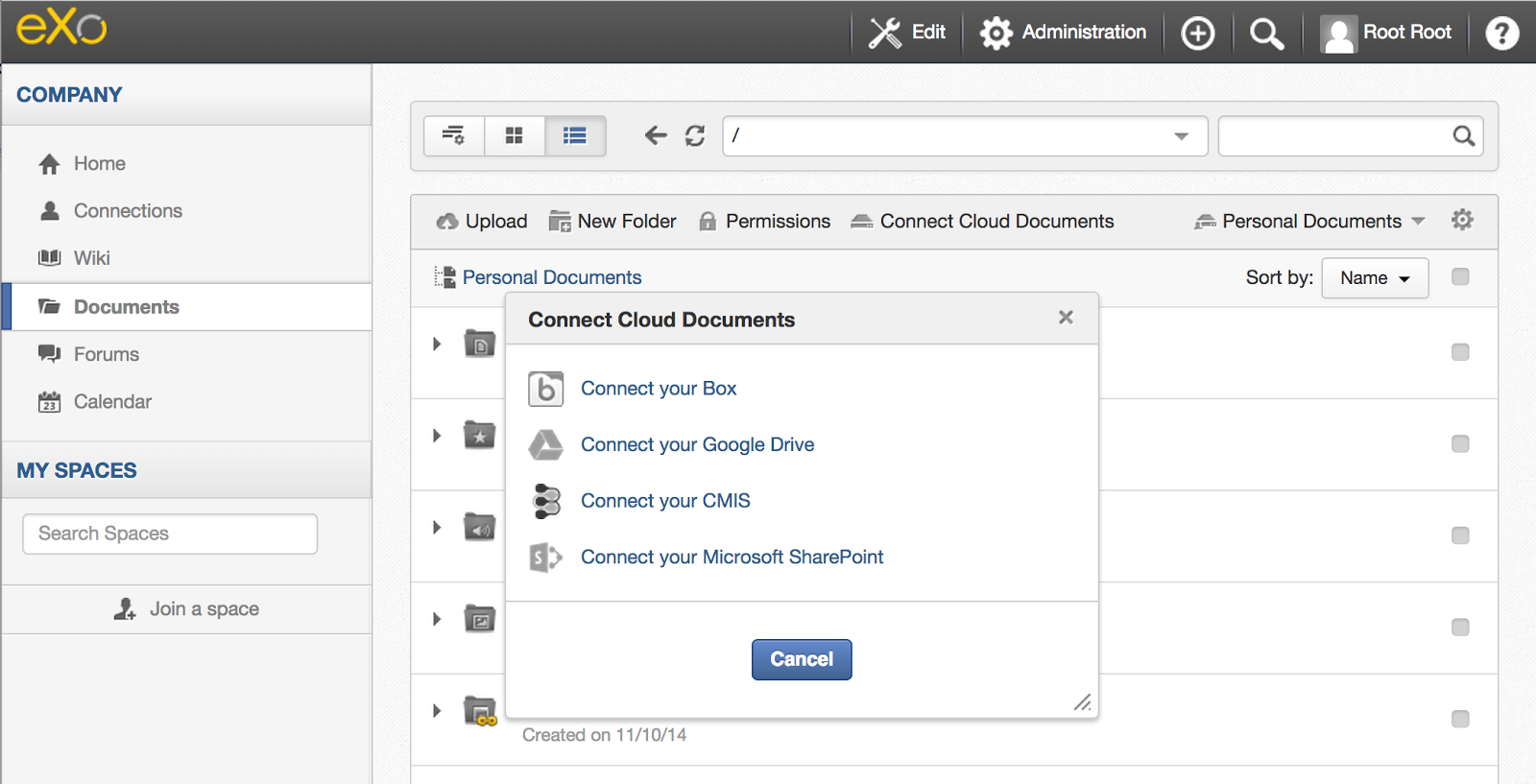
Since we announced the Connector API, we have been working on more challenging types of connectivity support – on a CMIS connector. Initially Cloud Drive was created to work with file-based cloud services, such as Google Drive or Box, with simple vendor-oriented API clients. And when we got the request for CMIS support, it was a good chance to benefit from reusable code and the flexibility that Connector API offers. The CMIS connector was created on top of the existing file-handling functionality and introduced a portal page for authorization for remote repositories.
The CMIS connector extensible itself what makes the use of proprietary APIs to access vendor-specific features possible. The connector can be used as a base for connectors to services that partially support CMIS and offer useful extra features via native Web services: just create a new portal extension, add a dependency to the CMIS connector, and use Connector API for further integration. The CMIS connector also will detect whether the user will connect to a supported by such extensions through the base CMIS login form, and if the extension connector is registered in the system, it will be used to handle the user files.
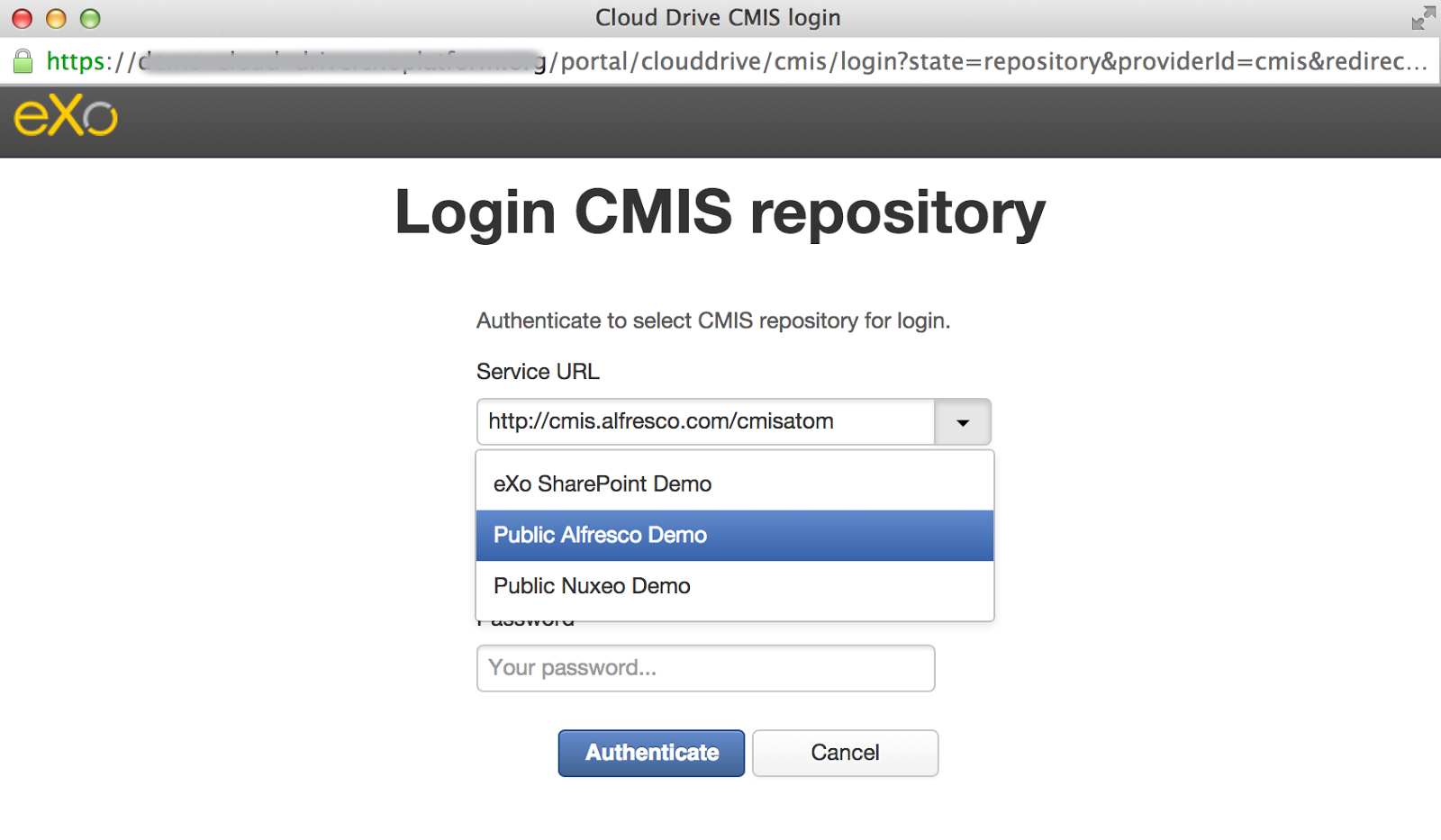
Internally, the CMIS connector uses Apache Chemistry OpenCMIS client libraries to connect to remote repositories. Only AtomPub CMIS bindings are currently supported with the Basic authentication and plain password (thus, HTTPS is strongly recommended). The user must know the service endpoint URL and input the correct username and password. To help users log in, especially non-technical users, the possibility of preconfigured services exists. It is possible to preconfigure the named service URLs that will appear in the CMIS login form (see the dropdown in the screenshot above). The name of the predefined service will be used as the drive folder name prefix for the connected repository. Predefined services can also be used as helpful templates for vendor-specific URLs.
Microsoft SharePoint connector
A special focus is needed on the Microsoft SharePoint connector. It is based on the CMIS connector, extends it in a dedicated portal extension, and uses proprietary Web services to access extra information. As a dedicated connector, it also has its own styling and menu action, which makes it possible to configure the user menu to allow connections only to SharePoint repositories. As mentioned above, the CMIS connector will detect whether the user will try to connect to SharePoint in the base CMIS login form and switch to the SharePoint connector to handle the user files.
Installation
The Cloud Drive add-on is a portal extension to eXo Platform, and all connectors for it are also portal extensions. Thus, installation is straightforward, and you can simply manage the list of connectors you want to offer in the Platform. Use the eXo Platform extension installation script or our new Add-on manager to install the Cloud Drive.
Both CMIS and SharePoint connectors are available by default in the Cloud Drive distribution – no special action is required to enable them. The CMIS connector doesn’t need any extra configuration in configuration.properties for the moment.
Connect Repository
We have a demo server with Microsoft SharePoint 2013 running on it. There is a site called Test 8000 with several files uploaded to its Site Assets.
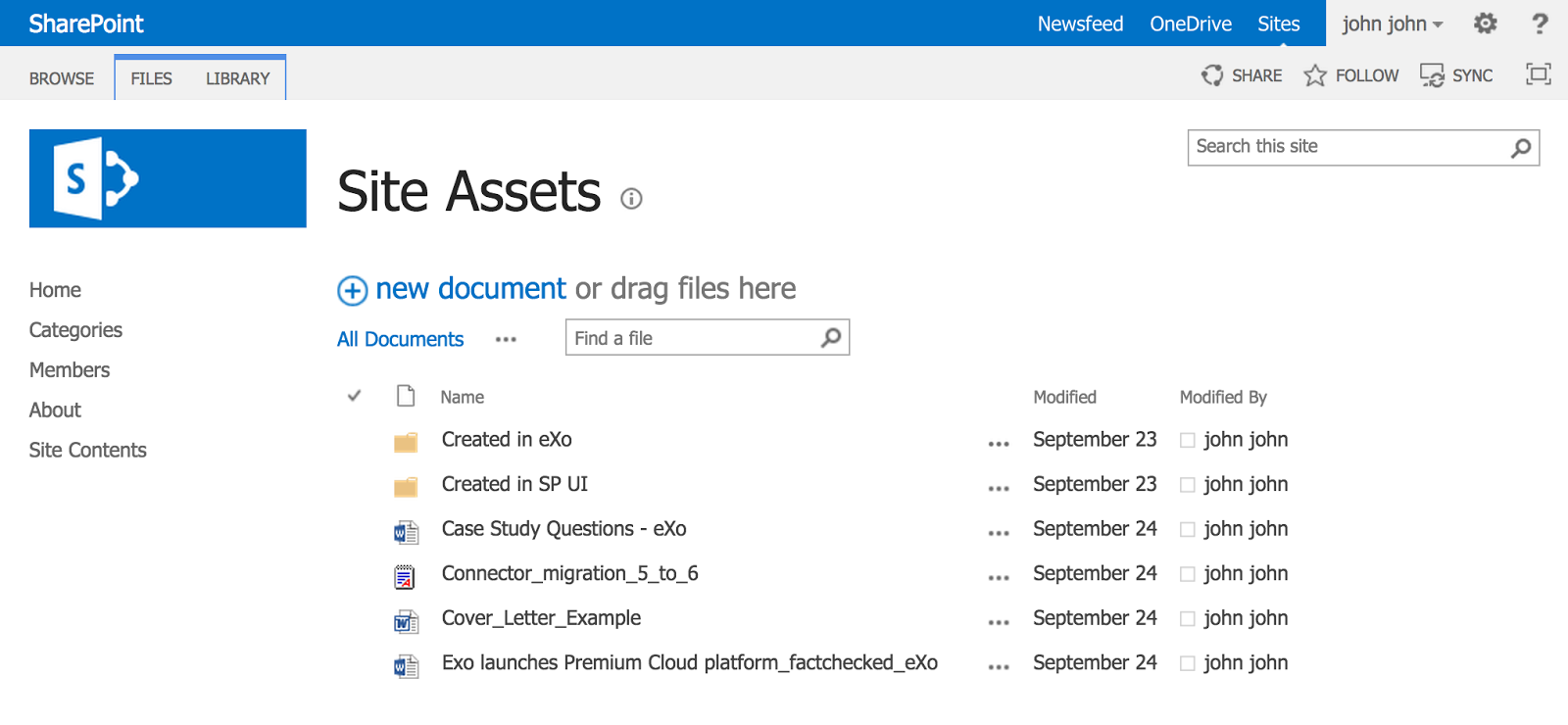
Let’s use the Microsoft SharePoint connector for our example and connect to the demo server.
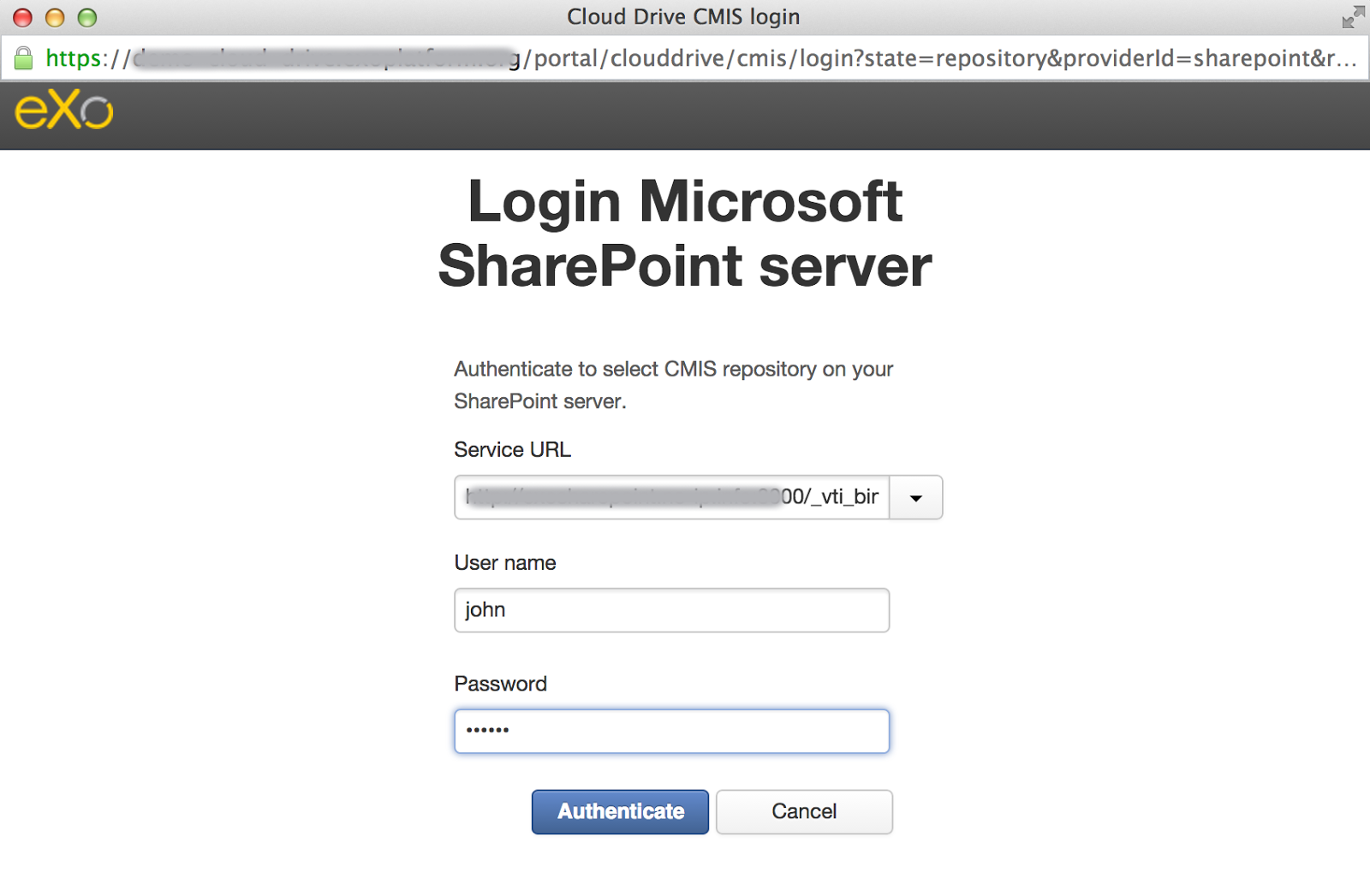
If your server has several repositories, then you’ll need to choose one of them to complete the login procedure. SharePoint shows the site’s Site Assets and Form Templates as CMIS repositories. We have selected Site Assets for the demo. After this, the connection process will work as it does for any other Cloud Drive connector, and you’ll get a new folder in your Personal Documents in eXo.
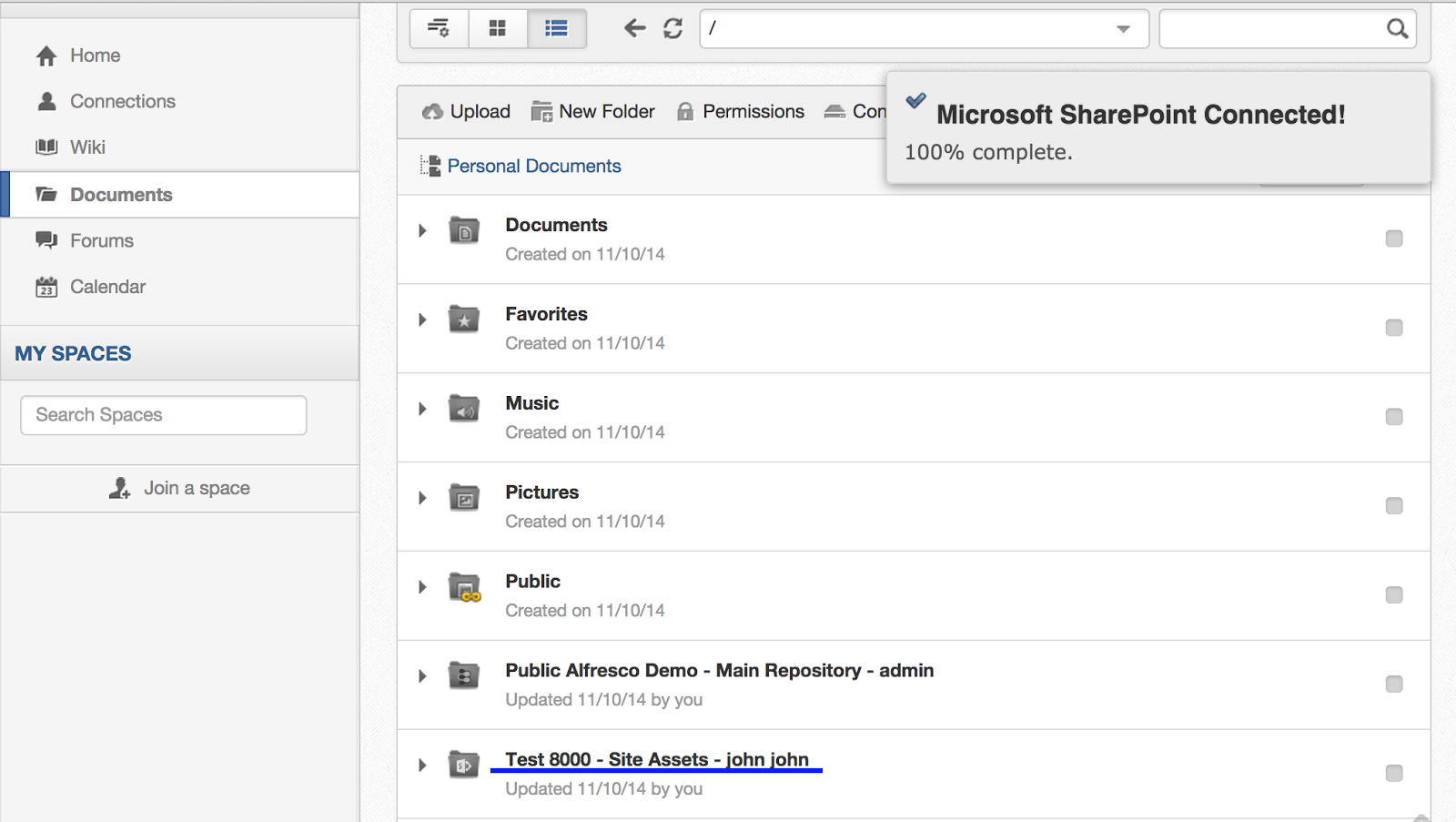
All CMIS repositories have a drive folder named by a predefined rule, and this rule may be changed by a dedicated connector. In the case of the default SharePoint connector, the name consists of the site name, the selected CMIS repository, and the full name of the user connected to it.
Use remote files
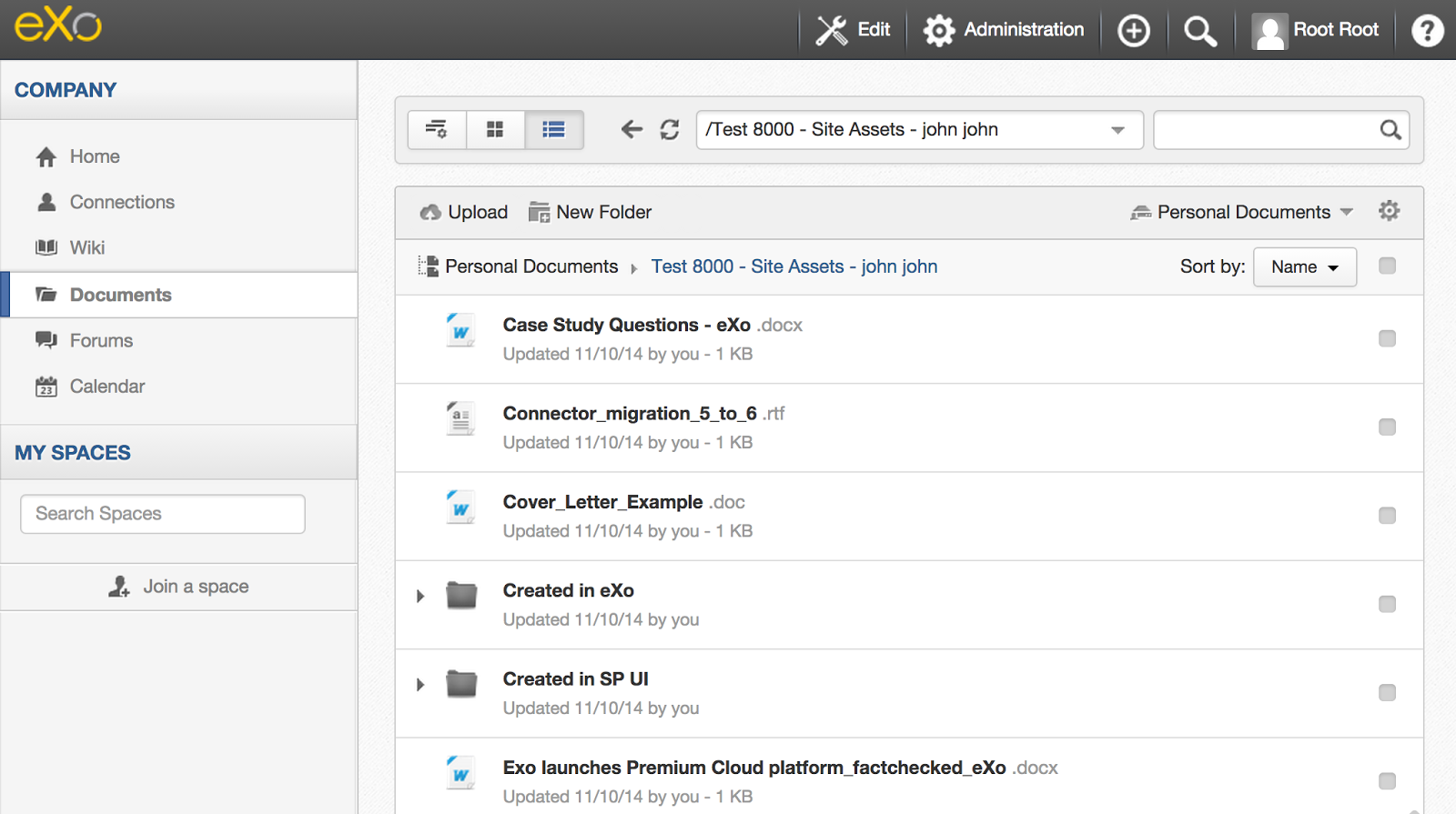
After the CMIS repository is connected, you can access your remote files in eXo Documents as described for Cloud Drive previously.
You can upload, delete, rename, copy, or move files inside the CMIS repository directly from eXo. You also can create symlinks to the remote files in other folders of eXo documents. There are embedded file previews for remote files.
What is next?
The CMIS connector is more complex than others supported by Cloud, and it will evolve. We are currently planning several major things for it:
- Added connectivity via Web service bindings. This kind of binding will be possible only via predefined service configuration, and it has better support in OpenCMIS.
- Improved embedded file preview (showing content independently on the protocol scheme and supporting more formats like the Documents app does).
- Dedicated connectors for CMIS-compliant services (e.g., leveraging vendor-specific aspects) for the better integration of versioning or comments between eXo and remote CMIS.
Have more ideas? Have questions or just want be in touch with the team? Join us at the eXo Community:
https://community.exoplatform.com/portal/g/:spaces:exo_cloud_drive/cloud_drive_extension
Cloud Drive add-on home page:
https://community.exoplatform.com/portal/intranet/addon-detail/cloud-drive-add-on
Developers can find the source code on a Github page:
Brahim Jaouane

I am a Digital Marketing specialist specialized in SEO at eXo Platform. Passionate about new technologies and Digital Marketing. With 10 years' experience, I support companies in their digital communication strategies and implement the tools necessary for their success. My approach combines the use of different traffic acquisition levers and an optimization of the user experience to convert visitors into customers. After various digital experiences in communication agencies as well as in B2B company, I have a wide range of skills and I am able to manage the digital marketing strategy of small and medium-sized companies.