Try now Demo en
  • en
  • fr
  • de
  • Solutions
    • Use cases
      • Modern IntranetBuild strong internal culture & sense of belonging
      • Collaboration PlatformEfficient teamwork and project collaboration
      • Social NetworkEngage users & recognize contributions
      • Knowledge hubCentralize, organize and share company knowledge
      • Application PortalUnified access to business applications and information
    • Switch to eXo
      • Microsoft 365 AlternativeAn open-source digital workplace alternative to M365
      • Migrate to eXo PlatformA guided, secure migration path from your existing tools to eXo
  • Product
    • Overview
      • Platform overviewExplore core capabilities
      • Why eXoKey differentiators
      • InternationalisationMultilingual environments
      • MobileBranded mobile applications
    • Platform
      • No CodeTailor to your needs without code
      • IntegrationsConnectors & extension capabilities
      • Controlled AIGoverned, extensible AI
    • Technology
      • ArchitectureArchitecture & technology
      • SecuritySecurity measures
      • Open sourceComponents & licensing
  • Offers
    • EnterprisePrivate cloud or on-premise deployments
    • eXo HubsReady-to-use SaaS edition for teams
    • Compare EditionsCompare editions and choose the right fit
    • OEM EditionFor software vendors & service providers
    • ServicesDiscover eXo professional services
  • Resources
    • Resource center
      • Case studies
      • White Papers
      • Datasheets
      • Videos
    • FAQsAbout the software, the community and our offers
      • Platform & Use Cases
      • AI & Responsible AI
      • Deployment, Security & Compliance
      • Open-source, Pricing & Services
    • From The Blog
      • eXo Platform 7.1 is released
      • Digital sovereignty: when public organizations move from words to action
      • Cloud Vs On-premise Digital Workplace: Which one is right for your business?
  • Community
    • CommunityJoin our online community platform
    • DownloadLaunch eXo platform in your infrastructure
    • Source codeSource code on github
    • REST APIs & DocumentationAll REST APIs available in eXo Platform
  • Company
    • About us
    • Customers
    • Partners
    • Contact us
    • Newsroom
  • Menu mobile
    • Enterprise Offers
    • Blog
    • About us
    • Resource center
    • Careers
    • Contact us
    • Try eXo
Use cases
  • Modern Intranet Build strong internal culture & sense of belonging
  • Collaboration Platform Efficient teamwork and project collaboration
  • Social Network Engage users & recognize contributions
  • Knowledge hub Centralize, organize and share company knowledge
  • Application Portal Unified access to business applications and information
Switch to eXo
  • Microsoft 365 Alternative An open-source digital workplace alternative to M365
  • Migrate to eXo Platform A guided, secure migration path from your existing tools to eXo
Overview
  • Platform overview Explore core capabilities
  • Why eXo Key differentiators
  • Internationalisation Multilingual environments
  • Mobile Branded mobile applications
Platform
  • No Code Tailor to your needs without code
  • Integrations Connectors & extension capabilities
  • Controlled AI Governed, extensible AI
Technology
  • Architecture Architecture & technology
  • Security Security measures
  • Open source Components & licensing
Enterprise Private cloud or on-premise deployments
eXo Hubs Ready-to-use SaaS edition for teams
Compare Editions Compare editions and choose the right fit
OEM Edition For software vendors & service providers
Services Discover eXo professional services
Resource center
  • Case studies
  • White Papers
  • Datasheets
  • Videos
FAQs About the software, the community and our offers
  • Platform & Use Cases
  • AI & Responsible AI
  • Deployment, Security & Compliance
  • Open-source, Pricing & Services
From The Blog
  • eXo Platform 7.1 is released
  • Digital sovereignty: when public organizations move from words to action
  • Cloud Vs On-premise Digital Workplace: Which one is right for your business?
Community Join our online community platform
Download Launch eXo platform in your infrastructure
Source code Source code on github
REST APIs & Documentation All REST APIs available in eXo Platform
About us
Customers
Partners
Contact us
Newsroom
Enterprise Offers
Blog
About us
Resource center
Careers
Contact us
Try eXo
  1. Accueil
  2. Uncategorized
  3. Reward your community and boost engagement with the Advocacy add-on
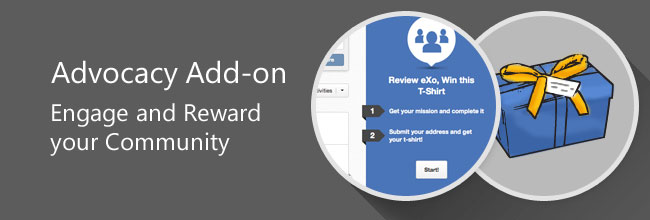
Reward your community and boost engagement with the Advocacy add-on

Engage-Reward-Community-Advocacy-Add-on

The end of the year is often accompanied by thanks and gifts. When saying goodbye to 2014, we decided to launch a cool reward program to thank our beloved community for spreading the word about their experiences with eXo Platform.

The concept of this program is simple: Pick a mission, get it done and receive a gift.

We hope that you are already wearing your new eXo T-Shirt. If not, rush over to the eXo Tribe and get yours. Now is the right time to present to you what is under the hood of this new program.

01-t-shirt

Once again, we had a nice opportunity to turn our own business need into a valuable example of eXo Platform’s extensibility. As you know, this reward program was launched on our eXo Tribe instance, powered by eXo Platform 4.1. It was developed in a generic way and packaged as an eXo add-on. By design, it is compatible with eXo Platform 4.1 and you can reuse it, configure it or even extend it to serve as your own referral or brand advocacy program.

Where can I get it?

The first release of the Brand Advocacy add-on (1.0.0) is already available from the Add-on Center. You can also install it with our Add-on Manager tool using this command:

./addon install exo-brand-advocacy

How does it work?

The Brand Advocacy add-on is split into two parts: an administration page and a front-end portlet.

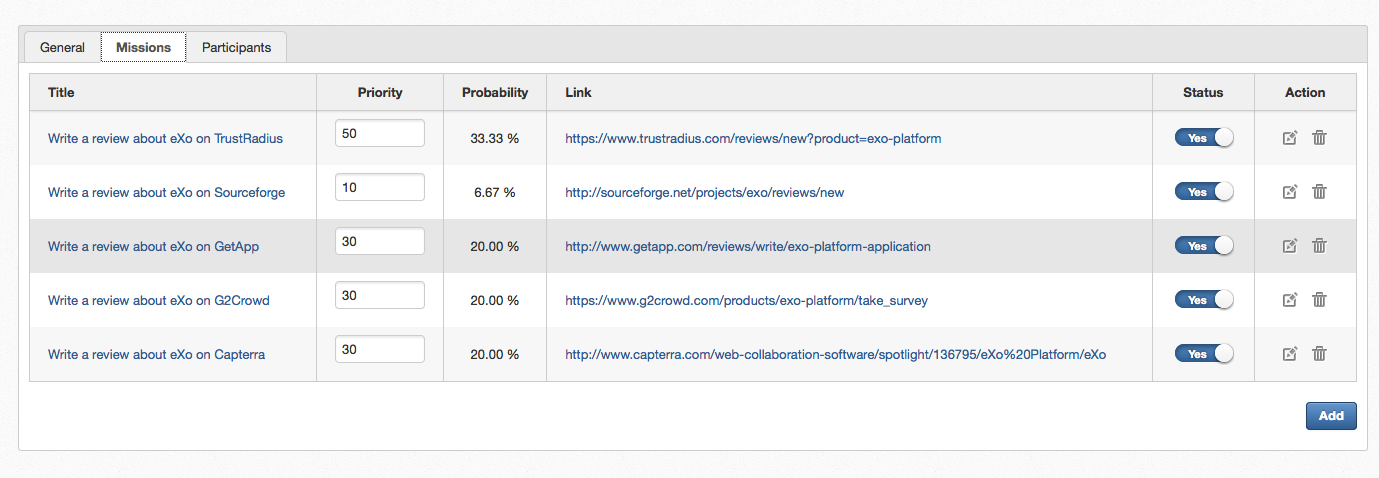
The administration page allows you to create and configure the program, identify the team who will interact in the process, and manage the missions and participants.
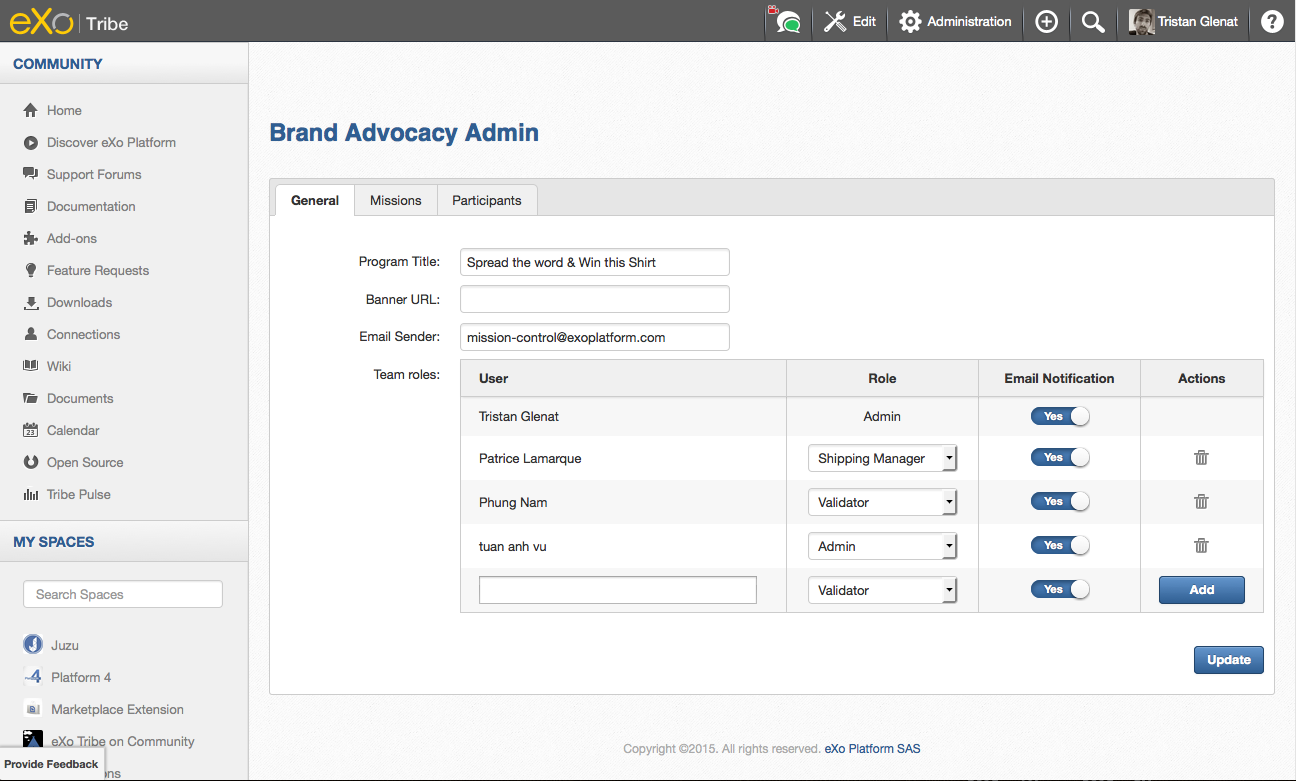
02-admin-interface

The front-end portlet is what the end user will see and use. It needs to be positioned in the portal and set as public. A simple call-to-action button with a custom title will be displayed. When clicked, it will inject the final user panel into the DOM.
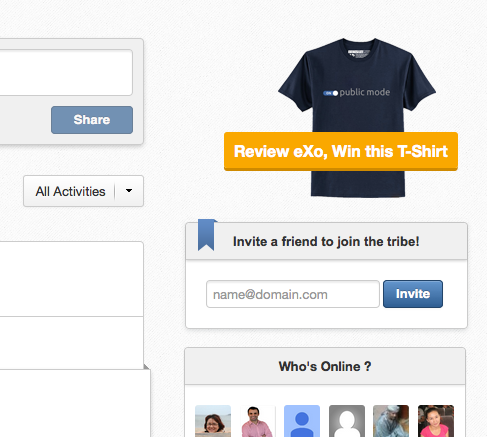
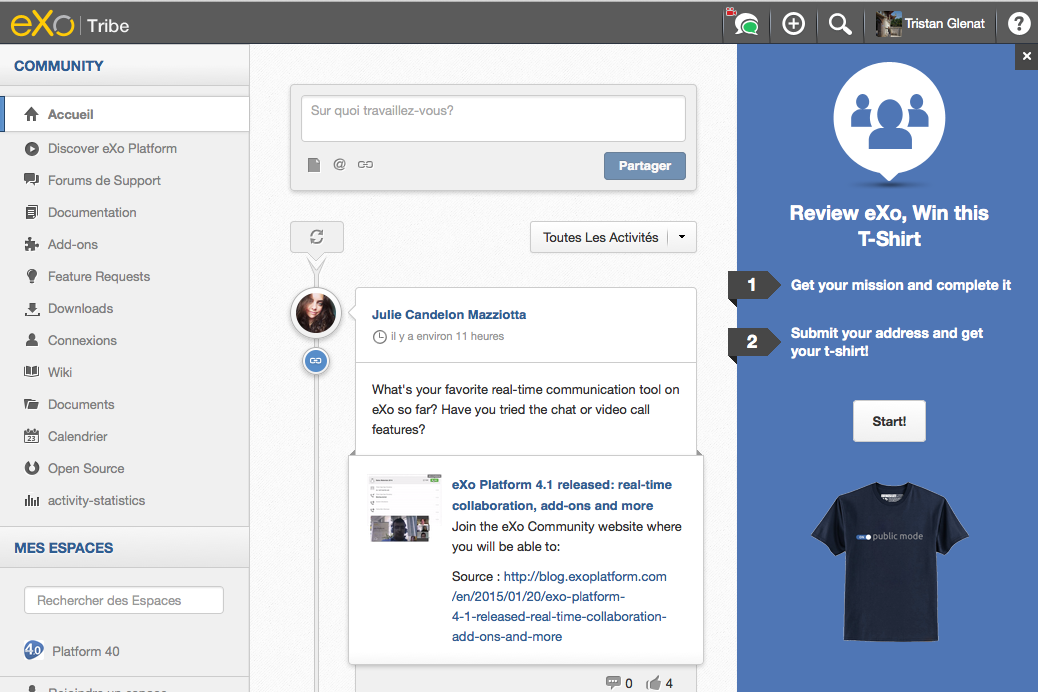
03-ad 04-advocacy-panel

We designed it by following a simple gamification pattern. Users have to complete two steps to get their gift. The first screen will make a draw and propose a mission to the user following a random-weighted selection. When it has been completed, the mission and shipping information are captured and stored. The program team validates the mission, updates the participant’s status and sends them the promised gift.

To optimize the workflow better, we integrated three different roles into the managing team. On the administration page, you can give these roles to your team members:

  • Validator: This is the person who creates and maintains the missions, and checks and approves the submissions.
  • Shipping Manager: Once a mission has been validated, the shipping manager uses the shipping information to organize the shipping.
  • Administrator: The administrator has full rights over the program administration page. They can edit the program settings and the team member’s roles.

The add-on also sends confirmation and notification emails. Program participants and the managing team are kept posted as the process proceeds. A confirmation is sent to the participant when they submit a mission, when the mission is approved or refused, and when the gift is packed and shipped. You can find and customize the email templates in /lib/src/main/resources/html.

The team is also notified as soon as a new mission has been submitted or when a gift is ready to be shipped. These emails are simple technical messages with basic information. Links are included in the content to the administration page and to the participant’s details.

What kinds of mission can I create?

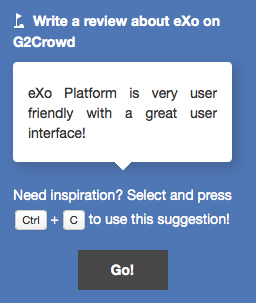
Brand advocacy or referral marketing relies on promoting a brand, products or services through referrals or happy customers. Basically, you encourage your ecosystem to spread the word, tell their story and talk about their experience. The missions model of the add-on has been crafted to match this use case. A mission could be writing a review for your product, capturing a client success story, posting a tweet, shooting some selfies or anything insanely imagined by your marketing guru!
05-write

A mission has a title (the brief), a priority (how often you want the mission to be picked) and a link (to drive the participant to a specific location). You may also want to provide some suggestions to avoid the “blank page syndrome”. Several suggestions can be defined for one mission and they can be switched off if they have been used already.
06-missions

And now?

Well, now it’s your turn to play with it!

We hope to hear your feedback on this first release and get your insights on what could be improved. Stay tuned, we have planned a second post already. More tech oriented, it will explain in detail how to extend the add-on to fit your own program needs. Meanwhile, see you on the eXo Tribe.


make-the-most-out-of-eXo-platform4

Make the most out of eXo Platform 4

Register to the next weekly live demo session and get a complete overview of what you can do with eXo Platform 4. Reserve your seat now!

Brahim Jaouane

I am a Digital Marketing specialist specialized in SEO at eXo Platform. Passionate about new technologies and Digital Marketing. With 10 years' experience, I support companies in their digital communication strategies and implement the tools necessary for their success. My approach combines the use of different traffic acquisition levers and an optimization of the user experience to convert visitors into customers. After various digital experiences in communication agencies as well as in B2B company, I have a wide range of skills and I am able to manage the digital marketing strategy of small and medium-sized companies.

Full-featured digital workplace with everything your employees need to work efficiently, smartly integrated for a compelling employee experience

  • Product
    • Software tour
    • Internationalisation
    • Mobile
    • No Code
    • Architecture
    • Integrations
    • Security
    • Open Source
  • Uses cases
    • Employee Portal
    • Knowledge management
    • Entreprise Social Network
    • Employee Engagement
    • Community Management
    • Extranet
  • Guides
    • What is a digital workplace?
    • Intranet guide
    • What is an extranet?
    • Employee engagement
    • Collaboration guide
    • Teamwork guide
    • Internal Communication guide
  • Enterprise
    • Product offer
    • Services Offer
    • Customers
    • About us
  • Resources
    • FAQs
    • Resource Center
    • Intranet Portal
    • What Is a Collaboration Software?
    • Talent Management
    • Employee Connection
    • Employee Intranet
    • Improve internal communication
    • eXo Tribe
  • Terms and Conditions
  • Legal
  • Privacy Policy
  • Accessibility
  • Contact us
  • Sitemap
  • Facebook
  • Twitter
  • LinkedIn
wpDiscuz