
FREE WHITE PAPER
Artificial intelligence has rapidly become part of everyday work. Employees experiment with AI tools, generate content, and explore new ways to be more productive.
The intranet is no longer what it used to be, and that’s a good thing. What was once a static, often neglected “digital filing cabinet” has transformed into something far more dynamic and indispensable.
Today, the modern intranet is best understood as an intelligent digital workplace: a system that not only stores information, but actively understands, organizes, and delivers it in ways that enhance how people work.
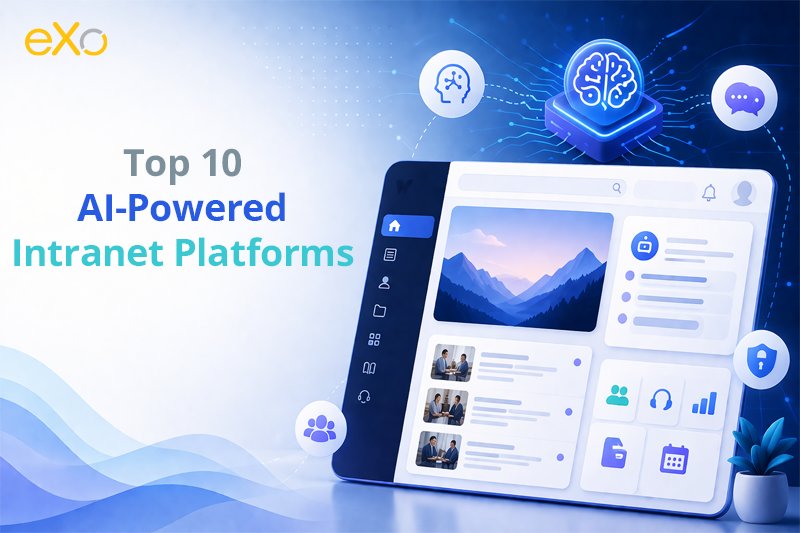
This transformation has been driven largely by the rapid rise of Artificial Intelligence. Today’s AI-powered intranets go well beyond simple search bars or document repositories. They integrate generative AI, contextual understanding, and predictive analytics directly into the employee experience.
The result is a platform that can anticipate user needs, recommend relevant knowledge before it’s even requested, and automate repetitive workflows behind the scenes. Employees are no longer forced to hunt for information, the system brings it to them.
At the same time, the broader digital workplace has reached a turning point. Over the past decade, organizations have wrestled with two competing realities: on one side, the explosive growth of collaboration tools like Slack and Microsoft Teams, which created fast, flexible communication, but also fragmentation and information overload; on the other, traditional intranets that struggled to evolve, often becoming outdated and underutilized. The gap between these two worlds left many companies with disconnected knowledge and inefficient workflows.
Now, a new generation of “AI-native” intranet platforms is closing that gap. Unlike earlier solutions that simply added chatbots as an afterthought, these platforms embed AI into their core architecture. They act as a unifying knowledge layer across tools, systems, and departments, connecting conversations, documents, and processes into a single, coherent experience.
Increasingly, both industry experts and communities like Reddit describe AI intranets not as internal websites, but as intelligent systems that sit on top of the digital workplace, making sense of its complexity.
This shift is not just technological, it’s cultural. Organizations are recognizing that productivity is no longer about access to information alone, but about delivering the right information at the right time, in the right context.
AI-powered intranets help bridge long-standing divides as well, connecting desk-based employees with frontline and remote workers through personalized, role-aware experiences.
For IT leaders and HR executives, however, this evolution presents a new challenge: choice. The market is now crowded with solutions ranging from open-source platforms to specialized tools designed for specific industries or workforce types. Each promises smarter automation, better engagement, and deeper insights, but not all deliver equally.
That’s where this article comes in.
In the following sections, we will explore and rank the Top 10 AI-Powered Intranet Platforms for 2026, breaking down their key features, strengths, and ideal use cases. We’ll also provide a practical framework to help you choose the right platform for your organization, cutting through the noise to focus on what truly matters: usability, scalability, data control, meaningful AI integration, and IT help desk support capabilities.
The term “AI intranet” is often used loosely, but in reality, it represents a fundamental shift in how organizations manage knowledge and work. At its core, the AI intranet moves away from the traditional pull-based model, where employees must actively search, filter, and verify information, toward a push-based experience, where the right content surfaces automatically, tailored to each user’s role, behavior, and context.
This evolution is powered by advances in Large Language Models (LLMs) and machine learning. Modern intranet platforms can now summarize lengthy documents in seconds, generate internal communications, and provide precise answers through natural language interfaces. Instead of navigating folders or digging through outdated pages, employees can simply ask a question and receive a clear, context-aware response. More importantly, the system learns over time, continuously improving the relevance and timing of the information it delivers.
However, to fully understand the rise of the AI intranet, we need to address a common misconception: it is not just another version of a collaboration tool.
Over the past decade, platforms like Slack and Microsoft Teams have reshaped how teams communicate. They excel at what can be described as “work in motion”, fast-paced, conversational, and often unstructured exchanges of information. But this strength is also a limitation. Conversations in these environments are ephemeral by nature: decisions get buried, context is lost, and information can quickly become outdated or unreliable.
By contrast, AI intranet platforms, such as eXo Platform, Unily, and Happeo, are designed for what can be called “work that is trusted.” They function as systems of record, where governance, version control, and access permissions ensure that information is accurate, validated, and secure.
This distinction is critical: an AI system is only as reliable as the data it learns from. Training AI on unstructured chat streams risks amplifying noise; grounding it in curated, authoritative content creates meaningful, actionable intelligence.
This is why many organizations struggled in 2025 when they attempted to retrofit AI directly into collaboration tools. Without a structured foundation, AI outputs often lacked accuracy and context.
Industry observers, including firms like Staffbase and ClearBox Consulting, have pointed out that the real breakthrough comes not from adding AI features, but from rethinking the underlying system in which AI operates.
In 2026, the AI intranet is no longer just a smarter search engine, it is an intelligent operational layer. It understands the difference between a draft document and an approved policy, between a casual discussion and a formal decision. It respects organizational context, applies governance rules, and delivers answers that users can trust.
Most importantly, it doesn’t just help employees find information, it helps them act on it. Whether it’s guiding a new hire through onboarding, automating routine HR requests, or surfacing critical updates at the right moment, the AI intranet is becoming an active participant in the flow of work.
This shift, from passive repository to proactive, trusted system, is what truly defines the rise of the AI intranet, and why it is rapidly becoming the backbone of the modern digital workplace.
To truly understand the evolution of intranets, it’s no longer enough to compare them with collaboration tools. The real shift happening today is within the intranet model itself.
We are moving from traditional “top-down intranets”, controlled, static, and publisher-driven, to a new generation of “bottom-up AI intranets”, dynamic systems built from real-world activity, conversations, and knowledge flows.
This is not just a technological upgrade. It’s a philosophical shift in how organizations capture, validate, and use knowledge.
The traditional intranet is built like a corporate publishing system:
This model ensures control, but at the cost of relevance and agility.
The new generation, led by platforms like eXo Platform, takes a completely different approach.
Here, the intranet is built from real work happening across the organization:
This creates a system that is not only accurate, but alive and constantly improving.
| Feature | Top-Down Intranet (Pure Intranet) | Bottom-Up AI Intranet (AI-Native) |
| Content Creation | Centralized (HR, Comms, IT) | Distributed (everyone contributes) |
| Knowledge Source | Formal, curated documents | Real-time work, conversations, and data |
| Update Speed | Slow, manual updates | Continuous, AI-assisted updates |
| Relevance | Often outdated | Contextual and constantly refreshed |
| AI Role | Limited (search or chatbot) | Core engine (summarization, actions, insights) |
| Governance | Manual control and validation | AI-assisted governance + permissions |
| User Experience | Static portals | Dynamic, personalized experiences |
| Information Flow | Top → Down | Bottom ↔ Up (bidirectional) |
| Value | Information access | Knowledge activation and execution |
The key difference lies in how knowledge is treated:
Instead of waiting for someone to write and validate a document, AI can:
This transforms the intranet into a living system of intelligence, not just a repository.
Traditional intranets struggle because they depend on manual effort to stay relevant. Over time, they become outdated, underused, and disconnected from real work.
Bottom-up AI intranets solve this by aligning with how work actually happens:
They reduce friction by ensuring that knowledge is created as a byproduct of work, not as a separate task.
The takeaway is no longer just about communication vs. knowledge.
It’s about static systems vs. intelligent systems:
And this is where the future is clearly heading: toward intranets that are not just controlled, but continuously learning from the organization itself.

Open Source Alternative to Microsoft 365
Empower your organization with eXo Platform to break free from Microsoft dependencies and enhance collaboration with innovative solutions
Open Source Alternative to Microsoft 365
Empower your organization with eXo Platform to break free from Microsoft dependencies and enhance collaboration with innovative solutions
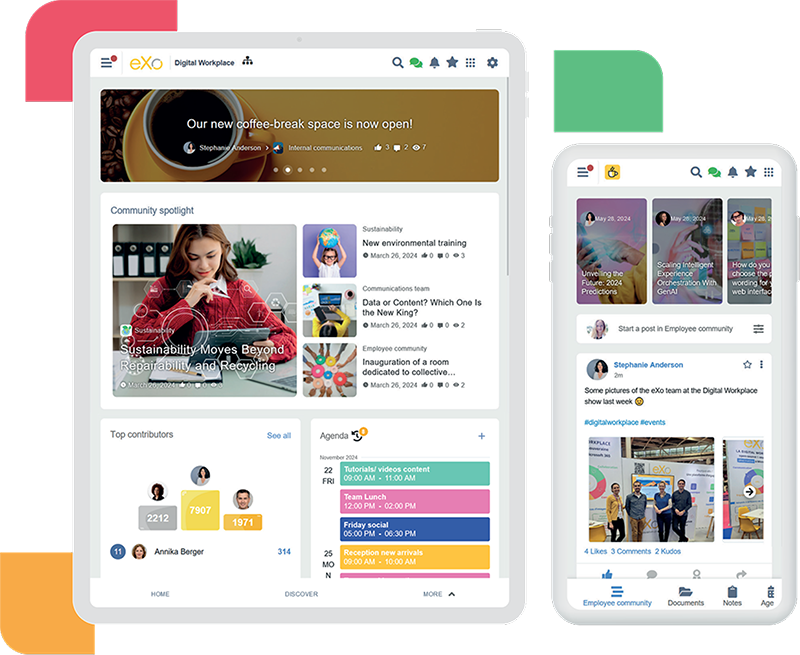
eXo Platform has firmly established itself as a leader in the AI intranet space by combining flexibility, powerful AI integration, and a strong focus on data sovereignty. Unlike many vendors that lock organizations into rigid ecosystems, eXo offers a more adaptable approach, supporting cloud, private cloud, or on-premise deployment.
What truly sets eXo apart is its vision of “Sovereign AI”, giving companies full control over their data while still benefiting from advanced AI capabilities. Instead of treating AI as a separate feature, eXo embeds it directly into the user experience. Its AI assistant, often referred to as eXo Companion, appears contextually across the platform, whether in documents, collaboration spaces, or workflows, helping users write, summarize, and take action without switching tools.
By blending social intranet features, knowledge management, employee engagement, and workflow automation, eXo delivers a unified digital workplace that feels both intelligent and practical.
eXo Platform follows a flexible pricing model, which varies depending on deployment type and scale:
👉 Exact pricing is typically quote-based, depending on:
eXo Platform stands out because it doesn’t force a trade-off between AI power, flexibility, and control. While many competitors excel in one area, eXo delivers a holistic digital workplace, combining intranet, collaboration, employee experience, and AI into a single cohesive platform.
For organizations prioritizing data sovereignty, customization, and meaningful AI integration, eXo Platform is not just a strong option, it’s often the benchmark others are trying to catch up with.
AI-Augmented Digital Workplace
Artificial intelligence has rapidly become part of everyday work. Employees experiment with AI tools, generate content, and explore new ways to be more productive.
Artificial intelligence has rapidly become part of everyday work. Employees experiment with AI tools, generate content, and explore new ways to be more productive.
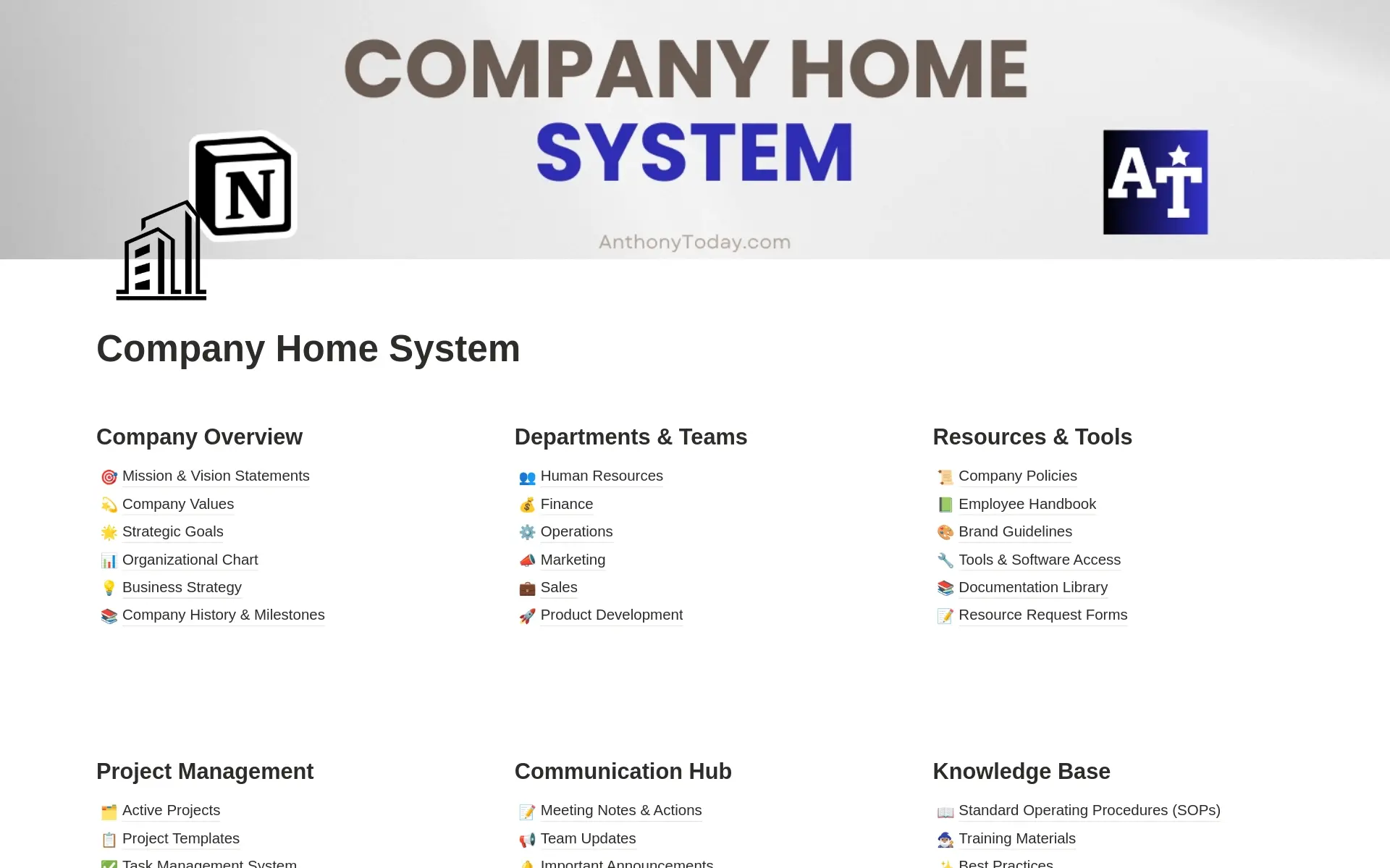
While many AI-powered intranet platforms are built for structured, top-down organizations, Notion takes a very different approach. It is designed as a flexible, all-in-one workspace that adapts to how teams actually work—combining documentation, collaboration, databases, and AI in a single environment.
Instead of acting like a traditional intranet, Notion operates as a bottom-up knowledge hub, where content is created and refined through daily work. Teams build their own systems—wikis, project trackers, internal tools—without being constrained by rigid structures.
Its AI capabilities, powered by Notion AI, focus on content generation, summarization, and organization. Users can quickly turn raw notes into structured documents, generate ideas, summarize long pages, or rewrite content—making it especially effective for fast-moving, knowledge-driven teams.
One of Notion’s biggest strengths is its modular system, where pages and databases can be combined to create fully customized workflows. This makes it a powerful alternative to multiple disconnected tools.
Notion offers a tiered pricing model:
Overall, it remains a cost-effective solution, especially for teams looking to consolidate tools.
Notion stands out because it aligns with how modern teams naturally operate: fast, flexible, and collaborative.
Rather than enforcing a rigid, top-down intranet structure, it allows organizations to build their own system organically, powered by real work and enhanced by AI.
For teams that value adaptability and creativity, Notion becomes more than just a tool—it becomes a living workspace that evolves with the organization.
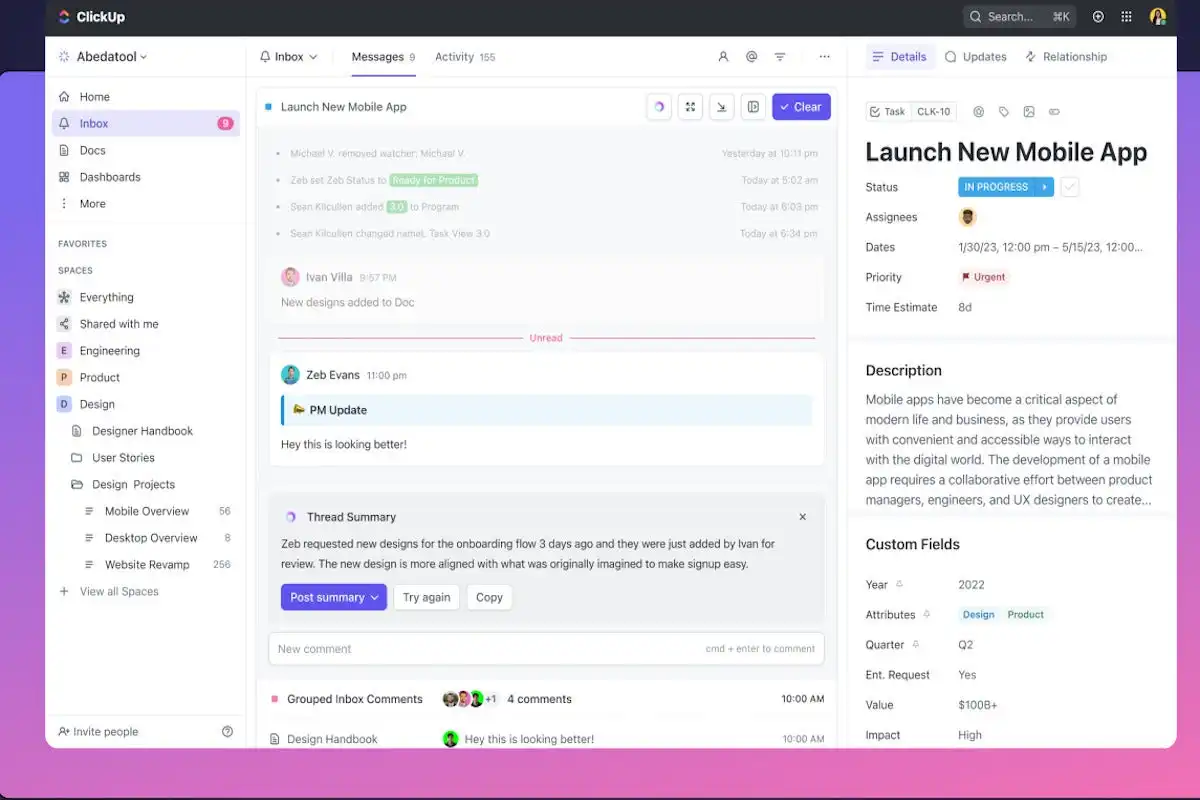
ClickUp is not a traditional intranet in the classic sense—but that’s exactly what makes it powerful in the modern AI-driven workplace. Instead of focusing purely on communication or publishing content, ClickUp positions itself as an execution-first platform, where tasks, documents, collaboration, and AI all come together in one unified system.
Designed for teams that need to move fast, ClickUp transforms the intranet concept into a work management hub. It connects projects, knowledge, and communication directly to execution, making it especially valuable for product teams, operations, and growing organizations.
With the introduction of ClickUp AI, the platform has evolved into a more intelligent workspace. Its AI focuses on productivity acceleration—helping users write documents, summarize tasks, generate updates, and automate workflows. Rather than just simplifying content like traditional intranets, ClickUp’s AI is tightly integrated into task management and operational workflows.
This makes it a strong example of a bottom-up AI intranet, where knowledge is created through work itself—tasks, comments, documents—and continuously refined by AI.
ClickUp offers a flexible pricing model:
It is generally considered a cost-effective solution, especially for teams replacing multiple tools with one platform.
ClickUp stands out by shifting the intranet concept from information sharing to work execution.
Instead of separating knowledge from action, it connects them directly—tasks generate knowledge, and knowledge drives tasks. With AI embedded into workflows, teams can move faster, reduce manual effort, and stay aligned without switching between tools.
For organizations that prioritize getting work done over managing content, ClickUp becomes more than just a productivity tool—it becomes a central operating system for execution and collaboration.
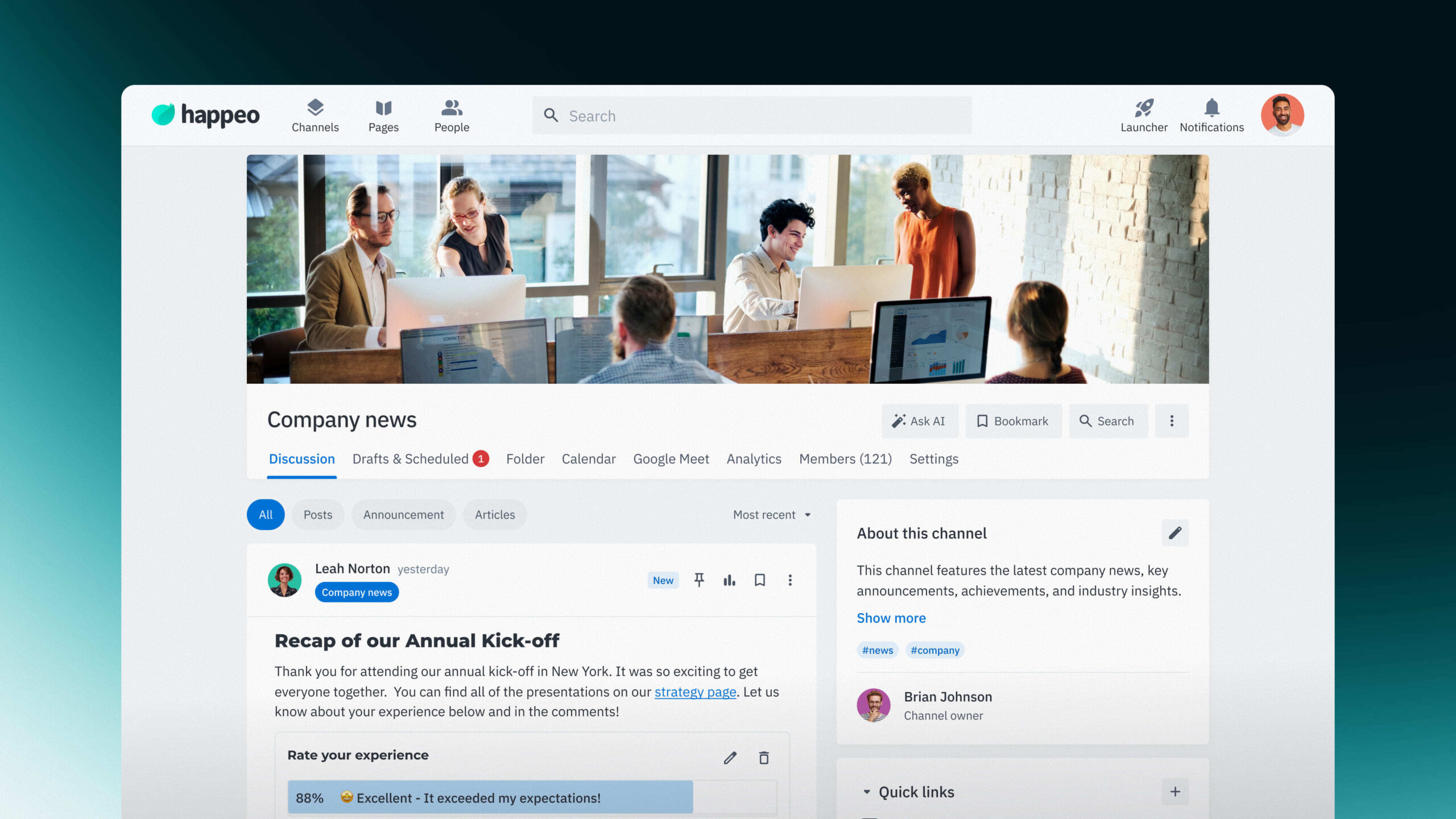
Happeo has carved out a strong position in the AI intranet market by focusing deeply on one ecosystem: Google Workspace. Rather than trying to be universal, Happeo takes a Google-native approach, making it an ideal choice for organizations that already rely heavily on tools like Gmail and Google Drive.
At its core, Happeo combines intranet functionality with social collaboration, structured around channels that act as both communication hubs and informal “digital watercoolers.” But where it truly stands out is in its AI-powered search capabilities. By indexing Google Workspace content natively, Happeo delivers fast, highly relevant results that feel seamless within the Google environment.
Its AI-driven federated search goes beyond simple keyword matching. It understands natural language queries and retrieves information across multiple sources, including Drive, Gmail, and even integrations like Slack, making it easier for employees to find exactly what they need without switching tools.
Happeo offers subscription-based pricing, typically structured around:
It is generally positioned as a mid-to-premium solution, especially attractive for organizations already investing in Google Workspace.
Happeo stands out by doing one thing exceptionally well: bringing order and intelligence to the Google ecosystem. Instead of forcing companies to adapt to a new system, it enhances the tools they already use, making knowledge easier to find, share, and act upon.
For organizations living inside Google Workspace, Happeo feels less like an added intranet and more like a natural extension of their digital workplace, with AI-powered search acting as the glue that connects everything together.
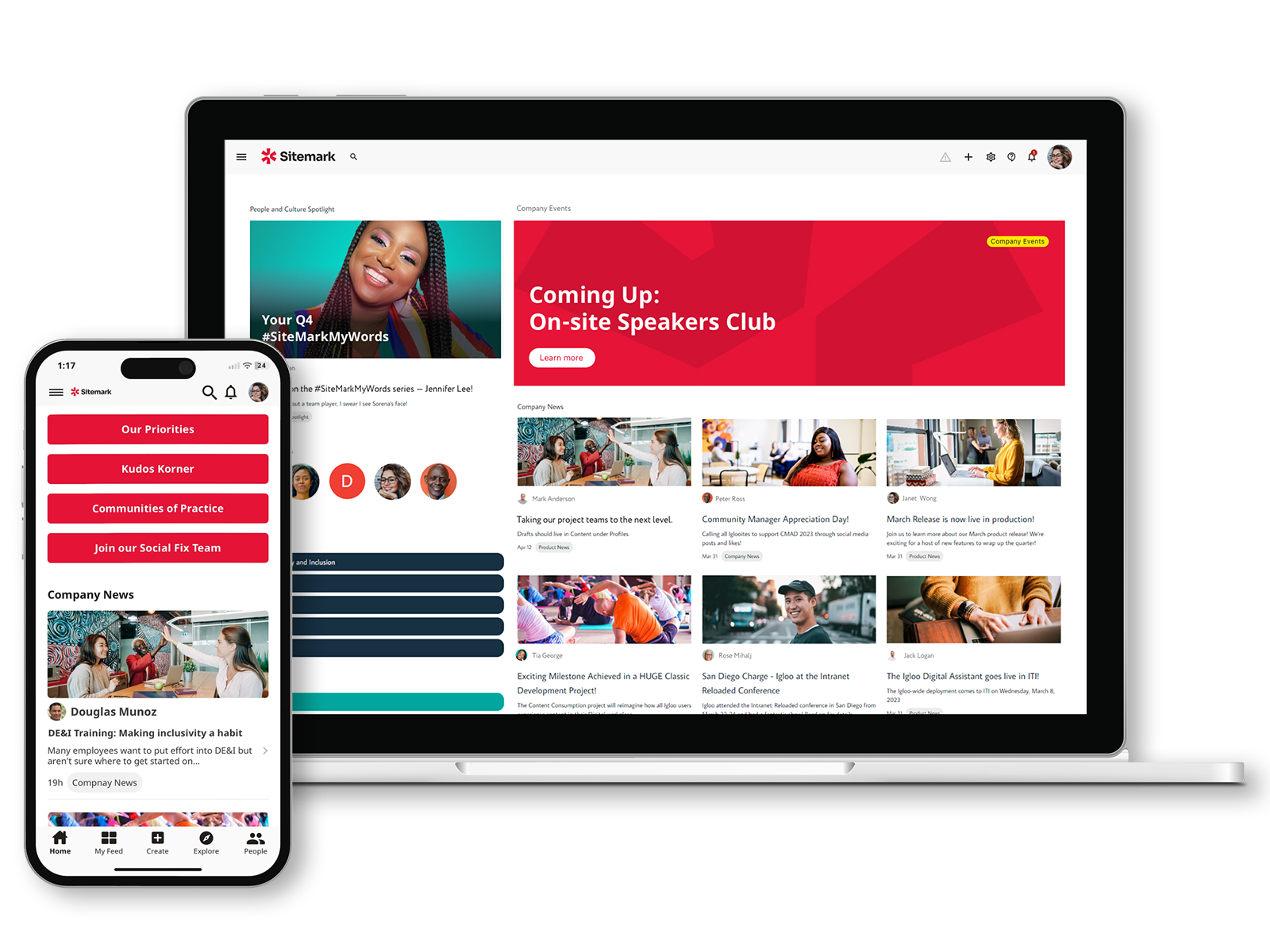
Igloo positions itself as a digital workplace platform with a strong emphasis on company culture, engagement, and internal communication. Rather than competing purely on technical depth or complex AI automation, Igloo focuses on helping organizations understand and improve the “pulse” of their workforce.
Its approach to AI is centered on enhancing the employee experience, using intelligent recommendations and behavioral insights to surface relevant content, encourage participation, and reduce information overload. While its generative AI capabilities may not be as advanced as some top-tier competitors, Igloo is steadily evolving toward a more AI-native experience, embedding intelligence across its interface.
One of its key differentiators is its ability to analyze engagement patterns and suggest content that resonates with employees. This helps organizations maintain a more connected and motivated workforce, particularly valuable for mid-sized companies focused on retention and internal alignment.
Igloo typically offers custom, subscription-based pricing, depending on:
It is generally considered a mid-range solution, making it accessible for growing organizations without the complexity of enterprise-grade systems.
Igloo stands out by focusing on something many intranet platforms overlook: the human side of the digital workplace. Instead of prioritizing only productivity and automation, it emphasizes engagement, communication, and culture.
For organizations that want to create a more connected and motivated workforce, without diving into overly complex systems, Igloo offers a thoughtful, balanced solution where AI works quietly in the background to improve how employees experience their work environment.
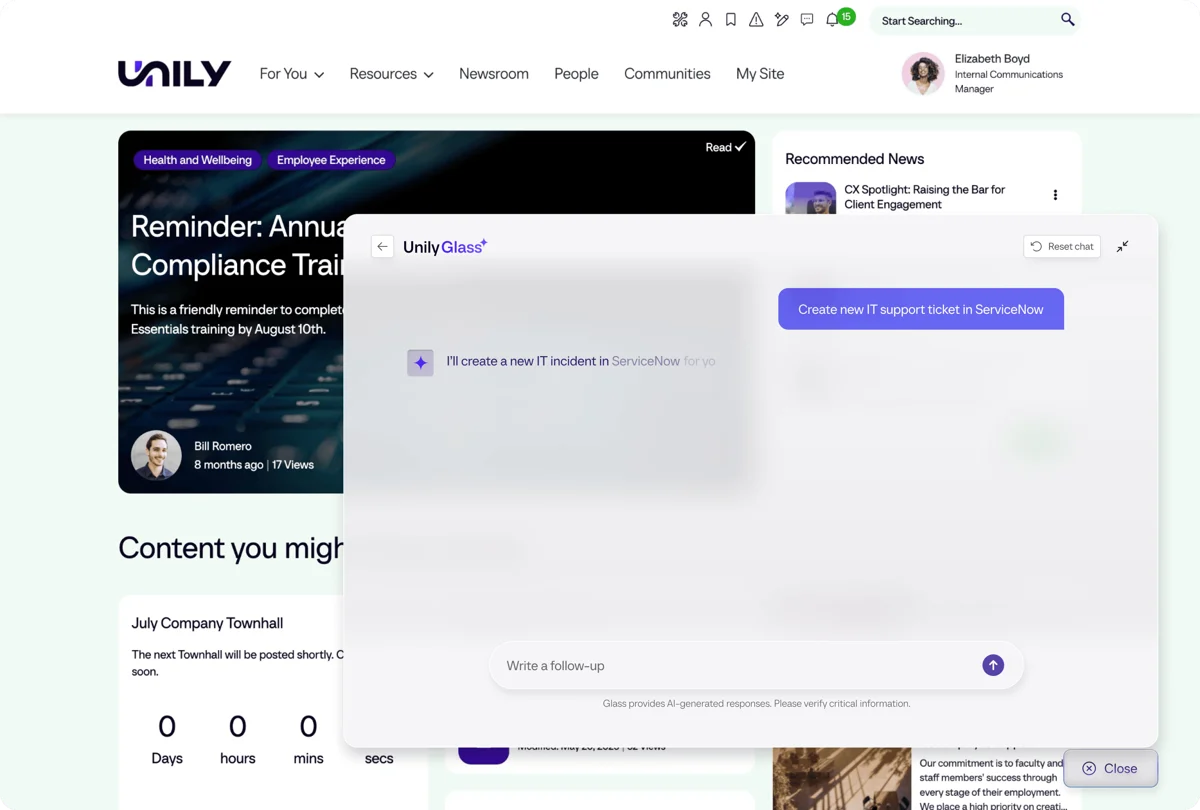
Unily is widely recognized as a premium, enterprise-grade intranet platform built for large organizations with complex digital ecosystems. It goes beyond traditional intranet functionality by offering a highly structured environment that combines personalization, governance, analytics, and advanced AI capabilities.
What sets Unily apart is its ambition to become not just a knowledge hub, but an intelligent execution layer across the enterprise. With innovations like Unily Glass, the platform acts as a digital front door, a single interface where employees can not only find information but also take action across different systems.
Its AI engine, often referred to as Indi AI, pushes this even further. It allows administrators to generate fully branded, structured intranet experiences from simple text inputs, significantly reducing the time required to build and manage digital workplace environments.
That said, Unily’s power comes with complexity. It typically requires significant implementation effort and investment, making it best suited for organizations that can fully leverage its scale and capabilities.
Unily operates on a premium, enterprise pricing model:
👉 It is best suited for organizations with the budget and resources to support a large-scale deployment.
Unily stands out by redefining what an intranet can do at scale. Instead of simply organizing information, it aims to orchestrate the entire digital workplace, connecting systems, guiding users, and enabling actions from a single interface.
For large enterprises looking for a fully integrated, AI-powered digital headquarters, Unily offers one of the most powerful and comprehensive solutions available, provided they are ready to invest in its full potential.
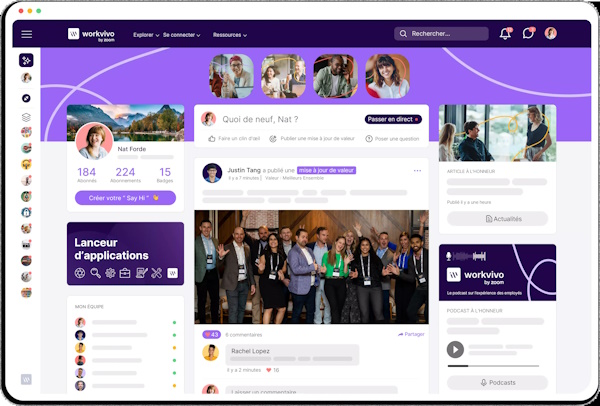
Workvivo, now part of Zoom, has become one of the most recognizable platforms in the employee experience space thanks to its strong focus on culture, communication, and engagement.
Unlike traditional intranets that feel structured and administrative, Workvivo is designed to feel familiar, almost like a social media platform for the workplace. It emphasizes employee voice, recognition, and storytelling, turning internal communication into something more interactive and human.
At its core, Workvivo is built around a social feed experience, where updates, announcements, and employee-generated content flow in a dynamic timeline. The platform uses AI to personalize this feed for each employee, ensuring that the most relevant updates are always visible, without overwhelming users with unnecessary noise.
Its AI capabilities have recently evolved to include deeper sentiment and feedback analysis, helping organizations better understand how employees feel at scale. This makes it particularly valuable for companies focused on engagement, retention, and internal communication quality.
Workvivo follows a premium subscription model, typically based on:
Reported pricing often starts in the enterprise range, making it more suitable for mid-to-large organizations.
Workvivo stands out because it doesn’t try to compete with heavy enterprise intranets on structure or complexity. Instead, it focuses on something equally important: making employees feel heard, connected, and informed.
By blending a social experience with AI-driven personalization and sentiment analysis, Workvivo transforms internal communication into something more engaging and meaningful. For organizations that want to strengthen culture and improve employee connection at scale, it remains one of the most compelling platforms in the market.
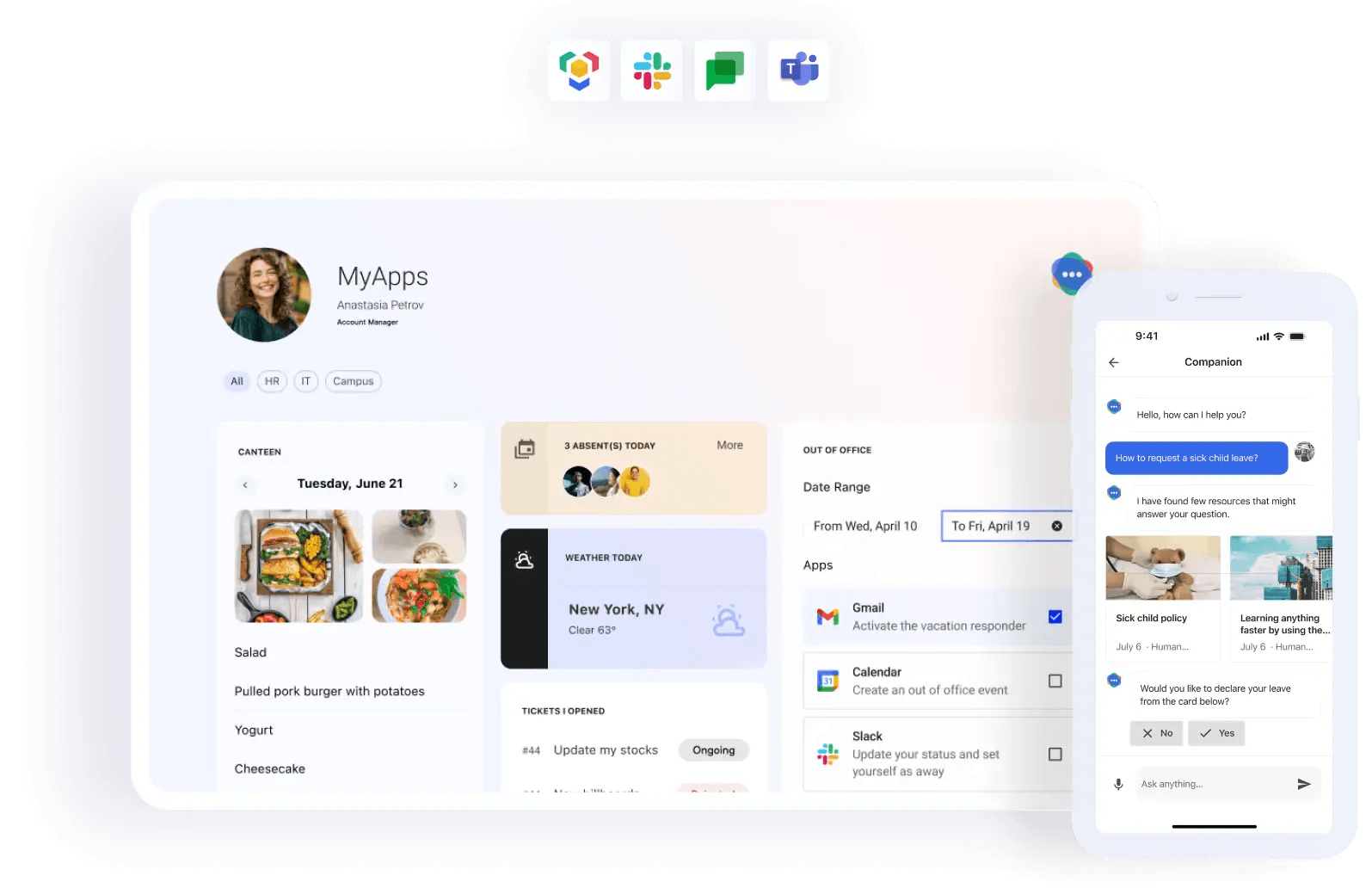
LumApps is a powerful enterprise intranet platform designed to deliver highly personalized digital workplace experiences at scale. Its core strength lies in adapting content, workflows, and communications to each employee’s role, location, and needs, creating a truly tailored intranet experience rather than a one-size-fits-all portal.
One of LumApps’ key advantages is its dual compatibility with both Microsoft 365 and Google Workspace, making it a flexible choice for large organizations that operate in mixed IT environments. This interoperability allows companies to unify fragmented ecosystems into a single, coherent employee experience layer.
In practice, LumApps uses AI to deliver role-based content intelligence. For example, a factory employee might automatically see safety updates and operational procedures, while a sales representative receives performance dashboards and client updates. This level of contextual personalization significantly reduces information overload and improves relevance across the organization.
More recently, LumApps has expanded its capabilities through its AI Agent Hub, strengthened by the acquisition of Comeen. This move extends its reach beyond the digital workspace into the physical office environment, enabling AI agents to manage tasks such as desk reservations, visitor check-ins, and digital signage automation.
LumApps follows a custom enterprise pricing model, typically based on:
It is generally positioned as a premium solution, best suited for large-scale digital workplace transformations.
LumApps stands out by focusing on one of the most difficult challenges in the digital workplace: delivering the right information to the right employee at the right time.
By combining deep personalization, strong ecosystem integration, and emerging AI workplace agents, LumApps goes beyond being just an intranet. It becomes a dynamic employee journey platform, bridging the gap between digital systems and real-world workplace operations.
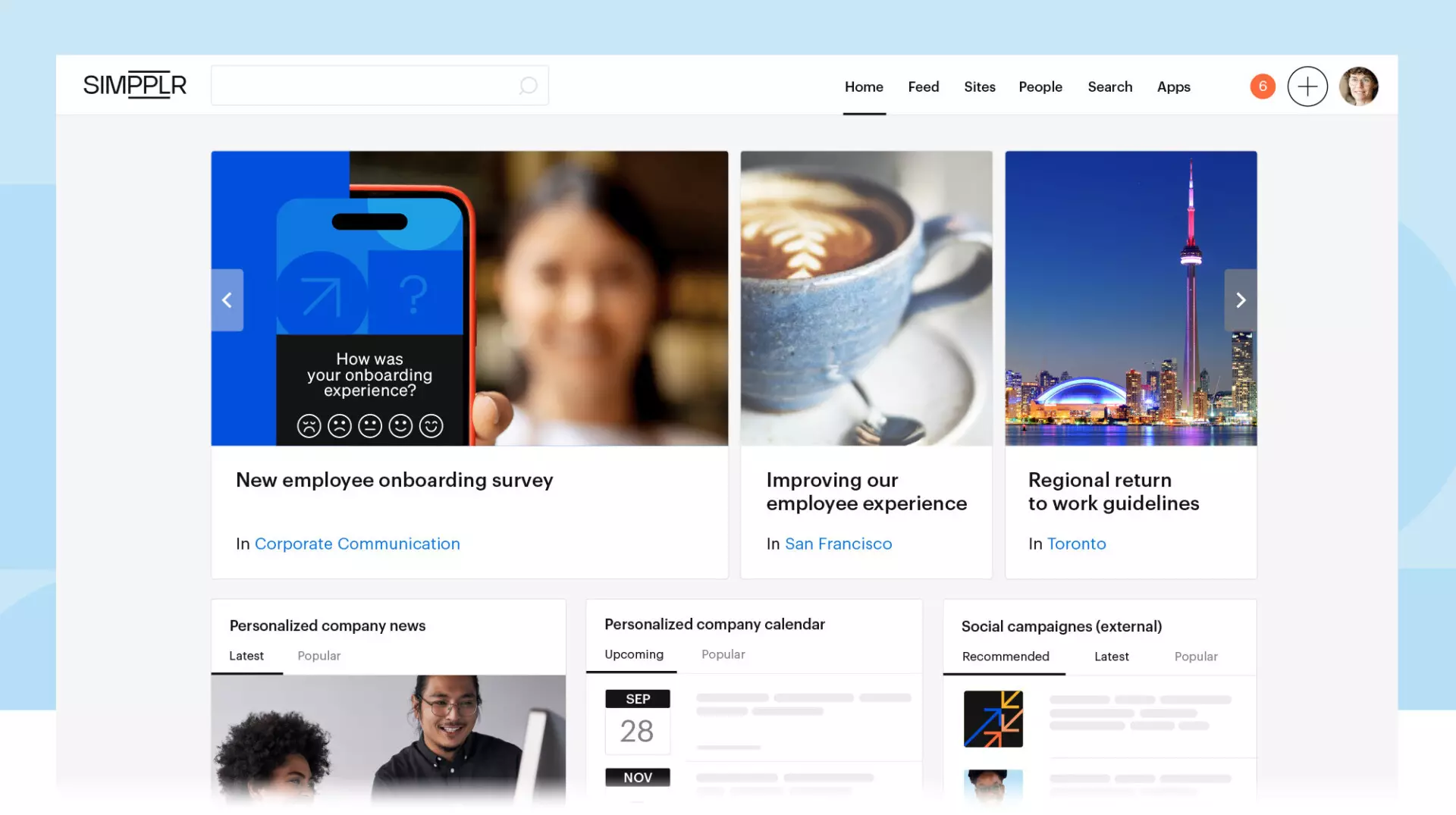
Simpplr is widely regarded as one of the most mature and enterprise-ready AI intranet platforms, particularly strong in internal communications, governance, and structured content delivery. It is often chosen by organizations that want a platform that works well “out of the box,” without requiring heavy customization or long implementation cycles.
At its core, Simpplr is designed to solve a very specific problem: making sure the right message reaches the right employee at the right time, without overwhelming them with irrelevant content. This is where its AI capabilities stand out, especially in internal communications workflows.
Its Comms AI helps communication teams write, refine, translate, and target internal content such as newsletters and company updates. Instead of sending generic messages to the entire organization, Simpplr enables highly segmented communication that improves clarity and engagement while reducing digital noise.
Another important element is its Simpplr Assistant, an AI-powered support layer that acts as a proactive helper for employees. It can assist with HR and IT-related queries, guide users to relevant resources, and streamline common internal requests.
Where Simpplr truly differentiates itself, however, is in AI-driven content governance. The platform automatically identifies outdated pages, flags content that needs review, and prompts owners to update or validate information, ensuring the intranet remains clean, accurate, and trustworthy over time.
Simpplr follows a premium enterprise pricing model, typically based on:
It is generally positioned as a high-end solution designed for organizations prioritizing governance, communication quality, and scalability.
Simpplr stands out because it brings structure and intelligence to one of the most chaotic areas of the digital workplace: internal communication and content management.
Rather than simply distributing information, it ensures that communication is relevant, timely, and well-governed. With AI handling everything from content creation to lifecycle management, Simpplr helps organizations maintain a clean, trustworthy intranet, while giving employees a more focused and meaningful information experience.
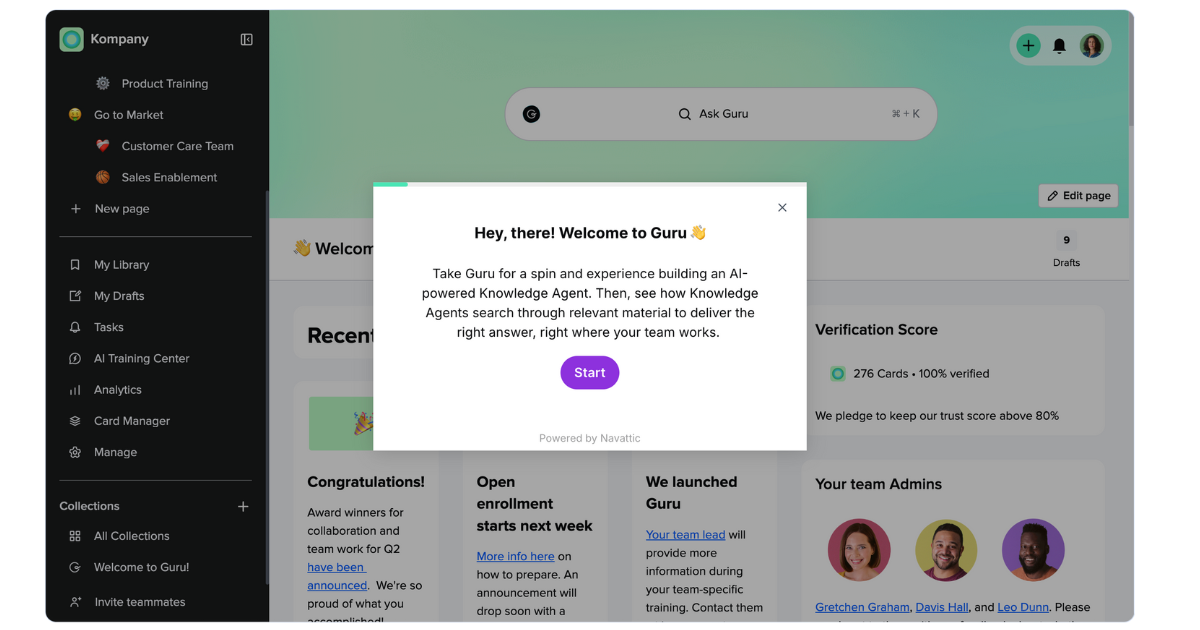
Guru is a modern knowledge management platform designed to ensure that teams always have access to verified, up-to-date information directly within their workflow. Unlike traditional intranets that focus on publishing pages or static content, Guru is built around a simple idea: knowledge should meet employees where they already work.
Instead of acting as a standalone documentation system, Guru integrates into everyday tools like Slack, browser workflows, and internal systems, turning knowledge into something contextual and instantly accessible.
Its AI capabilities are centered on knowledge verification, retrieval, and contextual answers. Rather than simply generating content, Guru helps ensure that answers are accurate and approved by experts. Users can ask questions and receive responses that are pulled from trusted internal knowledge sources, reducing duplication and outdated information.
This makes Guru particularly strong in environments where accuracy and consistency matter more than volume of content, such as support teams, operations, and customer-facing organizations.
Guru uses a subscription-based pricing model:
Pricing is generally positioned as mid-to-premium, depending on scale and integrations.
Guru stands out because it focuses on a critical but often overlooked problem in digital workplaces: trust in knowledge.
Instead of overwhelming users with large documentation systems, it ensures that employees always get the right answer at the right time, validated and contextualized.
While it does not aim to be a full intranet or enterprise operating system, Guru excels as a reliable knowledge layer that sits on top of existing tools, making organizational knowledge more accurate, accessible, and actionable.
In environments where consistency and trust matter more than complexity, Guru becomes not just a documentation tool—but a trusted source of truth embedded directly into daily work.
Choosing the right AI intranet platform is less about features in isolation and more about how each tool reshapes work, communication, and knowledge flow across the organization. Below is a simplified but practical comparison of the leading platforms based on real-world use cases.
| Platform | AI Search & Knowledge | Employee Engagement | Frontline Support | Ecosystem Flexibility | Best For |
| eXo Platform | Excellent | Excellent | Strong | Very High | Balanced enterprise intranet |
| Connecteam | Good | Moderate | Excellent | Moderate | Frontline operations |
| Blink | Good | Strong | Excellent | Moderate | Deskless workforce |
| Happeo | Strong | Strong | Moderate | Google-centric | Google Workspace organizations |
| Igloo | Moderate | Moderate | Moderate | Moderate | SMB intranet |
| Unily | Excellent | Strong | Moderate | High | Large enterprises |
| Workvivo | Good | Excellent | Moderate | Moderate | Culture & communications |
| LumApps | Excellent | Strong | Strong | High | Enterprise ecosystems |
| Simpplr | Excellent | Strong | Strong | High | Internal communications |
| Confluence | Strong | Limited | Weak | High | Technical documentation |
Beyond branding and UI, the real difference between these platforms lies in AI architecture, governance, and how deeply they integrate into the digital workplace ecosystem.
| Feature | eXo Platform | Unily | Happeo | Simpplr | Connecteam |
| AI Architecture | Agentic & contextual (multi-LLM) | Execution layer (Unily Glass) | GenAI search | Comms AI assistant | Workflow automation AI |
| Data Sovereignty | High (on-prem / cloud / private cloud) | Low (cloud-first) | Medium (cloud-based) | Low (cloud-only) | Medium |
| Primary Use Case | Full digital workplace | Enterprise execution hub | Google Workspace intranet | Internal communications | Frontline task operations |
| Search Capability | Natural language + RAG-based AI | Conversational + action-driven | AI + federated search | AI enterprise search | Simple operational search |
| Best For | Regulated industries & flexible enterprises | Large global enterprises | Google-centric organizations | HR & communications teams | Logistics, retail, field teams |
This table reveals a clear pattern in the market:
There is no single “best” AI intranet anymore, only the best fit for your digital workplace strategy.
In short, the AI intranet market is no longer about features, it’s about how intelligence is embedded into the flow of work itself.
In a crowded market of AI intranet platforms, many tools are strong in one area but limited in others. Some focus heavily on communication, others on documentation, and others on frontline execution. eXo Platform stands out because it refuses this trade-off entirely. Instead, it builds a unified digital workplace that combines AI, collaboration, knowledge management, and operational flexibility into a single coherent system.
Where many competitors add AI as an extra layer, eXo integrates it directly into the core experience, making intelligence a natural part of everyday work rather than a separate tool.
Most intranet platforms are specialized:
eXo takes a different path. It delivers a balanced architecture that connects:
This makes it one of the few platforms that can function as a true enterprise digital headquarters, rather than just a communication layer or documentation hub.
A major limitation in the intranet market is ecosystem lock-in. Many platforms are optimized specifically for either Microsoft 365 or Google Workspace, limiting flexibility.
eXo avoids this problem entirely by supporting:
This flexibility is critical for regulated industries like government, banking, and defense, where data control is non-negotiable. It also allows organizations to integrate both modern SaaS tools and legacy systems without friction.
Unlike platforms where AI is limited to search or chat assistance, eXo embeds intelligence across the entire user experience.
Its AI is connected to:
This means AI is not just answering questions, it is participating in how knowledge is created, shared, and refined across the organization.
One of eXo’s most important differentiators is its shift from passive AI to agentic AI.
Instead of simply providing answers, the system can take action:
For example, if a financial discussion reveals a budget issue, the AI can suggest creating a structured review task and assigning it to the appropriate stakeholder.
This transforms the intranet from a passive system into an active operational assistant.
One of the biggest barriers to AI adoption in enterprises is data privacy.
Many organizations cannot risk sending sensitive internal data to external AI providers. eXo addresses this with a multi-LLM architecture, allowing companies to choose their AI model environment:
This ensures that organizations retain full control over their data while still benefiting from advanced AI capabilities.
Combined with flexible deployment options, this makes eXo one of the few platforms capable of serving highly regulated environments securely.
Unlike proprietary platforms such as Microsoft SharePoint or other closed ecosystems, eXo is built with an open architecture philosophy.
This provides:
Instead of forcing organizations into a single vendor stack, eXo acts as a neutral integration layer across enterprise tools.
Rather than replacing existing tools, eXo sits above them as a unifying intelligence layer. It integrates with platforms like Microsoft 365, Google Workspace, and Jira, then uses AI to:
This creates a more structured and intelligent digital workplace without forcing companies to abandon their existing tools.
| Feature | eXo Platform | Simpplr | Unily |
| AI Strategy | Sovereign, contextual, agentic AI | Content governance AI | Experience + execution layer |
| Deployment | On-prem / cloud / hybrid | SaaS only | SaaS only |
| Open Source Core | Yes | No | No |
| Customization | Very high | Medium | Medium |
| Frontline Support | Native mobile + strong | Mobile web/app | Mobile app |
| Ecosystem Role | Unified digital workplace | Internal comms platform | Enterprise experience hub |
Choosing an AI intranet is no longer just a software decision, it’s a workplace architecture decision. The right platform will shape how employees find knowledge, communicate, and execute work every day. The wrong one becomes just another disconnected tool.
Instead of focusing only on feature lists, it’s more useful to match platforms to your organization’s structure, workforce type, and data requirements.
The first and most important question is simple: Who actually uses the system daily?
👉 A useful rule:
Not all AI intranets treat data the same way. This is where many companies make critical mistakes.
Ask a simple question:
Where does our data go when we use AI?
If your organization handles sensitive information (finance, healthcare, government, intellectual property), then data sovereignty becomes essential.
This is where eXo Platform stands out, because it supports:
In contrast, many SaaS-only platforms such as Unily or Workvivo operate in fully managed cloud environments, which may limit control in regulated industries.
Most vendors will show you AI search demos. That is not enough.
A real AI intranet should move from answers → actions.
Test this during evaluation:
“Plan a team meeting next Tuesday about budget review.”
Now observe:
This is the difference between:
Platforms like eXo Platform are moving toward this agentic model, where AI becomes an operational assistant, not just a search bar.
A common failure in intranet projects is creating yet another isolated system.
Your AI intranet should connect with existing tools like:
If the platform cannot read, interpret, and unify existing knowledge sources, it becomes just another silo instead of a central hub.
This is where flexible platforms like eXo Platform often outperform more rigid ecosystems.
Not all employees interact with technology the same way:
This is where platform design matters:
A strong intranet should feel: simple for employees, powerful for the organization
AI intranets evolve quickly. What matters today may be outdated in 12 months.
Key questions to ask vendors:
Some platforms are still adding basic generative AI features, while others, like eXo Platform, are evolving toward AI orchestration layers that understand context across the entire workplace.
Choose:
The evolution of intranets is no longer about adding more features, dashboards, or even AI chatbots. The real shift is deeper, and more structural. It’s about redefining what role intelligence plays inside the digital workplace.
Every organization now faces a fundamental choice:
This distinction is becoming the new dividing line in the market. Traditional intranets stop at search and communication. The next generation is moving toward something much more powerful: systems that understand context, anticipate needs, and take action inside business workflows.
That’s why the most future-ready platforms are no longer positioned as “portals” or “communication tools.” They are evolving into digital workplace intelligence layers, where knowledge, collaboration, and execution converge in one environment.
And this is exactly where the industry is heading: away from fragmented tools, and toward unified, AI-driven operating systems for work.
The AI intranet market is clearly splitting into three directions:
Platforms like Simpplr, LumApps, and Workvivo are strong in communication and employee experience. Solutions like Unily deliver powerful enterprise-grade experiences for large organizations with complex ecosystems.
However, when the goal is not just communication, but building a truly intelligent, adaptable, and future-proof digital workplace foundation, one platform consistently stands apart: eXo Platform
Unlike tools that focus on a single layer of the workplace, eXo Platform positions itself as a sovereign AI-powered operating system for the enterprise. It combines:
All within a flexible architecture that can run on-premise, in private cloud, or in hybrid environments, giving organizations full control over their data and AI strategy.
To simplify the landscape:
The future of work is not about replacing employees with AI tools. It is about removing the friction between people, knowledge, and action.
In this new paradigm, the most valuable systems are not the ones that simply organize information, but the ones that turn information into execution.
And among today’s solutions, eXo Platform represents one of the clearest steps toward that future: a unified, sovereign, AI-powered foundation for how modern enterprises actually operate.
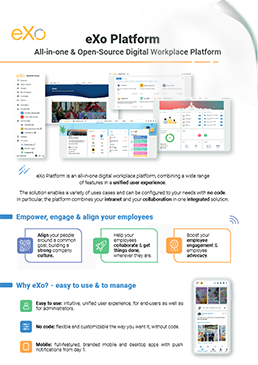

Download the eXo Platform Datasheet and discover all the features and benefits

Download the eXo Platform Datasheet and discover all the features and benefits
You will find here Frequently Asked Questions about AI-Powered Intranet with all the answers in one place.
intranet is a term used with abundance whenever the subject of internal communication and collaboration is brought up which makes defining it a bit challenging. In its simplest form, an intranet is an internal website for your organization. It is used mainly for top-down communication where employees can access corporate news, policies and announcements.
An AI-powered intranet is a modern internal platform that uses artificial intelligence technologies to enhance communication, knowledge management, and employee productivity within an organization.
Traditional intranets were designed primarily to store internal documents, company policies, and announcements in a centralized portal. While useful for organizing information, these systems often rely on manual navigation and basic keyword searches, which can make it difficult for employees to find what they need quickly.
AI-powered intranets solve this problem by integrating intelligent technologies that enable the platform to understand context, learn from user behavior, and deliver personalized information automatically. Instead of acting as passive storage systems, these intranets function as interactive digital assistants that support employees throughout their workday.
An intranet portal is a secure internal website where employees can access information, tools, and communication channels in one place.
A CMS intranet is a secure internal platform that allows employees to create, manage, and share content across the organization. Think of it as your company’s digital headquarters—where communication, collaboration, and information management come together in one place.
Artificial intelligence is fundamentally changing how employees interact with internal systems. Instead of navigating complex menus or browsing through layers of folders, employees can now interact with intranet platforms through natural language queries, intelligent recommendations, and automated workflows.
The transformation can be understood through several key shifts.
AI-powered intranets transform traditional employee portals into intelligent digital workplaces that improve productivity, knowledge sharing, and employee engagement. Organizations adopting these platforms report measurable advantages that go beyond simple automation.
While AI intranets provide substantial benefits, organizations should plan carefully to avoid pitfalls. Awareness of limitations ensures effective deployment and maximizes ROI.
➝ Discover the limitations and Considerations of AI-Powered Intranets
An intranet portal serves as a powerful tool for modern organizations, offering numerous advantages that enhance productivity, communication, and employee satisfaction. Below is a detailed breakdown of its key benefits, followed by a concise comparison table for easy reference:
A truly effective intranet portal in 2025 is more than just a digital filing cabinet—it’s the central hub for communication, collaboration, and productivity in your organization. Whether you’re upgrading an old system or deploying a new one, here are the must-have features for a modern intranet
Implementing an intranet portal is a strategic undertaking that requires careful planning and execution. Here’s a step-by-step guide:
Building an intranet portal can mean two things: building from scratch or implementing an out-of-the-box solution.
🔗 Find out a detailed comparison to build or buy an intranet portal
A powerful intranet portal is only effective if employees actually use it. Low adoption rates are a common challenge. Here’s how to boost engagement:
Here are some Tips to drive adoption:
( Your e-mail address will not be published)

I am a Digital Marketing specialist specialized in SEO at eXo Platform. Passionate about new technologies and Digital Marketing. With 10 years' experience, I support companies in their digital communication strategies and implement the tools necessary for their success. My approach combines the use of different traffic acquisition levers and an optimization of the user experience to convert visitors into customers. After various digital experiences in communication agencies as well as in B2B company, I have a wide range of skills and I am able to manage the digital marketing strategy of small and medium-sized companies.