
FREE WHITE PAPER
Discover our in-depth analysis of the concept of employee engagement, its roots, and ways to improve it significantly
Effective internal communication is no longer a “nice to have” — it is one of the most important internal communication best practices for improving employee engagement, retention, and organizational performance. Multiple recent studies show a direct link between internal communication quality and employee engagement, well-being and productivity.
Multiple studies confirm this. According to the Economist Intelligence Unit, poor communication leads to delayed or failed projects (44%), lost sales (31%), and low employee morale (55%). In contrast, research from Towers Watson found that companies with strong internal communication are 3.5 times more likely to outperform their peers.
In other words, communication is culture — it shapes how employees feel, connect, and collaborate. Yet, many organizations still rely on outdated tools or fragmented systems that fail to engage today’s digital-first workforce.
That’s why this comprehensive guide goes beyond theory. It presents 25 internal communication best practices that can be implemented immediately, along with updated key product features to look for in 2025, supported by trusted industry sources.
This article also includes real use cases and success stories that demonstrate how effective communication can transform organizations, as well as a detailed comparison table showing why eXo Platform stands out as the most complete and future-proof solution for modern internal communication.
The journey of internal communication mirrors the evolution of the workplace itself:
Following modern internal communication best practices means adopting interactive channels, personalized content, and data-driven communication to support a distributed workforce.
Recent research from both academia and industry highlights a simple but powerful truth: structured and transparent internal communication directly boosts employee engagement, strengthens company culture, and improves overall performance. In an era where employees increasingly seek authenticity, consistency, and purpose from their leaders, effective communication has become more than a managerial skill — it’s a strategic advantage.
When communication flows smoothly, employees feel informed, valued, and connected. They understand company goals, align with the broader mission, and collaborate more effectively across departments and locations. This sense of alignment builds trust and belonging — the foundation of any healthy workplace culture.
Conversely, when internal communication breaks down, silos emerge, engagement drops, and performance suffers. According to a report by The Economist Intelligence Unit, Companies with strong internal communication are 3.5× more likely to outperform their peers. These numbers underline a critical point: communication isn’t just about sharing information — it’s about ensuring that everyone, from frontline employees to executives, moves in the same direction.
In today’s hybrid and remote work environments, where teams are dispersed and face-to-face interactions are limited, communication becomes the central nervous system of an organization. A well-executed internal communication strategy empowers employees to stay connected, aligned, and engaged — wherever they work.
In short, effective internal communication best practices fuels engagement, reduces turnover, and drives sustained performance. It’s not just about talking more — it’s about communicating better.
A successful internal communication strategy blends clarity, frequency, and interactivity.
Below are 25 actionable internal communication best practices, structured into key themes, that organizations can implement today to boost engagement, knowledge sharing, collaboration, and culture.
These can be powered by platforms like eXo Platform, enabling seamless execution across distributed teams.
CEO or leadership video updates are short, candid recordings (typically 2–5 minutes) shared directly on the company intranet or digital workplace platform. Unlike traditional written newsletters or long reports, these videos provide a personal, human connection between leadership and employees, fostering trust, transparency, and engagement.
Organizations that use leadership video updates effectively often see higher employee engagement scores, improved perception of leadership transparency, and stronger alignment around corporate goals. Employees report feeling more informed, trusted, and connected to the company’s mission.
Pair video updates with supporting materials such as a short written summary, key takeaways, or links to relevant resources to accommodate different learning preferences.
Interactive AMA (Ask Me Anything) sessions are dynamic opportunities for employees to directly engage with leaders, managers, or subject-matter experts, either live or asynchronously. Unlike traditional newsletters or one-way presentations, AMAs create an open, two-way dialogue that fosters transparency, builds trust, and strengthens engagement across the organization.
Organizations that implement AMA sessions effectively report higher employee trust, improved engagement, and stronger alignment with company goals. Employees gain confidence that their voices are valued, which positively impacts morale, inclusion, and retention.
Combine AMA sessions with supporting resources such as discussion threads, FAQs, or short recap videos so employees can continue the conversation asynchronously and revisit insights anytime.
A micro-newsfeed is a short, focused digest of key company updates delivered daily or weekly through the intranet, digital workplace platform, or mobile app. Each digest typically includes three concise bullets highlighting wins, priorities, and employee shout-outs. Unlike long emails or newsletters, micro-newsfeeds provide fast, scannable, and actionable information that keeps employees informed without overwhelming them.
Companies that implement micro-newsfeeds see improved employee awareness, stronger cross-team alignment, and higher engagement scores. Employees feel connected to the organization’s goals and are more informed about colleagues’ contributions.
Pair the micro-newsfeed with push notifications or mobile access, especially for remote or deskless employees, ensuring updates are seen in real time and reinforcing a culture of transparency.
Team standup channels are dedicated digital threads or spaces where team members can post daily or weekly updates on blockers, achievements, and priorities. These channels replicate the benefits of in-person standups in a remote or hybrid environment, keeping teams aligned and accountable without the need for lengthy meetings.
Teams using standup channels report faster issue resolution, clearer visibility of work in progress, and improved team cohesion. These channels also reduce the need for lengthy meetings, saving time while maintaining transparency.
Encourage peer recognition within the channel by acknowledging helpful contributions or celebrating small wins, reinforcing both productivity and engagement.
Cross-functional project hubs are centralized digital spaces dedicated to specific projects, where teams can access objectives, timelines, owners, documents, and discussion threads. These hubs create a single source of truth, enabling seamless collaboration between different departments and reducing miscommunication.
Organizations using cross-functional project hubs experience faster project delivery, improved team alignment, and reduced email dependency. Employees have clear visibility of their role and the overall project status, leading to better coordination and higher success rates.
Pair hubs with visual timelines or Kanban boards to make progress tracking intuitive and engaging for all team members.
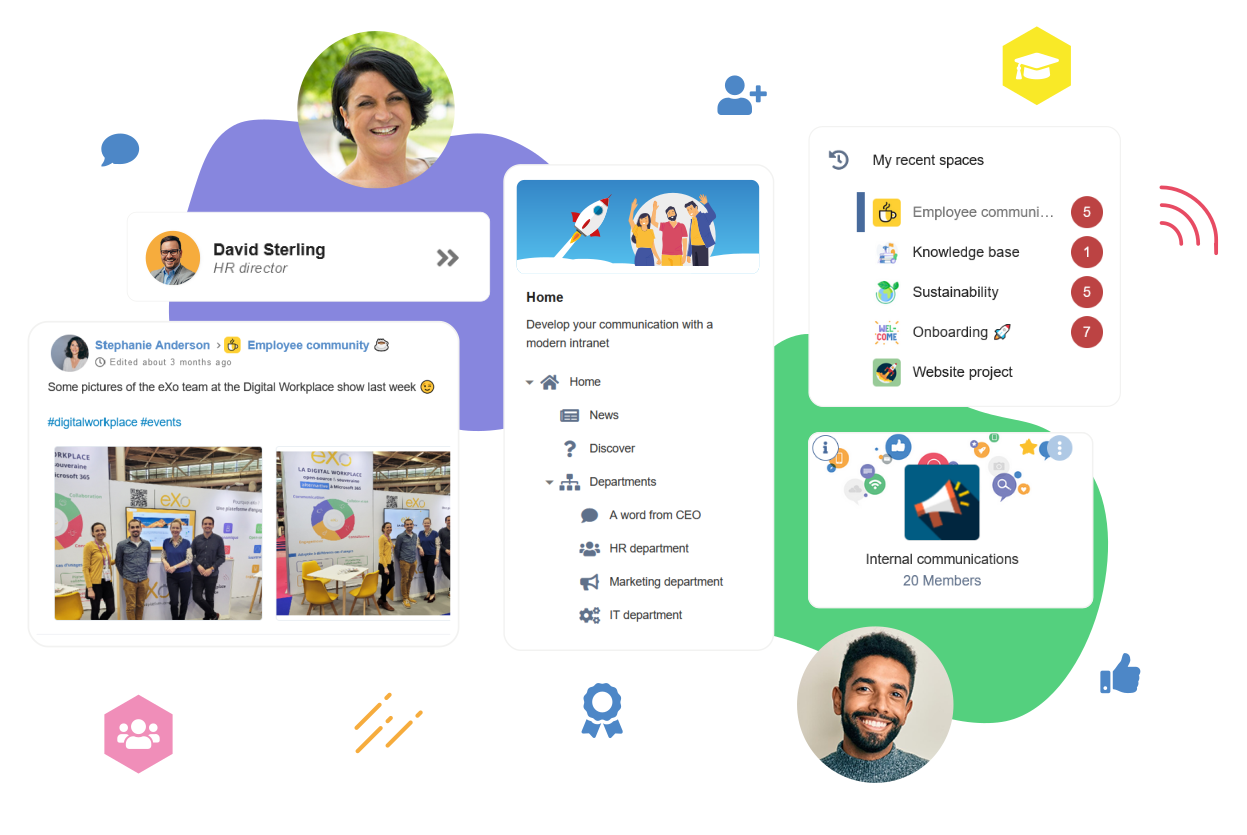
eXo Platform Digital Workplace
An Employee Recognition Corner is a dedicated digital space where employees can nominate, celebrate, and publicly recognize colleagues for their contributions. By combining social features, gamification, and visibility, it fosters a culture of appreciation and motivation across the organization.
Companies with active recognition programs report higher employee satisfaction, improved engagement scores, and stronger retention. Public acknowledgment increases morale, creates friendly competition, and strengthens social bonds between colleagues.
Integrate recognition features into existing collaboration tools or intranet platforms, ensuring the process is seamless and visible across the organization.
Pulse surveys are short, frequent surveys—often just one or two questions—that quickly gauge employee sentiment, engagement, or feedback on specific topics. When paired with visible action tracking, these surveys show employees that their input leads to real change, creating a feedback-driven culture.
Organizations that implement pulse surveys with visible follow-up see higher engagement, increased trust in leadership, and improved workplace morale. Employees are more likely to provide honest feedback when they see tangible action results.
Combine pulse surveys with a dashboard of trends and metrics, enabling leadership to identify patterns, prioritize initiatives, and communicate progress to the wider organization.
An onboarding “welcome path” is a curated, step-by-step guide for new employees during their first 30 days, providing structured access to essential information, introductions, and starter tasks. By combining practical resources with social integration, it ensures new hires feel supported, informed, and connected from day one.
Companies implementing structured onboarding programs report higher employee engagement, faster ramp-up times, and increased early retention. Employees who experience a smooth onboarding journey feel confident, connected, and motivated to contribute.
Combine the onboarding welcome path with automated reminders and notifications, ensuring new hires complete tasks and have a consistent, supportive experience across their first month.
A knowledge base with suggested reads is a centralized repository of information where employees can access articles, guides, tutorials, and best practices tailored to their role, interests, or ongoing projects. By leveraging algorithmic recommendations or curated content, employees receive relevant resources that enhance learning, productivity, and informed decision-making.
Companies with well-structured knowledge bases report improved efficiency, reduced repetitive questions, and higher employee confidence in decision-making. Employees value the ability to self-serve information, which fosters a culture of learning and autonomy.
Integrate the knowledge base with internal search, collaboration tools, and microlearning modules, so employees receive suggestions seamlessly while working on relevant tasks.
Localized and role-based feeds deliver targeted content tailored to specific teams, locations, or employee roles. Rather than sending the same information to everyone, these feeds ensure that employees receive only what is relevant to their work context, improving engagement and reducing information overload.
Organizations using localized and role-based feeds experience higher content engagement, faster information dissemination, and improved operational efficiency. Employees feel more informed and valued when the communication they receive is tailored to their needs.
Combine these feeds with mobile notifications for real-time delivery, especially for employees who are frequently on the move or working offsite.
Mobile push announcements are short, targeted notifications sent directly to employees’ mobile devices, designed to reach deskless or frontline staff who may not have regular access to computers or email. These alerts ensure timely and relevant communication, from schedule updates to safety instructions or operational priorities.
Organizations using mobile push announcements for deskless staff report faster information dissemination, fewer missed updates, and improved operational efficiency. Employees feel included and informed, fostering engagement and accountability.
Integrate mobile push notifications with the digital workplace platform, so employees can quickly access detailed information or related resources with a single click.
Virtual town halls are live, company-wide meetings hosted online, allowing leadership to share updates, celebrate achievements, and address questions from employees. Incorporating live polls and interactive Q&A sessions transforms them from passive presentations into engaging, two-way communication experiences.
Organizations hosting interactive virtual town halls report higher employee alignment, improved trust in leadership, and more engaged workforces. Live polling and Q&A features transform passive viewers into active participants, reinforcing a culture of transparency.
Pair town halls with follow-up intranet posts or newsletters summarizing poll results, answers, and action plans for employees who could not attend live.
Digital signage integration involves displaying key messages, updates, and announcements on screens across offices, production floors, or common areas. This ensures employees without regular access to computers or mobile devices still receive important information in a timely and visible manner.
Organizations using digital signage report improved communication with on-site teams, faster awareness of critical updates, and stronger alignment with company goals. Visual reinforcement helps employees retain important information while feeling included in the organizational narrative.
Combine digital signage with interactive elements or QR codes that link directly to intranet resources, surveys, or recognition programs to increase engagement.
Manager toolkits are pre-prepared resources and guides that help managers effectively communicate with their teams. They include slides, talking points, templates, and best practices for team meetings, performance updates, and key announcements, ensuring consistent messaging across the organization.
Organizations that equip managers with toolkits experience higher clarity, more consistent messaging, and stronger employee trust. Managers feel supported, teams receive accurate information, and organizational alignment is reinforced.
Integrate toolkits into digital workplace platforms so managers can access and customize materials easily while keeping a record of communications.
Multimedia storytelling uses videos, podcasts, infographics, and photo essays to share stories about employees, teams, projects, or company initiatives. Unlike traditional text updates, multimedia content engages multiple senses, making messages more memorable and fostering a deeper emotional connection.
Organizations using multimedia storytelling report higher engagement, stronger internal culture, and improved knowledge retention. Employees feel more connected to the company and inspired by the experiences and achievements of their colleagues.
Regularly update storytelling content and integrate with recognition programs to amplify both achievements and company values.
A policy change digest is a concise, easy-to-read summary of updates to company policies or procedures. Rather than sending lengthy documents or emails, the digest focuses on what changed, why it matters, and what employees need to do, making it simpler for everyone to stay informed and compliant.
Organizations using policy change digests report better compliance, fewer questions to HR, and higher employee understanding of critical updates. Employees feel informed, confident, and prepared to act on policy changes.
Combine the digest with push notifications or email alerts for urgent changes, and link to detailed documents for employees who need additional context.
A cross-team mentorship marketplace is a digital platform or space where employees can connect with mentors or mentees across the organization. By creating a structured system for mentorship pairing, organizations encourage knowledge sharing, career development, and interdepartmental collaboration.
Organizations with a structured cross-team mentorship marketplace report higher employee engagement, stronger collaboration, and faster skill development. Mentorship relationships create a culture of continuous learning and inclusivity.
Leverage your digital workplace platform to manage applications, track mentorship progress, and provide resources for mentors and mentees to ensure a structured and measurable program.
A content calendar with a designated editorial owner is a planned schedule for internal communication content, ensuring that updates, announcements, and stories are delivered consistently and strategically. The editorial owner is responsible for overseeing content quality, timing, and relevance.
Organizations using a content calendar with an editorial owner experience higher communication effectiveness, better employee engagement, and reduced message fatigue. Employees receive timely, relevant, and coherent information that supports their work and connection to the company.
Combine the content calendar with analytics dashboards to continuously refine strategy based on employee engagement and feedback.
Recognition leaderboards and peer badges are gamified features that allow employees to publicly acknowledge each other’s achievements. Badges can be awarded for teamwork, innovation, or living company values, and leaderboards display top contributors, fostering a culture of recognition and healthy competition.
Companies using recognition leaderboards and peer badges report higher employee engagement, improved collaboration, and stronger alignment with company culture. Employees feel valued and motivated, while leadership gains insight into contributions across teams.
Use the digital workplace platform to track, display, and analyze recognition data, allowing for transparency, fairness, and continuous program improvement.
An idea pipeline with transparent evaluation is a structured process where employees can submit, track, and see the progress of their ideas for improving products, processes, or culture. Transparency in evaluation builds trust and encourages continuous participation.
Organizations with a transparent idea pipeline report increased employee engagement, higher innovation rates, and improved collaboration across departments. Employees feel their voice matters, strengthening the company’s culture of participation.
Integrate the idea pipeline with your digital workplace platform to automate submission, tracking, and recognition, making the process seamless and visible to all employees.
Microlearning modules are short, focused learning sessions or content snippets (typically 5–10 minutes) designed to deliver essential knowledge quickly and effectively. They can cover company processes, product knowledge, compliance, or skill development and are easily integrated into employees’ daily routines.
Organizations implementing microlearning modules report faster onboarding, higher employee proficiency, and improved performance outcomes. Employees appreciate accessible, digestible learning that fits into their workday.
Integrate microlearning with the digital workplace platform to deliver personalized content, track completion, and link modules to recognition or development programs.
“Accessibility first” ensures that all internal communication content is inclusive and usable by employees of all abilities and backgrounds. This approach covers captioned videos, screen reader compatibility, multiple language support, and role-based content delivery, making communication equitable and effective for everyone.
Organizations prioritizing accessibility report higher employee engagement, stronger inclusivity, and better knowledge retention. Accessible communication fosters an environment where all employees feel respected and valued.
Make accessibility a standard part of your digital workplace platform, integrating features like captioning, translation, and screen reader compatibility to ensure consistent, equitable communication.
A crisis communication playbook page is a centralized, easily accessible resource that outlines protocols, contact points, and steps to follow during emergencies or urgent situations. It ensures that employees receive timely, accurate, and coordinated information when it matters most.
Organizations with a crisis communication playbook report faster response times, reduced errors, and improved employee confidence during emergencies. The playbook ensures that critical information reaches the right people quickly and consistently.
Integrate the playbook with push notifications and mobile alerts so employees can access urgent guidance even when away from their desks.
An analytics dashboard for communicators is a centralized tool that tracks the performance and engagement of internal communication efforts. It provides insights into what content resonates, how employees interact with it, and areas that may need improvement.
Organizations using analytics dashboards for internal communication report improved engagement, better-informed strategies, and higher employee satisfaction. Data-driven insights allow communicators to continuously refine content and approaches, ensuring maximum impact.
Make dashboards accessible to key stakeholders while maintaining privacy and compliance, and use insights to inform both leadership and employee-facing communications.
An integration marketplace is a central hub within your digital workplace platform that connects internal communication tools with other business systems such as HRIS, calendars, collaboration apps like Microsoft Teams or Slack, and Single Sign-On (SSO) solutions. These integrations streamline workflows, reduce manual effort, and create a seamless employee experience.
Organizations leveraging an integration marketplace report higher productivity, better adoption of communication tools, and a more connected workforce. Employees spend less time switching between apps, stay better informed, and collaborate more effectively.
Continuously evaluate new integration opportunities and provide training or guides to help employees make the most of connected tools, ensuring maximum value from the digital workplace ecosystem.
These Internal Communication Best Practices & Ideas, widely recommended across practitioner guides and industry resources (e.g., HubEngage, Publicate), offer practical, high-impact strategies to modernize internal communication. Implementing them systematically can transform engagement, strengthen culture, and ensure employees feel connected, informed, and empowered.
The Complete Guide to
Employee Engagement
Discover our in-depth analysis of the concept of employee engagement, its roots, and ways to improve it significantly
Discover our in-depth analysis of the concept of employee engagement, its roots, and ways to improve it significantly
The landscape of internal communication is rapidly evolving, driven by hybrid work, mobile-first expectations, and the demand for more personalized and engaging employee experiences.
Modern internal communication platforms must go beyond static intranets or simple email announcements—they need to combine social collaboration, personalization, analytics, and seamless integrations to support the way employees work today.
A modern platform must merge traditional intranet capabilities with social collaboration features. Employees should have a single space to access editorial content, news, updates, and interactive social feeds, reducing information silos and creating a more connected workforce.
eXo Platform explicitly positions itself here, offering a seamless blend of news, content, and social interactions in one environment.
With deskless and hybrid workforces on the rise, communication must reach employees wherever they are.
Platforms should support web, mobile, and digital signage, including push notifications and integration with office screens, ensuring that both remote and frontline employees receive timely updates.
Not all content is relevant to everyone. Modern platforms must allow role-based, location-based, and language-specific content delivery, so employees see what matters most to their work and context, increasing engagement and reducing information overload.
Data-driven insights are essential for continuous improvement. Internal communication platforms should offer read rates, sentiment analysis, pulse survey results, and visible follow-up actions, helping communicators understand what resonates and what needs adjustment.
To reduce friction and streamline workflows, platforms must integrate with HRIS, Single Sign-On (SSO), calendars, collaboration tools like Microsoft Teams and Slack, and other content sources.
Open APIs allow organizations to connect internal comms to broader business systems, enabling a seamless digital workplace.
Modern Internal Communication platforms should provide robust version control, editorial workflows, and structured taxonomy to manage policies, procedures, and knowledge efficiently. Employees can trust that they are always accessing the latest, approved content.
Security remains a top priority, especially for regulated industries. Platforms must support cloud, private cloud, or on-premise deployment, allowing organizations to meet compliance requirements while delivering a secure employee experience.
Speed and agility are crucial for internal communications teams. Modern platforms should offer intuitive page builders, templates, and drag-and-drop editors, enabling communicators to publish content quickly without relying on IT.
Employee engagement is enhanced through badges, micro-rewards, and leaderboards, which gamify interactions and recognition, motivating participation and fostering a positive culture.
Some organizations prioritize customizability and ownership. Platforms offering open-source options or a transparent development roadmap allow buyers to adapt the tool to their needs and future-proof their internal communication strategy.
Internal communication platforms are no longer just repositories for company news—they are engines for engagement, collaboration, and operational efficiency. Real-world use cases show how organizations leverage modern platforms like eXo Platform to drive measurable outcomes.
Organizations replacing outdated intranets or endless email cascades with a centralized knowledge hub see major productivity gains.
A single intranet portal provides employees with immediate access to company news, policies, and resources, eliminating document silos and ensuring consistent messaging across teams. Vendor guides highlight how this approach reduces miscommunication and accelerates workflow.
Industries with deskless employees, such as airlines and manufacturing, benefit from digital signage and content management systems (CMS).
For example, Envoy Air implemented digital signage to deliver timely safety information and shift updates, resulting in improved operational accuracy and employee awareness. Platforms supporting mobile push notifications and signage integration ensure that critical information reaches every worker instantly.
Platforms that integrate pulse surveys with visible action trackers significantly enhance perceived responsiveness. Employees not only provide feedback but also see tangible follow-ups on their suggestions.
Studies from ResearchGate and practitioner reports confirm that this loop increases trust, engagement, and the sense that leadership is listening and acting.
During mergers, acquisitions, or organizational changes, structured communication hubs reduce uncertainty and rumors.
Features such as FAQs, policy trackers, and leadership Q&A sessions help maintain transparency, build trust, and guide employees through change with measurable impact on engagement and alignment.
While many tools exist—from Slack and Microsoft Teams to traditional intranets—eXo Platform distinguishes itself as a comprehensive digital workplace built for holistic internal communication:
Many organizations suffer from “tool sprawl,” switching between chat apps, document systems, and old intranets. eXo Platform consolidates these capabilities into one intuitive, social, and collaborative environment, reducing context switching and increasing adoption.
With a modern, clean UI inspired by social networks, employees naturally engage with content and communities. The platform encourages voluntary participation rather than mandating usage.
Recognition features—such as kudos, badges, points, and leaderboards—turn passive consumption into active participation, reinforcing culture and motivation.
eXo Platform’s open-source core provides flexibility, security, and freedom from vendor lock-in while offering professional support for enterprises with complex IT or compliance requirements.
Deep integrations with HRIS, SSO, Microsoft 365, G Suite, Salesforce, Slack, and other tools enable a connected workplace without displacing existing systems, enhancing workflow efficiency.
| Area | eXo Platform | Microsoft SharePoint (Online/On-Prem) | Notes / When to Pick |
| Primary Strength | Unified intranet + social + knowledge | Document management & Office 365 ecosystem | eXo for editorial + social; SharePoint for tight MS 365 integration |
| Deployment | Cloud / private cloud / on-prem | Cloud (SharePoint Online) + on-prem (features vary) | eXo offers more parity for on-prem use |
| Ease of Setup for Editorial | Templates, low-code builders | Requires SharePoint specialists for polished intranets | eXo faster for editorial teams |
| Collaboration / Social | Built-in streams, communities, recognition | Viva Engage requires separate licensing | eXo integrates social natively |
| Integrations | APIs, connectors (HRIS, SSO, Slack/Teams) | Strong with Microsoft stack; growing 3rd party connectors | Choose based on ecosystem |
| Pricing / Licensing | Commercial with open-source roots | Subscription/licensing via M365 | Evaluate total cost and integration needs |
Modern internal communication platforms like eXo Platform:
By implementing such a platform, organizations can transform internal communication from a static necessity into a strategic driver of culture, collaboration, and operational efficiency.
For more vendor case studies, white papers, and updated features, visit eXo Platform.
Rolling out a modern internal communication platform is only effective if it’s strategically planned, audience-focused, and measurable. The following checklist helps organizations maximize early impact and adoption.
Start by identifying the three key employee groups:
Deliver targeted content feeds to each group, ensuring relevance and reducing information overload. Role-based, location-based, and language-specific targeting are essential to make communications meaningful.
Rather than launching all features at once, start with a single, impactful initiative:
A focused pilot demonstrates value, builds momentum, and encourages engagement before scaling to other use cases.
Implement frequent pulse surveys to gauge sentiment, collect feedback, and measure engagement. Critically, pair these with visible action trackers:
Research and practitioner studies consistently show that measurable follow-up boosts perception of responsiveness and strengthens organizational culture.
Integrate essential systems such as:
This reduces manual work, ensures accuracy, and provides a frictionless user experience, particularly important for new hires and managers.
Managers play a critical role in cascading communications. Provide them with:
Training managers in how to use the platform effectively amplifies adoption and ensures the intended messages reach employees accurately.
By following this checklist, organizations can quickly demonstrate value, build momentum, and establish a culture of transparent, engaging, and actionable internal communication.
As organizations look toward 2025 and beyond, it’s clear that internal communication is no longer just about sending announcements—it’s the foundation of employee experience, engagement, and organizational agility. Companies that rely on multiple disconnected tools—emails, chat apps, outdated intranets—risk inefficiency, miscommunication, and disengagement.
A modern internal communication platform must combine:
For organizations aiming to create one integrated, engaging digital workplace that blends editorial content, social interaction, knowledge sharing, and flexible deployment options (including cloud, private cloud, or on-prem for regulated sectors), eXo Platform is a strong candidate.
For companies heavily invested in Microsoft 365 who prioritize document management inside Office apps, SharePoint remains a viable choice. However, for unified editorial + social intranet experiences, eXo Platform is purpose-built, combining modern social, engagement, and content management features in one seamless platform.
Implementing a strategic mix of the 25 internal communication best practices outlined above—on a unified, flexible, and user-friendly platform—delivers measurable benefits:
The future of work is digital, distributed, and human-centric. Investing now in a modern internal communication backbone ensures your organization is prepared to engage employees effectively, drive results, and thrive in an increasingly connected world.
For more information on eXo Platform’s features, capabilities, and positioning, visit exoplatform.com.
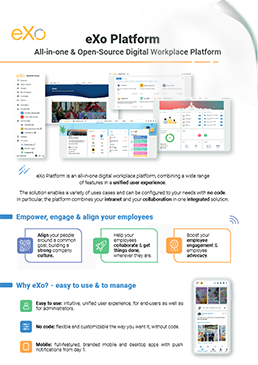

eXo Platform : The Open-Source
Digital Workplace Platform
Download the eXo Platform Datasheet and discover all the features and benefits

Download the eXo Platform Datasheet and discover all the features and benefits
Internal communication (IC) is the process, strategy, and set of tools that organizations use to share information, align employees with business goals, and foster engagement and collaboration. It is much more than simply sending out company announcements or newsletters—it is a deliberate, strategic function that shapes how employees experience the organization every day.
Effective internal communication creates meaningful linkages: between leadership and teams, across departments, and between on-site and remote employees. It ensures that information doesn’t just travel—it lands, resonates, and prompts action.
In practice, internal communication involves:
🤏In short, internal communication transforms information into understanding, alignment, engagement, and action.
Effective internal communication is no longer optional—it is essential for organizational success. Studies consistently show that improving communication drives engagement, productivity, and business outcomes.
🕵Quick evidence
🕺The Modern Challenge
The way we communicate at work has evolved dramatically. In 2025, improving internal communication means combining strategic leadership, modern technology, and a human-centered culture. Below are 22 actionable and up-to-date strategies designed to help organizations strengthen engagement, boost productivity, and build trust across distributed teams.
In the modern workplace, Internal Communication (IC) goes far beyond simply sharing updates—it is the lifeline that connects employees, aligns teams, and drives organizational success.
Effective Internal Communication ensures that everyone understands the company’s goals, feels included in decision-making, and has the information they need to perform their roles confidently. Research consistently shows that organizations with strong internal communication enjoy higher employee satisfaction, better retention, and improved overall performance.
As workplaces continue to evolve at a rapid pace, internal communication (IC) has moved beyond simply sending messages—it has become a strategic pillar of organizational success. Building a strong Internal Communication strategy and using the right platform is no longer optional; it’s essential. Here’s why:
👨💻The Hybrid Work Imperative
🧲Employee Engagement and Retention
🔬Accelerating Innovation
🧠Knowledge Management and Operational Efficiency
👨👩👧👦Crisis and Change Management
Here are some Key differences between internal and external communications:
➝ Find out the Key differences between internal and external communications
Selecting the right internal communications (IC) platform is a strategic decision. It’s about more than just picking a tool—it’s about enabling effective communication, engagement, and alignment across your organization.
Here’s a structured, step-by-step approach to guide your decision:
➝ Discover How to Choose the Right Internal Communications Platform
( Your e-mail address will not be published)

I am a Digital Marketing specialist specialized in SEO at eXo Platform. Passionate about new technologies and Digital Marketing. With 10 years' experience, I support companies in their digital communication strategies and implement the tools necessary for their success. My approach combines the use of different traffic acquisition levers and an optimization of the user experience to convert visitors into customers. After various digital experiences in communication agencies as well as in B2B company, I have a wide range of skills and I am able to manage the digital marketing strategy of small and medium-sized companies.